Syncing Session to Calendar
Last updated: September 4, 2025
Using the calendar sync feature attendees you can add reserved sessions and meetings to your personal calendar on your mobile phone. This helps attendees to stay notified of the sessions and meeting in Zuddl.
Once added you can set the reminder as you prefer for your meetings and sessions.
Cross-platform behaviors
On iOS devices: the local calendar is synced
On Android devices: Google calendar is synced
Mi Phone: Mi calendar is synced
Prerequiste
For iOS - The local calendar app must be logged into with any email address irrespective of the email address used in the Zuddl app.
If no email is added, we will prompt the user to check the app's calendar configuration.
On Android, if no email address is added on the Google calendar, the meeting will be synced to primary email address.
Sync all meetings
To sync meetings to your personal calendar, attendees must follow the steps below:
Only accepted meetings are accepted not completed or cancelled
The attendee reaches the my meetings page
Clicks on calendar icon at the top.
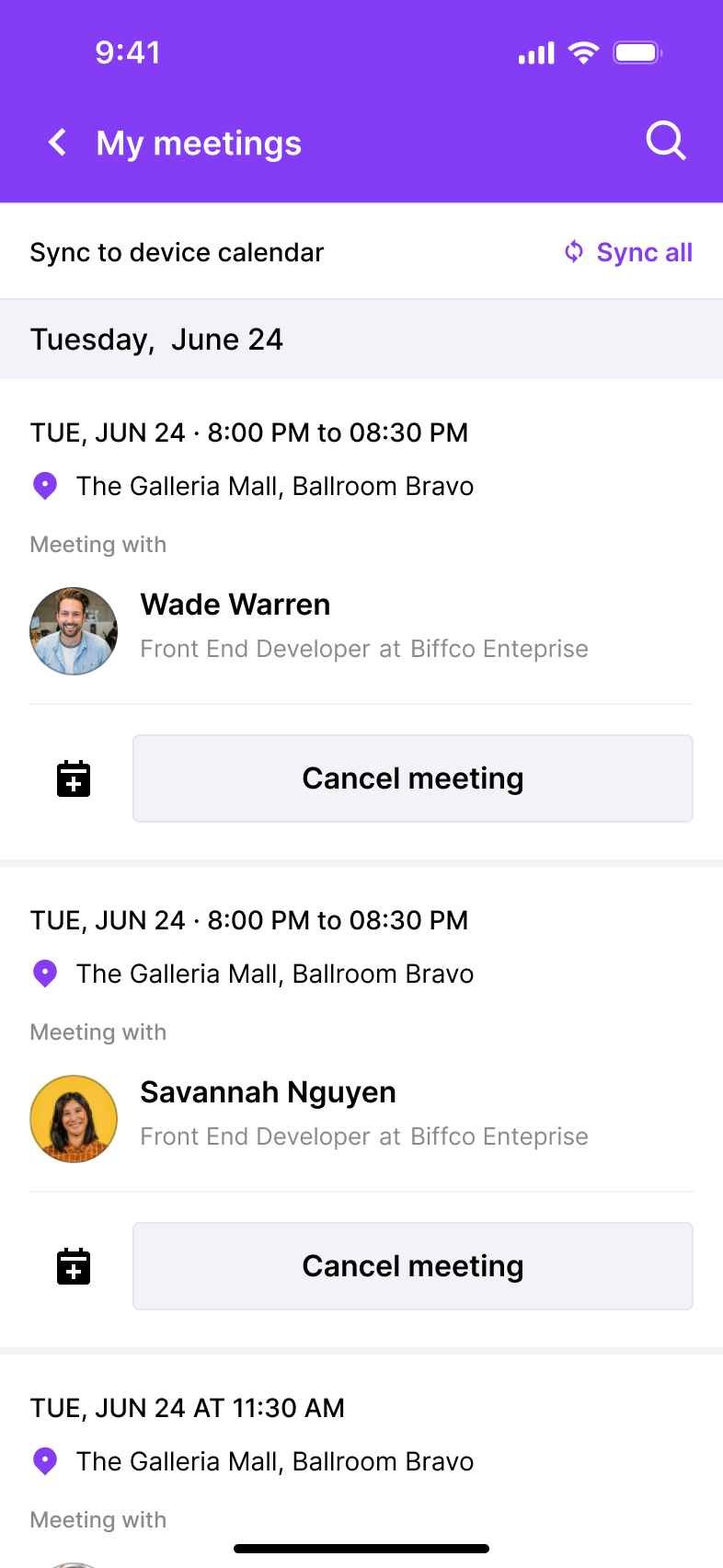
This syncs all meetings in your My meetings page to your personal calendar on your device.
Sync all meeting
To sync all meetings together at once, click the Sync all button at the top
This creates reminder for all your meeting under My meeting on your personal calendar. The Sync all button also gets updated to Synced.
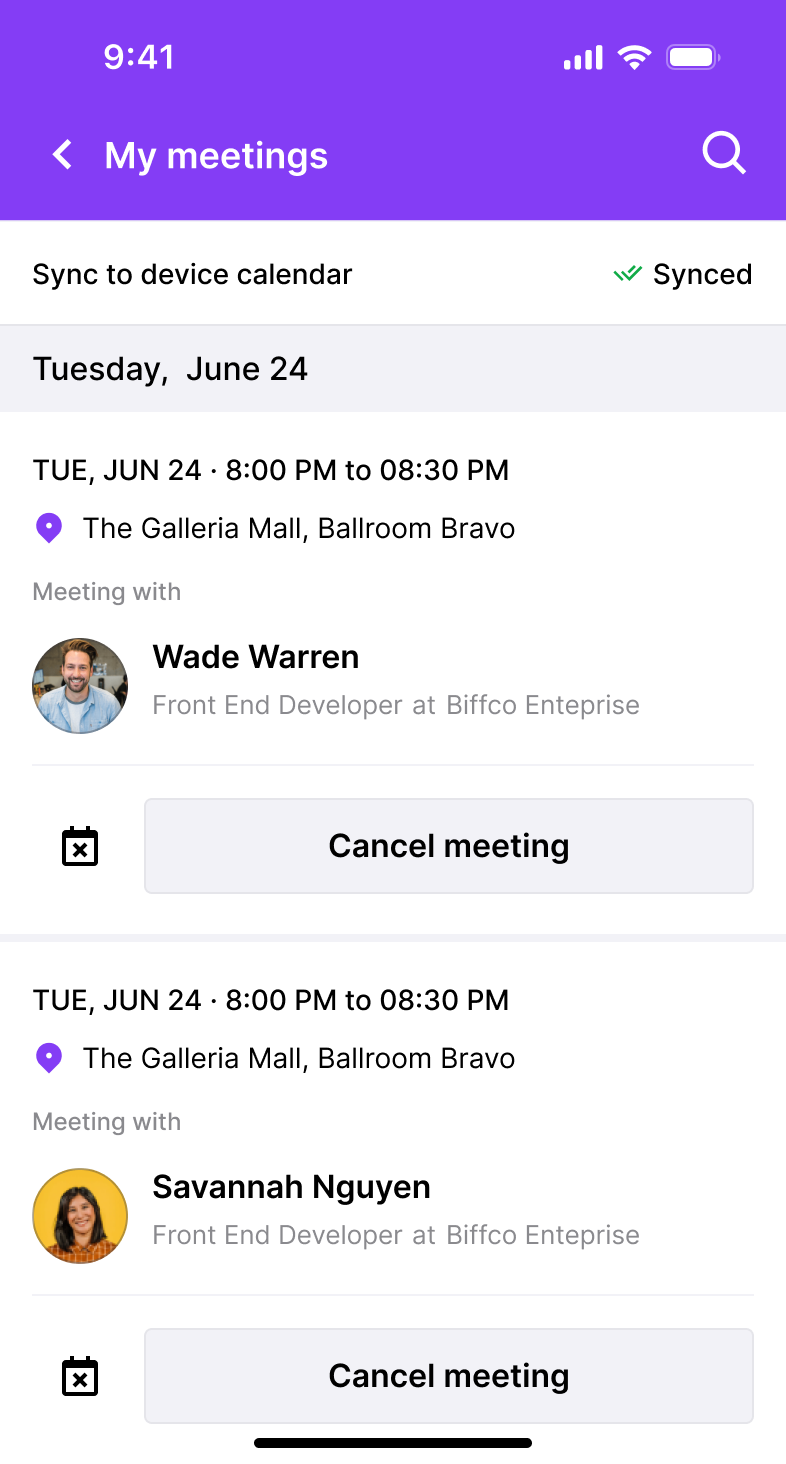
Removing a meeting
When you remove a meeting, all the calendar reminders also gets deleted.
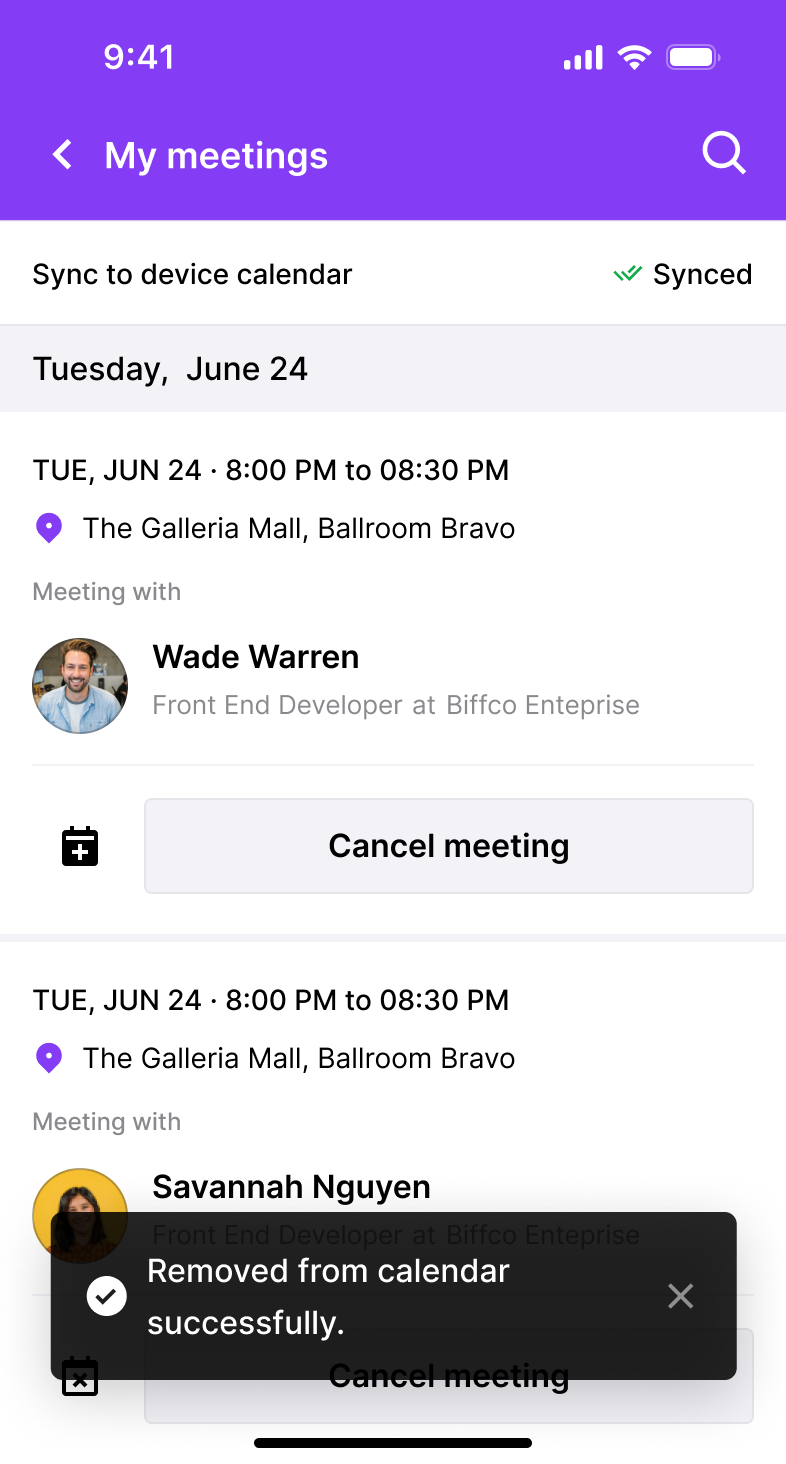
Syncing sessions
To sync sessions to your personal calendar, attendees must follow the steps below:
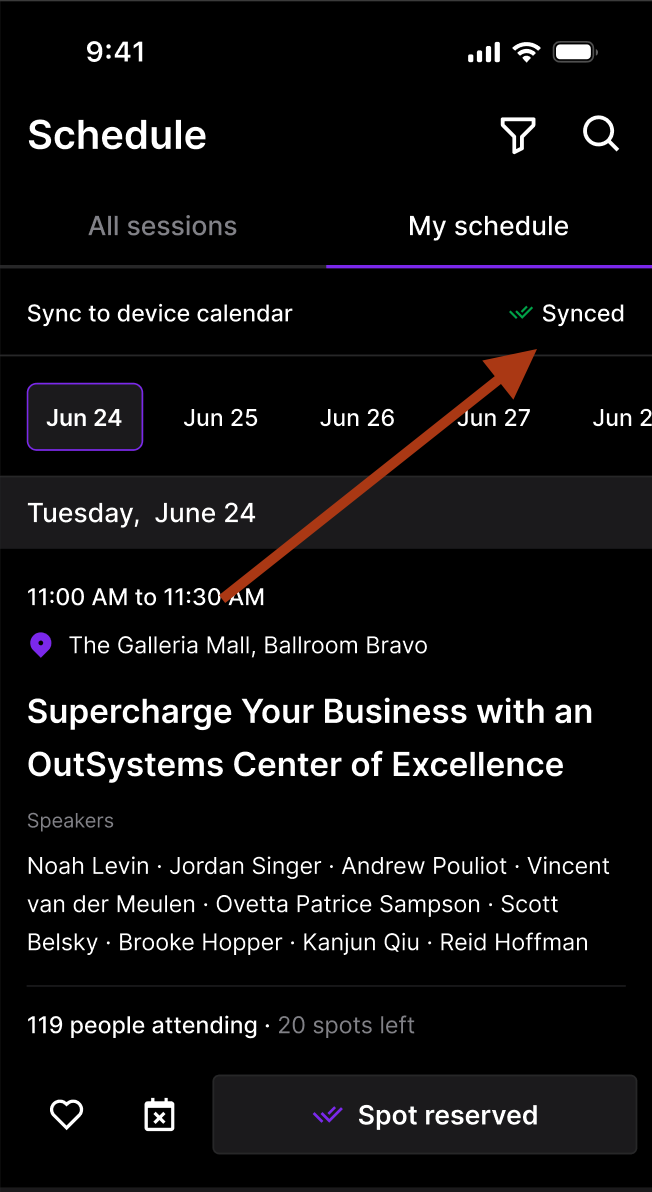
Attendees go to the My schedule tab.
Clicks on the calendar icon below a session.
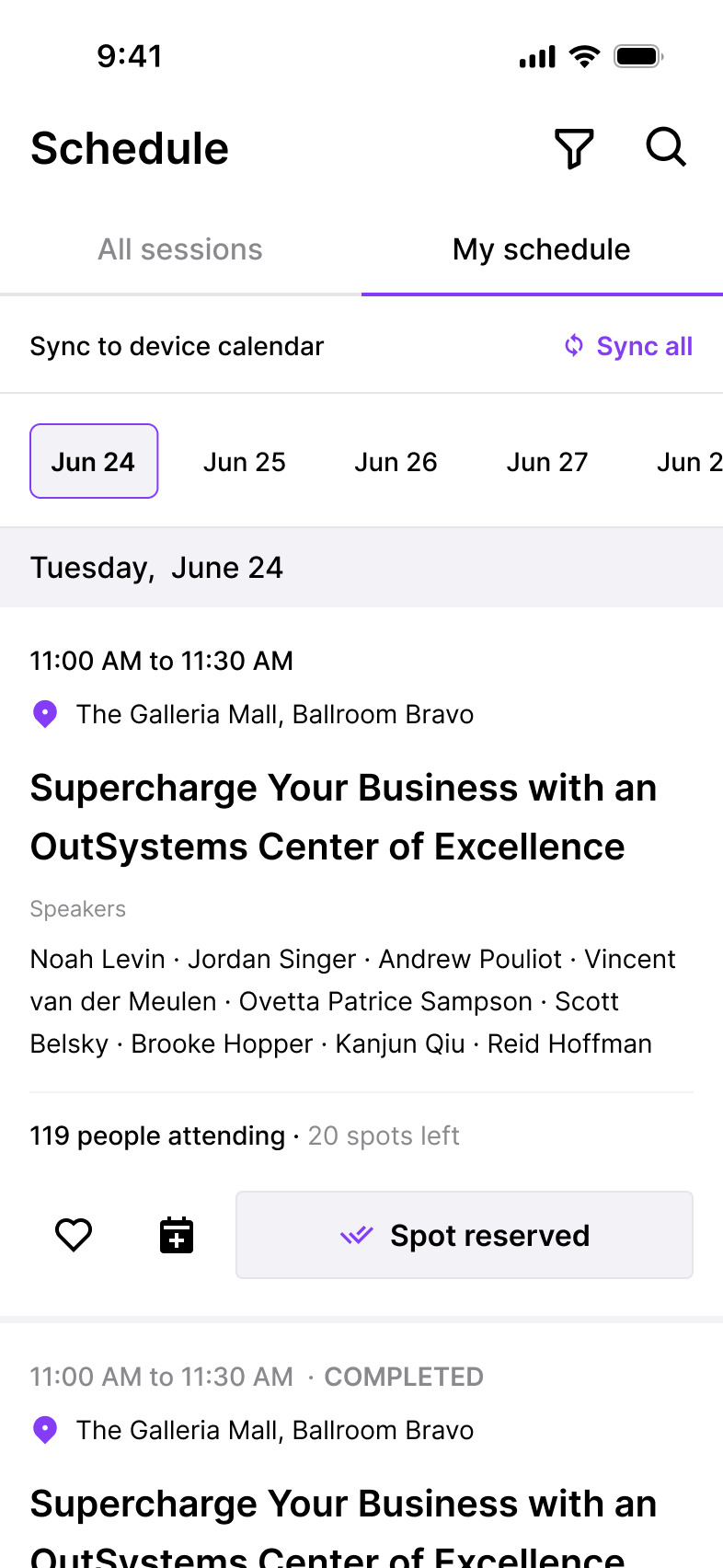
This syncs the session to your personal calendar.

Sync all sessions
To sync all sessions together at once, click the Sync all button at the top of the list.

This creates a reminder for all your sessions under My schedule on your personal calendar. The Sync all button also gets updated to Synced.
If there already exists an older calendar block on your personal calendar, it gets overridden by the updated sync.
Limitations
- If the app is uninstalled, events are not auto-deleted upon app uninstall.
- If you logout of the app, it does not clear calendar entries. You would need to manually clean up your calendar.