Send Registrations from Zuddl to Iterable
Last updated: May 12, 2026
Once you've completed the installation and field mapping, you can customize the integration for your event.
Go to the event dashboard for the required event.
Go to Integrations and under Iterable section, click Customize.

You can customize the following in the integration:
Choose which attendee activities to be passed to your Iterable account
Map custom user profile fields
Choose attendee activities to pass (Optional)
Learn how to pass attendee activities to your Iterable account.
Registered and Attended activities are captured by default and they cannot be turned off.
Map user profile fields
Under User profile fields, choose suitable Iterable fields to map with custom registration fields specific to your event. All custom fields added for your Zuddl event is listed in the dropdown.
Select a custom field from the Zuddl registration field column.
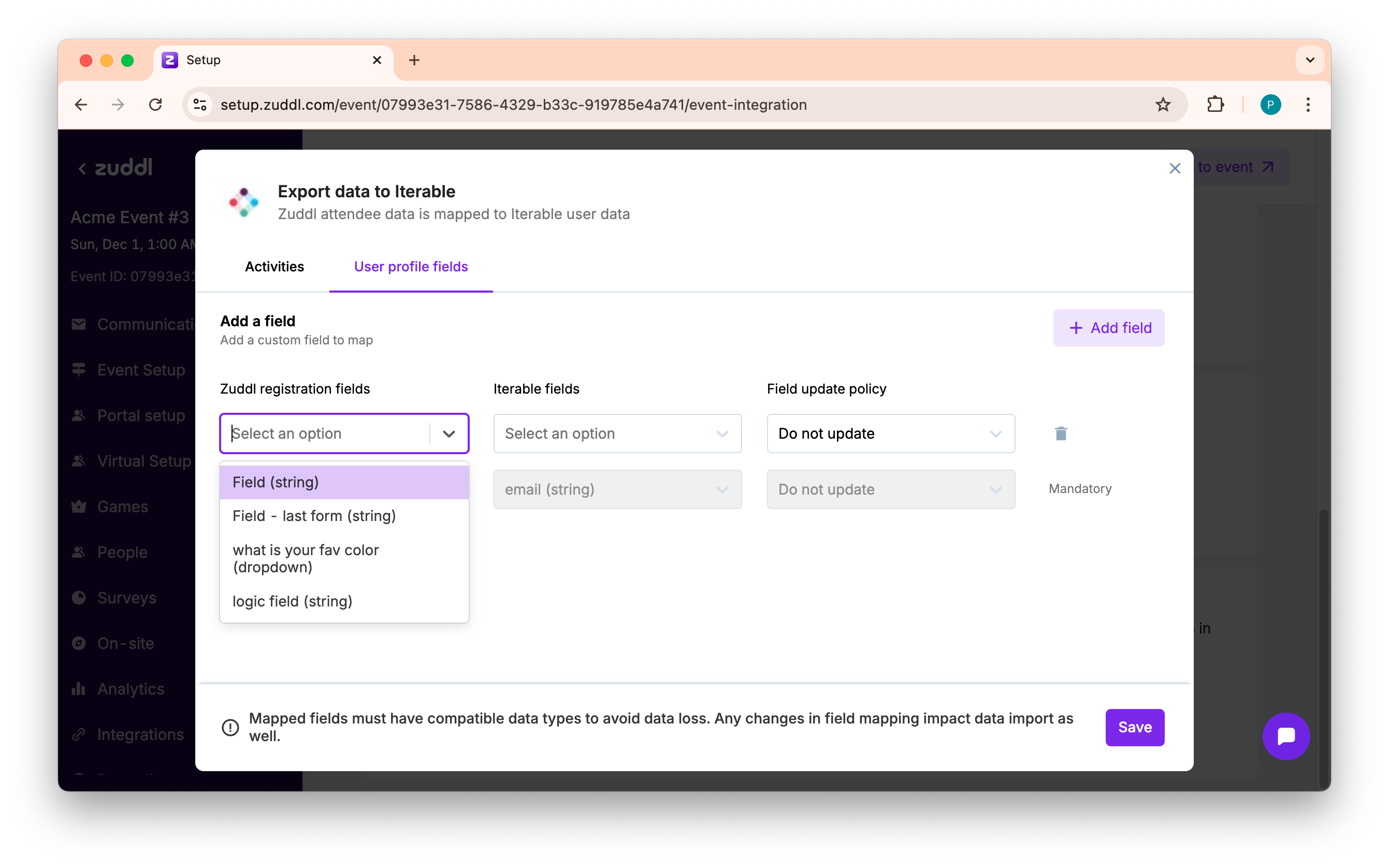
Select a suitable Iterable field to map its couterpart in Zuddl.
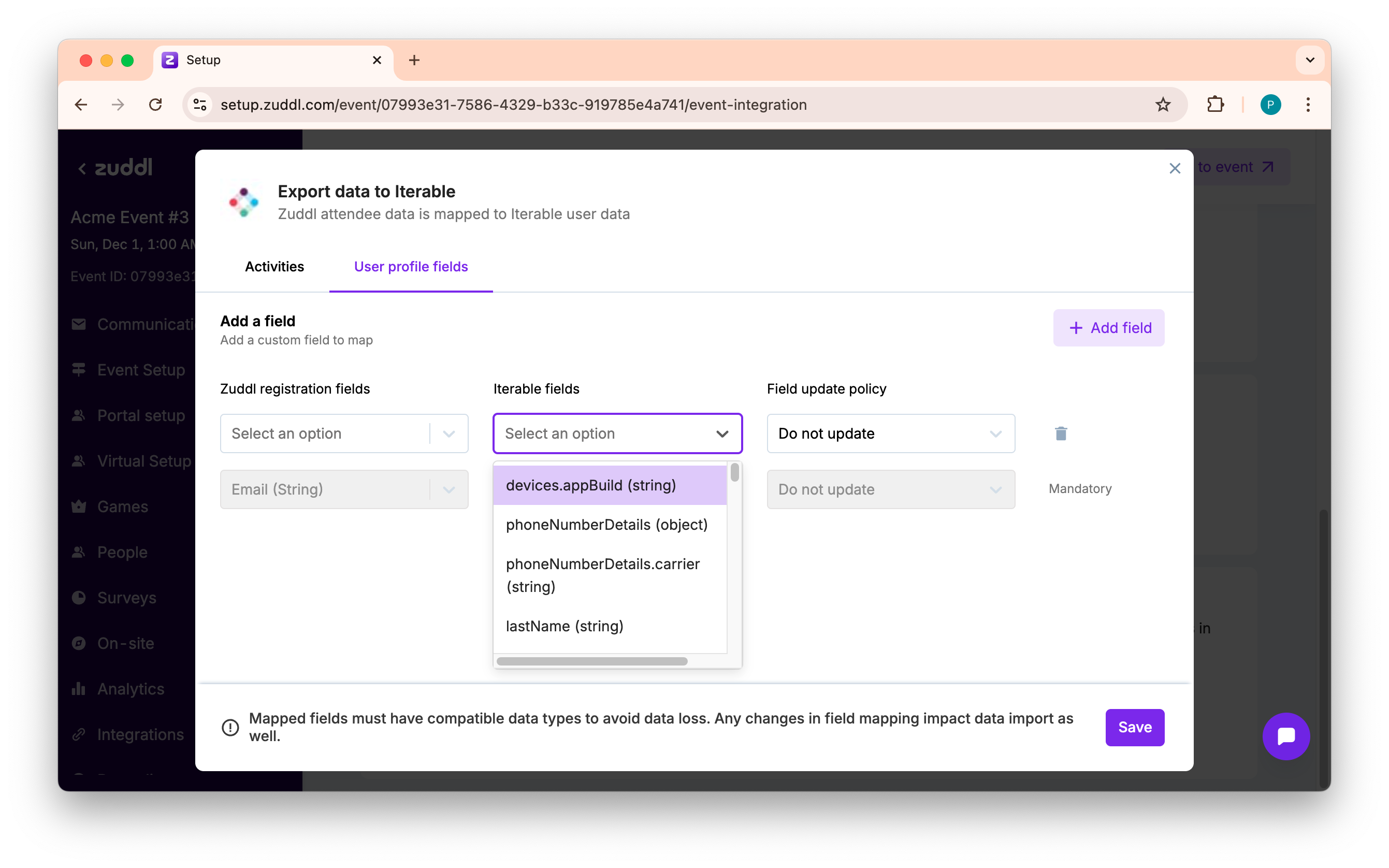
You can control the sync action for each field by choosing a Field update policy.
Do not update: This option does not pass the Zuddl field value to the mapped Iterable field.
Only update if target is empty: If the Iterable user field value is empty, this option passes only the Zuddl field value.
Do not update if source is empty: If the Zuddl field value is empty, this option does not pass the value of the Zuddl field to the mapped Iterable field.
Always update: This option always passes the Zuddl field value to the mapped Iterable field.
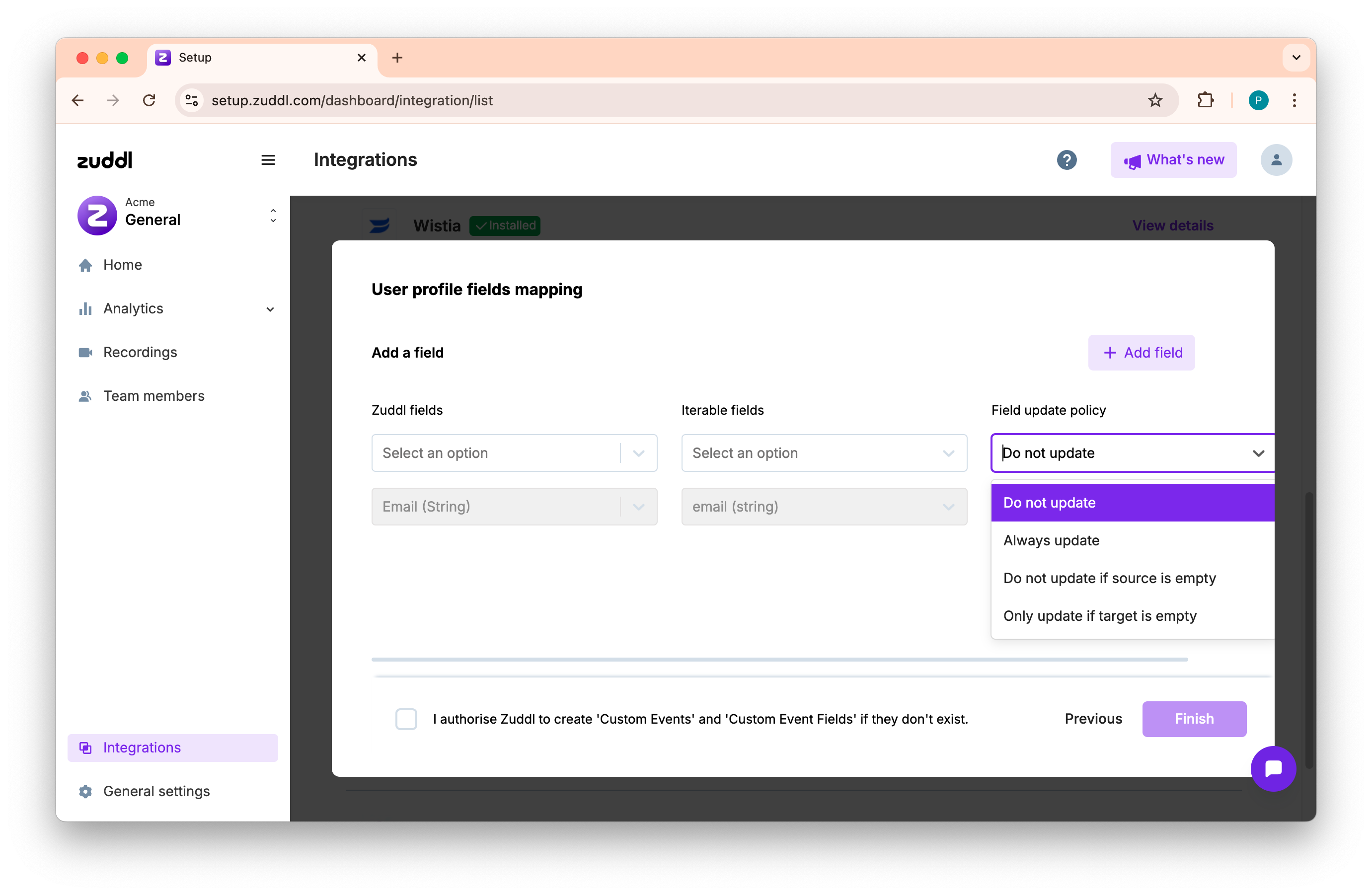
If a custom registration field is not mapped to a corresponding user profile field, it does not show up in the user profile field level in Iterable but inside the custom event.
Click the Sync now button to pass the time spent activities to Iterable.
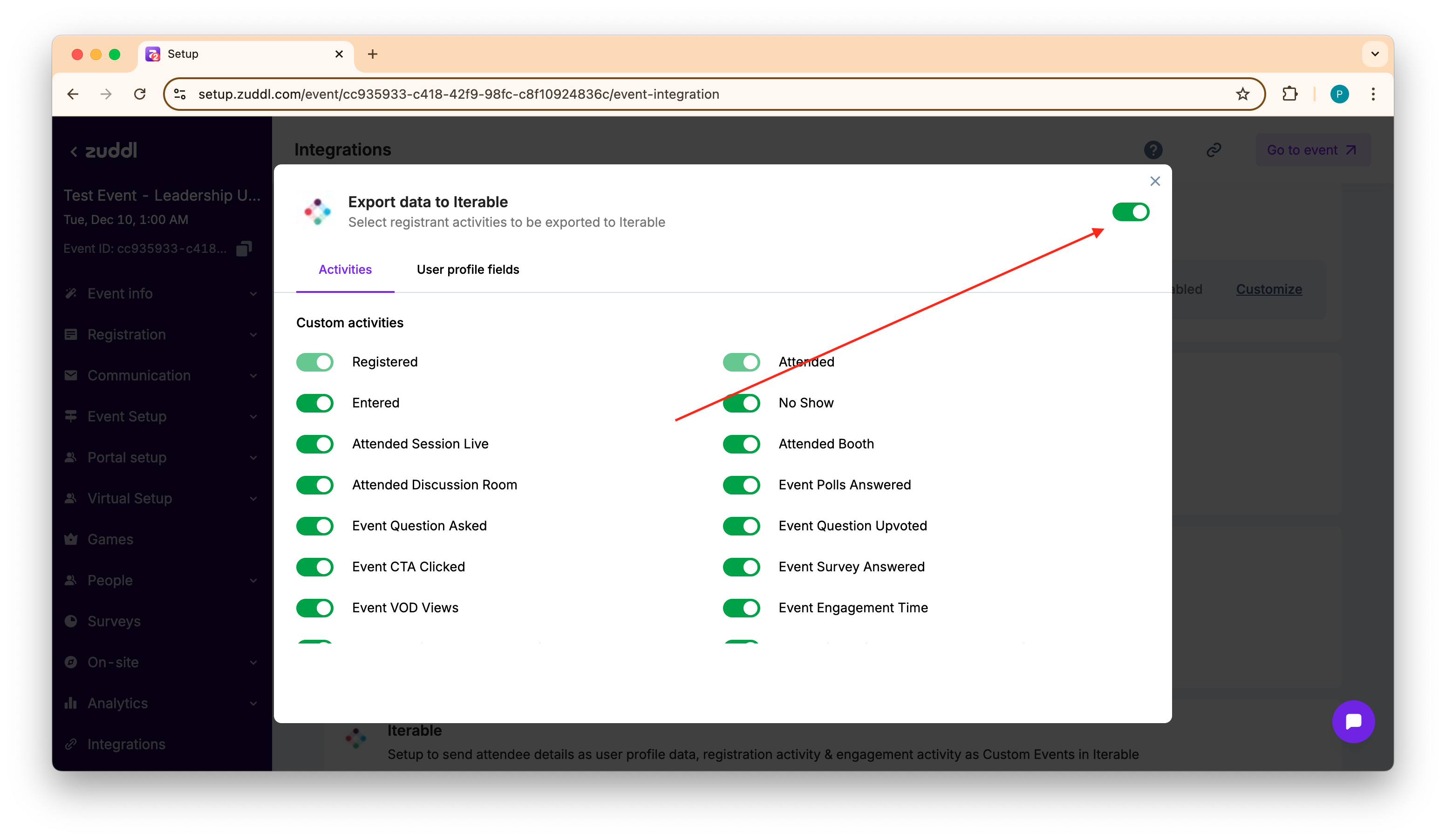
When you turn on Sync after you had turned it off earlier, you get two options:
- All data: Allow integration to re-push all captured data from the beginning and pass it to Iterable. This replaces any existing data passed from Zuddl for the event
- Data from now: Allow integration to pass data from now
When are the custom fields created?
The integration creates custom fields in the custom events at the time of first registration.
Viewing Zuddl registration data in Iterable
To view the captured engagement data on Iterable, you need to access the users profile.
Go to Audience > Contact lookup.
Enter the user's email address in the search box and click Search users.
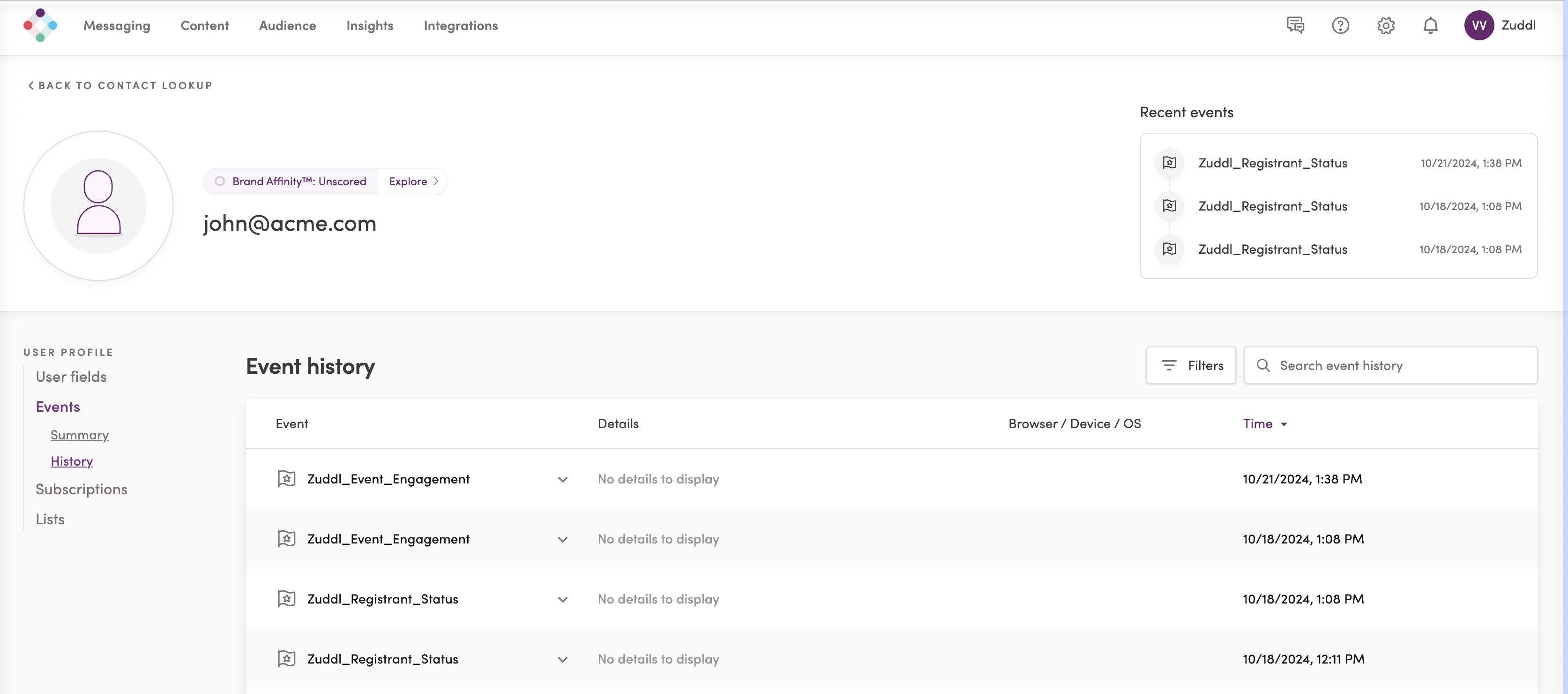
In the user profile page, click History under Events.
In the Event history table, you can view the 'Zuddl_Registrant_Status' custom event.
Sample JSON Payload
The sample JSON payload for the Zuddl_Registrant_Status is shown below
{"createdAt": "2024-10-21T08:08:16.000Z","dataFields": {"AttendanceType": "HYBRID","AttendeeStatus": "REGISTERED","EventFormat": "HYBRID","EventId": "fa1a21a5-34d3-4963-xxxxxxxxx","EventName": "Acme event","EventType": "EVENT","MagicLink": "https://app.zuddl.com/p/m/a/event/fa1a21acxxxxxxxxx","RegistrationInfo": {"Company": "Test Company","Country": "Test Country","Email": "john@acme.com","FirstName": "Test First Name","FlowName": "Test Flow 1","IPCity": "Test City","IPCountry": "Test Country","LastName": "Test Last Name","PhoneNumber": "1237894560","Role": "Test Role","UTMCampaign": "Campaign","UTMContent": "Content","UTMId": "a8182485-6175-44fa-ab08-xxxxx","UTMMedium": "Medium","UTMSource": "Source","UTMTerm": "Term"},"TicketInfo": {"AddOnsPurchased": ["Add On 1 [session1, session2]","Add On 2 [session3]","Add On 3"],"AmountPaid": 100,"CouponsApplied": "Test Coupon","TicketTagType": "Test Ticket tag","TicketTypePurchased": "Test Ticket 1"}},"eventName": "Zuddl_Registrant_Status","eventType": "customEvent","eventUpdatedAt": "2024-10-21 08:08:16 +00:00","itblInternal": {"documentCreatedAt": "2024-10-21 08:08:16 +00:00","documentUpdatedAt": "2024-10-21 08:08:16 +00:00"},"itblUserId": "3395201d-eb88-4df9-9d58-xxxxxx"}The table below show the description of the JSON objects
Zuddl object | Description |
|---|---|
EventId | The unique ID of the Zuddl event |
EventName | The name of the Zuddl event |
EventFormat | The format of the Zuddl event; HYBRID, VIRTUAL, IN-PERSON |
Event Type | Describes the event type in Zuddl; EVENT, WEBINAR, FIELD, THIRD_PARTY |
AttendanceType | The attendance type of the registrant; HYBRID, VIRTUAL, or IN-PERSON |
AttendeeStatus | The current status of the registrant;
|
MagicLink | The magic link used to directly arrive at the event |
FlowName | Name of the registration flow through which the registration happened |
Role | The designation of the attendee |
TicketInfo | All ticket related details such as:
|
eventName | Name of the event created in Iterable; 'Zuddl_Registrant_Status' |
eventType | The type of event created in Iterable; 'customEvent' |
eventUpdatedAt | The date and time of the creation/updation of the event. |
When the registrant enters the event after registration and attends it, the 'AttendanceStatus' changes from 'REGISTERED' to 'ATTENDED' the same custom event is created with updated field values.