How to View and Export Contact Form Responses from the Registration Page?
Last updated: November 18, 2025
Follow the steps below to access contact form submission data and download it as a CSV:
Log in to your Zuddl account.
From the dashboard, navigate to the event you want to check the stats.
Go to Registration > Registration page, click on edit to open the site editor
Once inside the Site Editor, look at the top menu bar.
Click the Info (ℹ) icon, this opens a dropdown menu with site-related options.
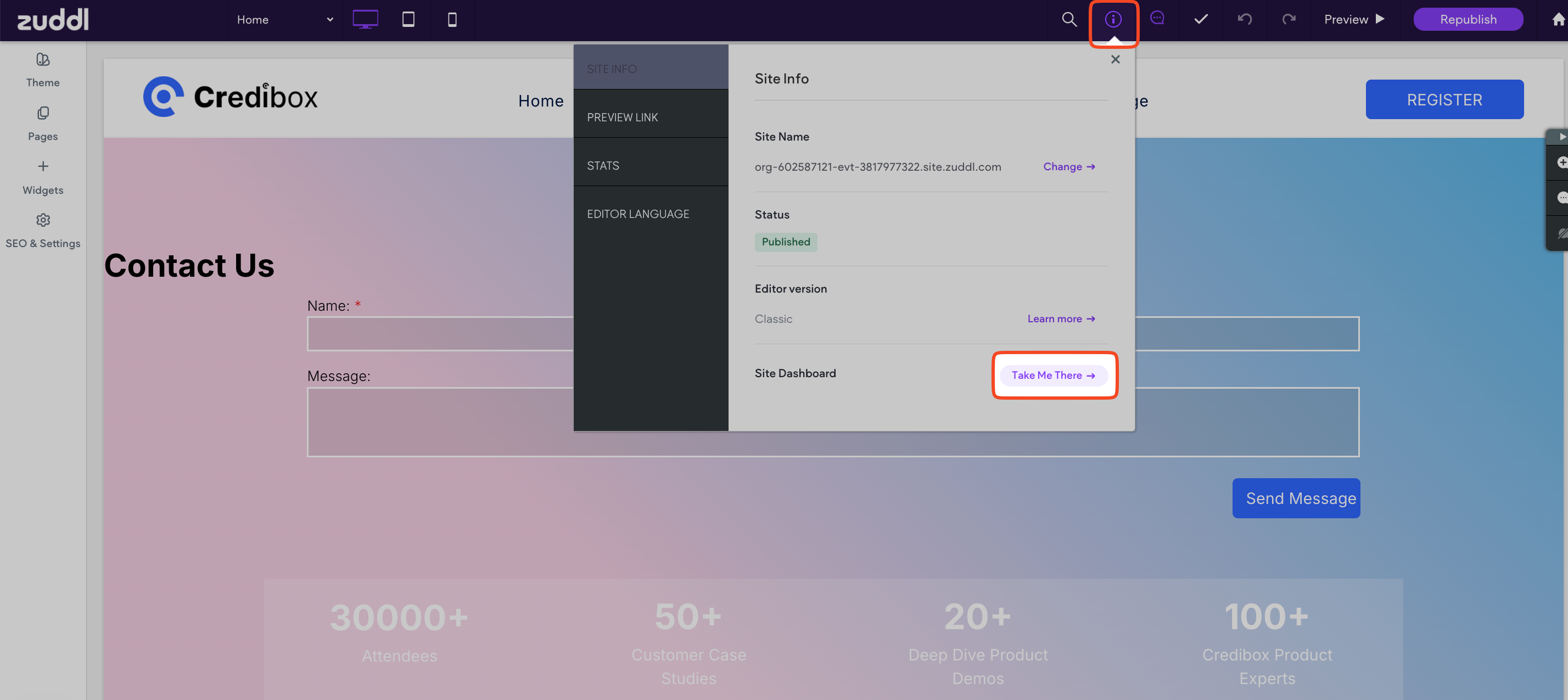
In the panel, find Site Dashboard and click Take Me There.
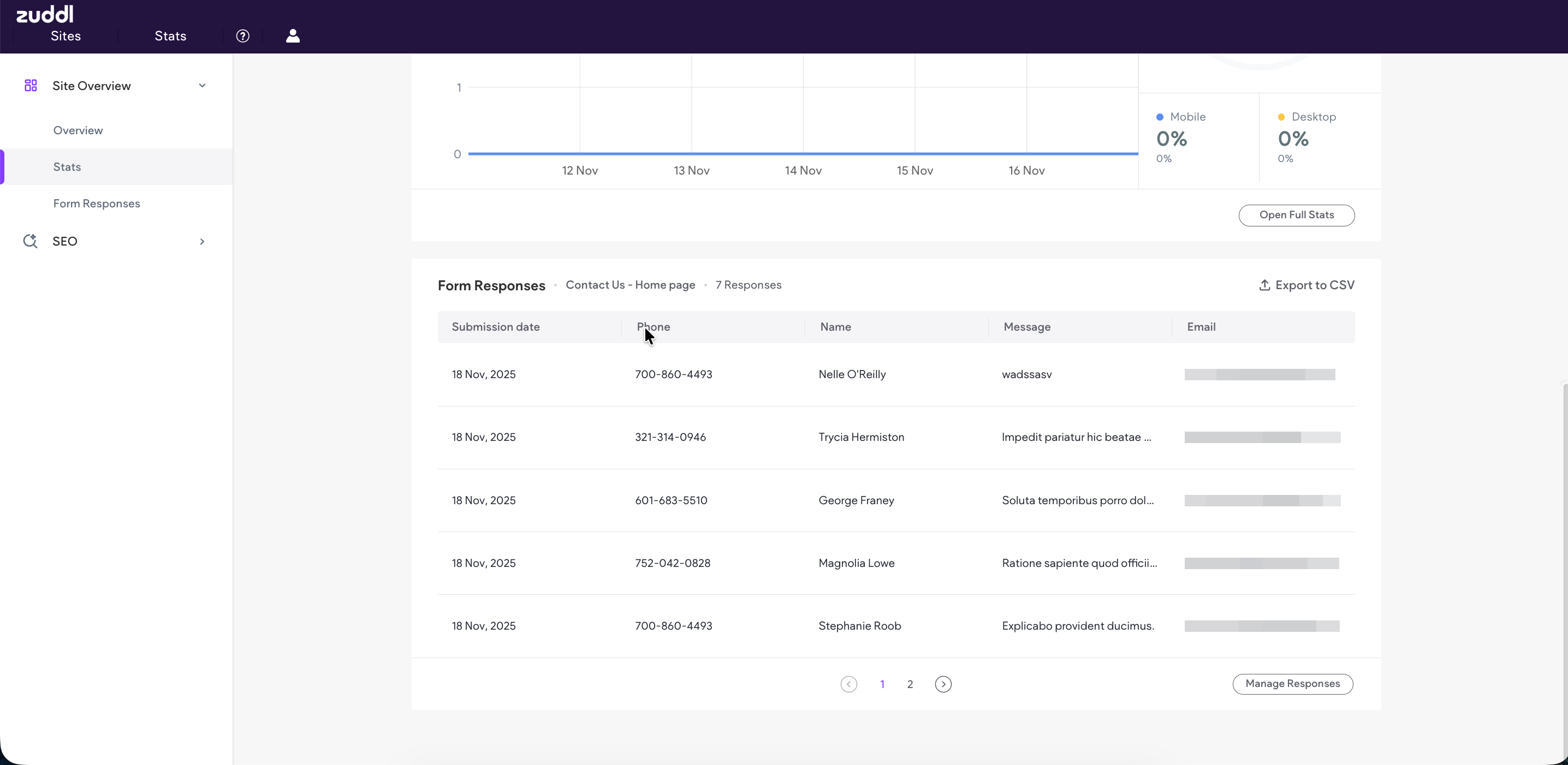
On the Site Dashboard, go to Form Responses.
From here, you can view all form submissions or export them as a CSV file.