How to Add and Use In-person Locations for your Hybrid Event
Last updated: August 1, 2025
Apart from the location name, you can also include a map link to help your attendees find the location.
Adding a location
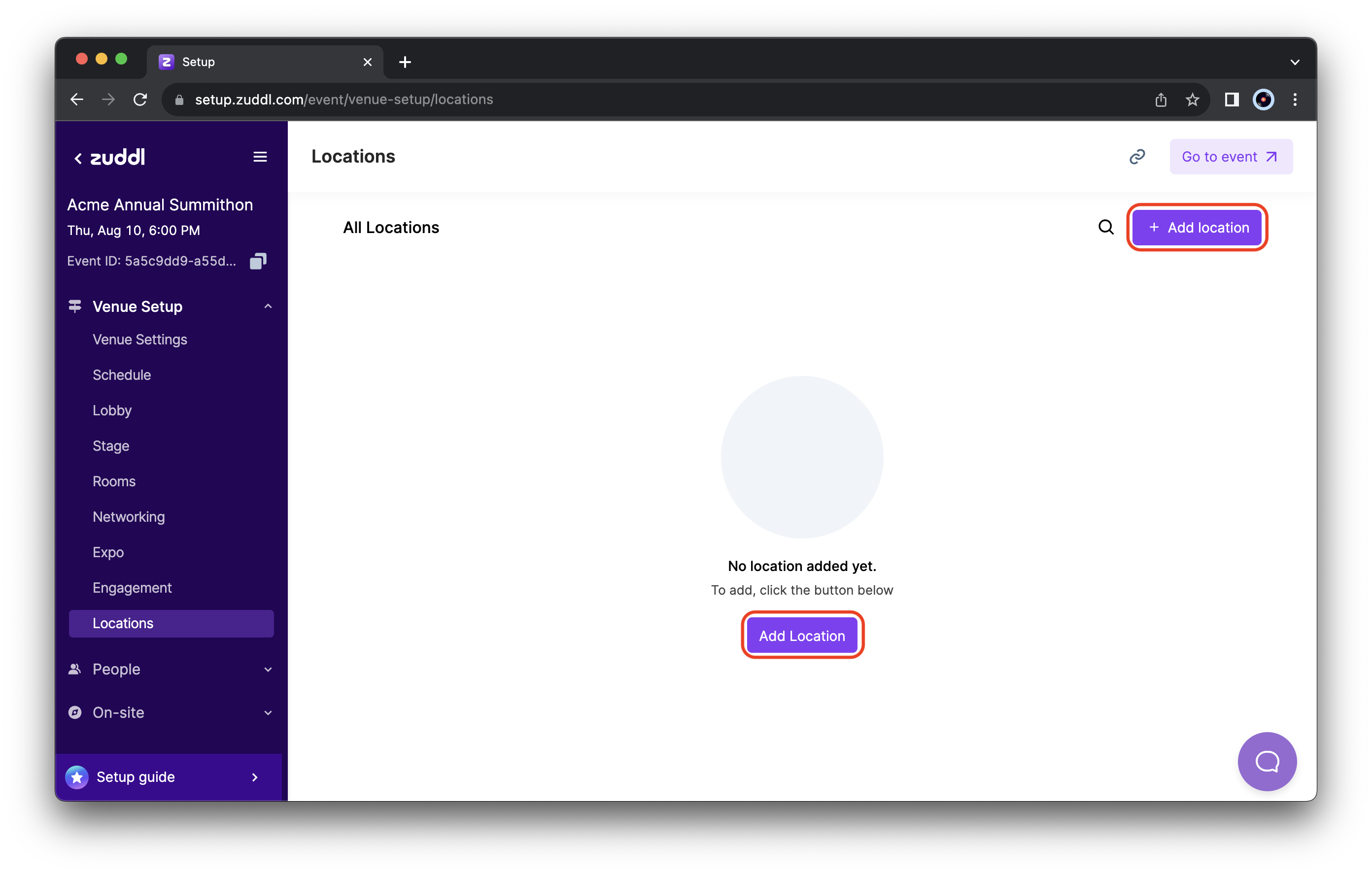
In the event setup, go to Venue Setup > Locations and click Add location.
In the Add location modal, enter a Name for the location and a Map link to help attendees navigate.
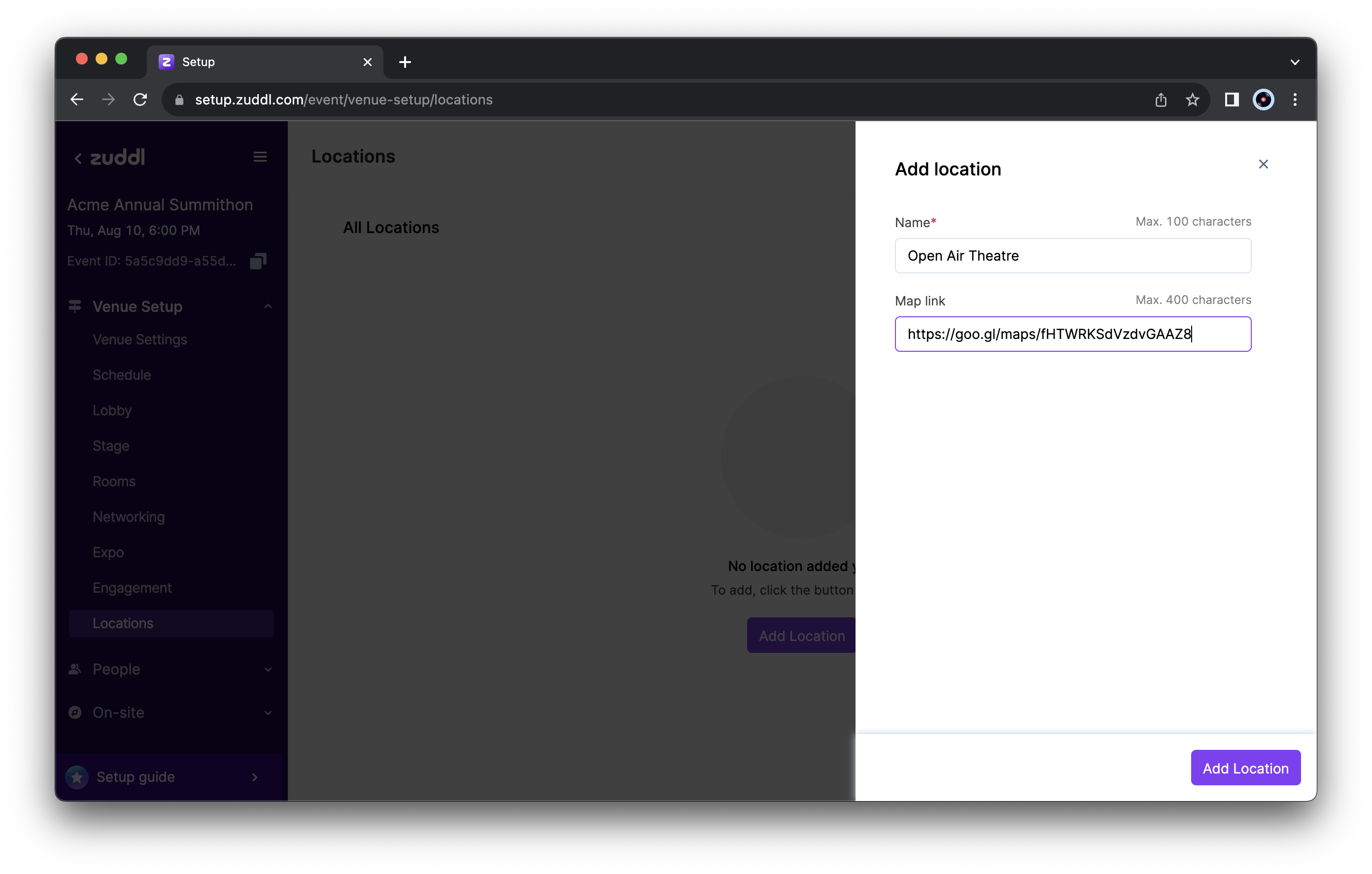
- Click the Add Location button to save this as a location.
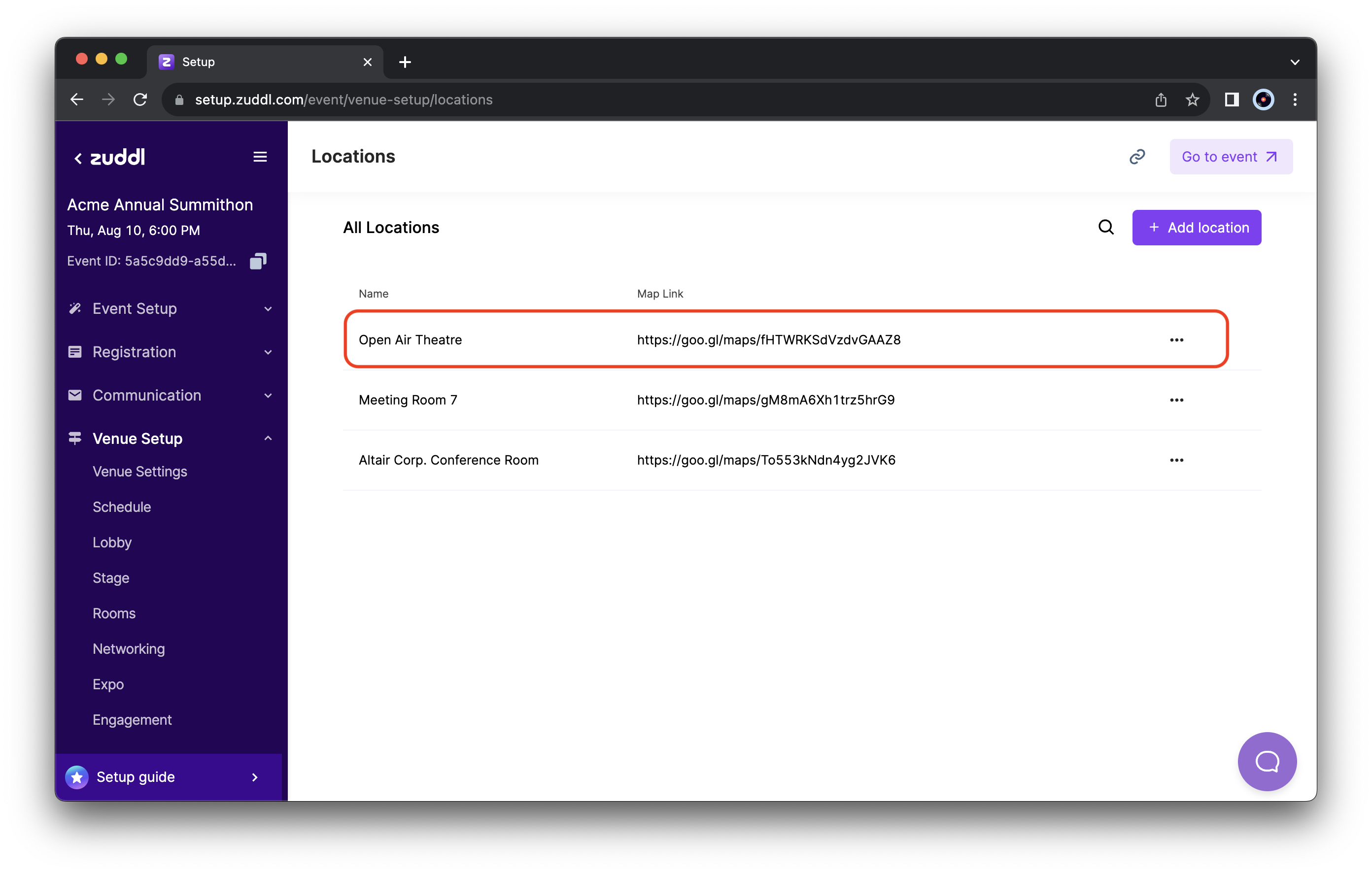
You can now view the added locations and use them in the event setup.
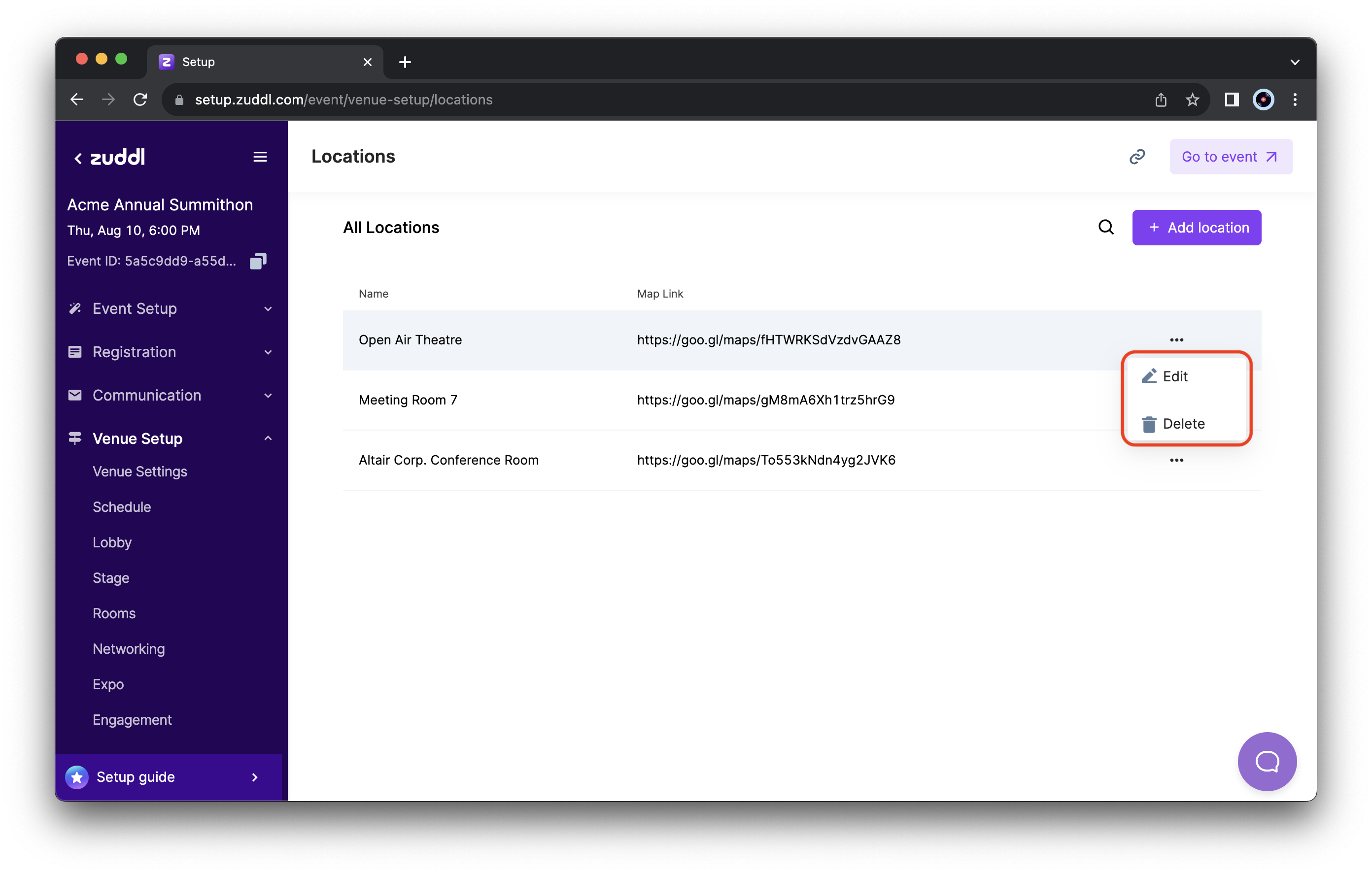
To make changes to the added location, click the more options button to view the Edit and Delete buttons.
Using an in-person location
Assigning a location for sessions
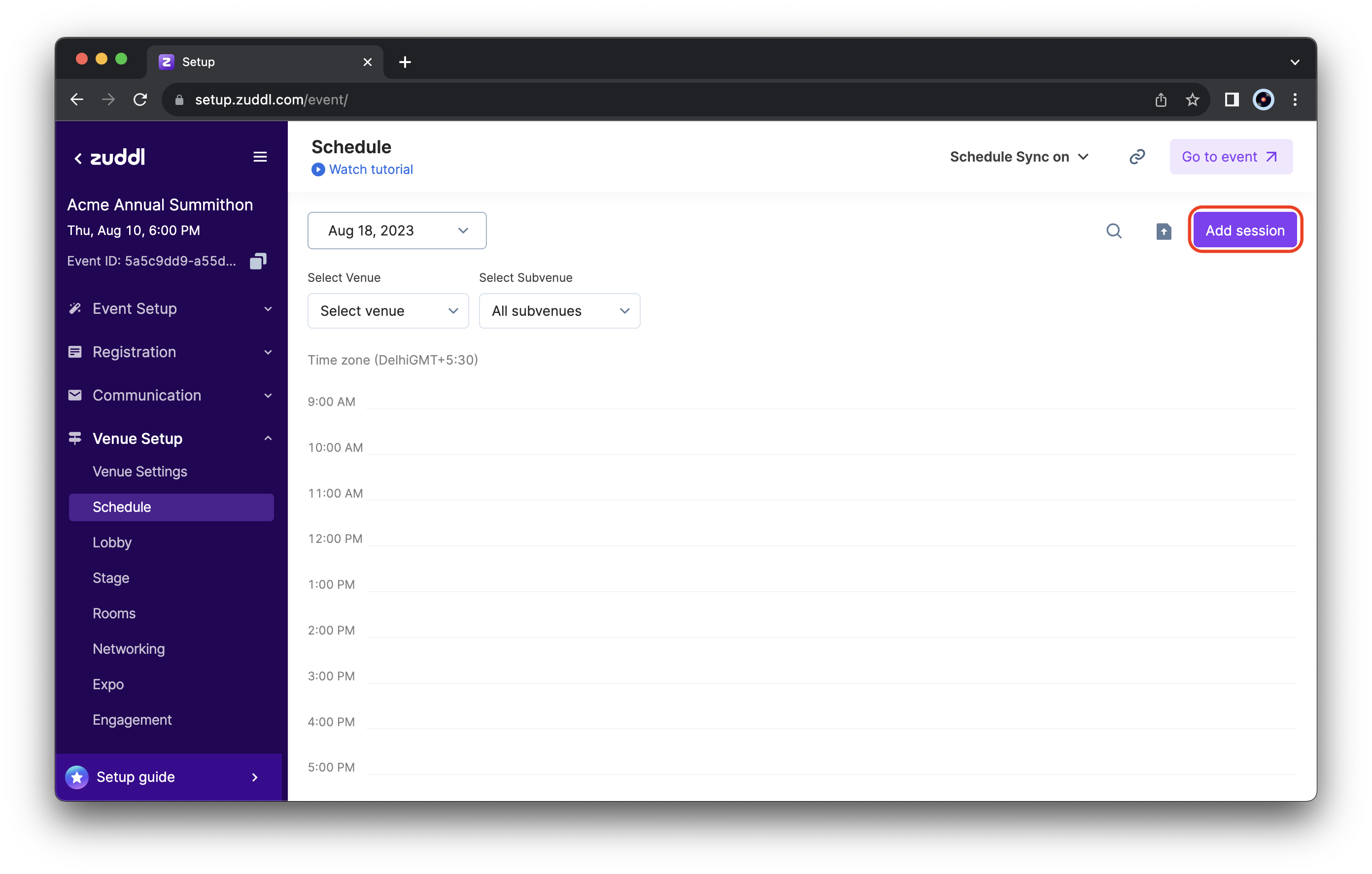
- In the event setup, go to Venue Setup > Schedule.
Click Add session to start scheduling a new session.
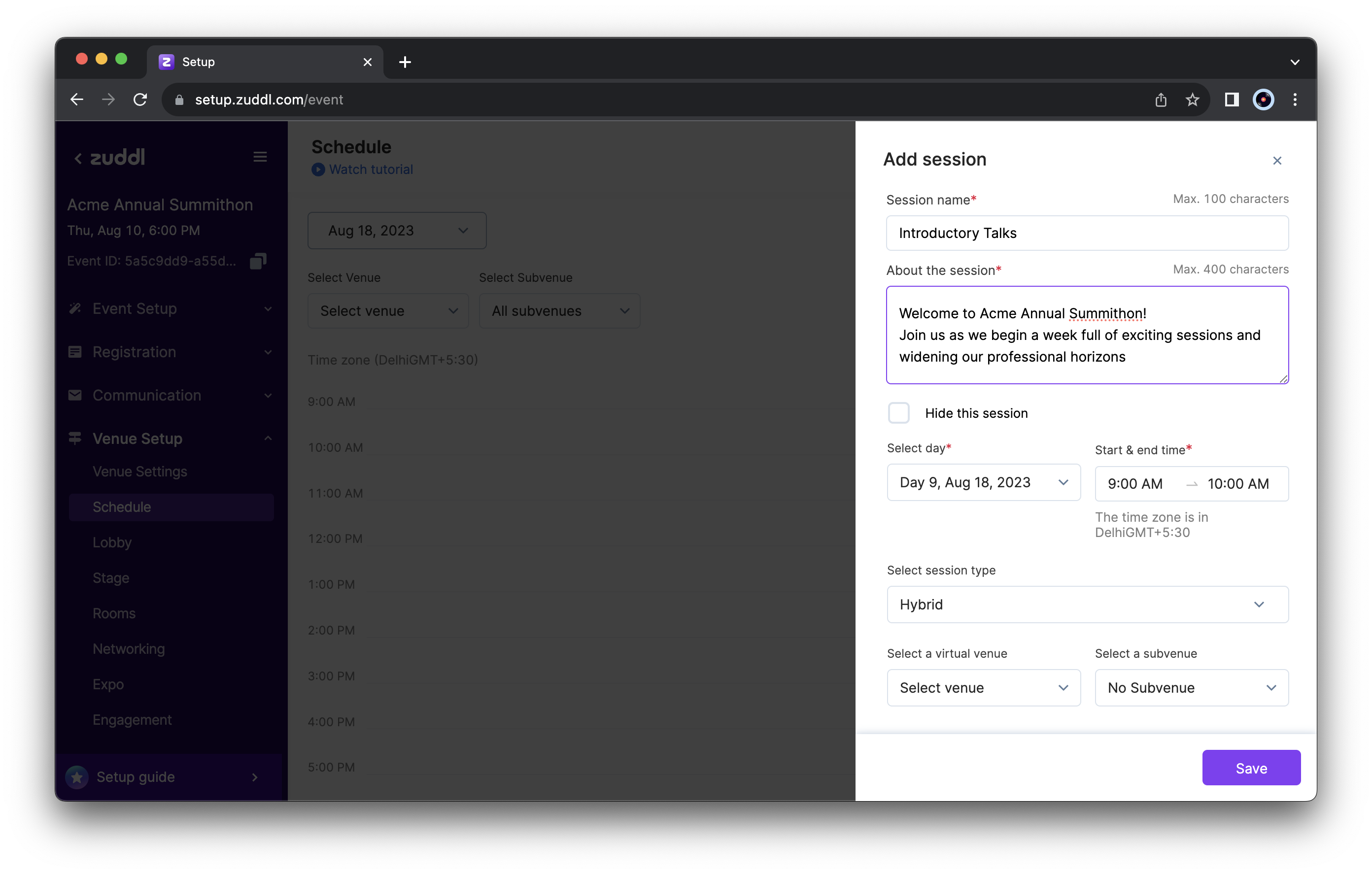
Enter the session details.
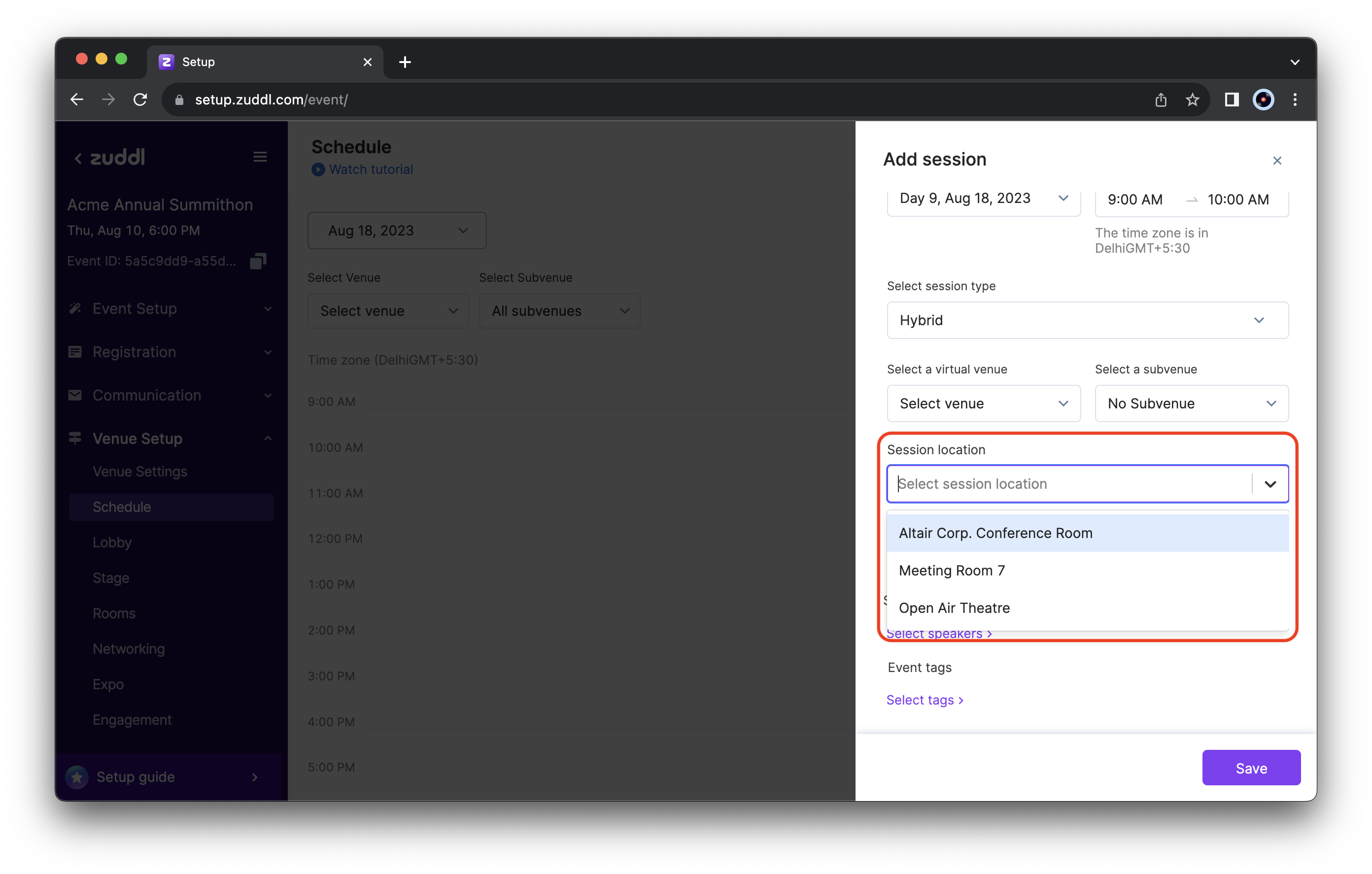
Click Session location to open the dropdown and select a location from the list.
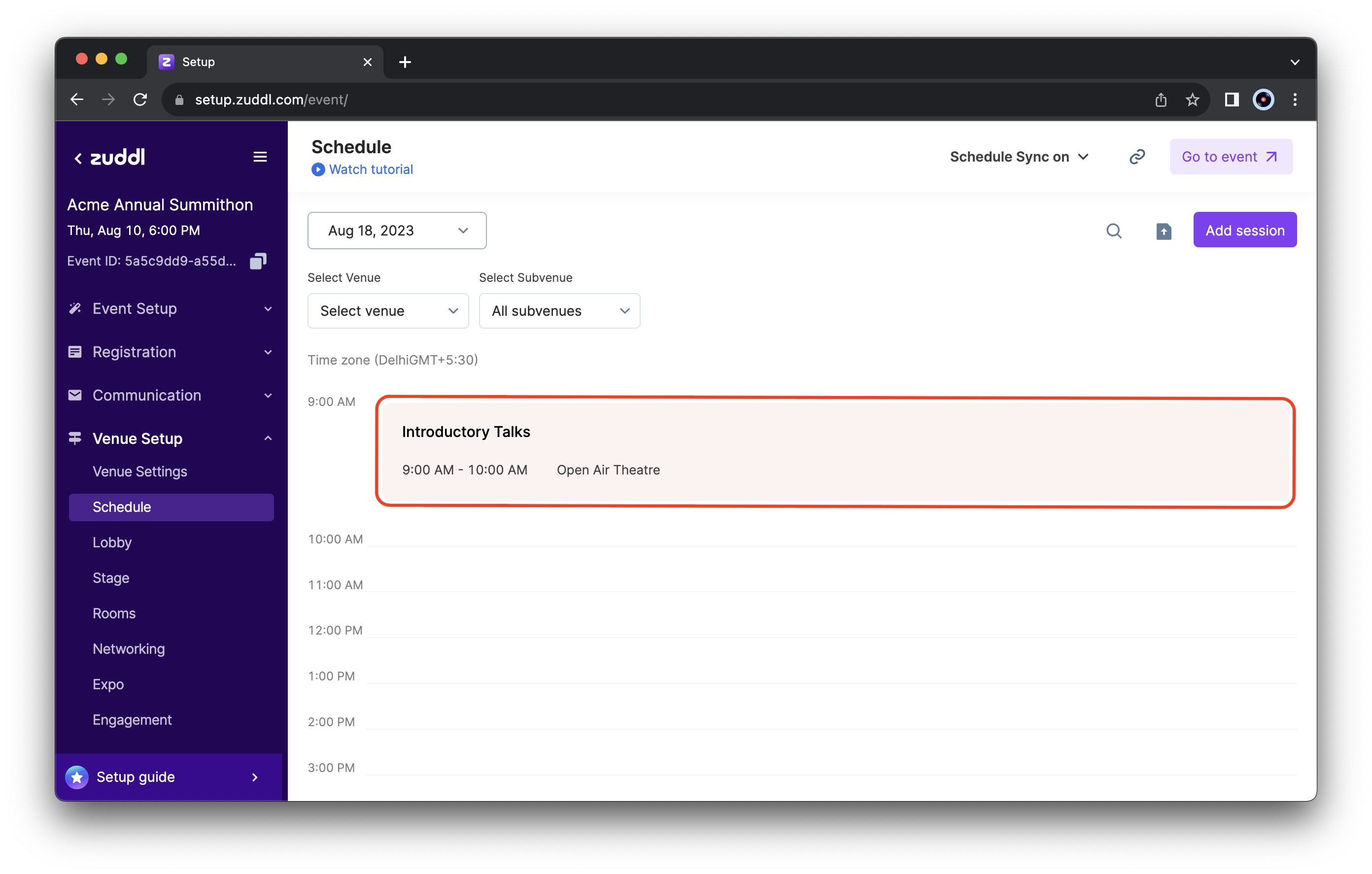
Click Save to add this session to the event schedule. The selected location is now shown in the schedule with the session name.
Assigning a location for expo booths
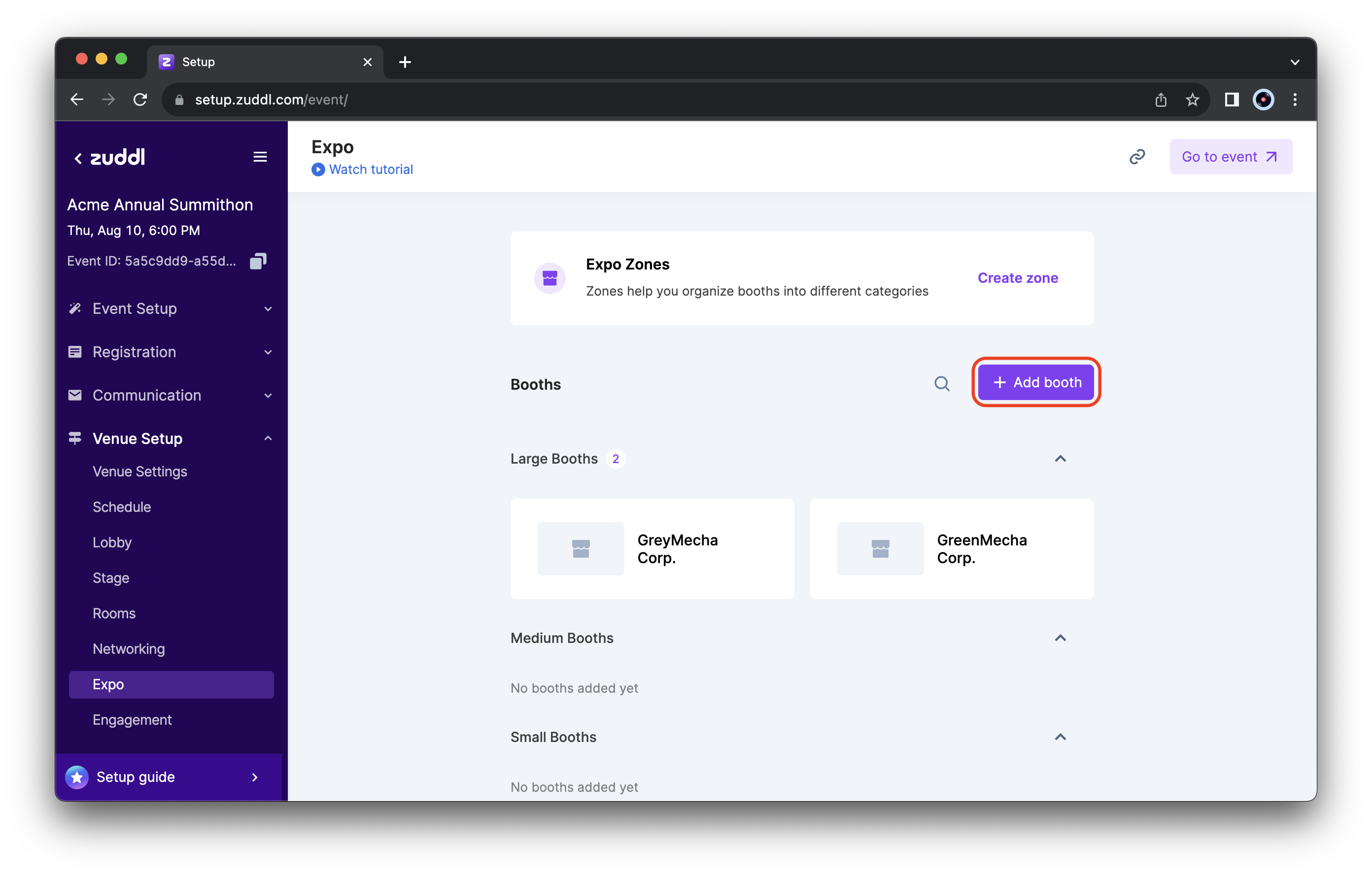
- In the event setup, go to Venue Setup > Expo.
Click Add booth.
Enter the booth details and assign a booth owner.
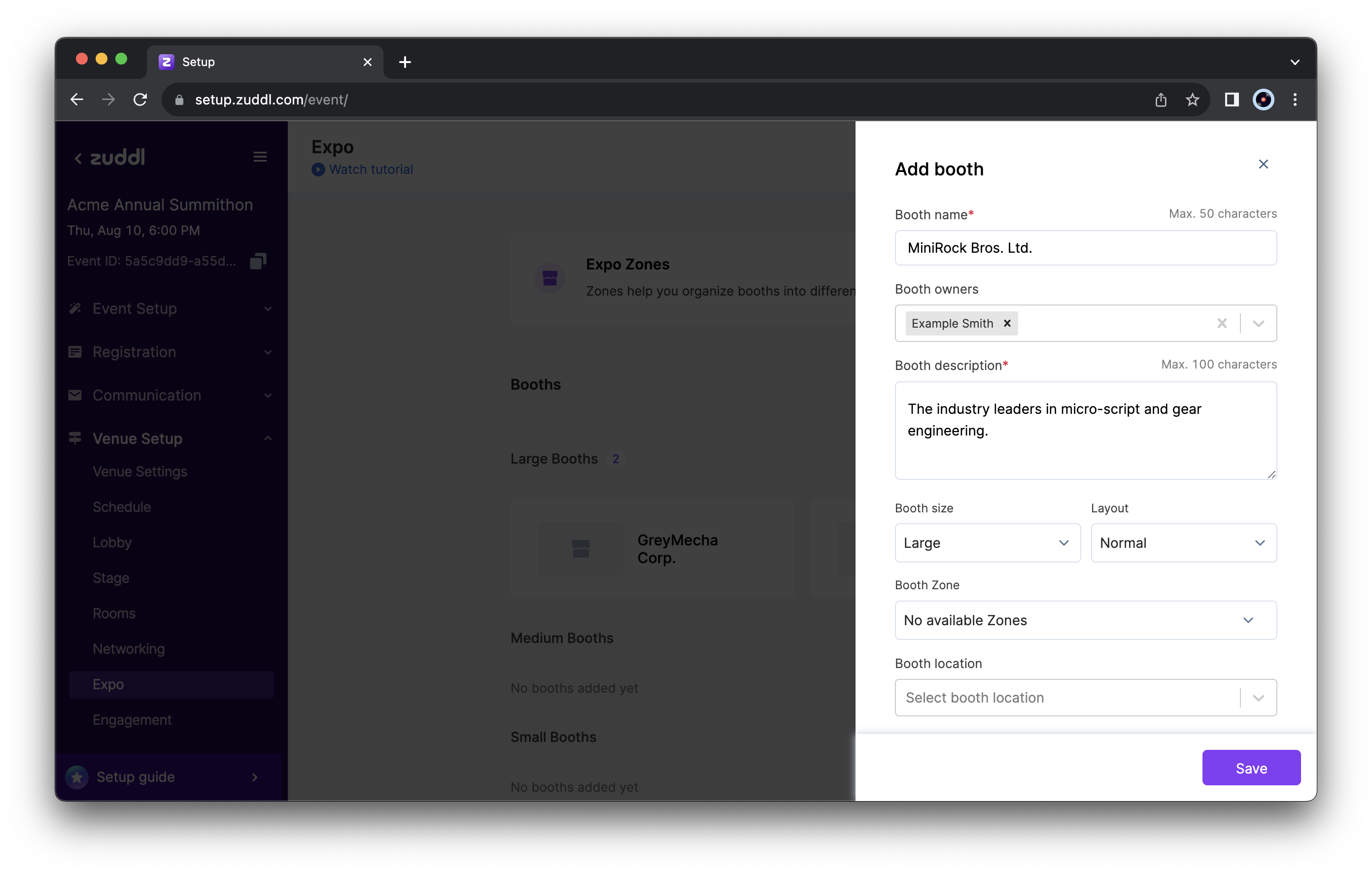
Click Booth location to view the added locations, and choose the location to assign from the list.
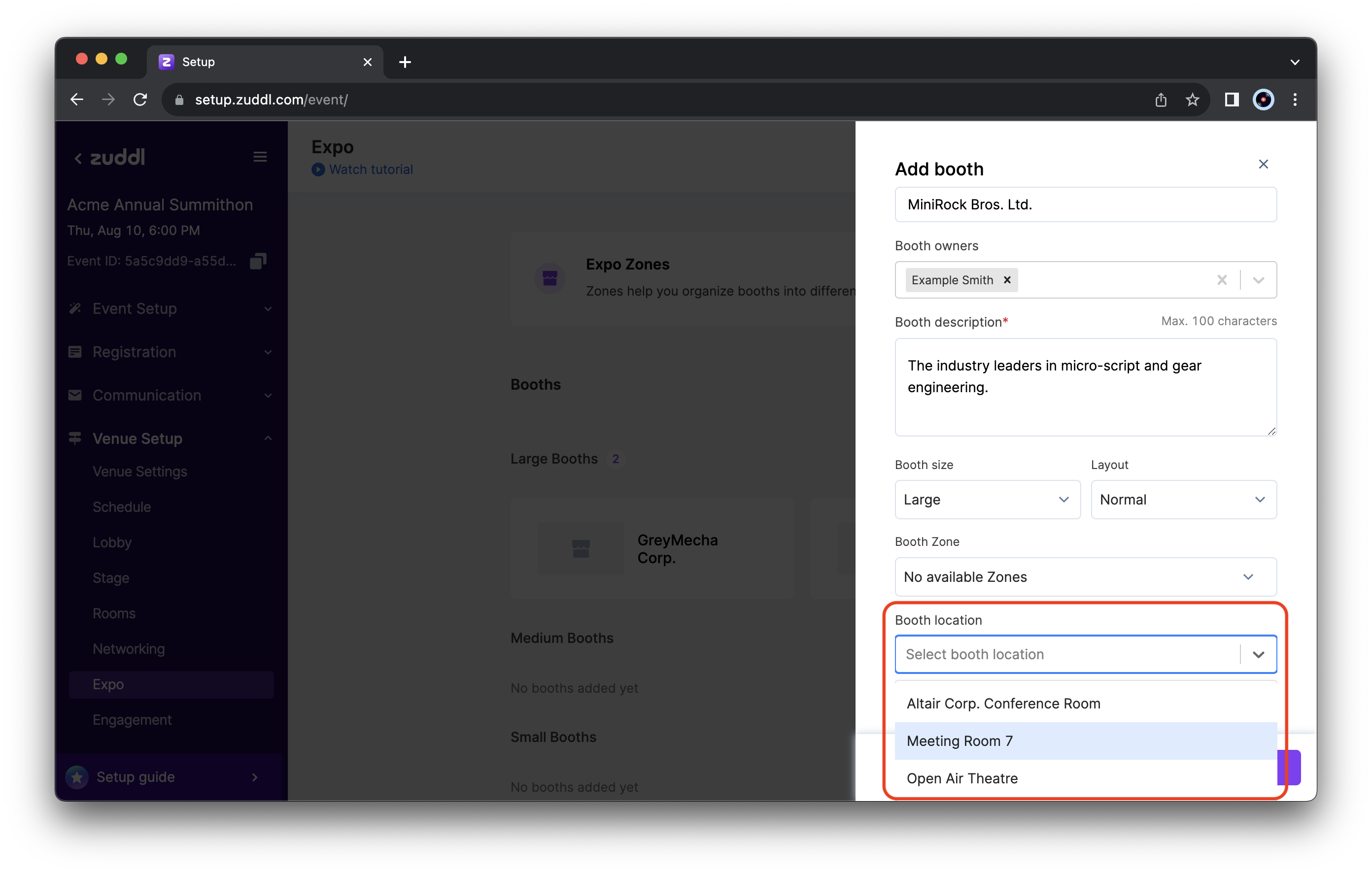
- Click Save to add the booth to your event.