Webhooks guide
Last updated: July 13, 2026
Why webhooks?
Webhooks let you react to a Zuddl activity the moment it happens—no polling, exports, or manual uploads. For example, a prospect registers for your flagship event, requiring you to instantly notify the account owner in Slack or Salesforce. An attendee has modified the hotel check-in date, and that should get synced to the hotel booking app that the client uses to block rooms for the guests. These are some of the many use cases of webhooks in the digital events context.
Overview
A webhook is an HTTPS endpoint that you own to which Zuddl delivers a JSON payload whenever subscribed actions occur. The payload keeps you notified of the action and provides the required details.
An action can be any discrete change in Zuddl, such as registration approved, poll answered, etc.. Actions can be broadly categorized into two types:
Org-level: platform-wide actions such as 'event created'
Event-level: actions within specific events such as 'ticket modified'
Creating a Webhook
Follow the steps mentioned below to create a webhook from your Zuddl dashboard.
Prerequisites
- You must be an Owner or Admin of the Zuddl account
- Have an HTTPS URL ready to receive POST requests
- Generate or copy a token for signature validation on your server
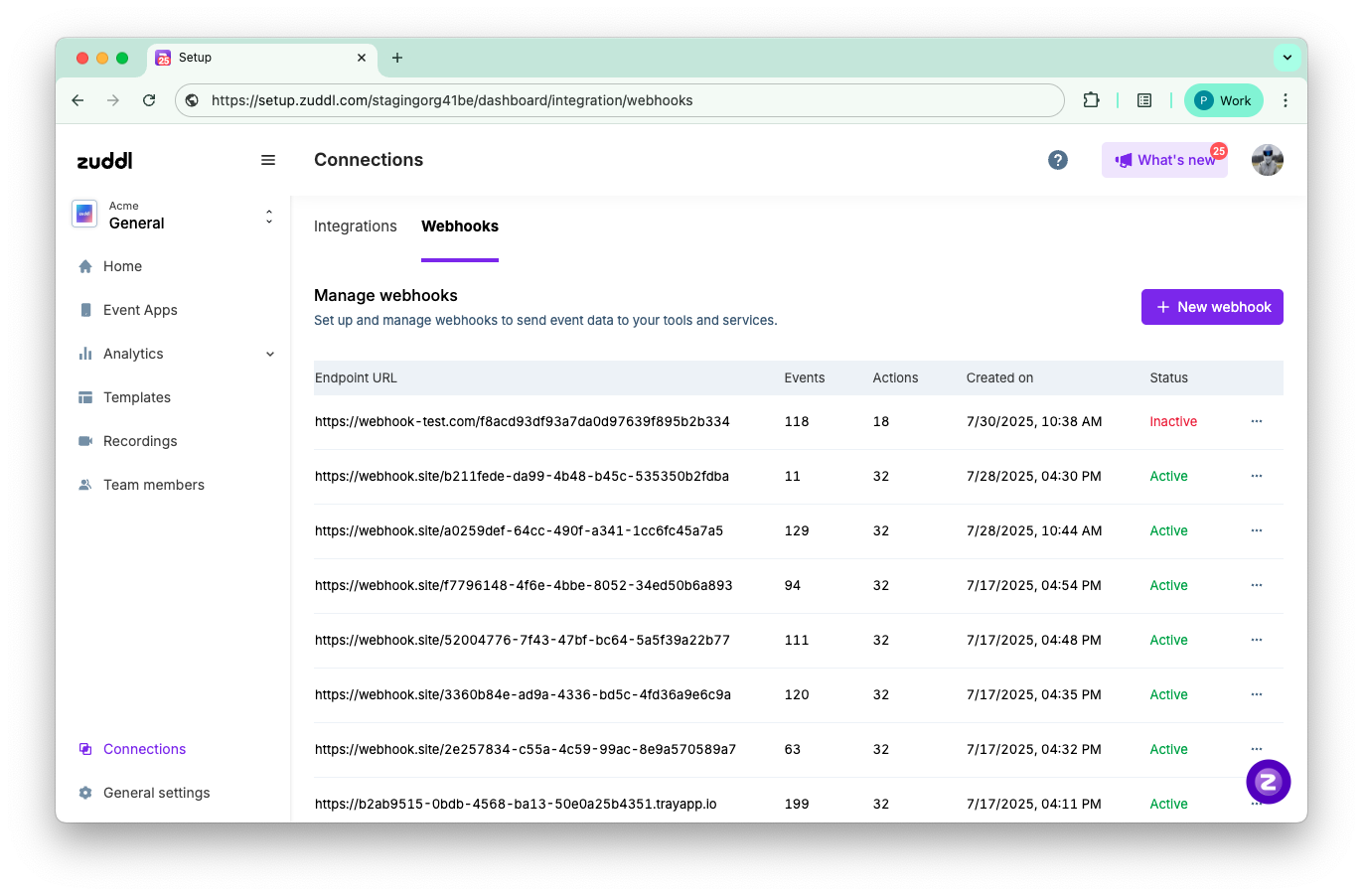
From the Zuddl dashboard, go to Connections → Webhooks tab.
Click New webhook. (You can create up to 20 per org.)
Enter the Endpoint URL. The endpoint URL must start with 'https://.' It must also contain an auth header, which is any header key/value (e.g., X-Webhook-Token: abc123).
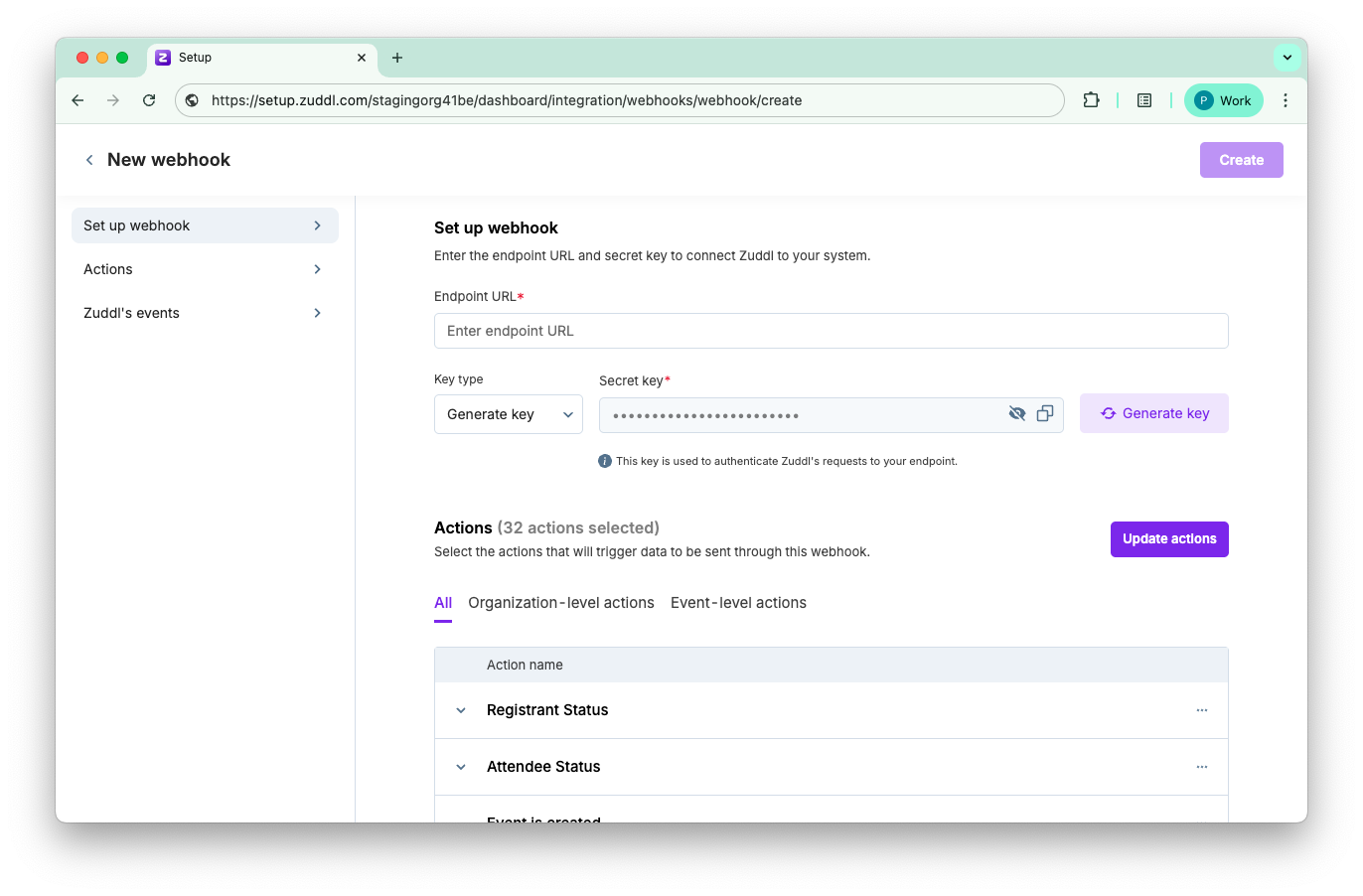
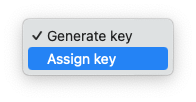
Choose a Key type.
Generate key: System-generated key
Assign key: Custom key
Enter a secret key if Assign key is selected from the previous step. If Generate key is selected, copy-paste the system-generated key.
Now, click Update actions to select one or more org-level and/or event-level actions.
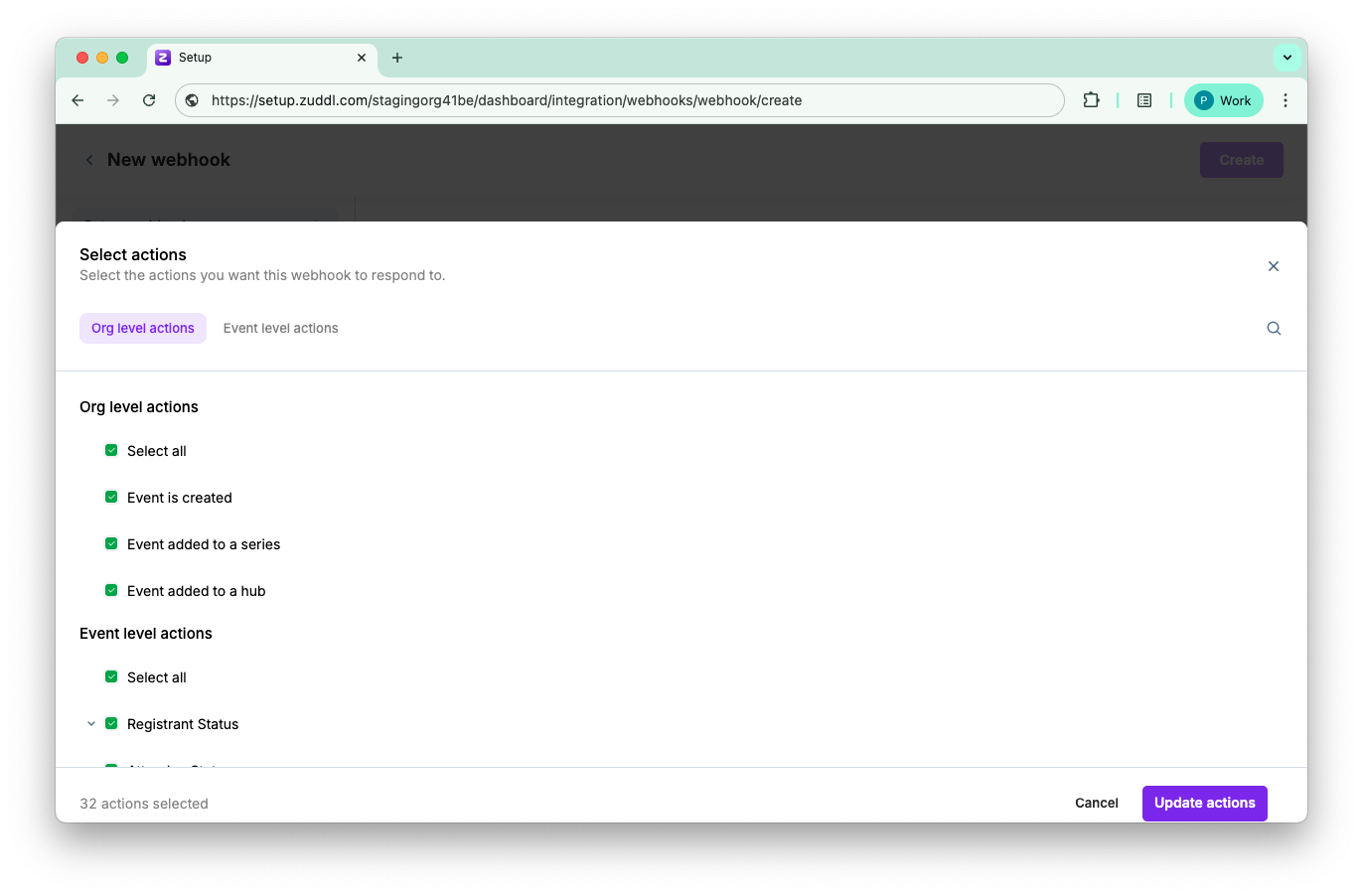
By default all the actions listed here will be selected, you can proceed with all the selected actions or modify the selection and click on Update actions”
Toggle On/Off Automatically include future events.
When ‘On’ in any event type (Webinar, Field events, etc.,) tab, any newly created event of that type will be included automatically in that webhook. The endpoint will receive the data about the subscribed event-specific actions for the newly created event.
When ‘Off” in any event type (Webinar, Field events, etc.,) tab, any newly created event of that type will not be included automatically in that webhook. The endpoint will not receive the data about the subscribed event-specific actions for the newly created event.
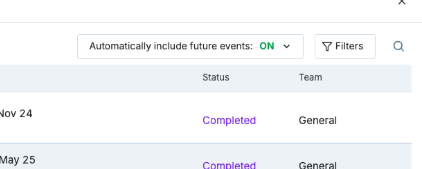
By default, all on-going & upcoming events will be selected
Once actions are selected, click Update actions.
Next, you must select the events for which you need the webhooks to track action. Click the Select events button to select the required events from the list of events in your Zuddl organization.
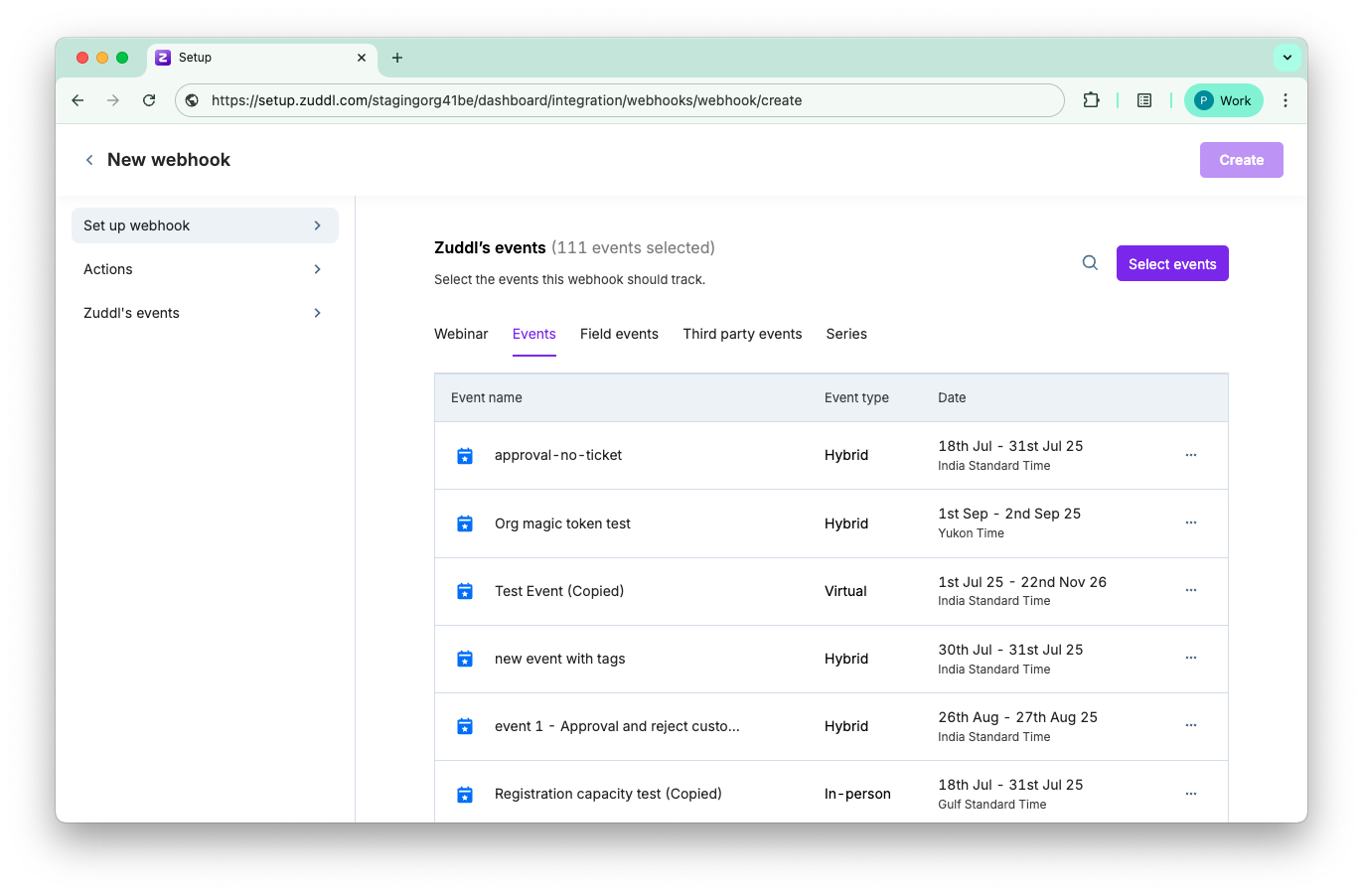
Once selected, click Select events.
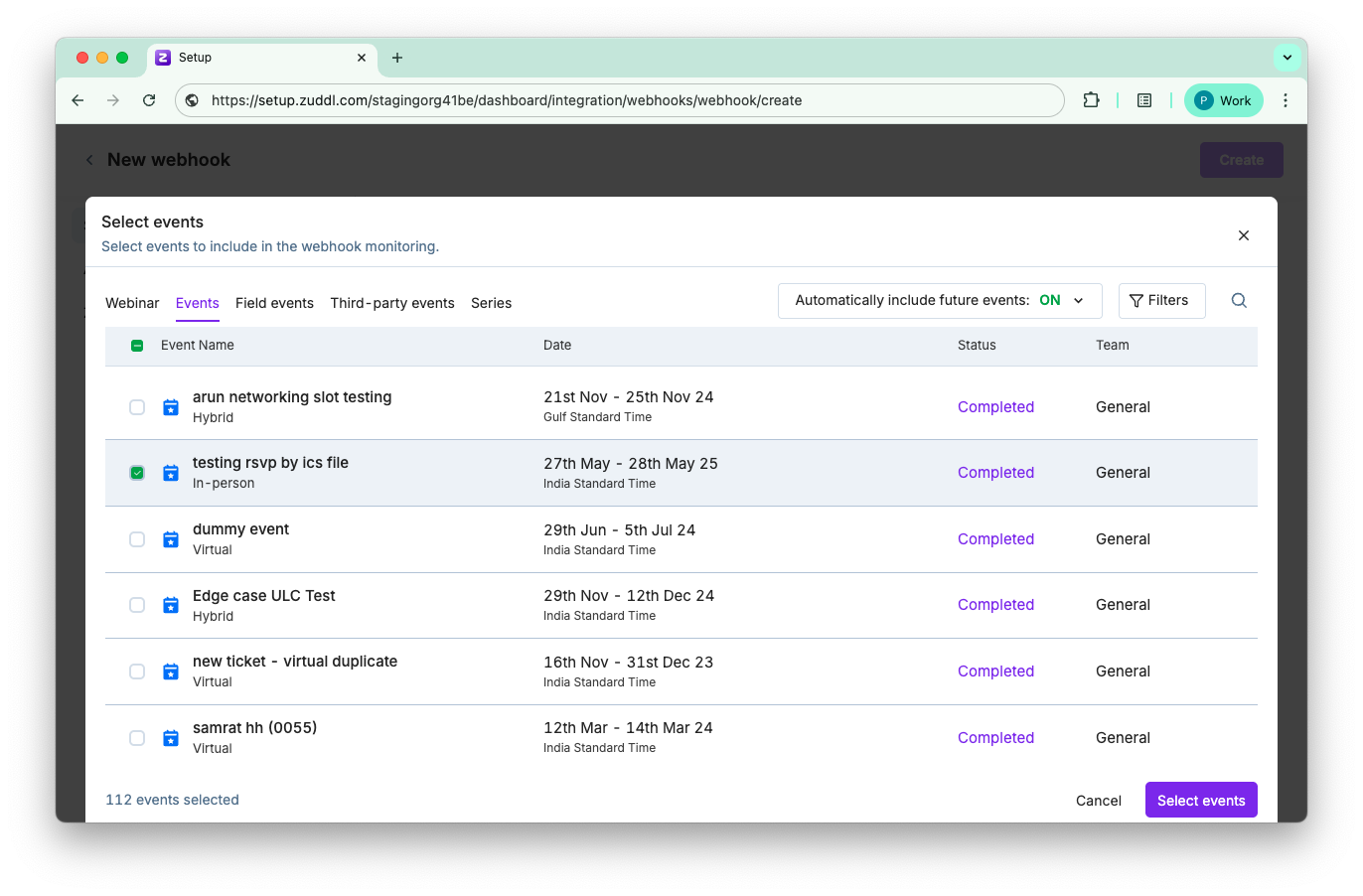
Review the settings and click Create.
This creates the endpoint URL and it appears on the Manage webhooks page. Zuddl starts sending payloads immediately.
Conditions
- If you have selected events, choose at least one event action.
- If you did not select any events, choose at least one org action.
Payload format & signature
The webhook payload format and signature are shown below:
Webhook payload
{

  "webhook_version": "2025-07-01",

  "org_id": "org_123",

  "event_id": "evt_456",

  "action": "registration.approved",

  "timestamp": "2025-07-18T09:21:34Z",

  "data": { ... }

}
Refer to the sample payload of all the supported actions.
Webhook Signature
Zuddl adds an X-Zuddl-Signature header: 'sha256=HEX_DIGEST'. Recreate the digest on your server with:
digest = hmac_sha256(secret_token, raw_request_body)Only process the payload if digests match.
Managing webhooks
To any given endpoint URL, you can take the following actions:
Edit: edit the webhook settings. Every field configuration is editable. No data is lost when you edit.
Delete: Delete a webhook permanently
Inactive: Pause or disable the webhook
Limits & retries
Limit | Value |
Max webhooks/org | 20 |
Delivery rate | 1000 events/min/webhook |
Latency target | ≤ 3 s |
Retry policy | 10 attempts in ~12 hrs (exponential back-off)
|
Webhook Failure and Retry Logic
If a webhook URL takes longer than 4 seconds to respond, the request is considered a failure. In such cases, the payload will be automatically retried by Zuddl to ensure the data reaches the destination.
Avoiding duplicate webhook payload
To avoid receiving duplicate webhook payloads, ensure that any processes before responding to the webhook are asynchronous. This means that the webhook should not be part of any synchronous workflow that requires waiting for responses before acknowledging the webhook.