How to Set Up Sponsor Tiers for an In-person Event in Zuddl
Last updated: August 1, 2025
Sponsor tiers allow you to categorize your event sponsors into separate tiers.
Follow these steps to set up sponsor tiers:
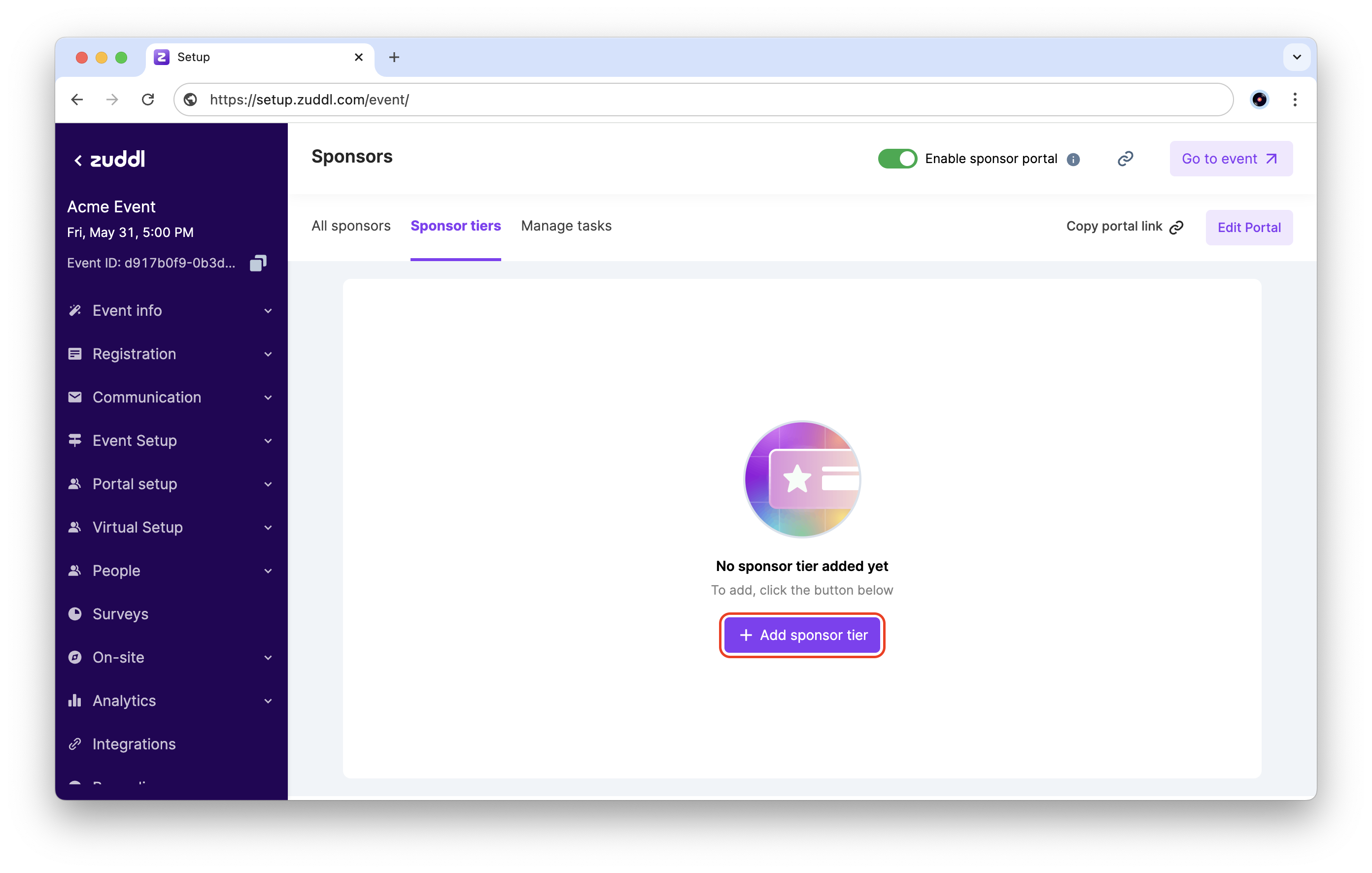
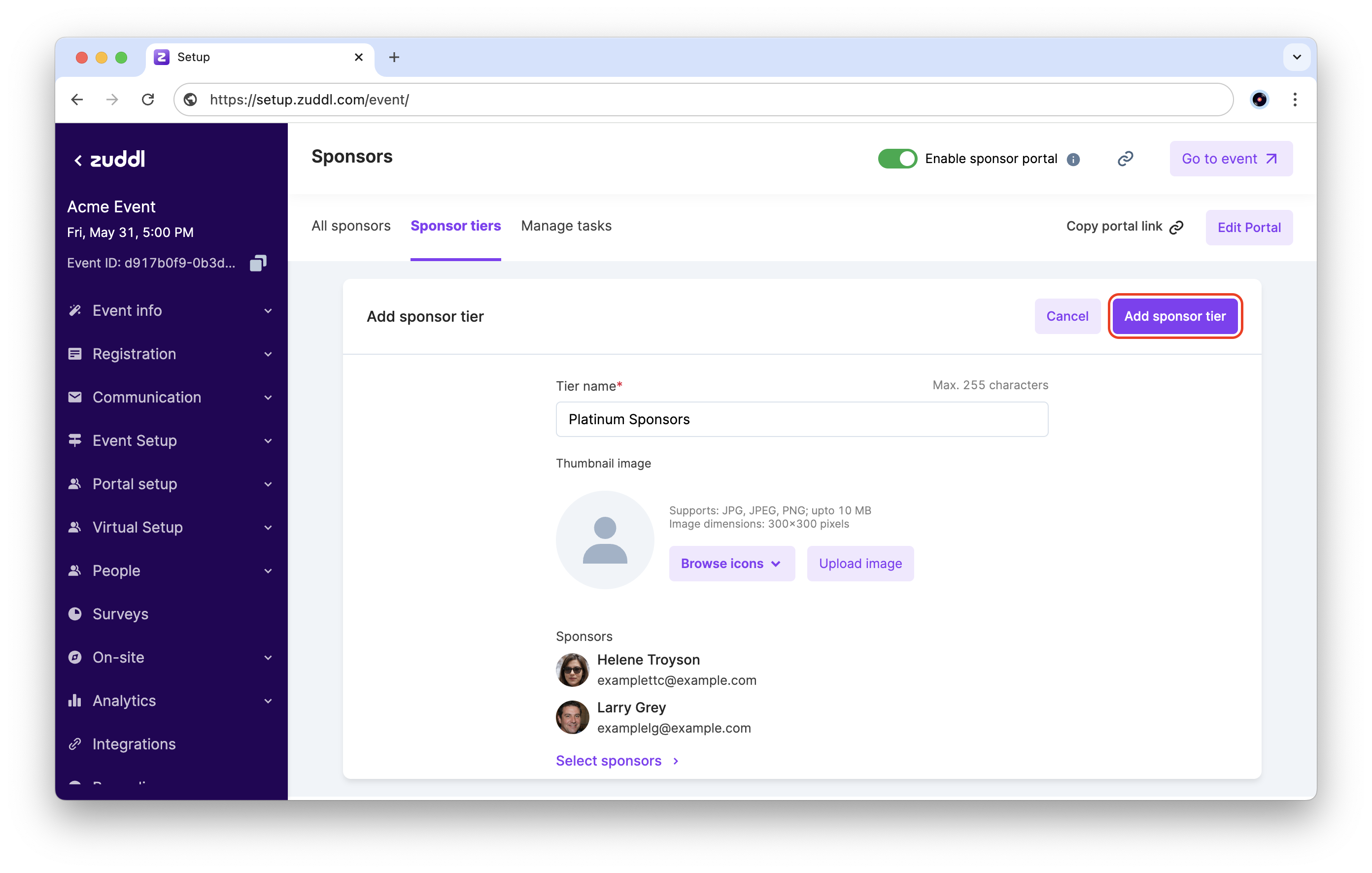
- Go to Event setup > Sponsors > Sponsor tiers. Click the + Add sponsor tier button.
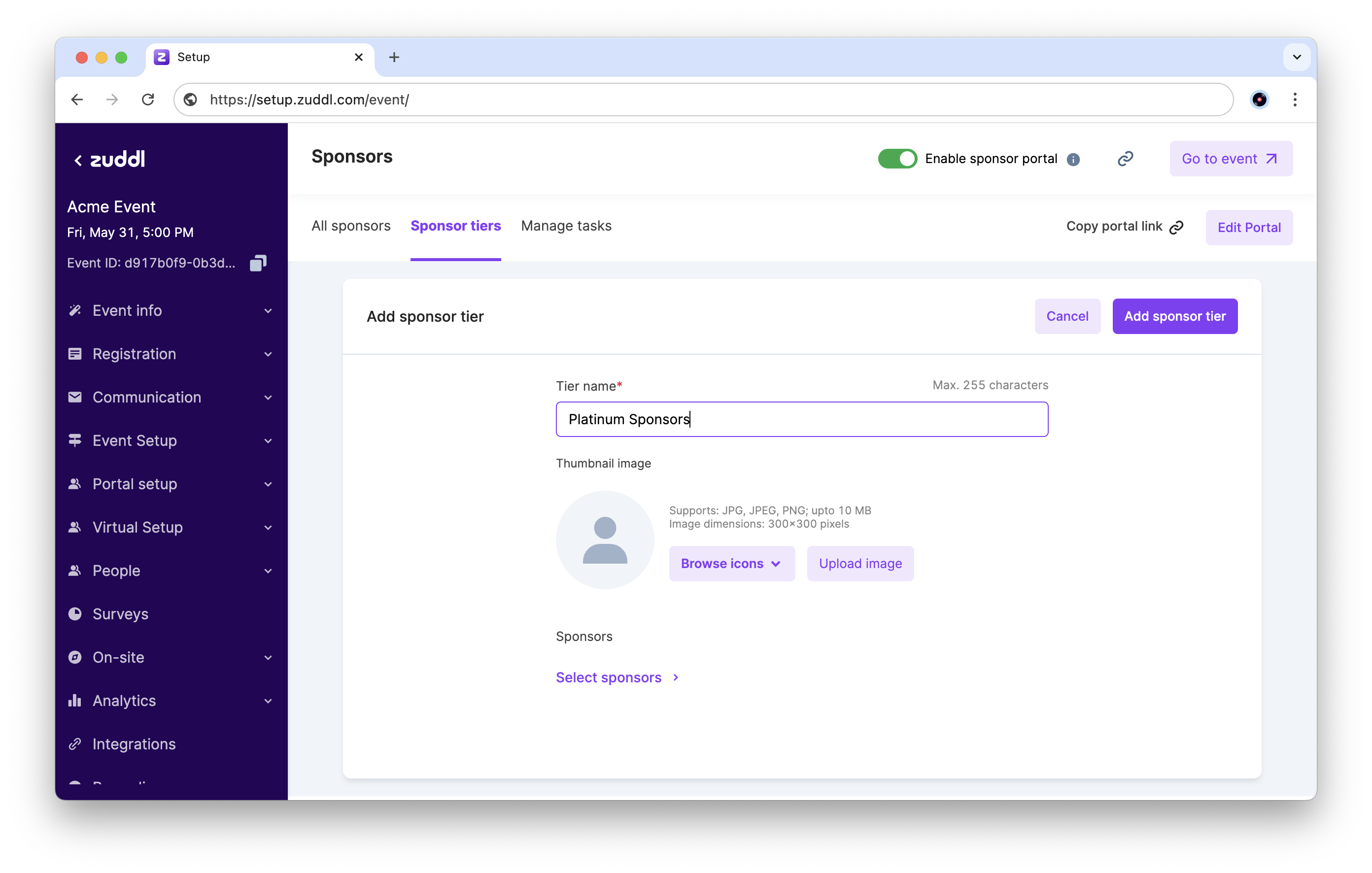
- Enter a Tier name (up to 255 characters).
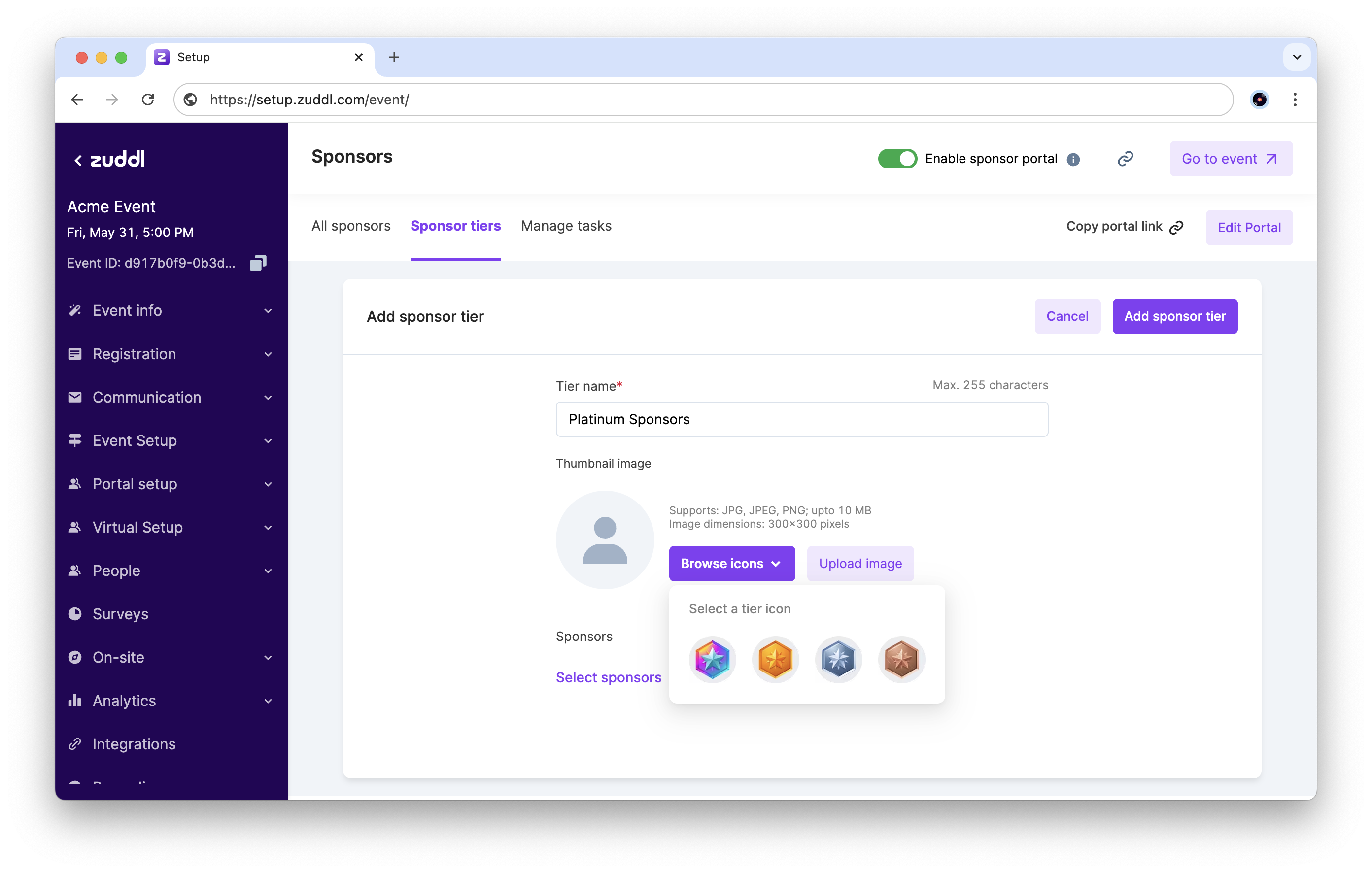
- For the Thumbnail image, click Browse icons to view the available standard icons, or click Upload image to upload your own sponsor tier thumbnail.
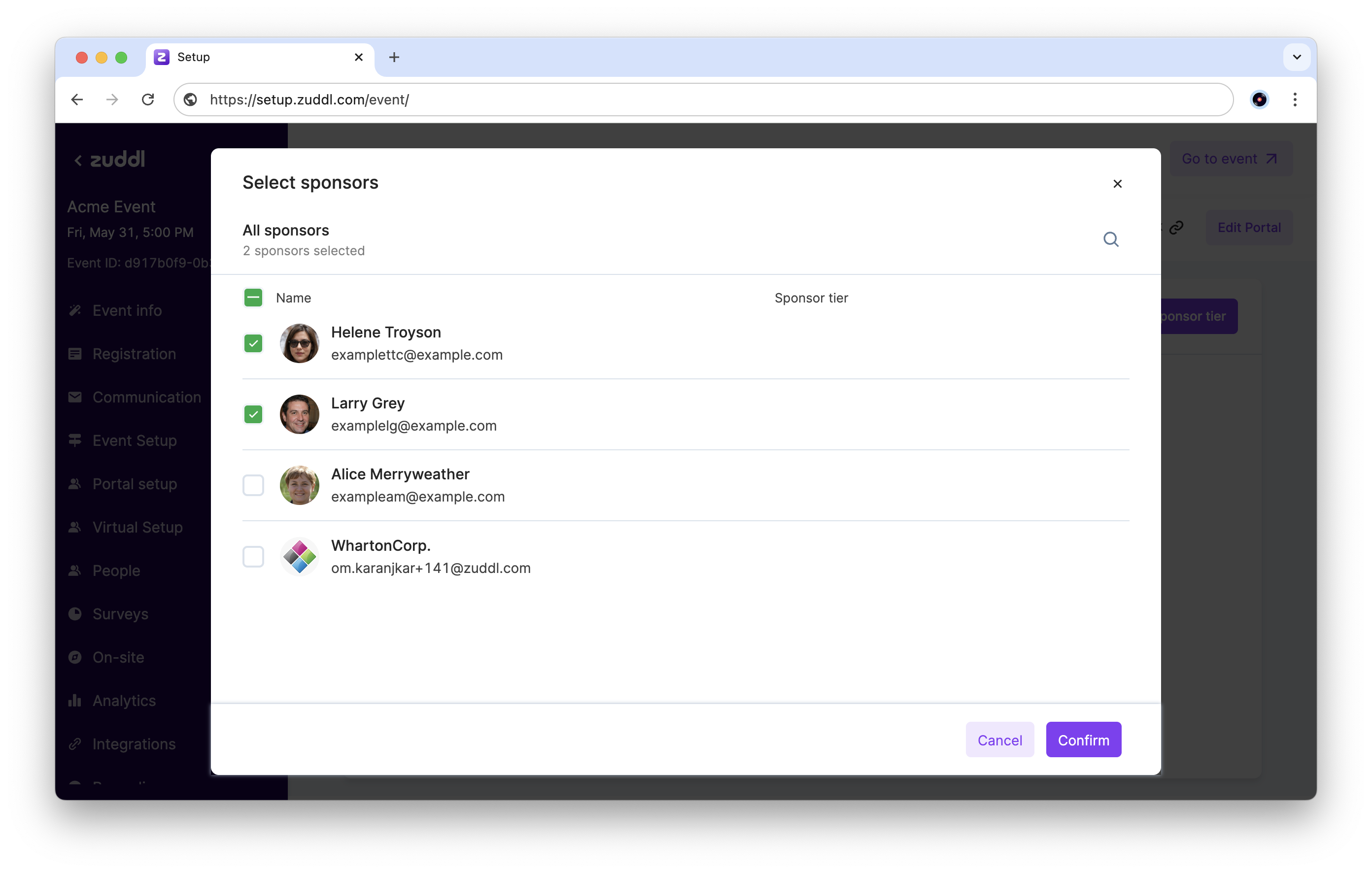
- Click Select sponsors to see the list of added sponsors. Select the sponsors to add to this tier, and click Confirm.
- Click Add sponsor tier to finish setting up this tier.
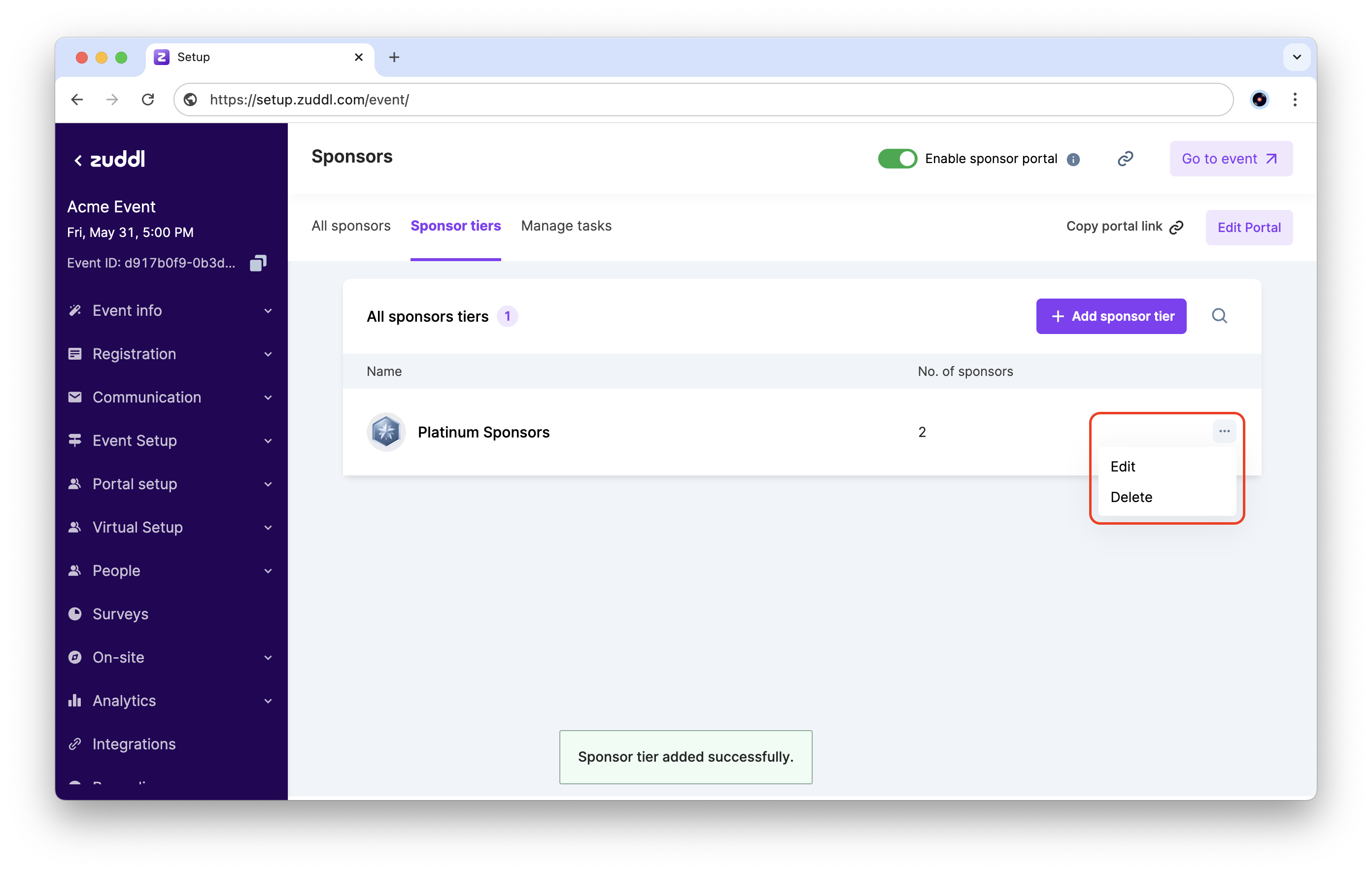
- You can now view the created sponsor tiers. Click the more options button to Edit or Delete a tier.