How to Set Up Attendee Emails for a Field Event in Zuddl
Last updated: August 1, 2025
Zuddl lets you easily create multiple event-specific emails using templates and send them to your attendees and speakers directly from your own email address. Learn how to add custom email addresses.
A simple drag-and-drop editor helps you to custom-build your email design and content.
Editing email templates gives you more control and saves the time and effort required to manually compose emails for the different stages, such as registration, reminder emails, and more. The email types are categorized based on the recipients; Attendees and Speakers which can be configured from their respective tabs.
The table below explains the email types for both attendees and speakers.
| Email Type | Description | Default State |
|---|---|---|
| Registration confirmation | An action-based email is triggered when an attendee registers from the landing page for the event. If the attendee has purchased a ticket, you can show the ticket type and amount (for paid access). You can show it as "free" if it is a free ticket. Only for attendees So that you know, this" email is not sent when you add an attendee from the organizer dashboard. | Off |
| Event Invitation | This email is sent when you add an attendee from the organizer dashboard. An invite is sent to the attendee. | Off |
| Reminder ~ 1 Day to Go | Sent one day before the event. Time-based trigger. Based on the event date & time. | Off |
| Reminder ~ 1 Hour to Go | Sent one hour before the event. Based on the event date & time. | Off |
| Reminder ~ 5 minutes to Go | Sent 5 minutes before the event. Based on the event date & time. | Off |
| Thank You for Coming! | Sent 2 hours after the event has ended. Based on the event date & time. | Off |
We missed you at the event! | You have sent participants who couldn't join the event two hours after the event's end time. | Off |
Reminder: Add Attendee Details | Sent one day before the event to people who purchased tickets without adding attendee details. | Off |
| Ticket confirmation | Sent to the ticket purchaser when a ticket is purchased | Off |
| Ticket cancellation | Sent to the ticket purchaser when a ticket is canceled | Off |
Registration Rejected | Sent to attendees when their registration is rejected. | Off |
Registration Pending Approval | Sent when attendees register and their approval is pending. | Off |
| Event Canceled | Sent when the event has been canceled | On |
Design an email
You can edit the default email template to customize the email according to your requirements.
To design a particular email type,
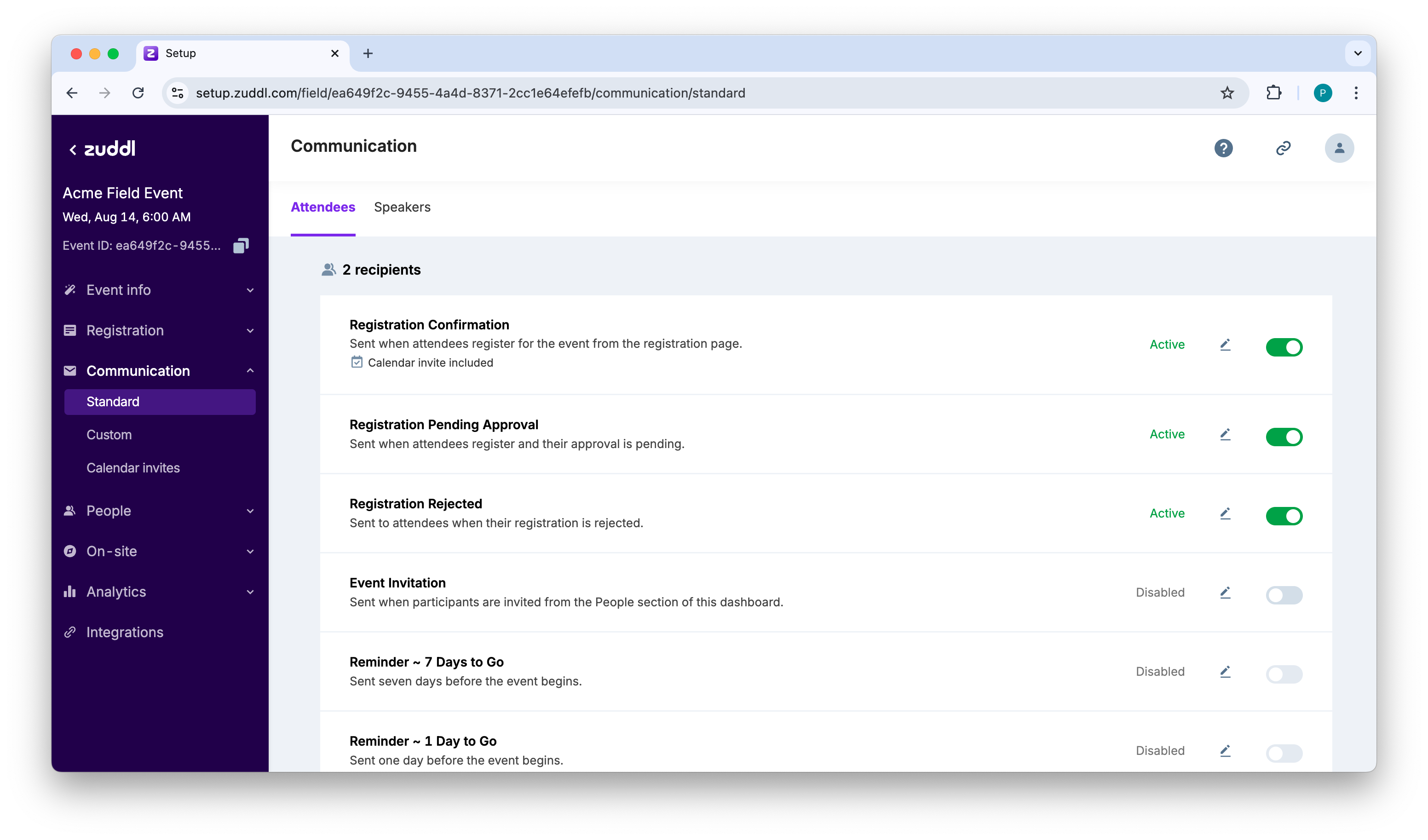
- Go to Communication.
- Choose an email template to edit, say Registration Confirmation.
Click the edit icon. This takes you to the email editing page.
- Select a Sender email from the dropdown. The dropdown menu shows all the verified sender emails of all domains, including the Zuddl default sender (default). You can select a specific sender email besides the default for each email type. The selection you make here will override the default selection you made in the Email addresses menu in the standard dashboard. Learn how to add custom email addresses.
- Optional. Under Status, toggle on Active to turn on this email type. This action can also be done from the listing page. This lets you edit the Sender name and Email subject.
- In the Email subject textbox, enter an email subject, for example, "Registration Confirmed - ."
- Optional. Toggle on the Calendar block to add calendar invite links to the email for Google, Yahoo, Outlook, and Apple.
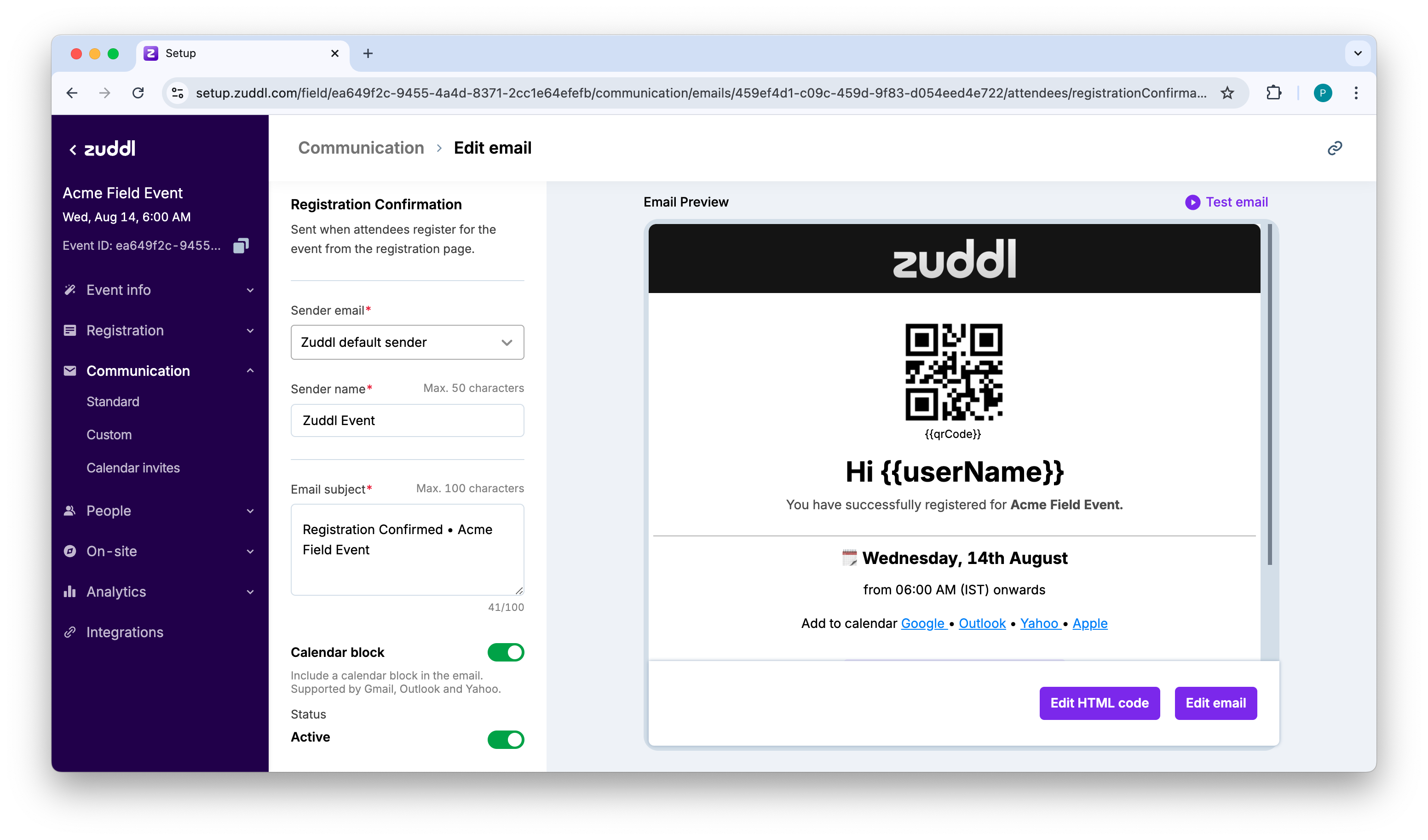
There are two ways of customizing your email content, as shown on the preview pane:
- Edit HTML code
- Edit email (using the email builder)
Edit HTML code
You can edit the default Zuddl email template to customize the email according to your requirements.
- Click Edit HTML code to edit the HTML code of the email body.
- After you've made changes to the code, click Save email.
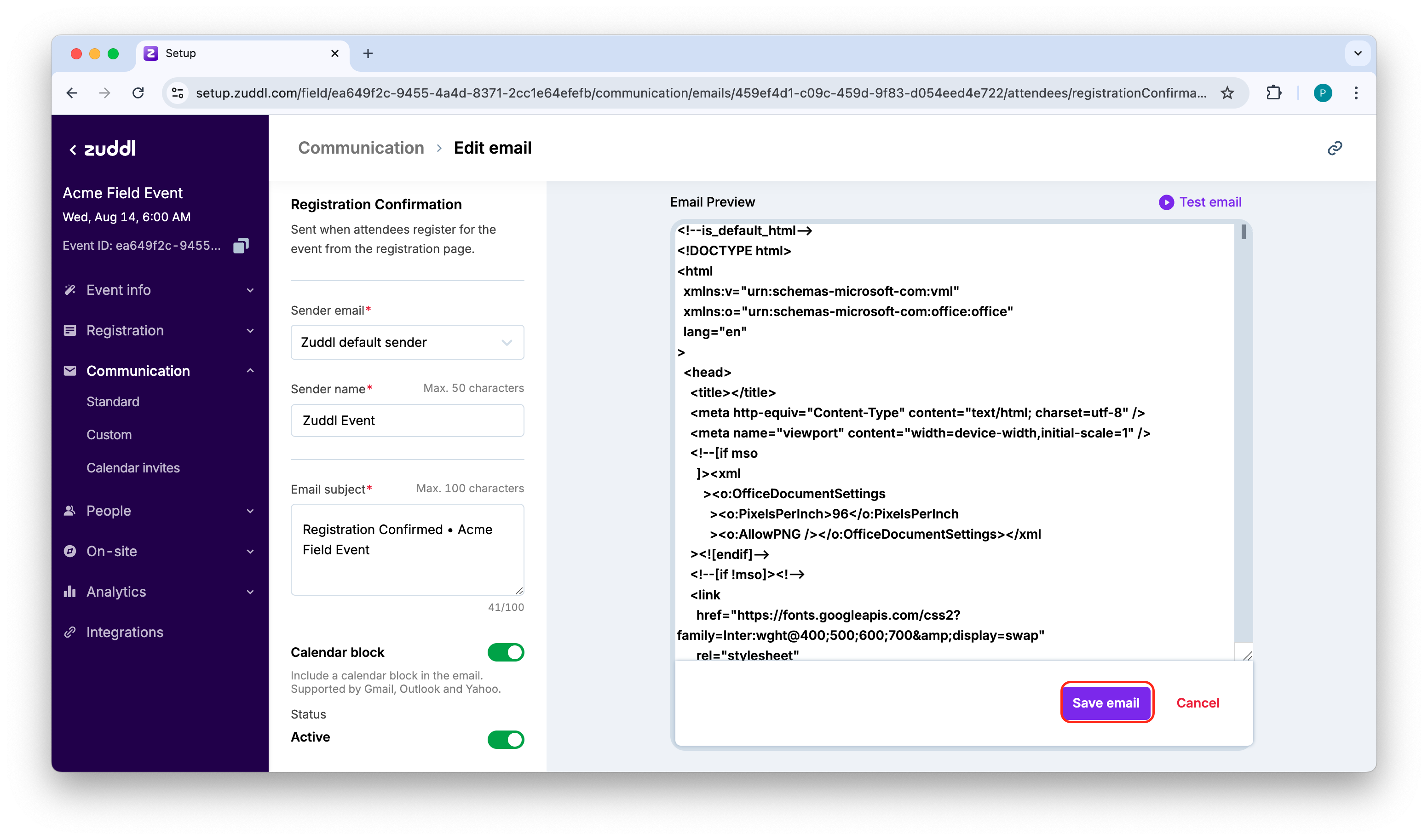
You can review the changes by clicking the Test email option at the top, which sends a custom email to your email address. If you want to restore the original template, click Revert to Original.
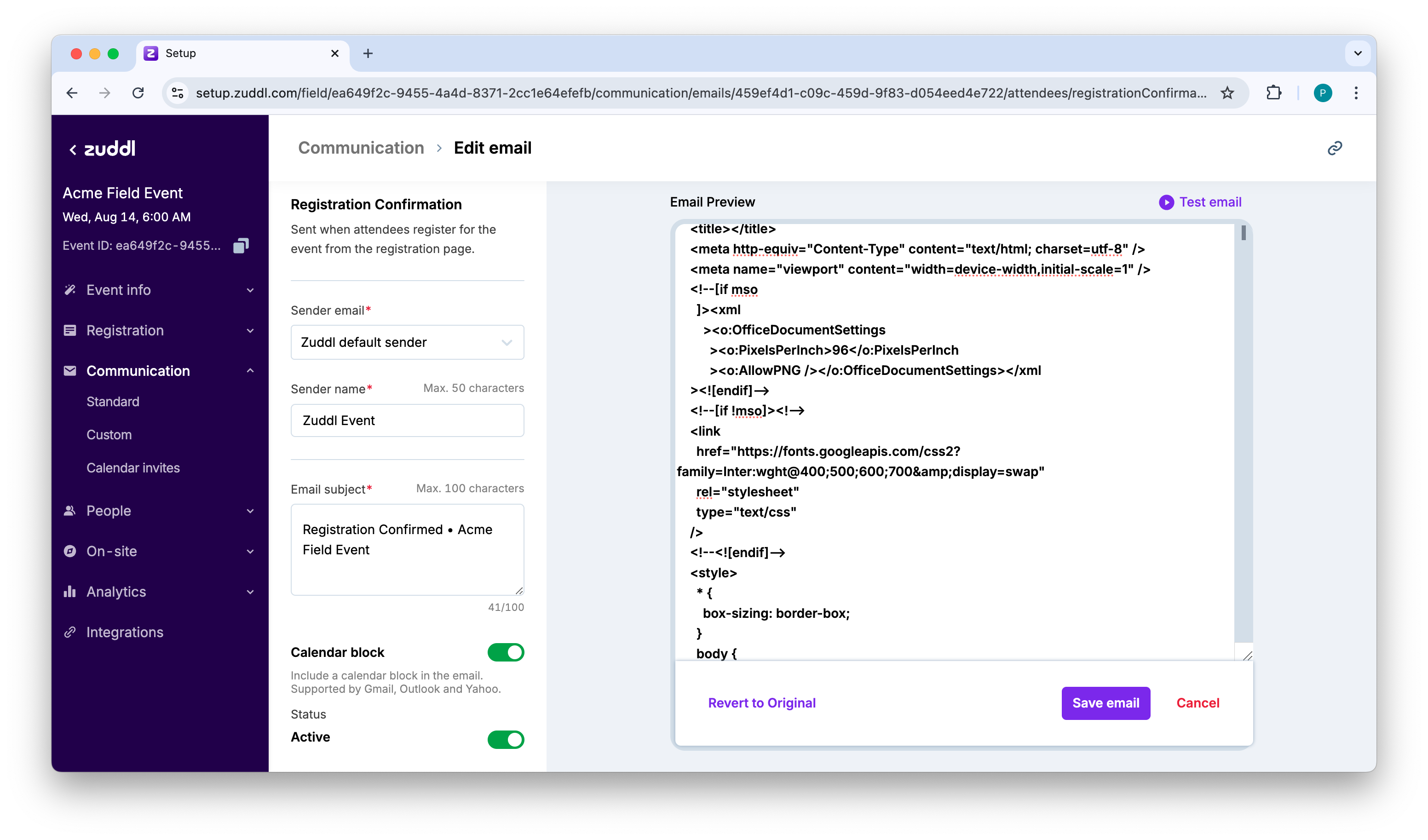
You can go back to editing the custom code anytime by clicking Edit HTML code. In the same way, you can edit each email template according to your needs.
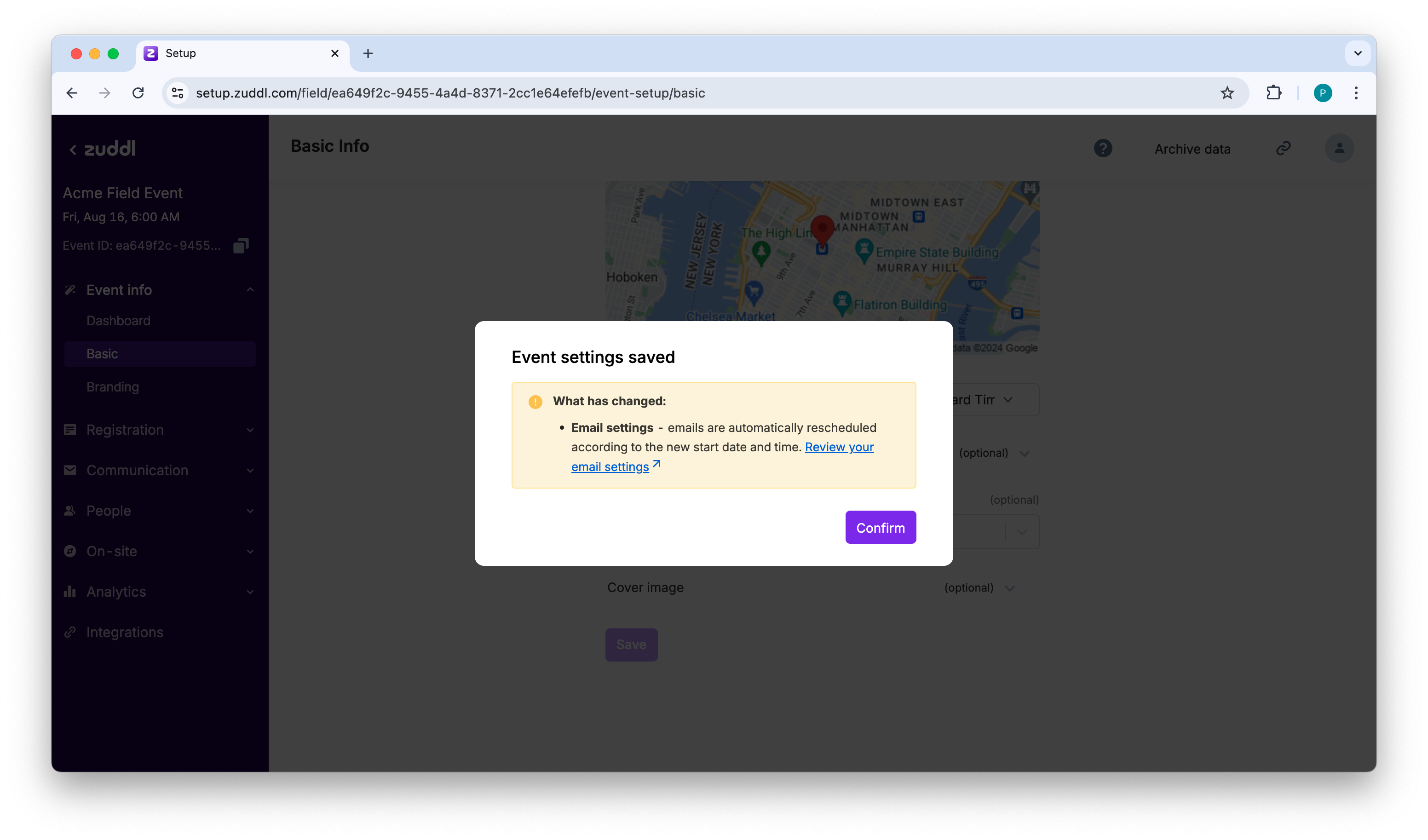
Important: Changing the event date or time resets the email toggles to default.
So, if your Event invitation email was toggled on, it gets turned off when the event dates are modified. You will be notified of this change via a popup or an email. This resetting is done to prevent any accidental misfires during trial runs. Conversely, changing the event date or time in the email does not change the event date or timing.