How to Set Up Authentication Settings for a Hybrid Event in Zuddl
Last updated: August 1, 2025
Zuddl provides a number of authentication options for attendees to securely enter an event. You can find these in the sidebar under Advanced settings.
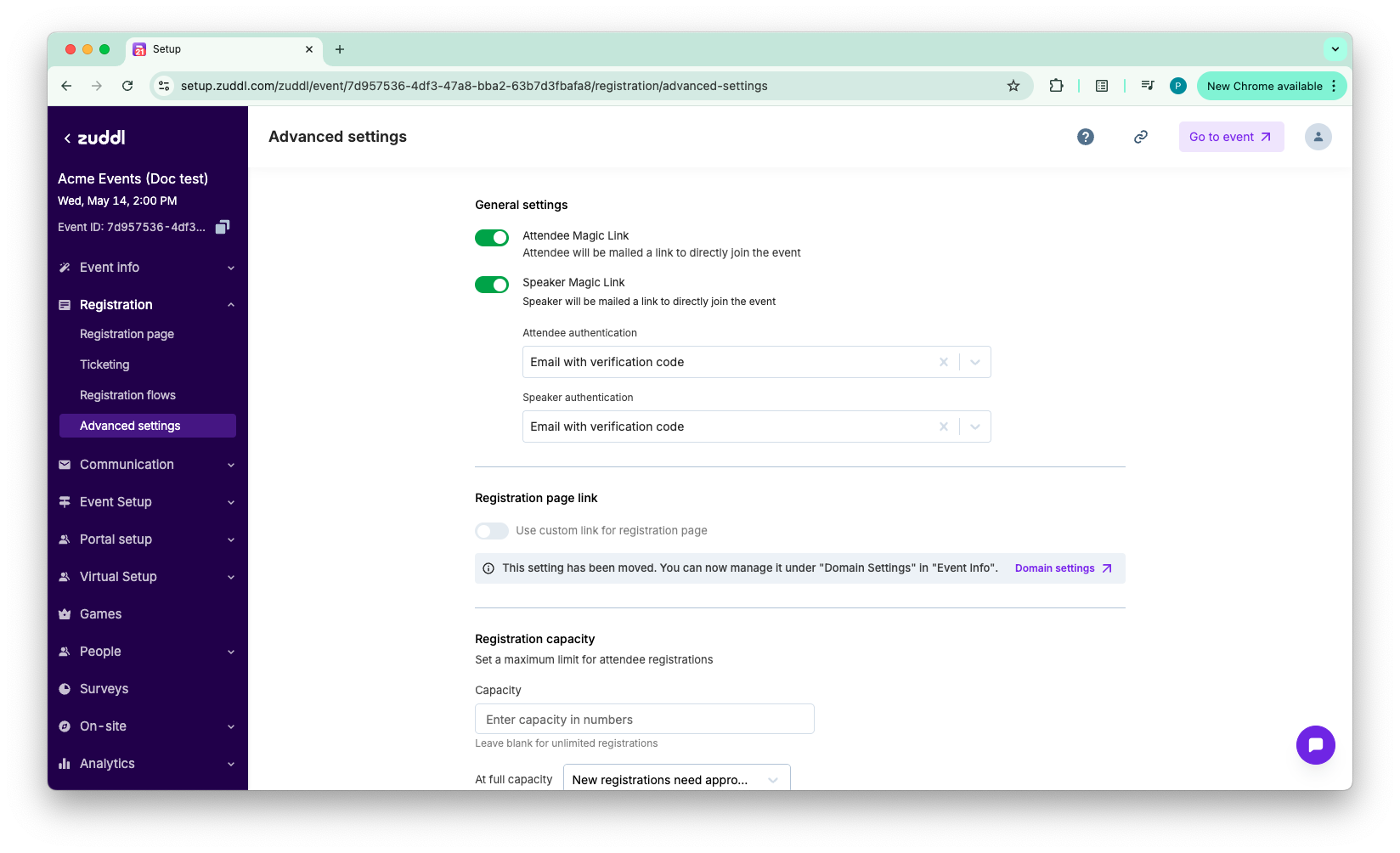
- Toggle on/off Attendee Magic Link. Enabling this will email attendees a link to join the event directly.
- Toggle on/off Speaker Magic Link. Enabling this will email attendees a link to join the event directly.
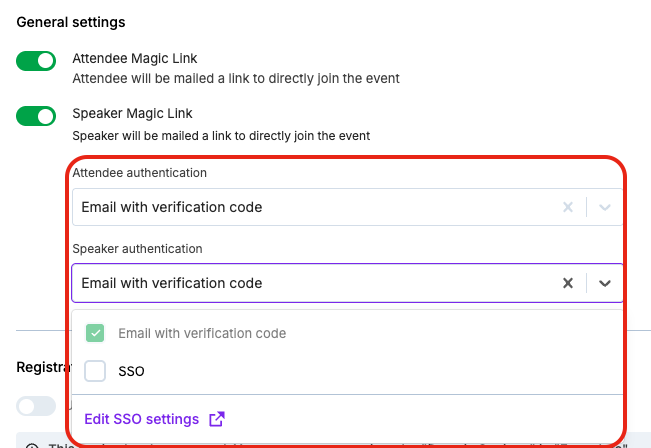
- Under the Attendee authentication options, select the authentication options you want to offer your attendees:
- SSO (Single Sign-on).
- Email with verification code
- Similarly under the Speaker authentication options, select the authentication options you want to offer your speakers.