Send Activities from Zuddl to HubSpot
Last updated: October 15, 2026
Captured activities
You can send the activities captured in your Zuddl event to your HubSpot account. The table below shows the list of captured activities:
Activity name | Events | Webinar | Sync time |
New user registration | ✔ | ✔ | Immediate |
Attended | ✔ | ✔ | 5 minutes (after attending) |
Event Polls Answered | ✔ | ✔ | 5 minutes |
Event Question Asked | ✔ | ✔ | 5 minutes |
Event Question Upvoted | ✔ | ✔ | 5 minutes |
Event CTAs Clicked | ✔ | ✔ | 5 minutes |
Event VOD View | ✔ | Every day at 12:10 AM and 12:10 PM (UTC) | |
Event Survey Answered | ✔ | 5 minutes | |
Attended Session Live | ✔ | ✔ | 5 minutes |
Attended Discussion Room | ✔ | ❌ | 5 minutes |
Attended Booth | ✔ | ❌ | 5 minutes |
Event Engagement Time | ✔ | ✔ | 1 hour (after event ends) |
Event Discussion Room Engagement Time | ✔ | ❌ | 1 hour (after event ends) |
Event Session Engagement Time | ✔ | ✔ | 1 hour (after event ends) |
Event Booth Engagement Time | ✔ | ❌ | 1 hour (after event ends) |
Entered | ✔ | ✔ | 5 minutes |
No Show | ✔ | ✔ | 1 hour (after event ends) |
VOD | ✔ | ✔ | Every day at 12:10 AM and 12:10 PM (UTC) |
Pass attendee status fields
Under Status tab in Activities, you can toggle on the statuses that you want to be passed to HubSpot.
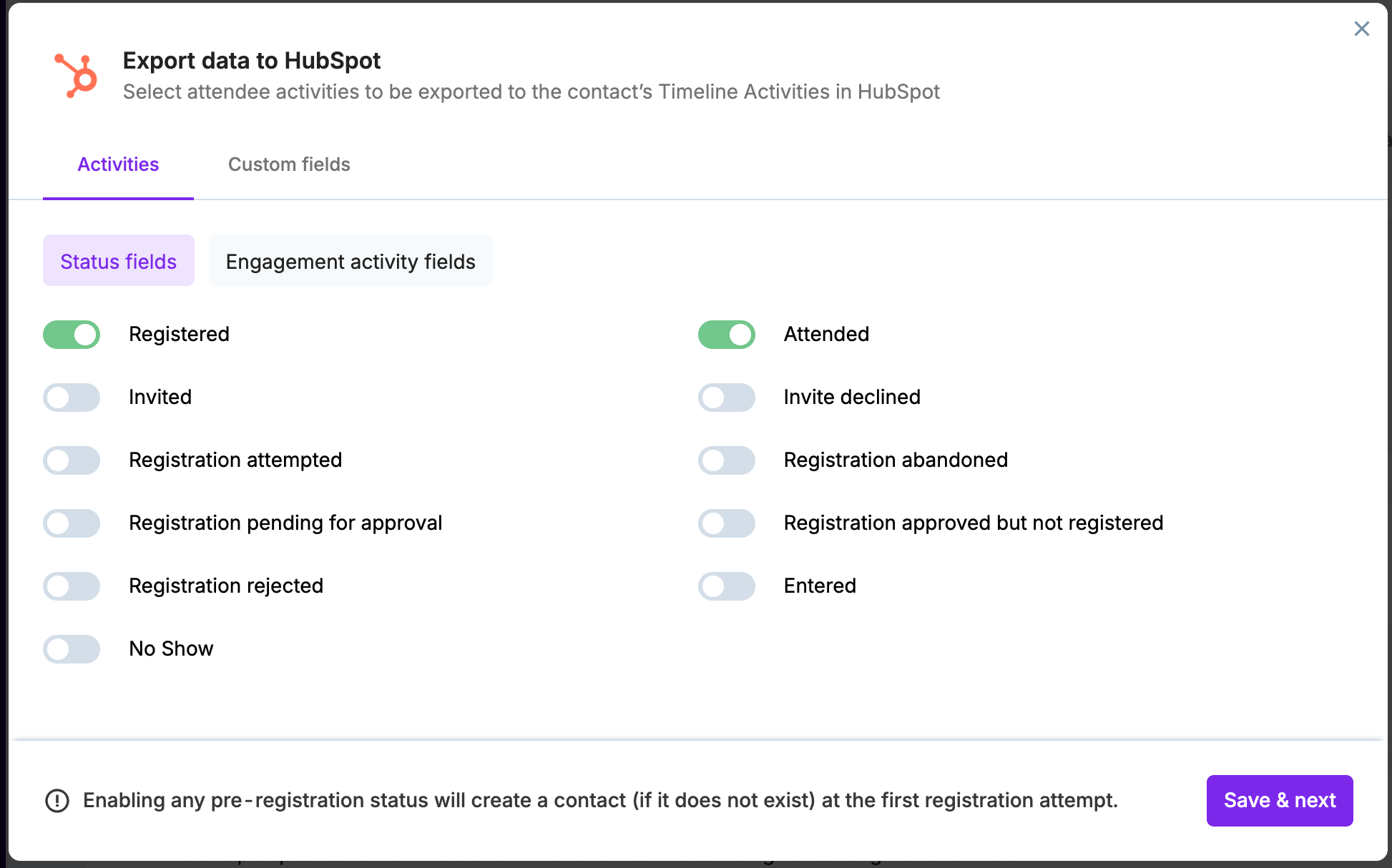
The standard status fields are:
Status | When it occurs |
Registered | When the registrant is successfully registered. Defaults to on.
|
Attended | When the registrant enters on the event start time and engages in the event. Defaults to on. |
Attended (Virtual) | When a registrant enters your event at the event start time. Use this for marking attendance for virtual events only. |
Attended (In-person) | When a registrant enters your event at the event start time. Use this for marking attendance for in-person events only |
Attended (Both) | When a registrant joins your event at the event start time, first virtually, then in-person (or vice-versa). Use this for marking attendance for both Virtual and In-person |
Invited | When a user is invited from the invite list. When the invite email is sent |
Invite declined | When an invitee declines the event invitation. When the invitee declines the event invite |
Registration attempted | When user attempts to register, but the attempt fails which can be because the event capacity has reached and new registrations are blocked or due to the email domain is restricted. |
Registration abandoned | When a registration was attempted but not completed in the given time (with or without the approval process) |
Registration pending approval | When a registration approval request is submitted by the registrant |
Registration approved but not registered | When the organizer has approved the registration request but the registrant did not complete the steps after approval. |
Registration rejected | When the registration submitted for approval is rejected by the organizer |
Entered | When an attendee joins the event after the check-in start time. Once the event has started, this status changes to 'Attended' |
No show | When the registrant has not joined your Zuddl event even after the event start time. |
When a pre-registration status is enabled and a particular contact does not exist in your HubSpot account, the integration will create a contact at the first registration attempt.
Pass engagement activity fields
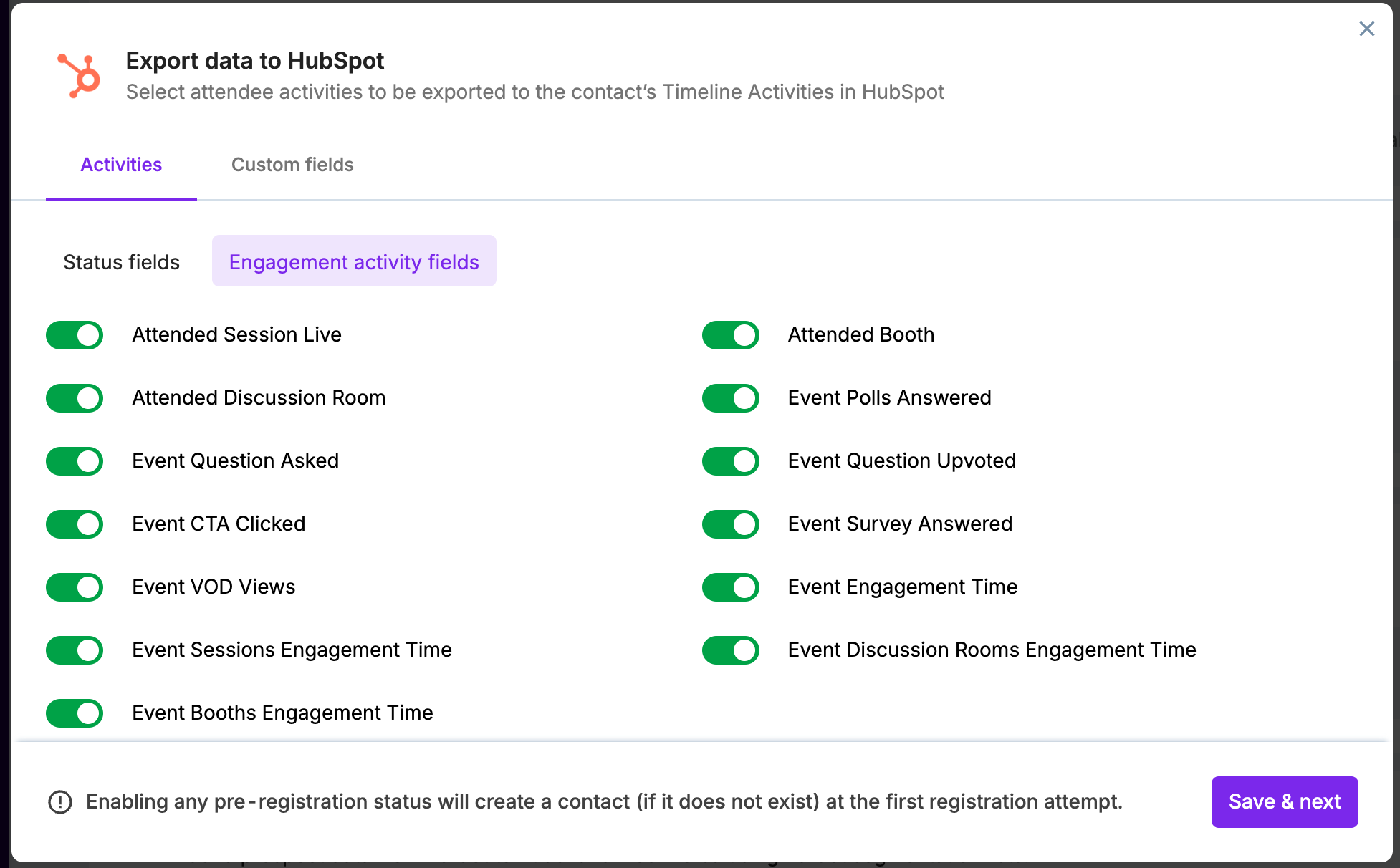
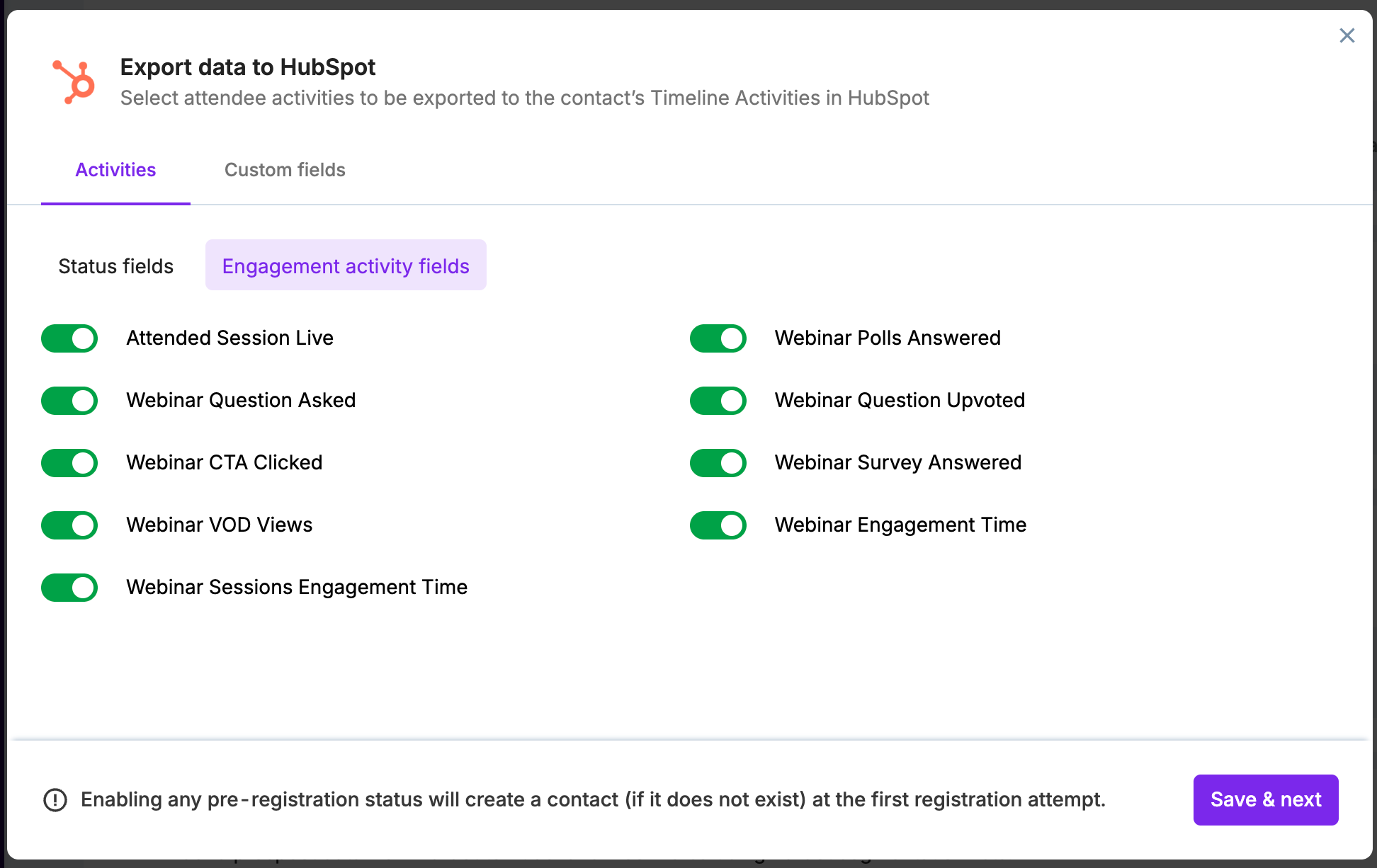
Under the Engagement activity field tab, toggle on the activities you want the integration to pass to your HubSpot account.
Events | Webinars |
 |  |
If you've created registration flows for your event, the Registered activity response also shows the registration flow name. Learn how to design a registration flow.
Attended session live
For the 'Attended session live' activity, Zuddl sends session metadata (session description, start & end time, session type (in-person or virtual)) and session attendance type as ‘Virtual’, In-person, or ‘Hybrid’.
- Virtual: when attendees check in to sessions from the event page.
- In-person: when attendees physically check in to sessions through the check-in app.
- Hybrid: When an attendee first joins as a virtual attendee then joins as an in-person attendee or vice-versa.
Session time
We only track the session time for virtual sessions and not for in-person sessions.
Viewing attendee activities on HubSpot
The integration passes on the event/webinar activities to your HubSpot account every 10 minutes during a live event/webinar.
To view the attendee activities
On your HubSpot account, go to Contact > Contacts.
Click on a particular contact name to view the details
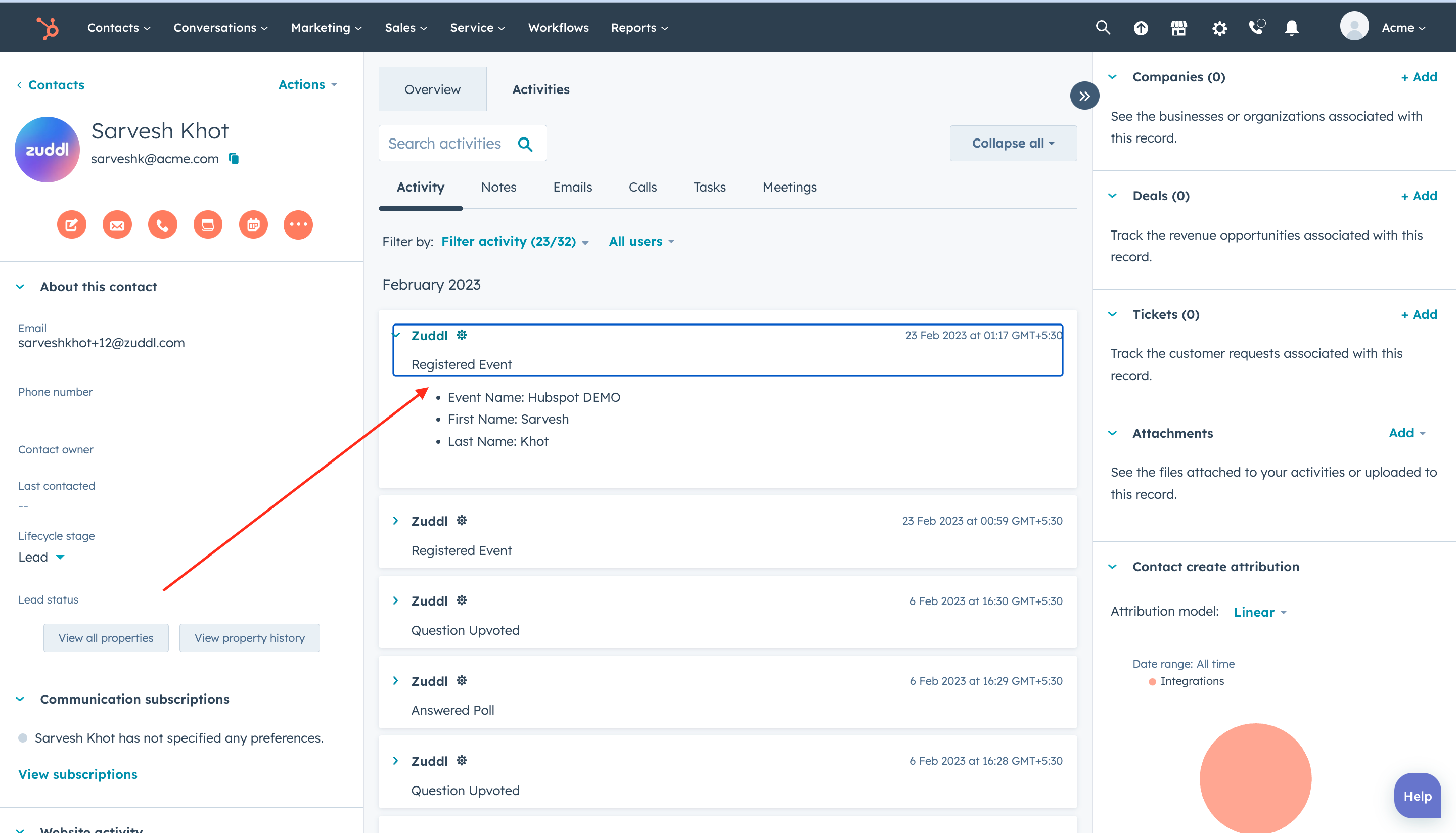
Under the Activity tab, click Filter activity on the contact details page and select the Zuddl checkbox under Integrations. This action starts showing all the Zuddl activities in a particular format.
Each activity is shown as an individual record with the activity details in a particular format, as shown below: