Brother Printer Setup Guide
Last updated: August 27, 2026
Overview
Zuddl's onsite app now supports the Brother printer QL-820NWB model for badge printing at check-in. This document provides a comprehensive guide for printer setup, supported configurations, orientation options, and badge size compatibility.
Supported printer
Model: Brother QL-820NWB
Connection modes:
Wi-Fi (connected to the same network as the app device)
Direct Wi-Fi (printer as a hotspot)
Note: Only QL-820NWB is supported at this time. Other models (like QL-800) are not compatible.
Label roll specifications
Label type: Brother continuous roll
Width: 2.4 inches (fixed)
Length: Determined by badge builder configuration
Supported roll sizes must be Brother-certified. Both adhesive and non-adhesive labels can be used, though testing has only been done with adhesive rolls.
App setup process
Printer discovery
Navigate to the printer setup screen in the onsite app. Choose a printer source, in this case, ‘Brother Printers’.
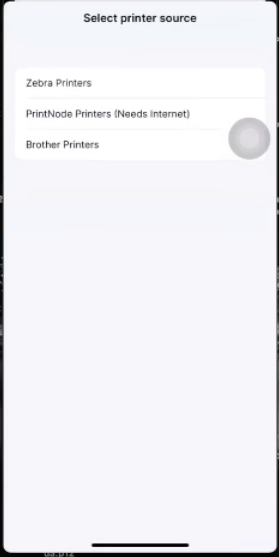
The app auto-scans the local network for printers for 15 seconds. The printer must be connected to the same network as your device. You can retry scanning for the printer. If not found, a refresh button appears to retry discovery.
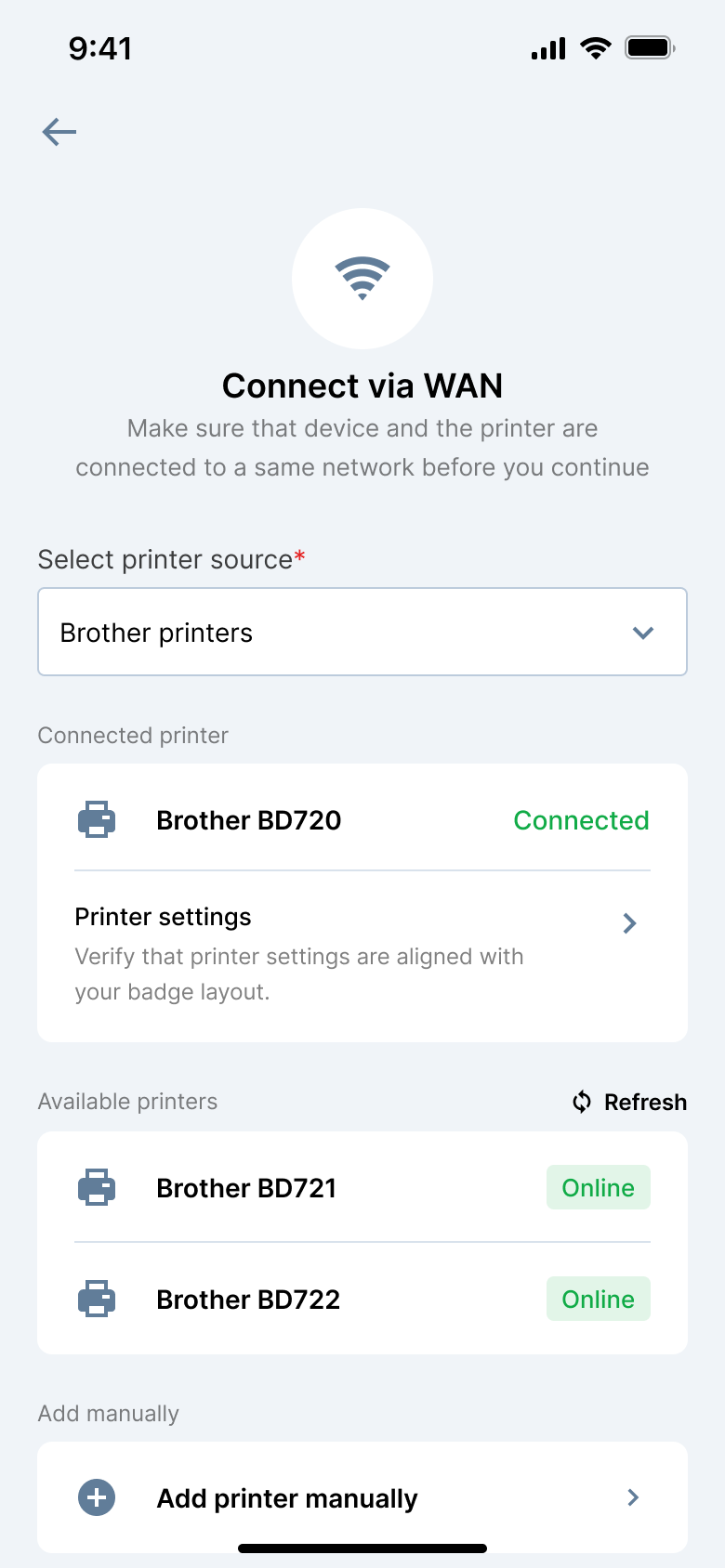
Wi-Fi configuration on printer
Navigate to the LAN setup on the printer.
Use 'Infra manual settings' to select your Wi-Fi network and enter the password to connect. Ensure that you’ve selected the same network.
Alternatively, use Brother’s mobile app for setup.
Printer selection and settings
Now on your on-site app, scan for nearby printers. Once discovered, the printer appears with its IP address.
When you click the option, the available settings are shown:
Orientation:
Portrait: Text is printed top-to-bottom
Landscape: Text is printed left-to-right
Currently, text rotation is not supported, which may limit the use of true landscape layout.
Auto-cut: Enable to cut printed badges automatically.
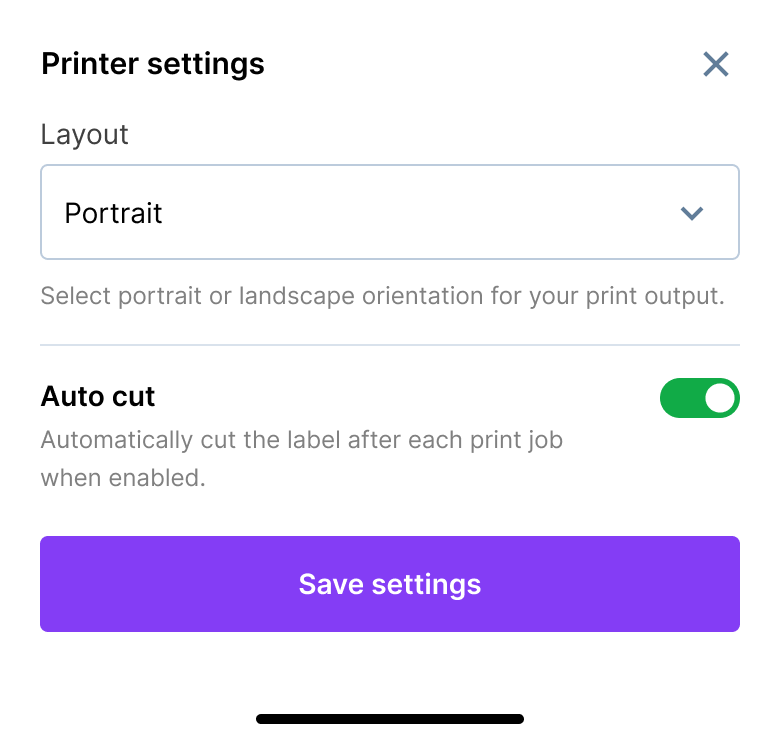
You can revisit this page to change these settings later.
Using multiple devices with one printer
Brother printers allow only one device to be connected at a time. Once an iPad is connected to the printer, no other device can use it.
Other devices will not see the printer at all in the printer list on the setup screen. The printer does not appear as unavailable or greyed out — it simply is not listed. This is a restriction of the Brother printer, not of the Zuddl app.
If you are running more than one check-in station, use a separate Brother printer for each device. Plan for one printer per iPad when you order hardware for an event.
Badge sizes and orientation
While the badge builder supports the following sizes:
4x3 in
3x3 in
4x6 in
2.4 x 1.8 in
Actual physical output on Brother printers is scaled to fit within the 2.4 in width
Badge builder size | Portrait mode | Landscape mode |
3 x 3 in | 2.4 x 2.4 in | 2.4 x 2.4 in |
4 x 3 in | 2.4 x 1.8 in | 3.2 x 2.4 in |
4 x 6 in | 2.4 x 3.6 in | 1.6 x 2.6 in |
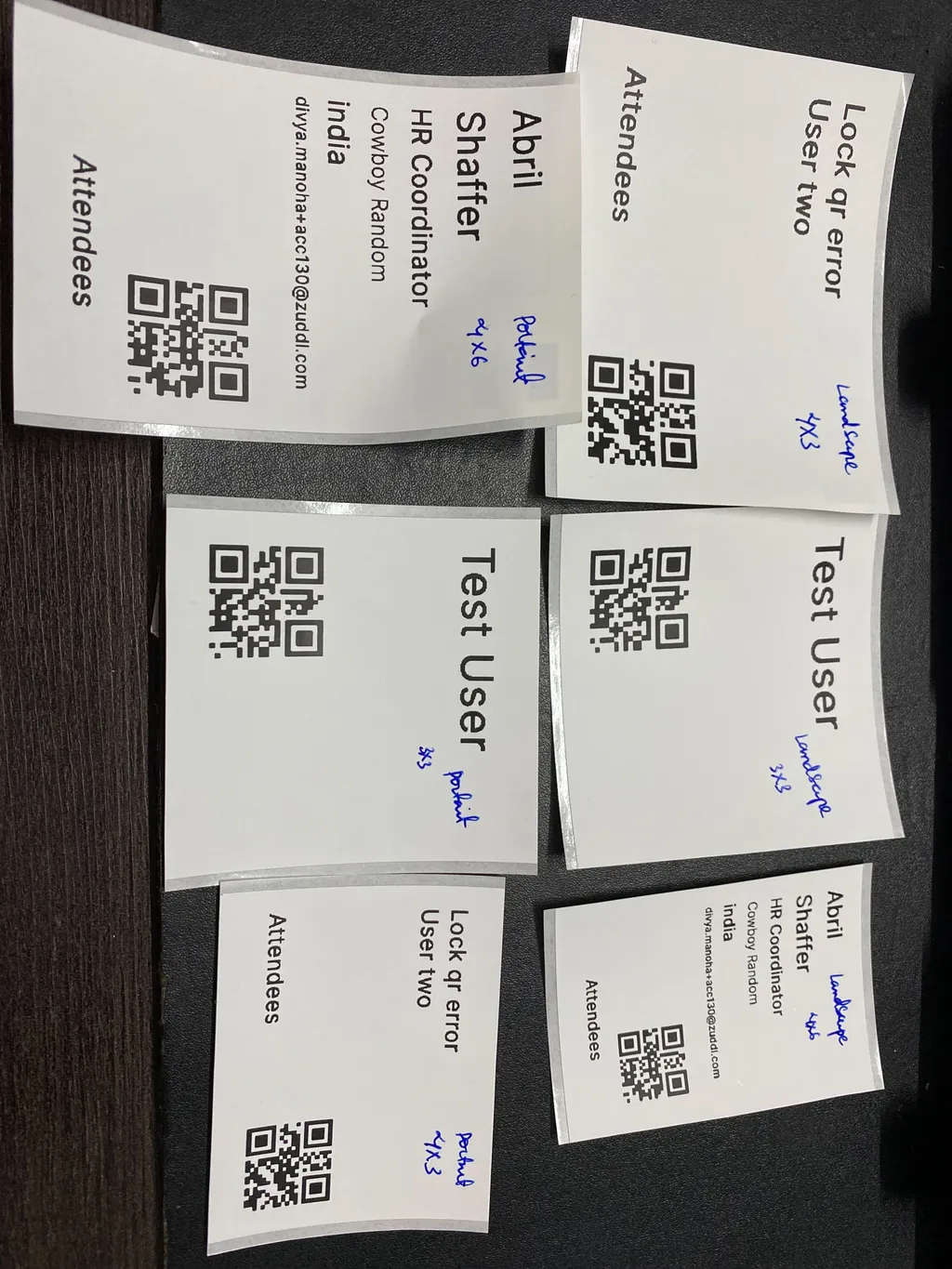
The width is always capped at 2.4 in. The length is flexible due to the continuous roll.
The size in the badge builder page on the dashboard is not applicable for Brother printers.
Badge preview
The app provides a PNG preview of the badge based on the selected orientation and layout
The preview reflects the aspect ratio, not the exact real-world dimensions
Ensure label dimensions (e.g., 2.4 x 3.6 in) fit within that area.