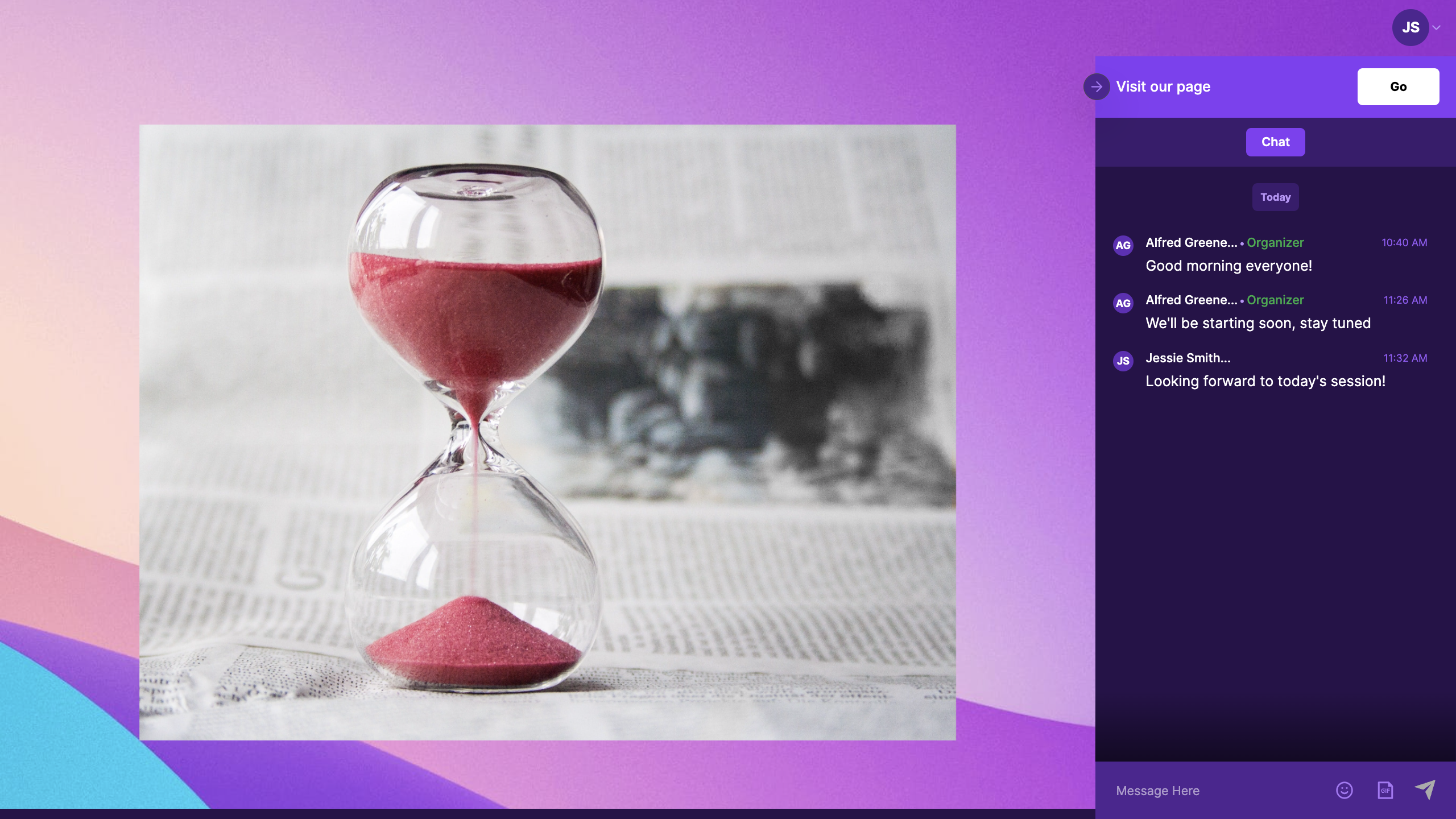
How to Enable Call-to-Action for a Virtual Event in Zuddl
Last updated: August 1, 2025
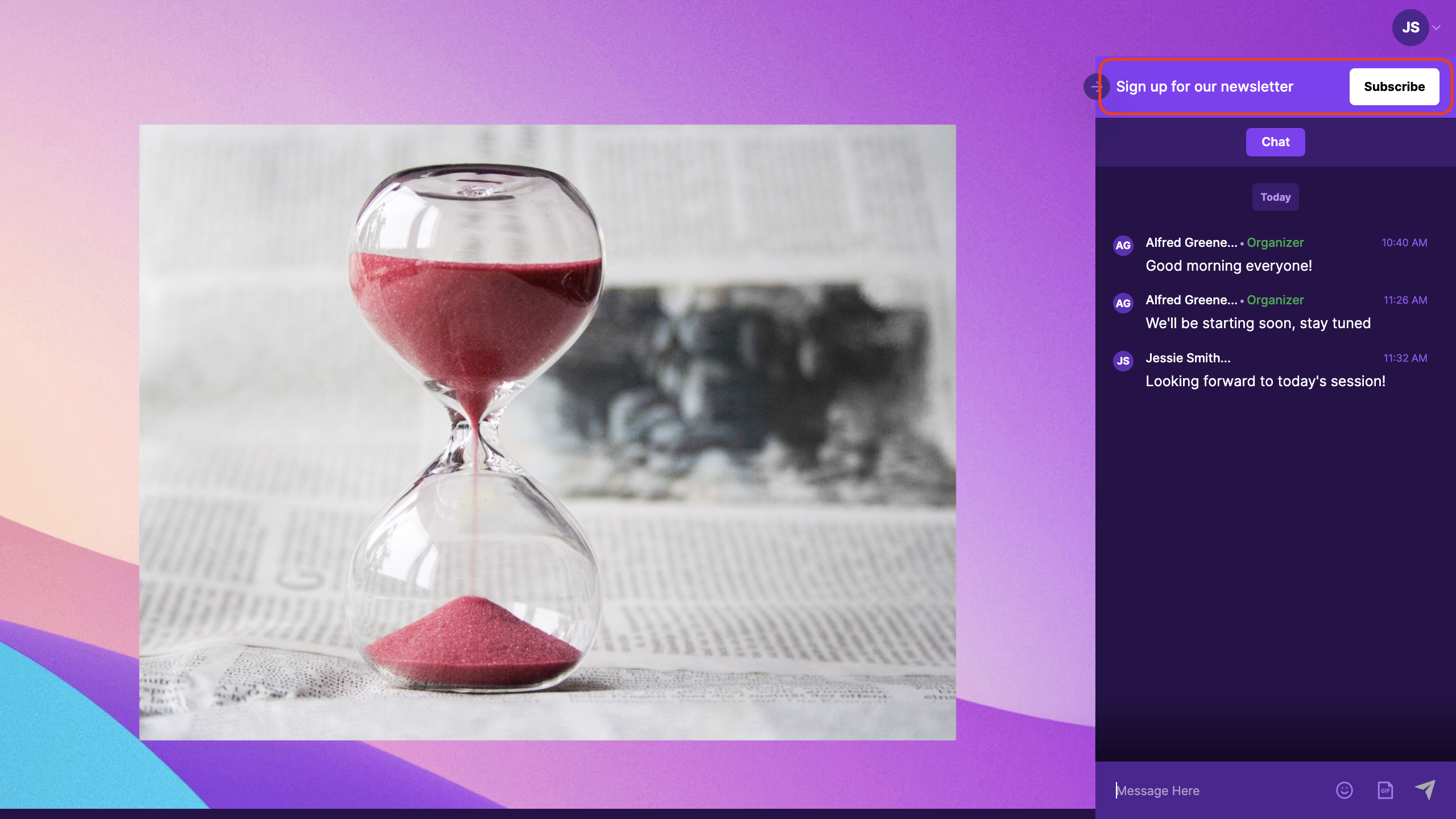
A Call-to-action (CTA) banner is an interactive component that can be added to an event, to direct your attendees to an external URL. The banner has a text message and a redirection button with a customizable label.
Follow these steps to customize your CTA banner:
Go to the Venue Setup > Engagement page of the event setup.
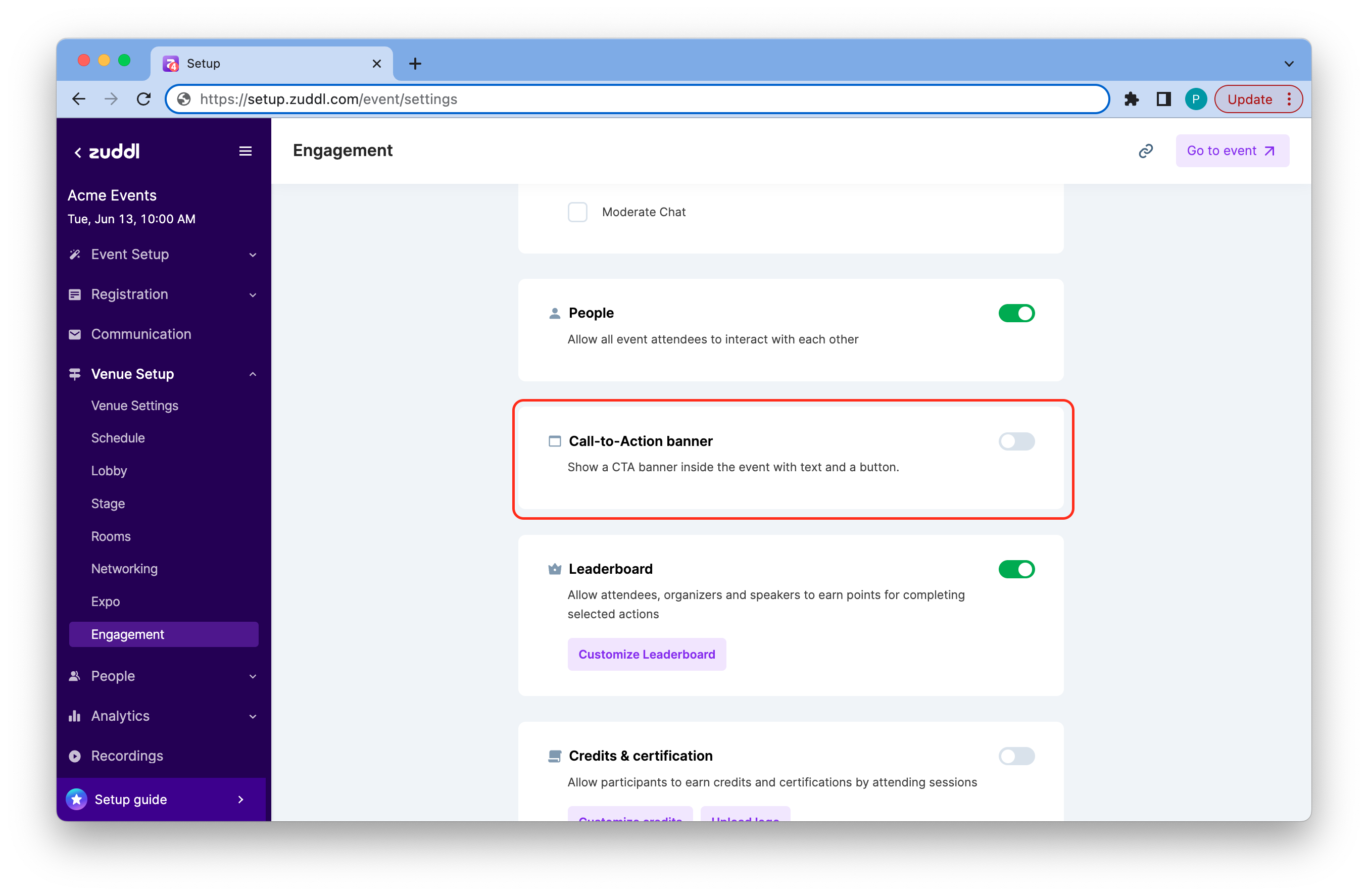
CTA Button.png 2. Toggle on the Call-to-Action banner.
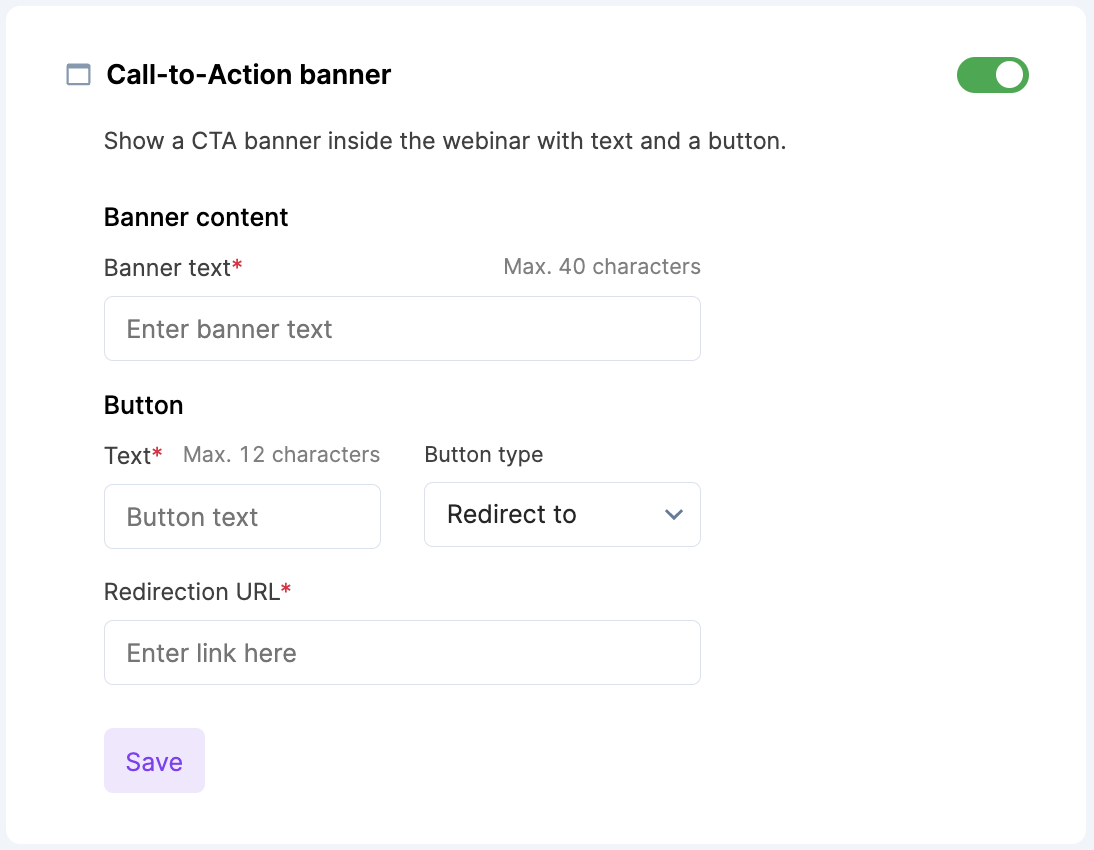
- Under Banner content, enter Banner text (up to 40 characters). This is shown to attendees as the message in the banner.
- Under Button, enter the button Text (up to 12 characters). This is the label used for the button in the banner.
- Choose the Button type from the dropdown:
- Redirect to: This option opens a new tab to the Redirection URL.
iFrame: This option opens the Redirection URL in the sidebar as an iFrame.
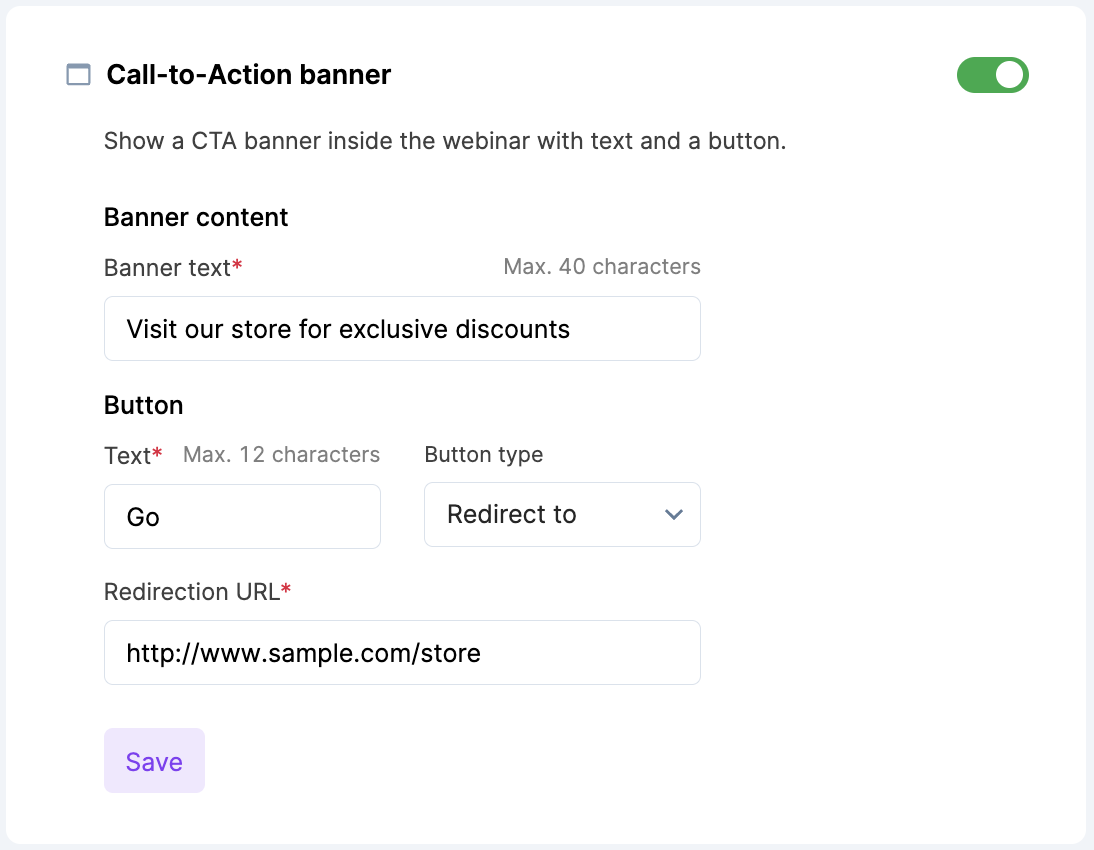
- Enter the Redirection URL.
3.Click on the Save button.
Inside the Event
Here is how the CTA banner appears in the event:
When the button type is set to iFrame, the page is displayed vertically in the sidebar: