How to Use the Onsite App for an In-person Event in Zuddl
Last updated: August 1, 2025
Using the Onsite app
After you log in to the app, you can see the list of events where you are an Organizer. Your events are divided between the All events, Live, Upcoming, and Completed tabs based on their status, and sorted according to the event dates.
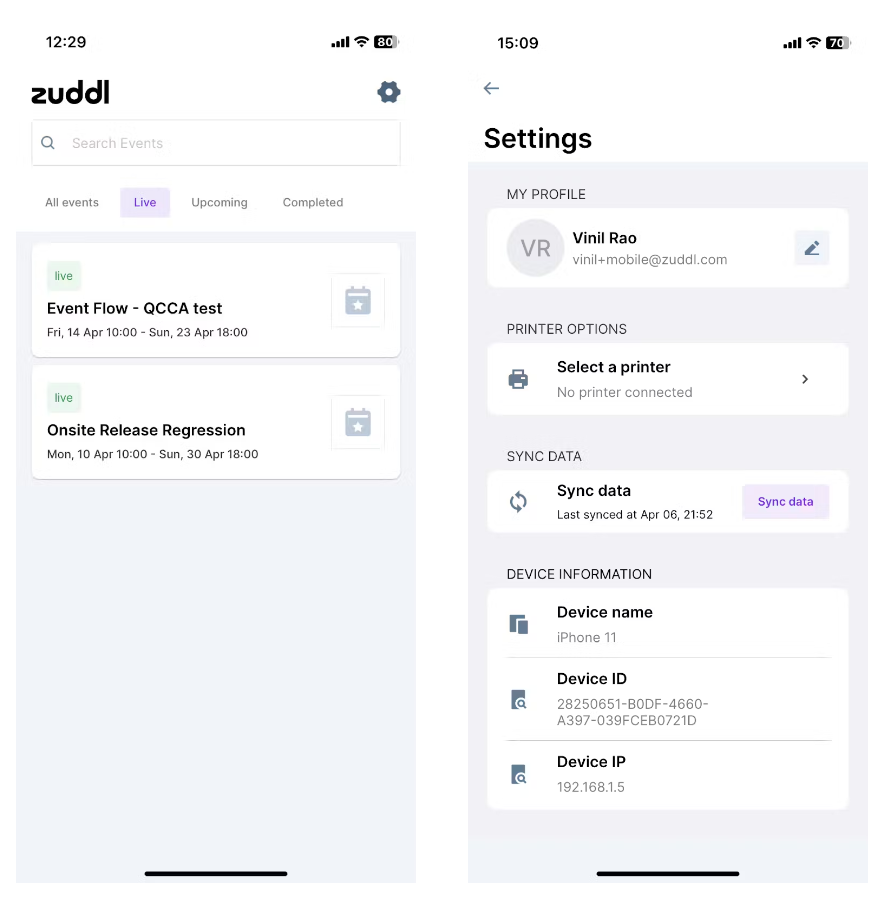
Attendee List You can also see the Settings icon on the top right of this screen, where you can update your profile, select a printer, set the printer DPI, etc., you can read more about it here.
Tap on any event to open its home page where you can see the list of all the attendees. This may take some time to load initially based on the number of guests and the internet speed available.
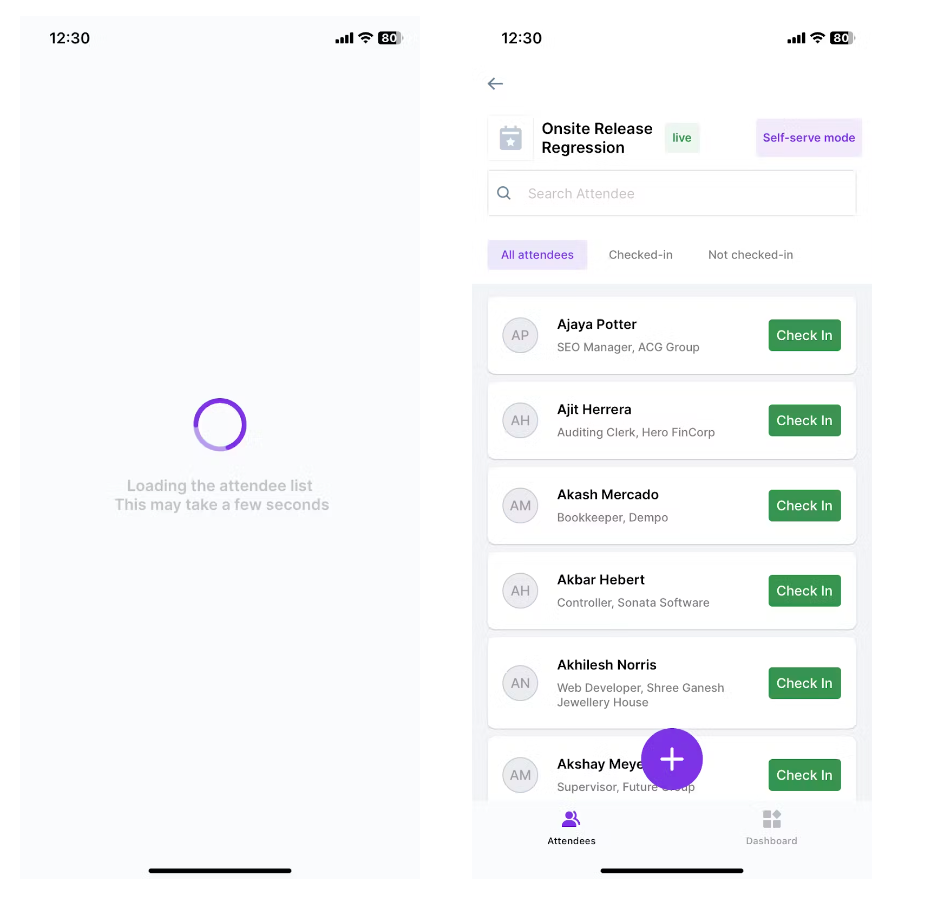
Attendee List Please wait till the list is fully populated because it is used to do check-ins if internet connectivity is lost.
- Tap the ‘+’ symbol to see 2 options:
- Scan QR code - to check-in guests by scanning the QR codes
Register new attendee - to take on-spot registrations
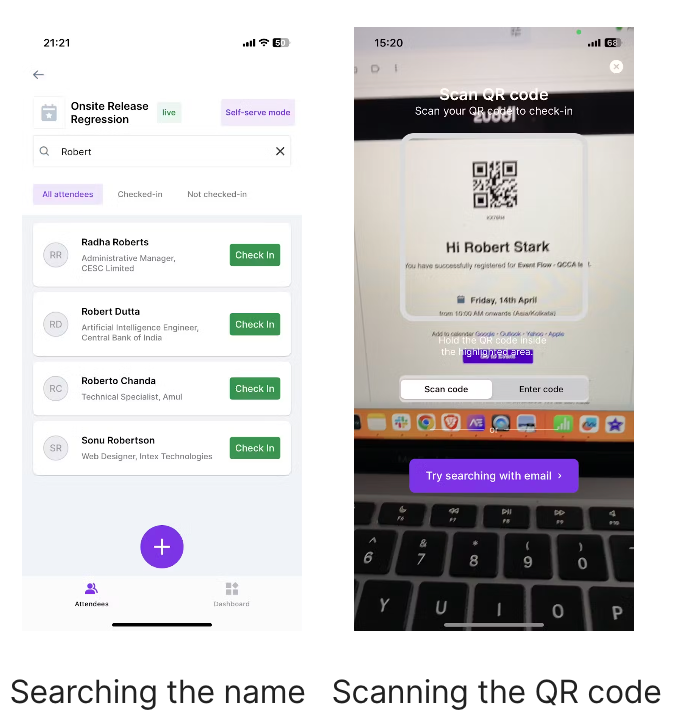
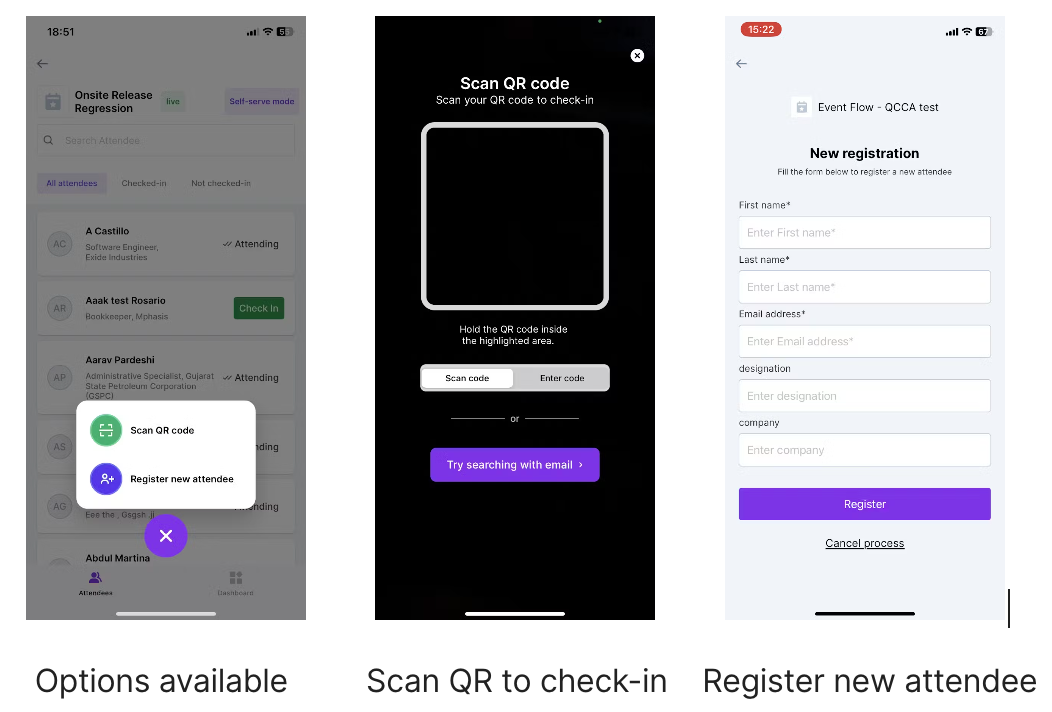 To check in a guest, you can either
Scan the QR code that the guest received in the event invitation email.
(or)Search for the guest’s name in the list and tap Check in, or simply tap on the name.
- The guest’s profile popup will be shown. Verify the guest and click on Check-in guest and they will be marked as attending.
Printing badges
- Right after the check-in animation, you can view the badge preview screen.
To update any details before printing, tap Edit details, make the changes, and tap Save changes. The badge preview will now be updated.
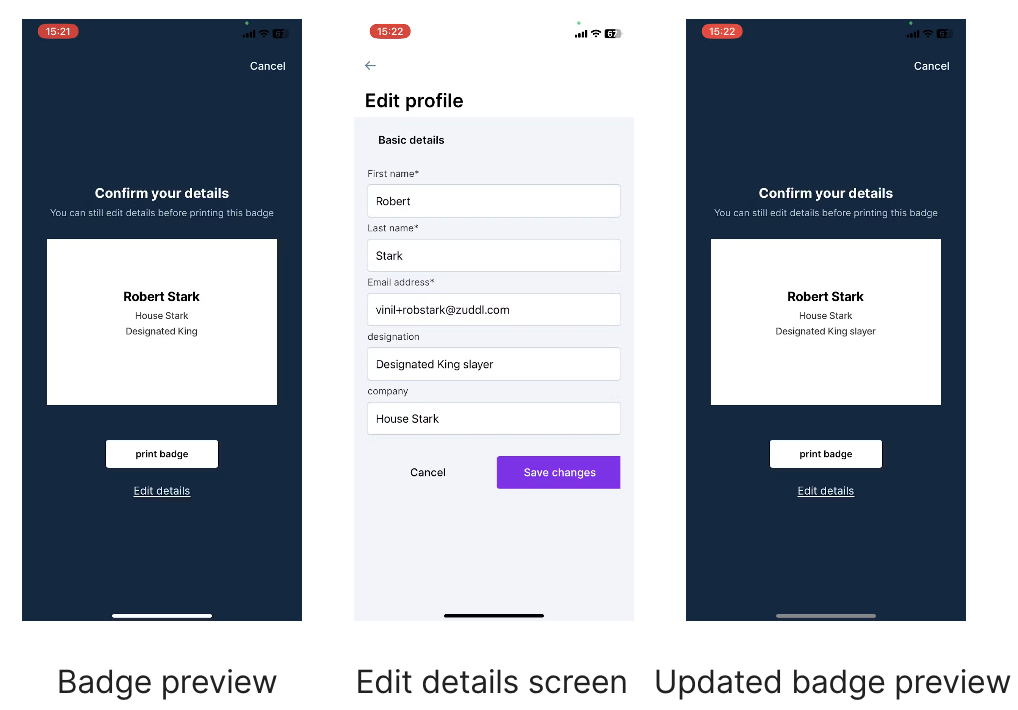
- Tap Print badge. If the printer is already connected and set up in the settings, the badge will be printed from the printer, and you’ll be taken back to the previous screen to check the next person in. If the printer is not connected or set up, you will be shown an error message.