How to Enable Mobile View for an Expo in a Hybrid Zuddl Event
Last updated: August 1, 2025
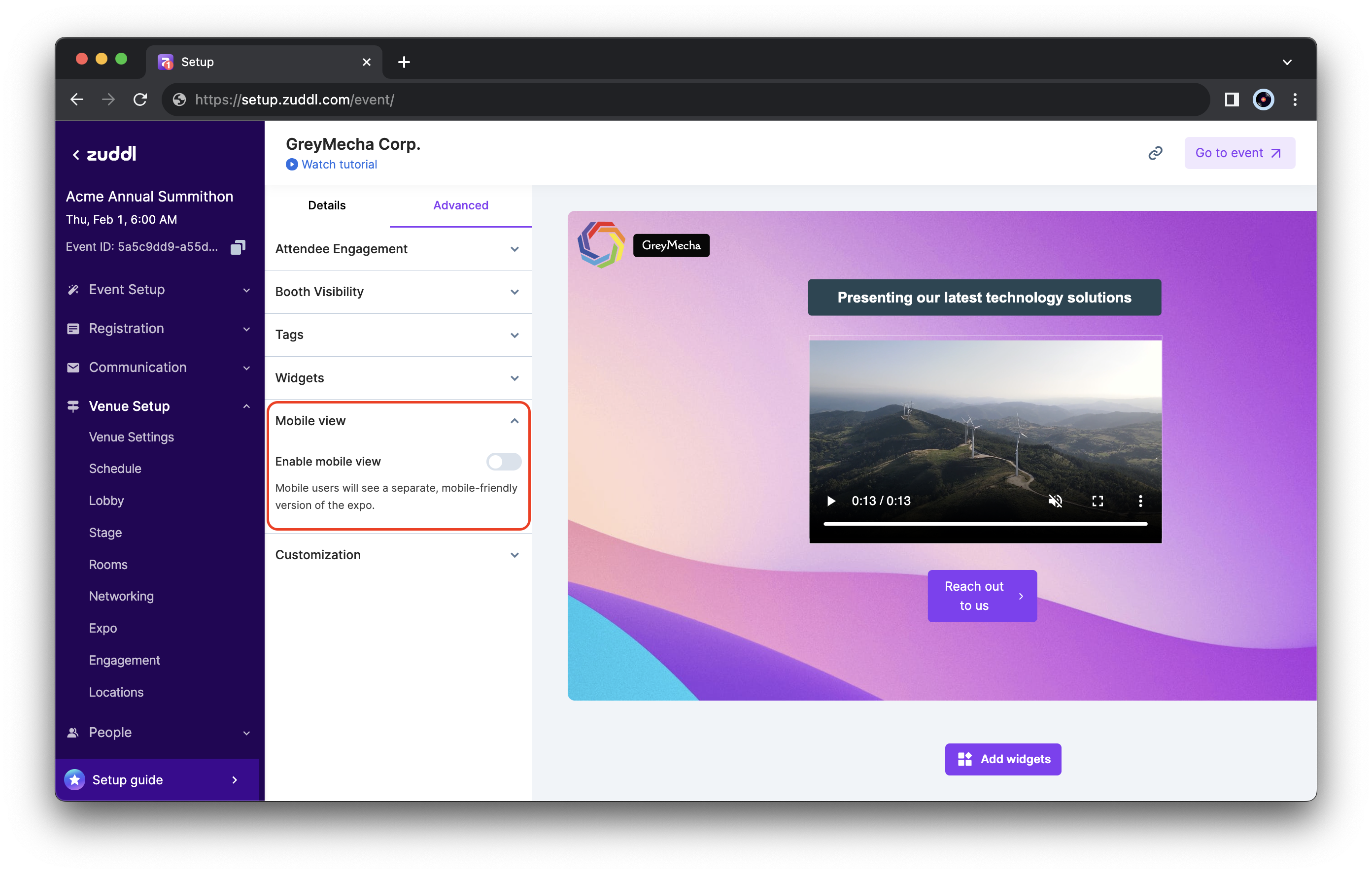
Zuddl lets you optimize expo booths for mobile devices, such that they appear vertically on mobile view for viewers to easily scroll through the booths. To enable mobile view,
Prerequisite: If you want to show widgets exclusively for mobile view, you must first add widgets for desktop view under Advanced > Widgets.
Steps
- Go to Venue Setup > Expo and enter the edit mode of an expo.
Now, navigate to the Mobile view section and toggle on Enable Mobile view. This adds two new tab options on the top bar; Desktop and Mobile expo.
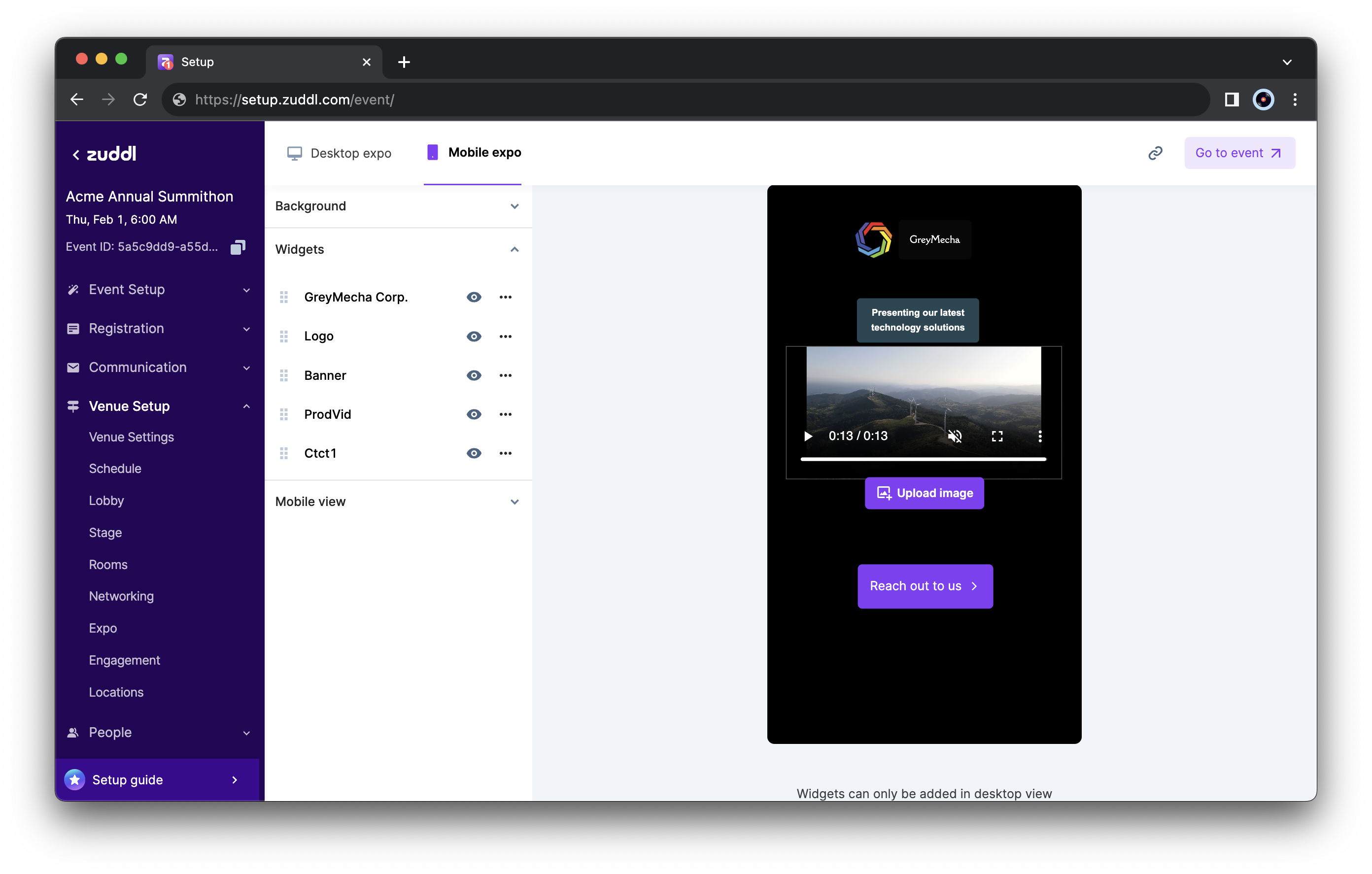
- Go to the Mobile expo to view the settings exclusively for mobiles.
- Background image - A expo background specific to mobile layouts. A JPG or PNG file with a width of 1080px and a minimum height of 1920px. The maximum image file size is 4 MB.
Widgets: This shows all the widgets that you’ve added to the desktop view. Widgets can only be added in the desktop view. However, once added, you can hide/unhide widgets exclusively for mobile view.
Editing or deleting a widget for the mobile view will also edit/delete it for the desktop view and vice-versa.
A right-side preview pane shows all the changes you made in real time.