1. Enable Badge Printing and Share Requirements
Last updated: August 1, 2025
To make your event experience seamless, Zuddl now offers customized badges for your participants for Hybrid and In-person events.
There are four main stages to set up badges:
- Enable badge printing in the event setup.
- Share your requirements with our team.
- Ensure you have the printing equipment and materials on-site.
- Use the Zuddl Onsite App to check in your participants and print badges.
Enable Badge Printing
Follow these instructions to enable badges for your event:
- Go to the event setup. Ensure that your event type is either Hybrid or In-person.
- Go to On-site > Badges.
Toggle on Badge printing.
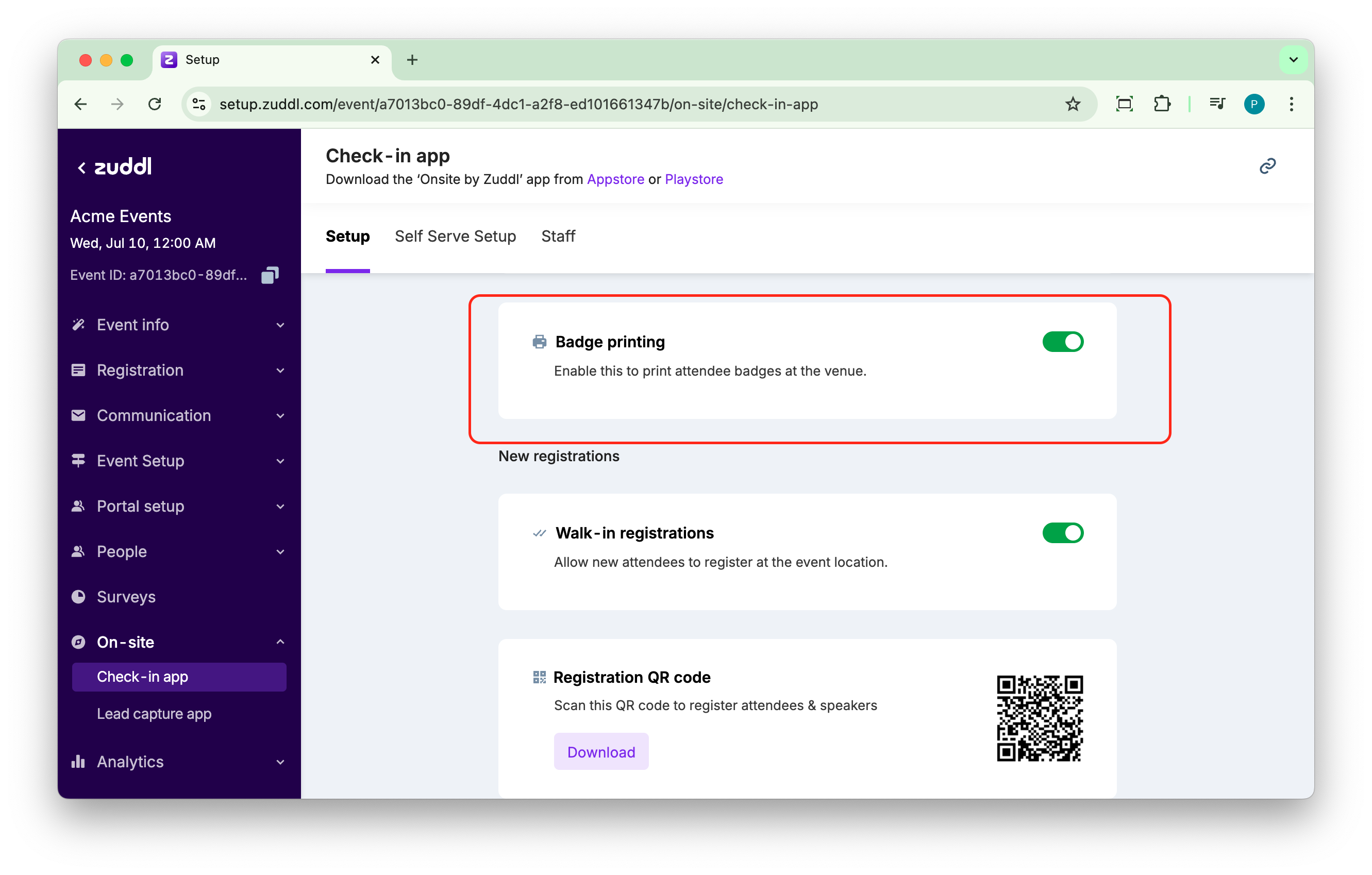
- Select a badge type from the two available options: Vertical badge (selected by default) or Horizontal badge.
Share your requirements with our team
Our team needs to know the number of participants and your badge requirements 4 weeks in advance to arrange the necessary equipment and materials. Once your event details are finalized, share the requirements with our Customer Success team at support@zuddl.com.
Supported badge fields
| Fields | Description |
|---|---|
| Event Logo | Logo of your event (if any) |
| Event Name | Name of your Zuddl event |
| First Name | First name of the attendee |
| Last Name | Last name of the attendee |
| Email address of the attendee | |
| Event Role | Designated role of the attendee as set by organizer |
| Access Group | The access group to which the attendee belongs |
| QR Code | Unique QR code for the attendee |
| Designation | Title of the attendee |
| Company | Company of the attendee |
| Country | Country of the attendee |
| Bio | Short description as given by the attendee |
| Phone Number | Contact number of the attendee |
Equipment and materials
To ensure hassle-free badge printing, we suggest following these requirements to ensure the equipment and materials are adequately stocked and ready at your event venue:
Equipment for badges
| Type | Specification |
|---|---|
| Badge stock | Pre-printed badge papers, Slots (pouches/holders), and Lanyards. |
| Printer | Zebra ZD620, ZD621, ZD420/21 or ZD230. |
| Badge paper | 4" x 3" Fanfold Label 3" x 3" Fanfold Label |
| Hardware | iPadsiPad Stands (Above TEK TS-158S)Routers (Wi-Fi capability, preferably with SIMs)Cables: CAT6 Ethernet Cable, if not LAN, then Wi-Fi (30-60 Mbps) specifically for the badge equipment. |
| Vendor (recommended) |
Recommended Quantities
| In-person Attendees | Stations | iPads & Stands | Routers | Printers | Badge Stock |
|---|---|---|---|---|---|
| 250 | 1 | 2 | 1 | 1 | 500 |
| 500 | 2 | 4 | 1 | 2 | 750 |
| 1000 | 4 | 5 | 2 | 4 | 1250 |
| 1500 | 4 | 5-6 | 5-6 | 5-6 | 1750 |
These numbers are based on the assumption that the router has one LAN port.
We suggest using an equal number of iPads and printers. If the routers cannot connect to two printers each, use an equal number of routers and printers.