How to Use Revenue Dashboard for a Hybrid Event
Last updated: August 1, 2025
Org-level dashboard
- Go to the organization dashboard.
On the left navigation, go to Analytics > Revenue dashboard.
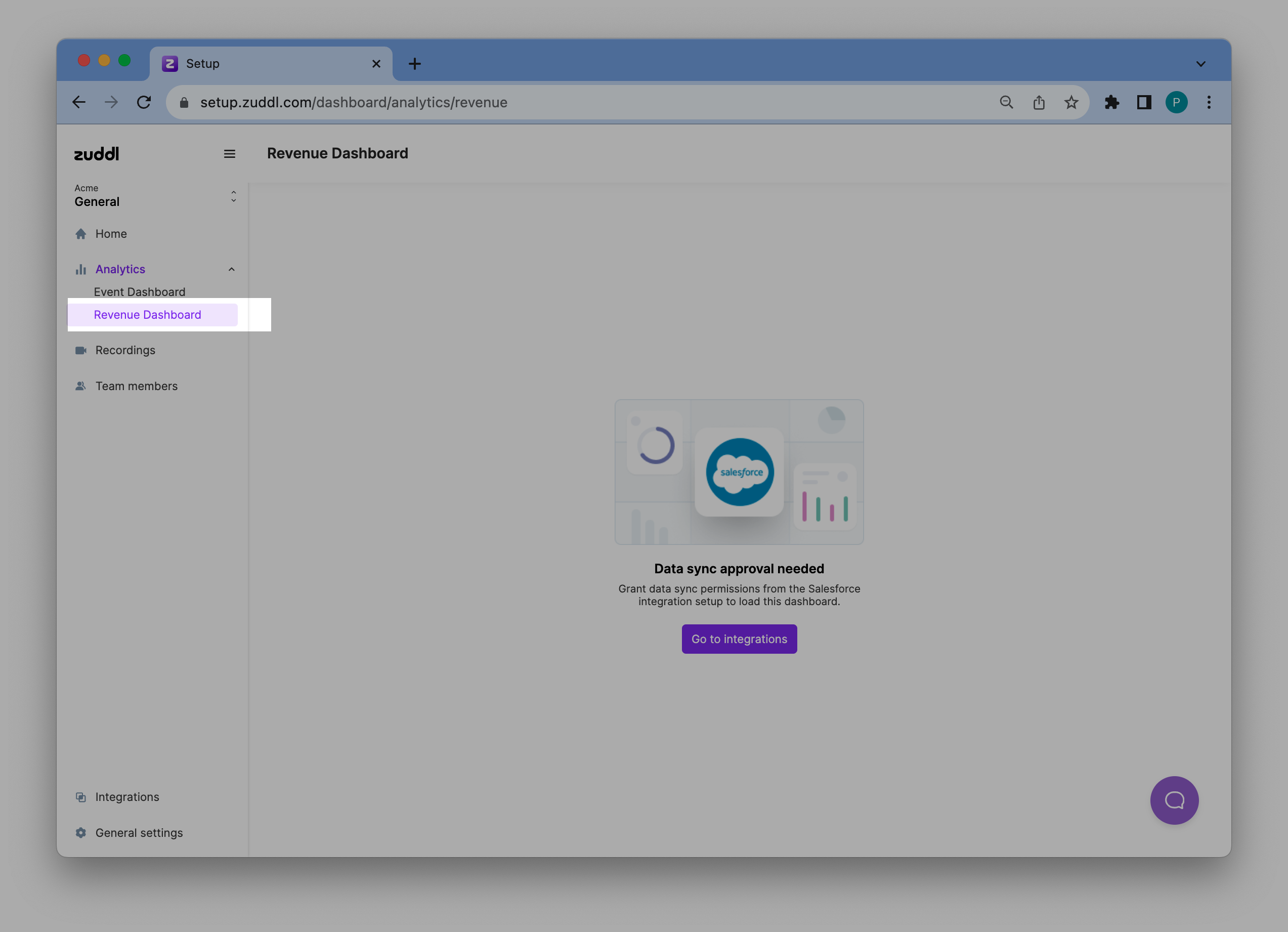
Click the Go to integrations button as the feature requires certain permission grant from the integration setup.
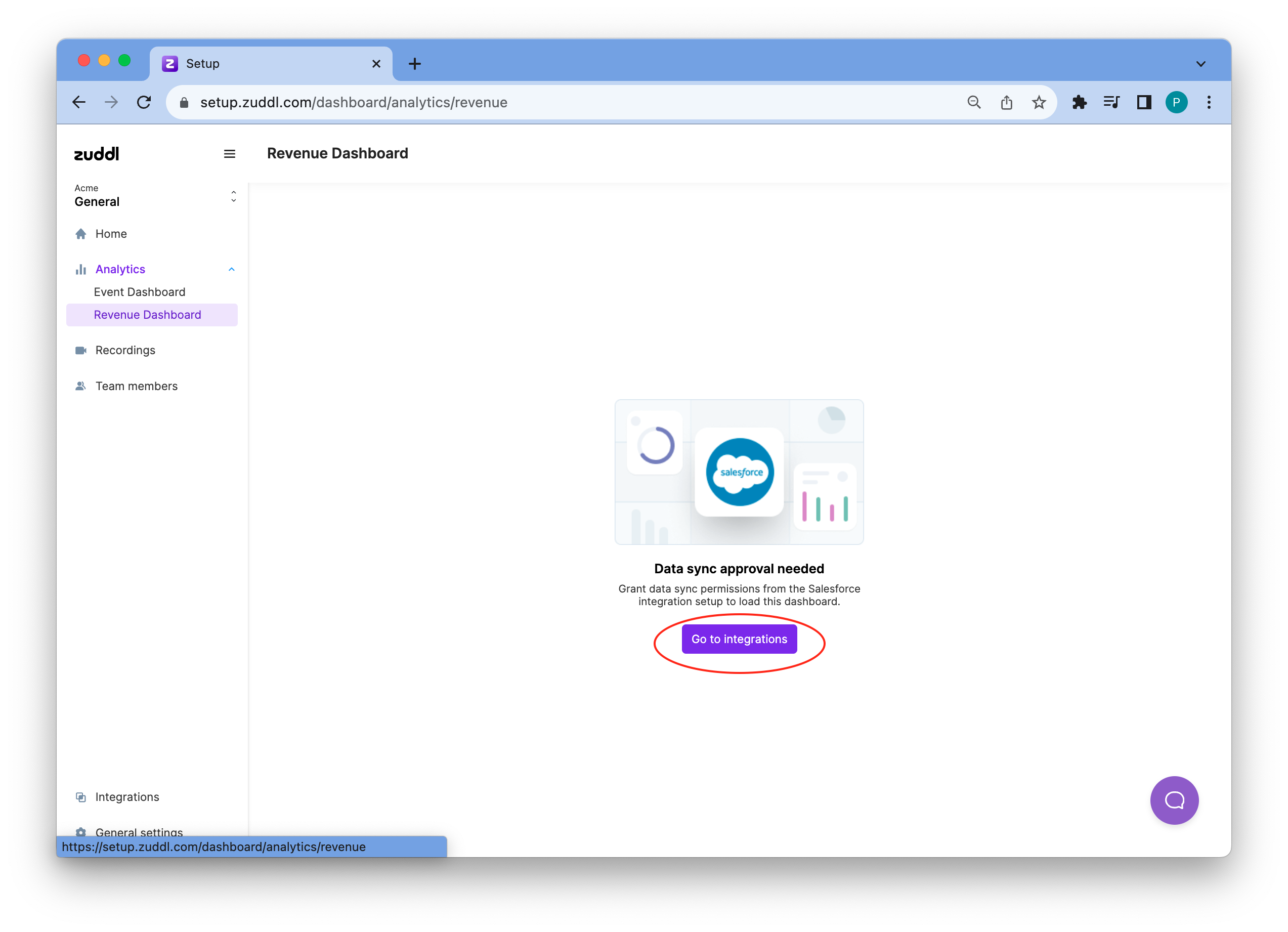
This redirects you to the Integration listing page
On the Salesforce integration card, click View details and then click the Edit button to edit the integration settings
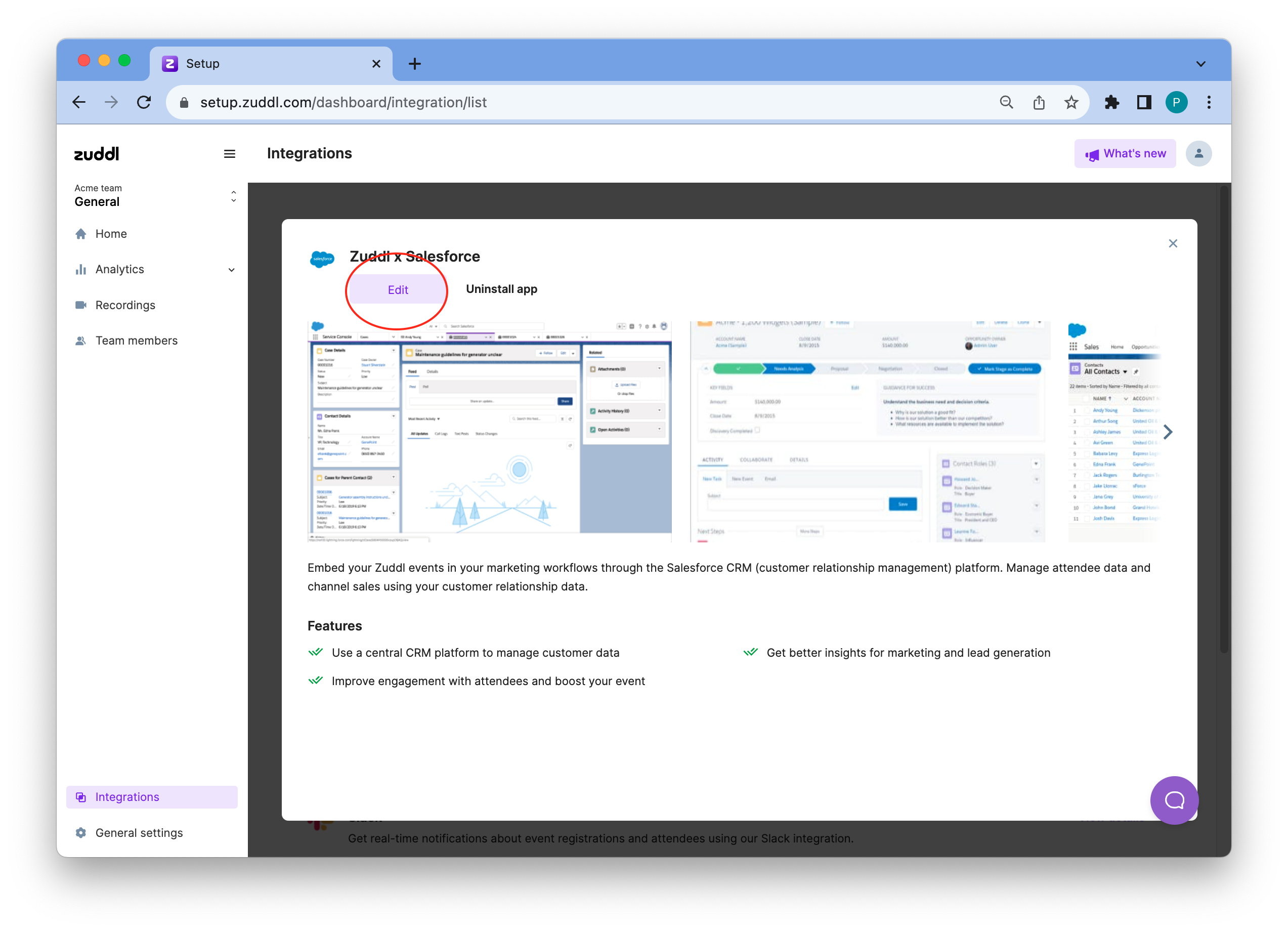
Select the Allow syncing Salesforce data for Zuddl’s Revenue Dashboard checkbox.
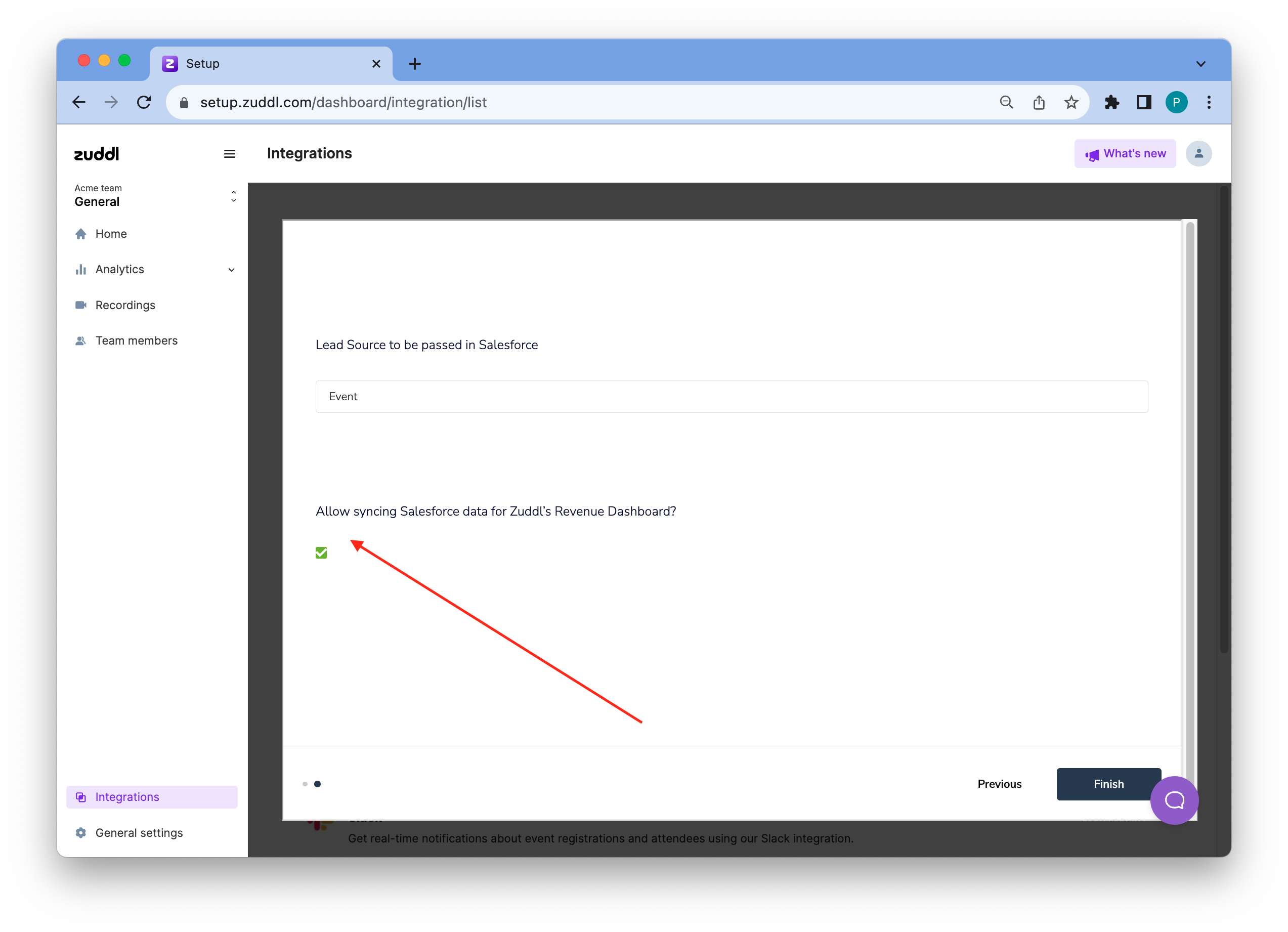
- Then, click Finish. This provides the required data sync permission from the Salesforce integration to fetch data for the revenue dashboard.
Now, go back to the revenue dashboard and click the Sync now button, which starts to show when you grant permission. The sync takes around 30 minutes to fetch all the data, Zuddl sends an email notification once it's ready. This is a global sync and updates both event-level and org-level data.
Note: Data is not automatically synced to the dashboard but has to be manually synced. The dashboard allows you to perform a manual sync job every 1 hour.
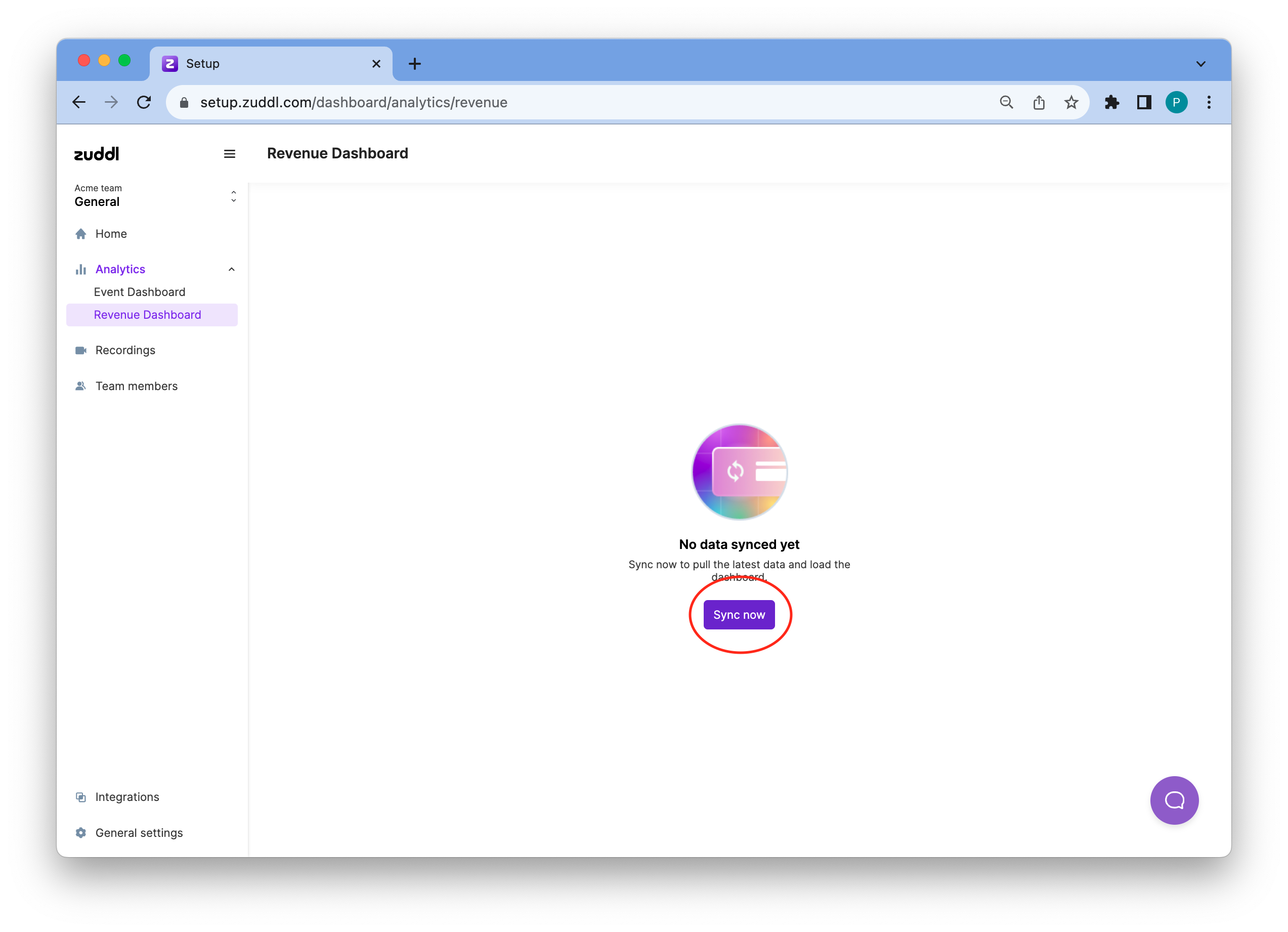
- Reload the page after a few minutes to view the dashboard.
How to use the org-level revenue dashboard
The org-level revenue dashboard shows all metrics that pertain to your entire organization in Zuddl (i.e, across event types: virtual events, webinars, in-person events & hybrid events). Before you start to slice and dice the data, you must specify the date & time range for fetching the data. You can use the three settings on top to use the same.
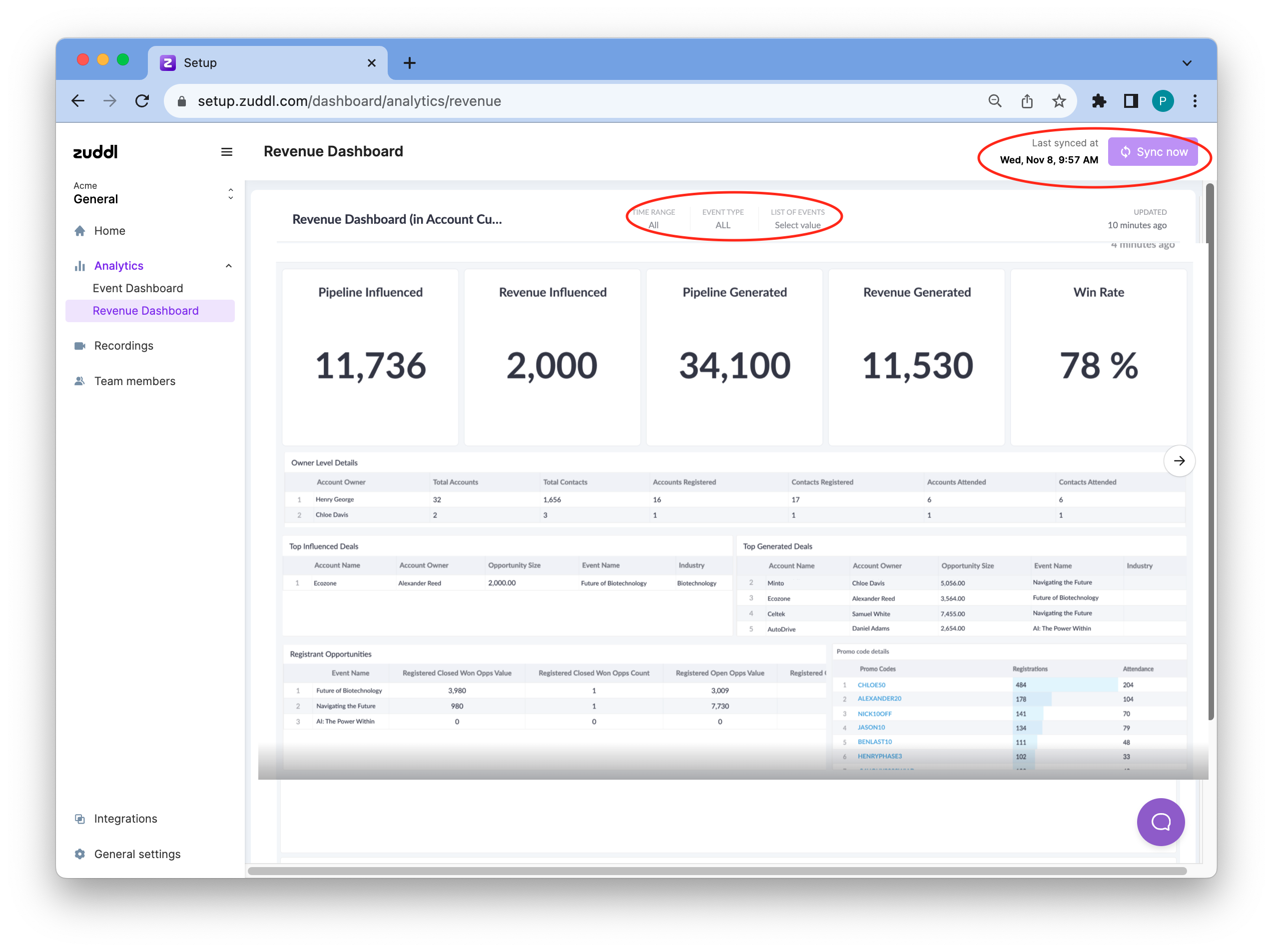
Set a specific Time Range using the date picker. Defaults to All.

You can add four types of date filers
- From-To: use this to select the date range for which you want to view the data. For the set date, either use the default Midnight-Midnight toggle (i.e 12:00 AM From date to 11:59 PM To date) or toggle off Midnight-Midnight to specify the exact From and To time.
Before: Select a ‘To’ date to view all data before that date. Toggle the End of day to fetch data till the end of the current date.

- After: Select a ‘From’ date to view all data after that date. Toggle the End of day to fetch data till the end of the current date.
- Relative: Select a date & time range based on a specific logic. Choose the appropriate dropdown: Last, Last (ending now), This, This (ending now), and Previous. Choose the appropriate number of seconds, minutes, hours, days, weeks, months, quarters,
Select the event type: virtual events, webinars, in-person events & hybrid events. Defaults to All.
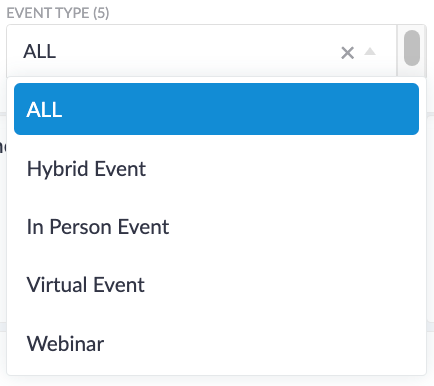
- Choose a specific event from the List of events dropdown. The dropdown shows past and ongoing events event names.
How to read the dashboard
| Name | Description | Time frame |
|---|---|---|
| Pipeline Influenced | The total value of new opportunities created in customer accounts and the latest new opportunities created in prospect accounts who attended the event. | Within 90 days after the event start date |
| Pipeline Generated | The total value of opportunities created in accounts (new or existing) who attended the event. This includes:
| Within 90 days after the event start date |
| Revenue Influenced | Total value of the influenced pipeline opportunities that were closed won. | |
| Revenue Generated | Total value of the generated pipeline opportunities that were closed won. | |
| Win Rate (W) | Closed Won Opportunities after the event (Cw) / All Closed Opps after the event (C op) from attendee accounts (Cw)/(C op)*100 = W |
Registrant Opportunities
Registered | Attended | |
Closed Won Opps Value | The total value of the opportunities in customer accounts that have registered for your event. | The total value of the opportunities in customer accounts that have attended the event. |
Closed Won Opps Count | The total count of customer accounts that have registered for your event. | The total count of customer accounts that have attended the event. |
Open Opps Value | The total value of the opportunities in prospect accounts that have registered for your event. | The total value of the opportunities in prospect accounts that have attended the event. |
Open Opps Count | The total count of prospect accounts that have registered for your event. | The total count of prospect accounts that have attended the event. |
Closed Lost Opps Value | The total value of lost opportunities that have registered for your event. | The total value of lost opportunities that have attended for your event. |
Closed Lost Opps Count | The total count of prospect accounts that have registered for your event. | The total count of prospect accounts that have attended the event. |
Top Influenced Deals
Top Generated Deals
Country/Account Wise Sales Status
| Name | Description |
|---|---|
| Opportunity Influenced Count | The total number of event-influenced pipeline opportunities for a particular country or account type |
| Opportunity Influenced Value (OPi) | The total value of all event-influenced pipeline opportunities for a particular country or account type |
| Revenue Influenced Value (Ri) | The total value of all event-influenced pipeline opportunities in the closed won stage for a particular country or account type |
| Win Rate Influenced (Wi) | Revenue Influenced Value / Opportunity Influenced Value. Ri/OPi=Wi |
| Opportunity Generated Count | The total number of event-sourced opportunities for a particular country or account type |
| Opportunity Generated Value (OPg) | The total value of all event-sourced opportunities for a particular country or account type |
| Revenue Generated Value (Rg) | The total value of all event-sourced opportunities in the closed won stage for a particular country or account type |
| Win Rate Generated (Wg) | Total Revenue Generated Value / Total Opportunity Generated Value. Rg/OPg=Wg |
Event-level Dashboard
- Login to your dashboard.
- Go to the event setup for the desired event
Under Analytics, click the Revenue Dashboard.
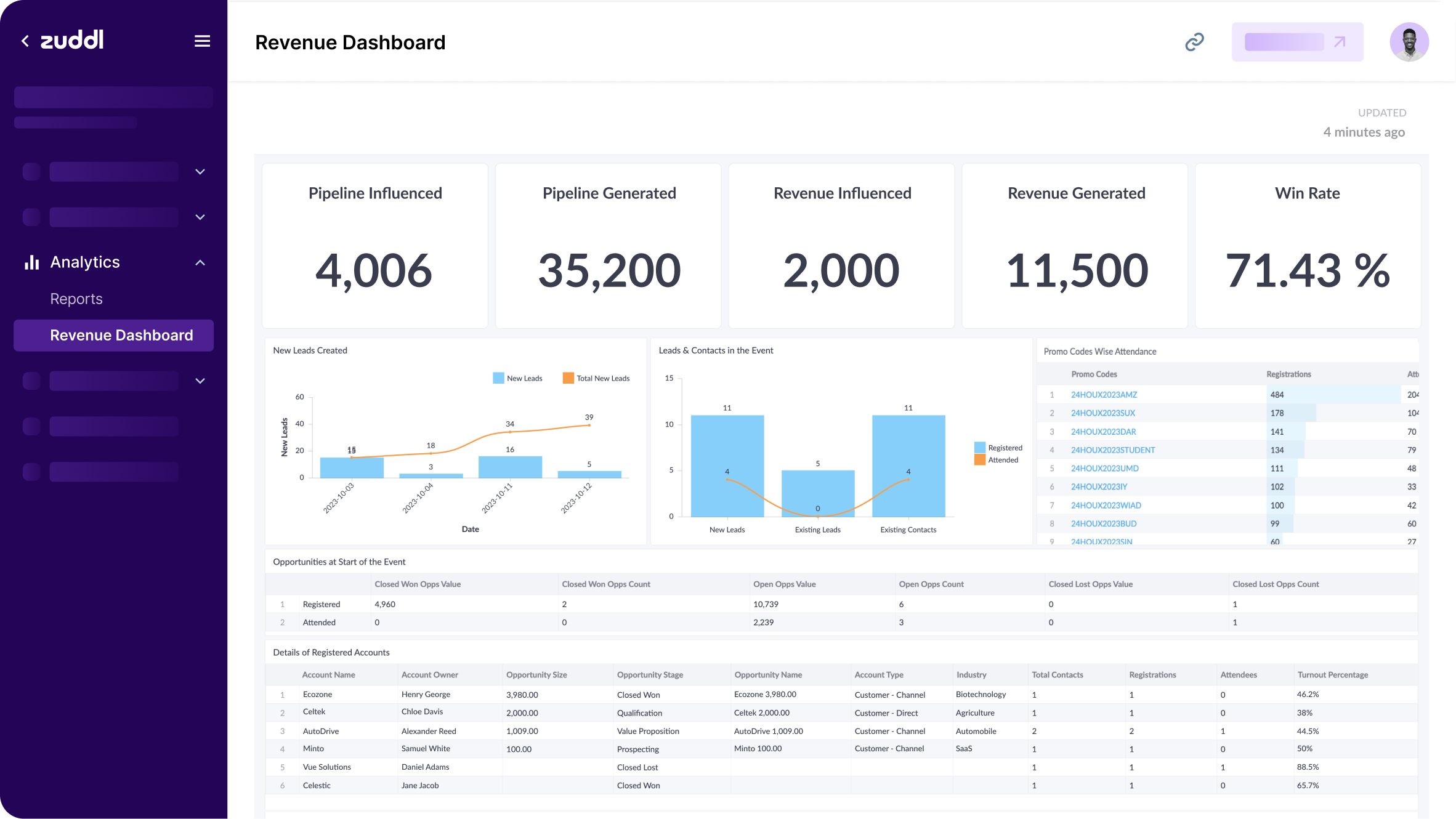
How to read the dashboard
Graphs
| Name | Description |
|---|---|
New leads created | A bar graph that shows day-on-day new leads and total new leads created by Zuddl |
Leads and contacts in the Event | A bar graph that shows new or existing leads and existing contacts who have registered for the event. This graph also shows who attended the event via a line chart. |
Coupon-wise registration and attendance | Registrations and attendance at the event are based on individual coupon codes created for the event. |
Opportunities at the Start of the Event
Registered | Attended | |
Closed Won Opps Value | The total value of the opportunities in customer accounts that have registered for your event. | The total value of the opportunities in customer accounts that have attended the event. |
Closed Won Opps Count | The total count of customer accounts that have registered for your event. | The total count of customer accounts that have attended the event. |
Open Opps Value | The total value of the opportunities in prospect accounts that have registered for your event. | The total value of the opportunities in prospect accounts that have attended the event. |
Open Opps Count | The total count of prospect accounts that have registered for your event. | The total count of prospect accounts that have attended the event. |
Closed Lost Opps Value | The total value of lost opportunities that have registered for your event. | The total value of lost opportunities that have attended for your event. |
Closed Lost Opps Count | The total count of prospect accounts that have registered for your event. | The total count of prospect accounts that have attended the event. |
Details of Registered Account
| Name | Description |
|---|---|
Account Name | Name of the Account in SFDC |
Account Owner | Name of the Account Owner in SFDC |
Account Type | Type of account in SFDC. For example, Customer - Direct, Customer - Channel |
Opportunity Size | The deal amount of the opportunity |
Opportunity Stage | The current stage of the opportunity. For example, “Prospecting”, “Qualification”, “Closed Won”, “Closed Lost” |
Opportunity Name | The opportunity name in SFDC |
Industry | Industry of Work of the attendee in Zuddl |
Total Contacts | Total number of contacts in the account in SFDC |
Registrations | Total number of registrations from the domain of this account. |
Attendees | Total number of registrants who attended the event |
Turnout Percentage | The percentage of total attendees out of total registrations |
Country Wise Registration & Attendance
| Name | Description |
|---|---|
Country | The country name |
Registered | The number of users who registered for your event |
Attended | The number of registrants who attended the event |
Turnout | The percentage of total attendees out of total registrations |
Title Wise Registration & Attendance
| Name | Description |
|---|---|
Country | The country name |
Registered | The number of users who registered for your event |
Attended | The number of registrants who attended the event |
Turnout | The percentage of total attendees out of total registrations |
Revenue Influenced Timeline
| Name | Description |
|---|---|
Account Name | Name of the Account in SFDC |
Opportunity Name | The opportunity name in SFDC |
Opportunity Size | The deal amount of the opportunity |
Account Owner | Name of the Account Owner in SFDC |
Event Start Stage | Opportunity stage at the start of the event |
Current Stage | Current opportunity stage |
Week # | Opportunity stages in each week from week 1 to week 13 |
Revenue Generated Timeline
| Name | Description |
|---|---|
Account Name | Name of the Account in SFDC |
Opportunity Name | The opportunity name in SFDC |
Opportunity Size | The deal amount of the opportunity |
Account Owner | Name of the Account Owner in SFDC |
Current Stage | Current opportunity stage |
Week# | Opportunity stages in each week from week 1 to week 13 |
Industry Wise Opportunities
| Name | Description |
|---|---|
| Industry | The industry of the attendee |
| Opportunity Influenced Count | The total number of influenced opportunities in the pipeline |
| Opportunity Influenced Value | The total value of influenced opportunities in the pipeline |
| Closed Won Under 30 days | The total number of influenced opportunities in the pipeline that were closed-won under 30 days |
| Closed Won between 31 to 60 days | The total number of influenced opportunities in the pipeline that were closed-won between 31 to 60 days |
| Closed Won between 61 to 90 days | The total number of influenced opportunities in the pipeline that were closed-won between 61 to 90 days |
| Closed Won after 90 days | The total number of influenced opportunities in the pipeline that were closed-won 90 days |
| Win Rate | The total number of closed won generated opportunity in the pipeline by the total number of closed won influenced opportunity in the pipeline |
| Opportunity Generated Count | The total number of generated opportunities in the pipeline |
| Opportunity Generated Value | The total value of generated opportunities in the pipeline |
| Closed Won Under 30 days | The total number of generated opportunities in the pipeline that were closed-won under 30 days |
| Closed Won between 31 to 60 days | The total number of generated opportunities in the pipeline that were closed-won between 31 to 60 days |
| Closed Won between 61 to 90 days | The total number of generated opportunities in the pipeline that were closed-won between 61 to 90 days |
| Closed Won after 90 days | The total number of generated opportunities in the pipeline that were closed-won 90 days |
Country Wise Opportunities
Session Wise Opportunities
Account type Wise Opportunities
Account CTA Details
| Name | Description |
|---|---|
| Account Owner | Name of the account owner in SFDC |
| Account Name | Name of the account in SFDC |
| Account Type | Type of account in SFDC. For example, Customer - Direct, Customer - Channel |
| Contact Count Clicking Call to Action | The number of times contacts from the account clicked the CTA. |
Lead CTA details
| Name | Description |
|---|---|
| Lead Owner | The name of the lead owner |
| Lead Clicking Call to Action | The number of times the lead clicked the CTA |
Owner Level Details
| Name | Description |
|---|---|
| Account Owner | Name of the account owner in SFDC |
| Total Accounts | Total number of accounts assigned to the owner apart from closed lost |
| Total Contact | Total number of contacts in such accounts |
| Account Registered | Total number of accounts registered |
| Accounts Attended | Total number of accounts attended |
| Contacts Registered | The total number of contacts who registered from these accounts |
| Contacts Attended | The total number of contacts who attended |
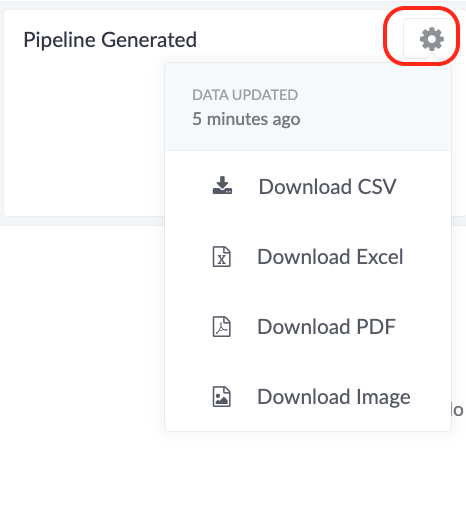
More options
- Download CSV
- Download Excel
- Download PDF
- Download Image