How to Create Room Tags for your Hybrid Event in Zuddl
Last updated: August 1, 2025
Once rooms are created, you can add tags to the rooms. Attendees can use these tags to filter through rooms.
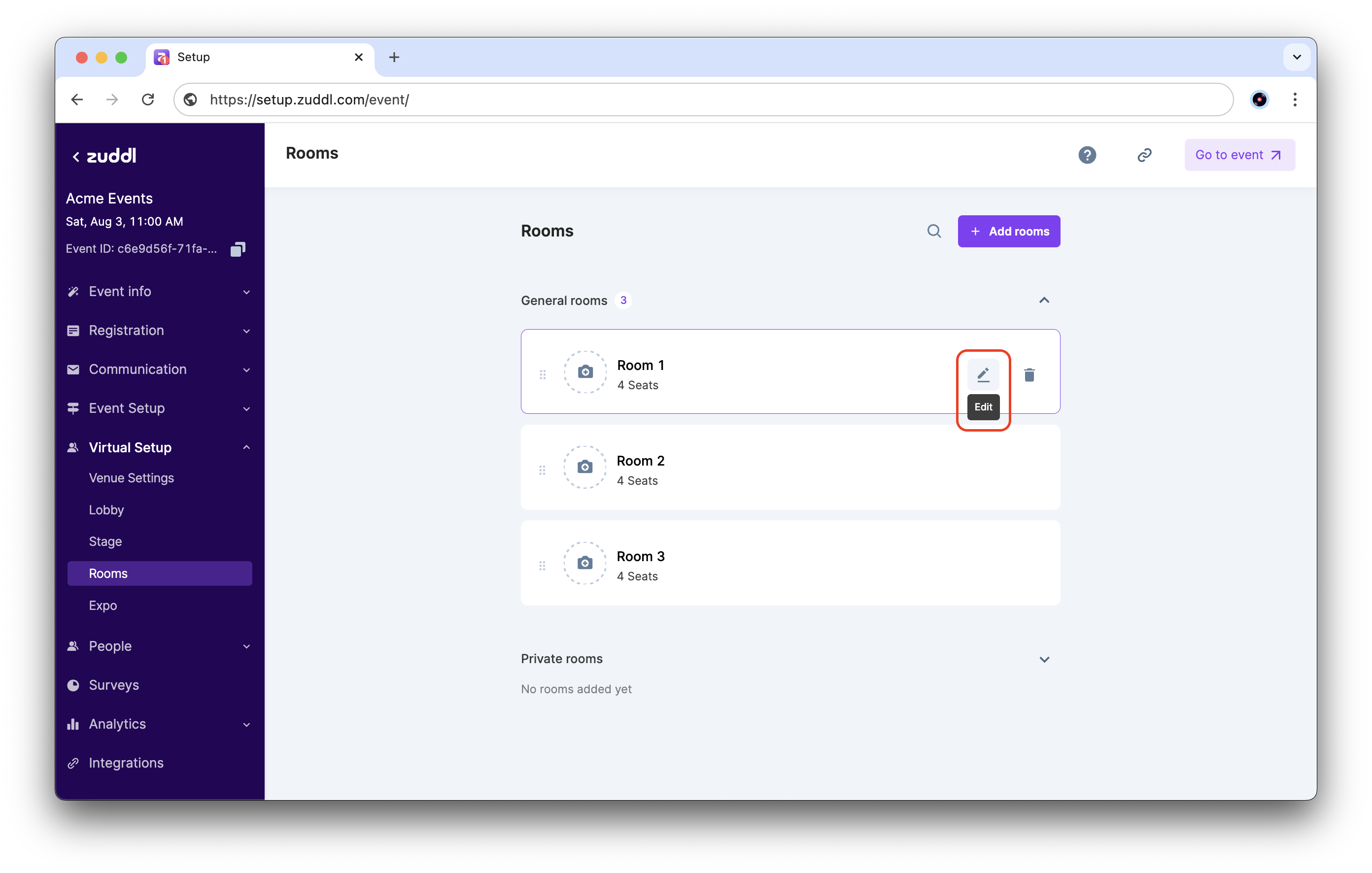
- Go to Virtual Setup > Rooms. Click the edit button for the room to apply tags.
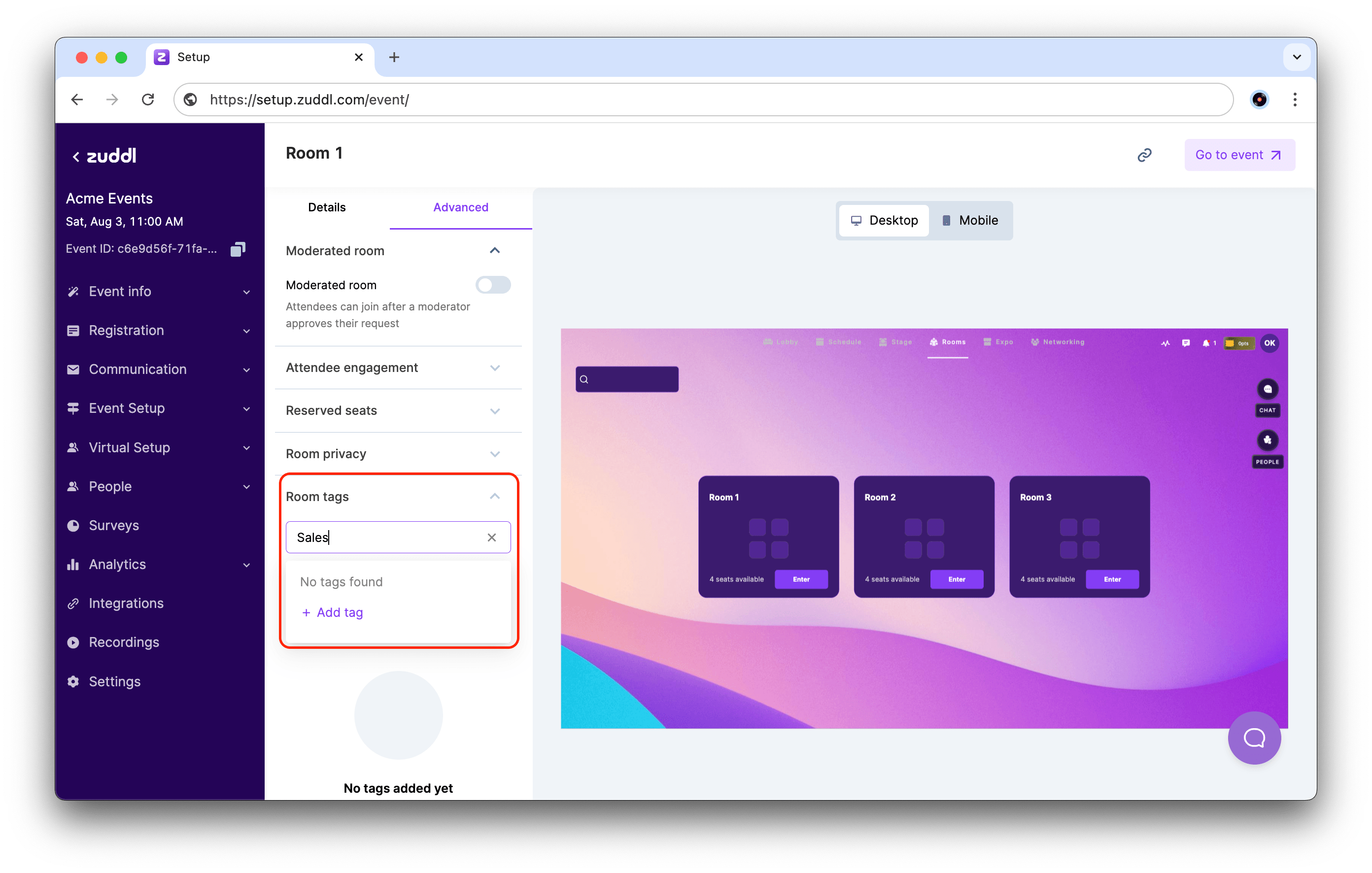
- In the Advanced tab, scroll down to Room tags. Start typing to find tags that have already been created, or click + Add tag to add a new tag.
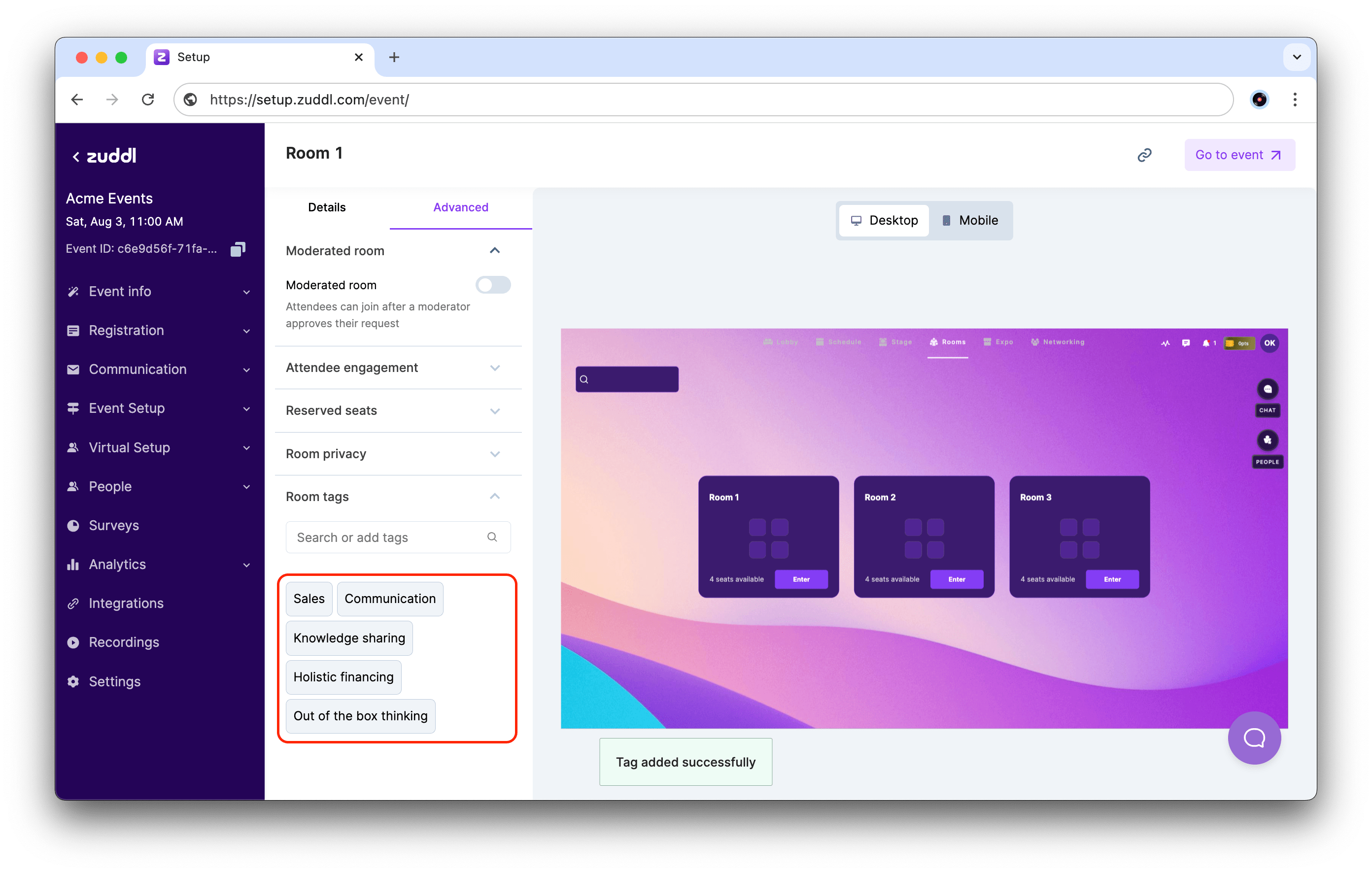
- The added tags are now listed in this section.