How to Add a Call-to-Action Banner in a Zuddl Webinar
Last updated: August 1, 2025
A Call-to-action (CTA) banner is an interactive component that can be added to a webinar to direct your attendees to an external URL.
The banner has a text message, a redirection button, and a customizable label.
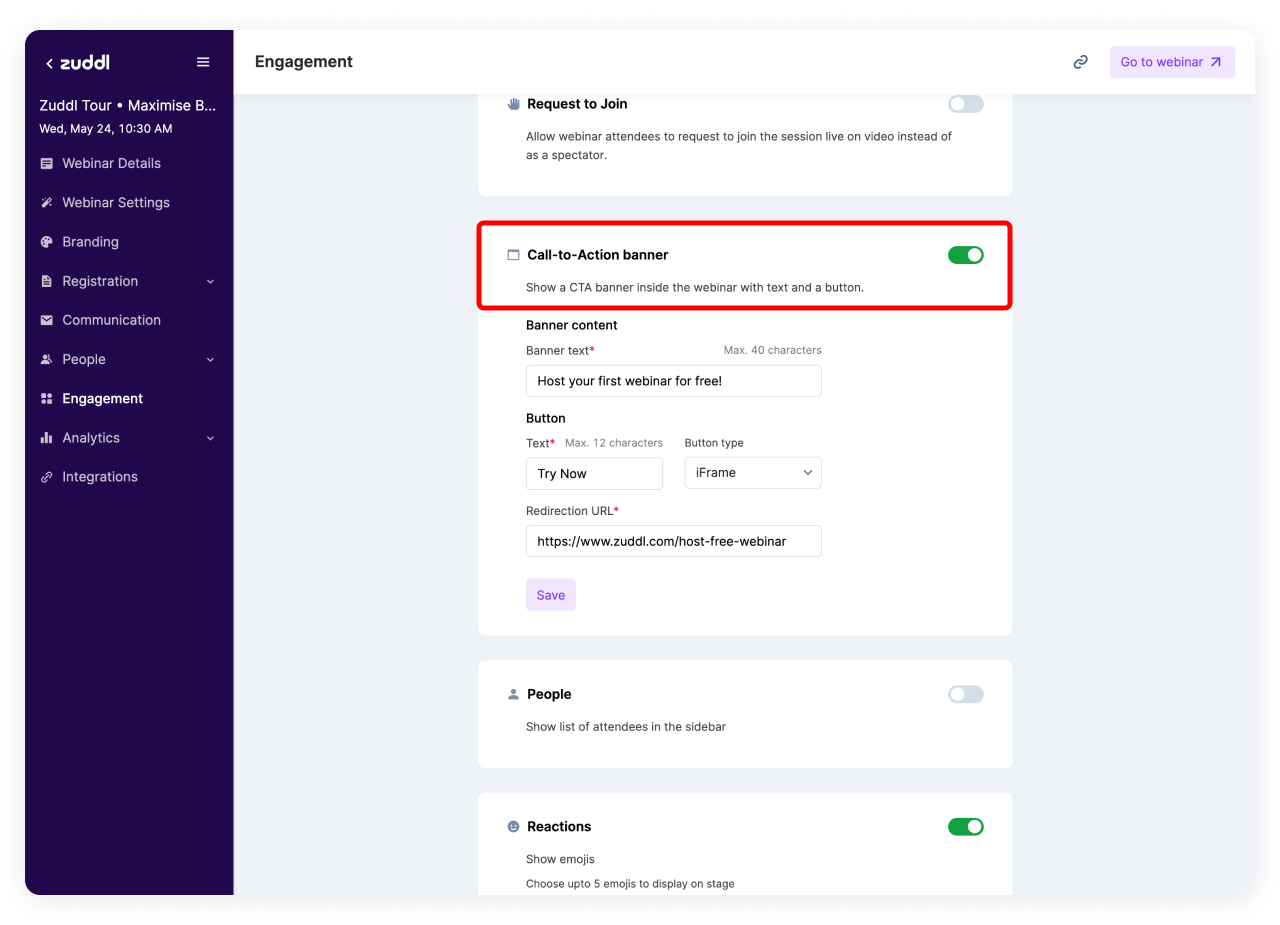
To customize your CTA banner, go to the Engagement page of the webinar setup and toggle on the Call-to-Action banner.
Customize the CTA banner
Banner Text
This is shown to attendees as the message in the banner.
Button Settings
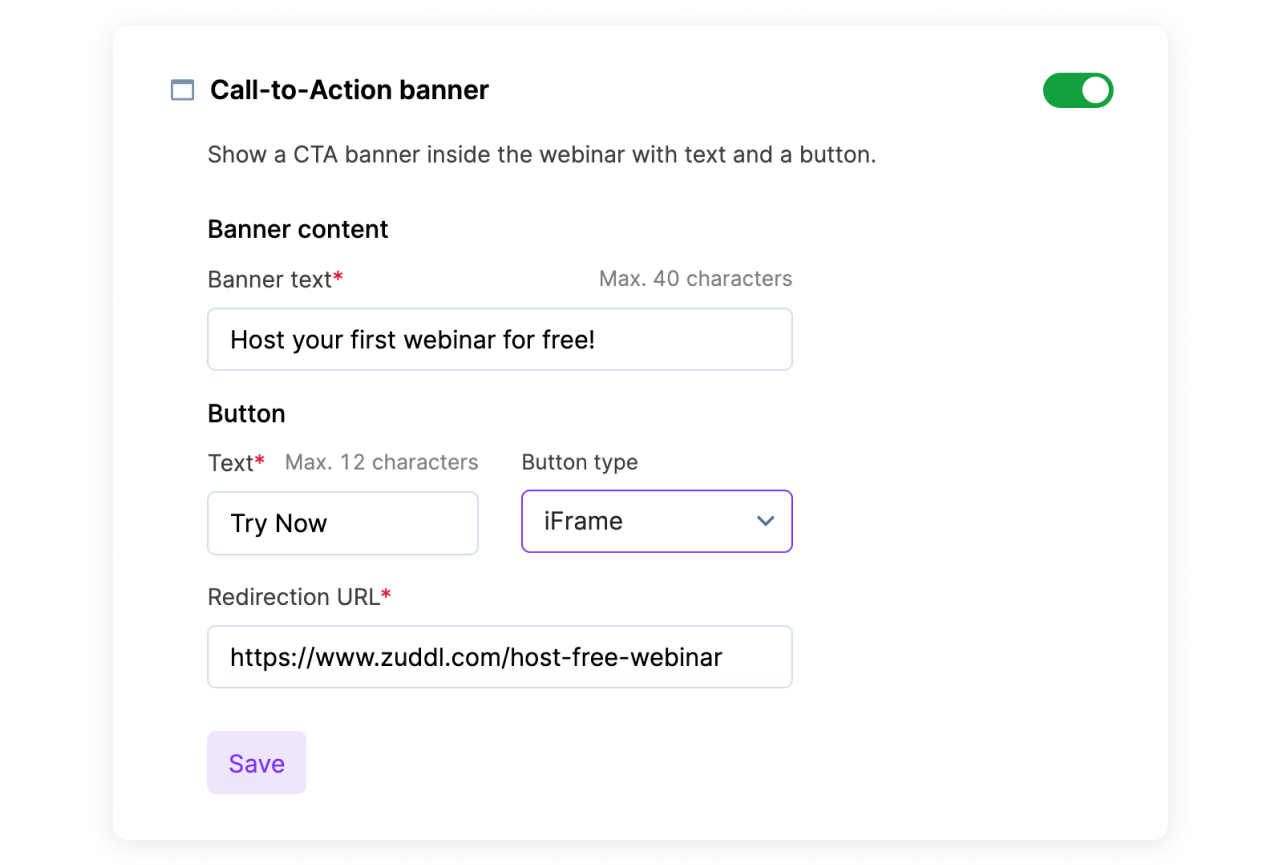
Enter the button Text (up to 12 characters). This is the label used for the button in the banner.
Choose the Button type from the dropdown:
- Redirect to: This option opens the Redirection URL in a new tab.
- iFrame: This option opens the Redirection URL in the sidebar as an iFrame.
- Enter the redirection URL.
- Click Save, and your CTA banner is created.
How it looks for attendees
Here is how the CTA banner appears in the webinar:

When the button type is set to iFrame
the page is displayed vertically in the sidebar: