How to Set the Registration Capacity for a Virtual Event in Zuddl
Last updated: August 1, 2025
The registration capacity option lets you define a maximum limit for your event registrations, and also choose what action to take when the limit is reached.
Follow these steps to set the registration capacity:
- In the event setup, go to Registration > Advanced settings.
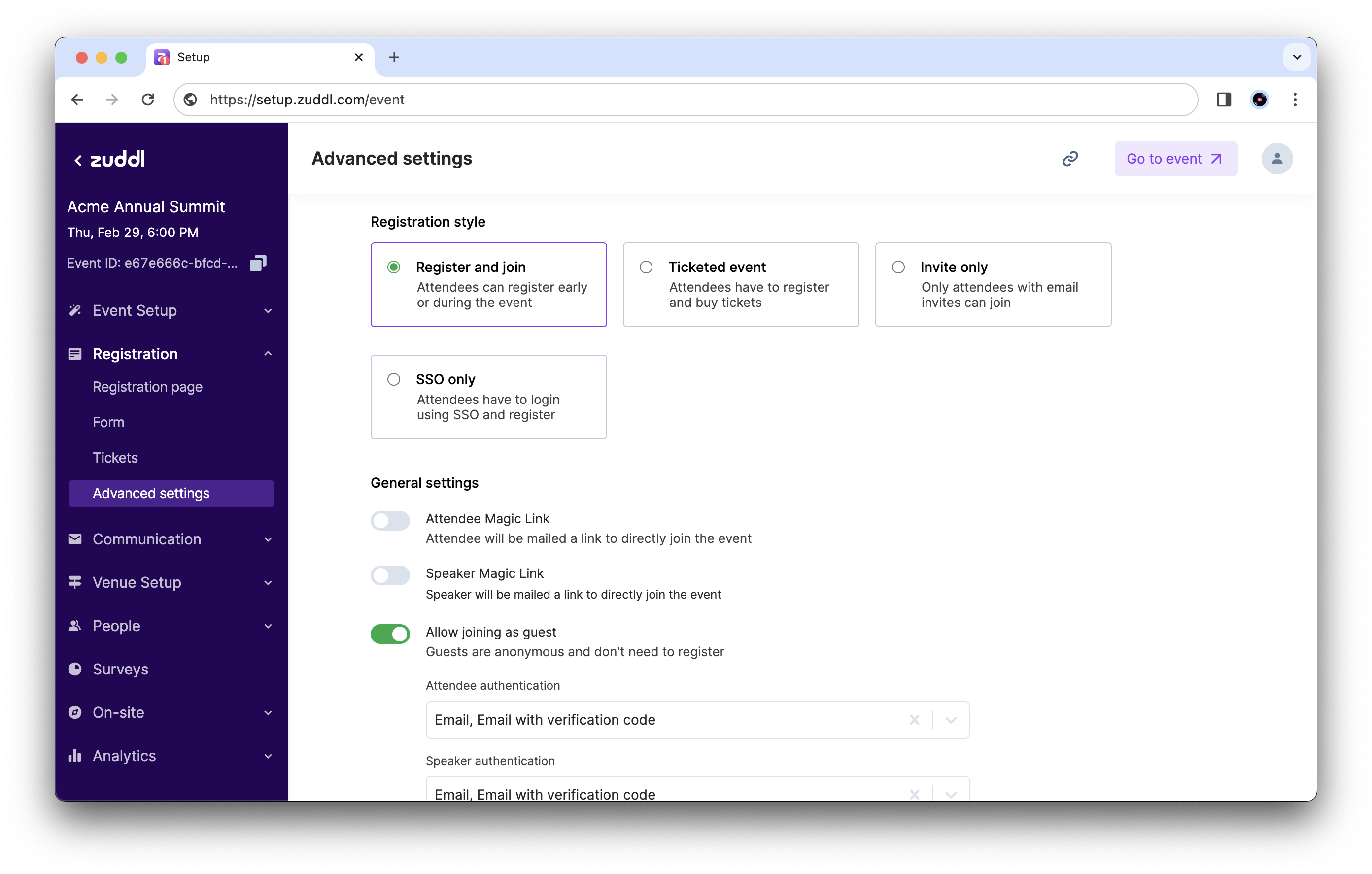

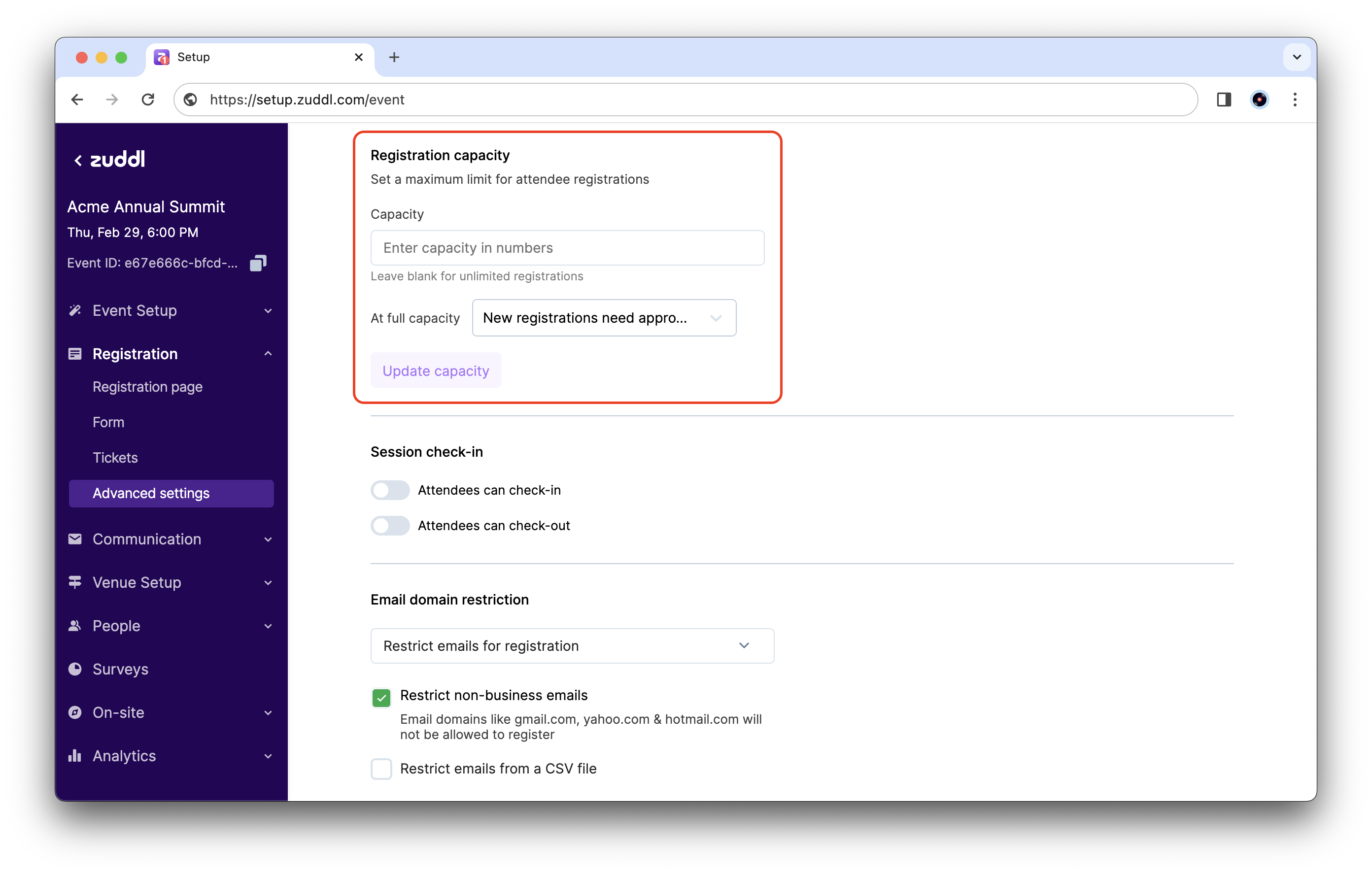
- Scroll down to Registration Capacity. In the Capacity textbox, enter the maximum number of registrations to allow for the event.

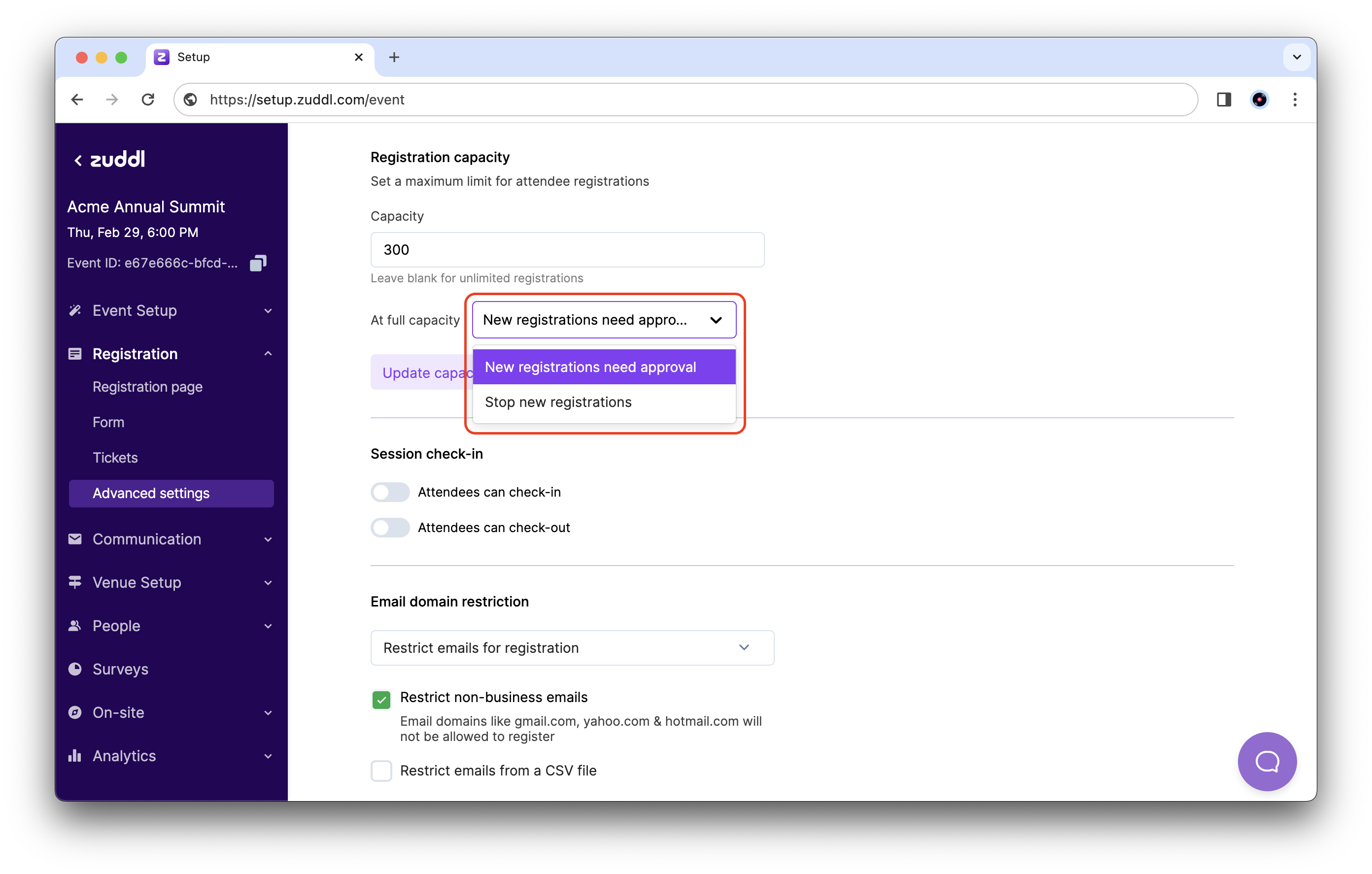
- You can now customize the action to take after registrations reach this capacity. Click the dropdown for At full capacity to see the options:
- New registrations need approval: Any new registrations after the capacity is reached need to be manually approved.
- Stop new registrations: No more registrations are accepted after the capacity is reached.

- Click the Update capacity button to save and apply your settings.