How to Change the Registration Style for a Zuddl Webinar
Last updated: December 18, 2025
The registration style determines how attendees enter your webinar. To change, go to Advanced settings > Registration style.

Register and join:
Allow attendees to register using email addresses or via social logins. The registered attendee details appear on the list of invited attendees.
Invite only
Allow only the invited attendees to enter the webinar. Attendees must use the same email address to which the invite has been sent.
SSO only
This option allows attendees to register using SSO credentials before or during the webinar.
Using Magic links
Magic Links are unique links that can be used to join the webinar directly.
Attendee Magic Link
If turned on, Attendees will be mailed a link to join the event directly

Speaker Magic Link
Speakers will be mailed a link to join the event.

Authentication options
Authentication options are how your attendees and speakers can join your webinar. In Attendee authentication and Speaker authentication, select the options from the list.
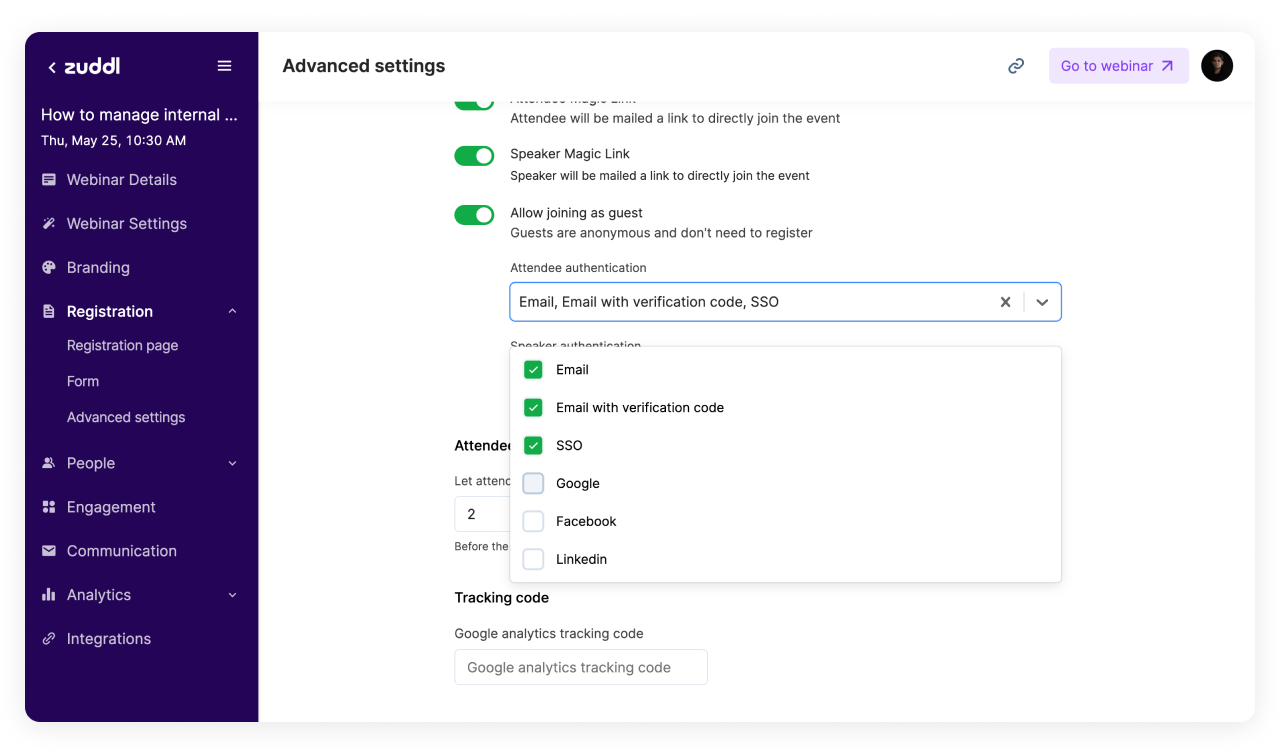
Changing authentication modes
Attendee check-in times
You can let attendees log in before the webinar and allow them to stay once it is over.

Decide check-in and staying limit
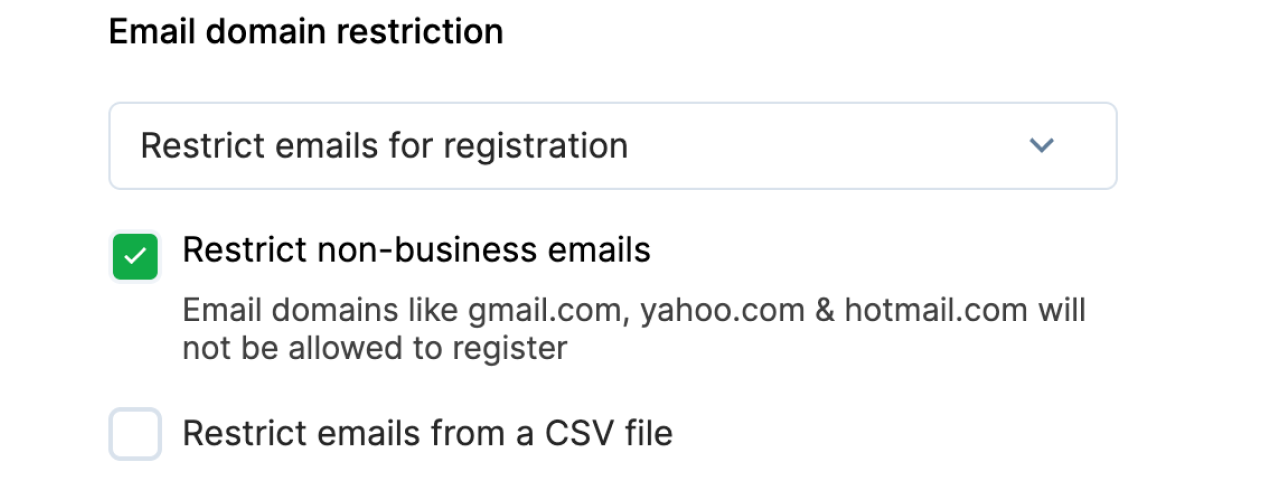
Restrict non-business emails or competitors.
You can block non-business domains like Gmail, Yahoo, etc, and filter out just business emails for targetting professional ICPs.
You can also upload a CSV file to block specific email domains from registering for your webinar.