How to Add Speakers to a Zuddl Webinar using CSV Import
Last updated: August 1, 2025
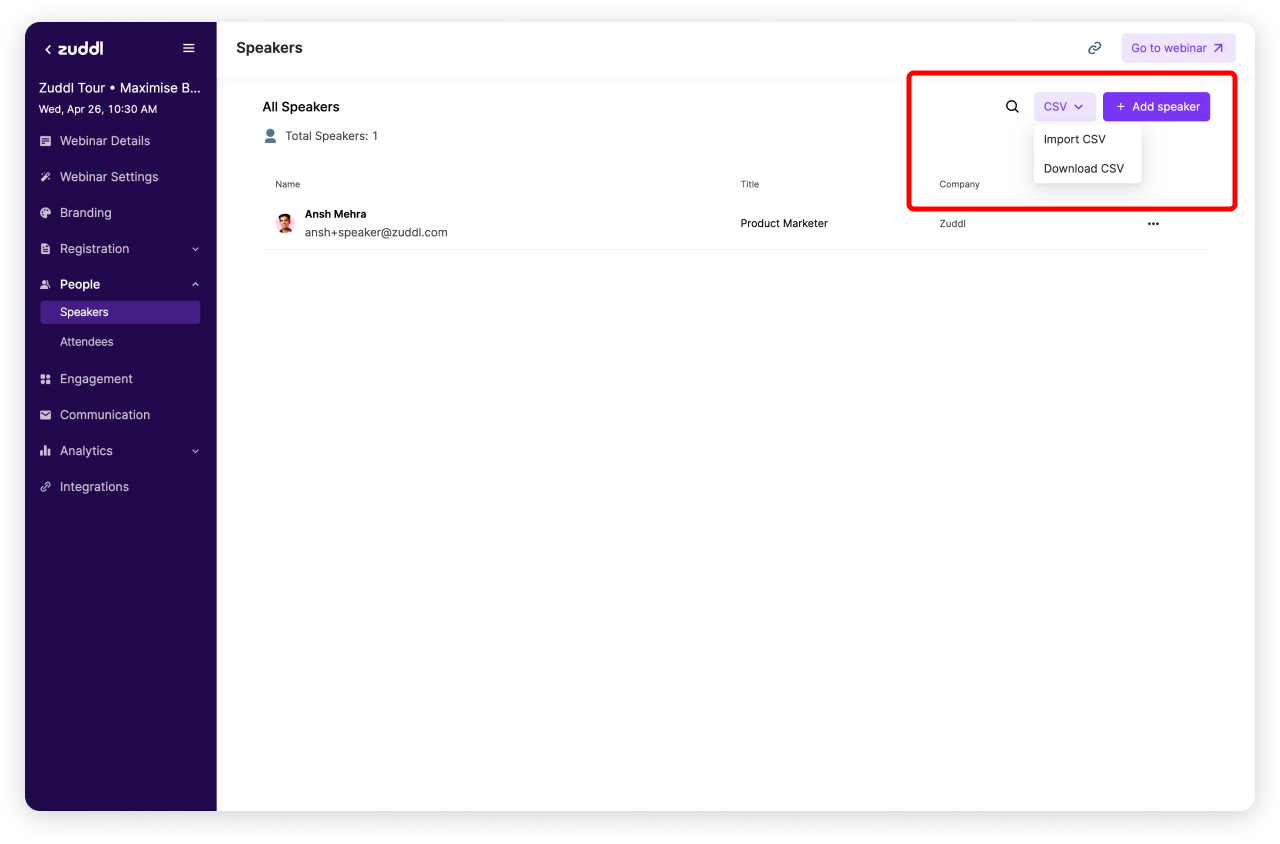
You can import speaker details in bulk by uploading a CSV on Zuddl. Click on the CSV Dropdown on the top right corner:
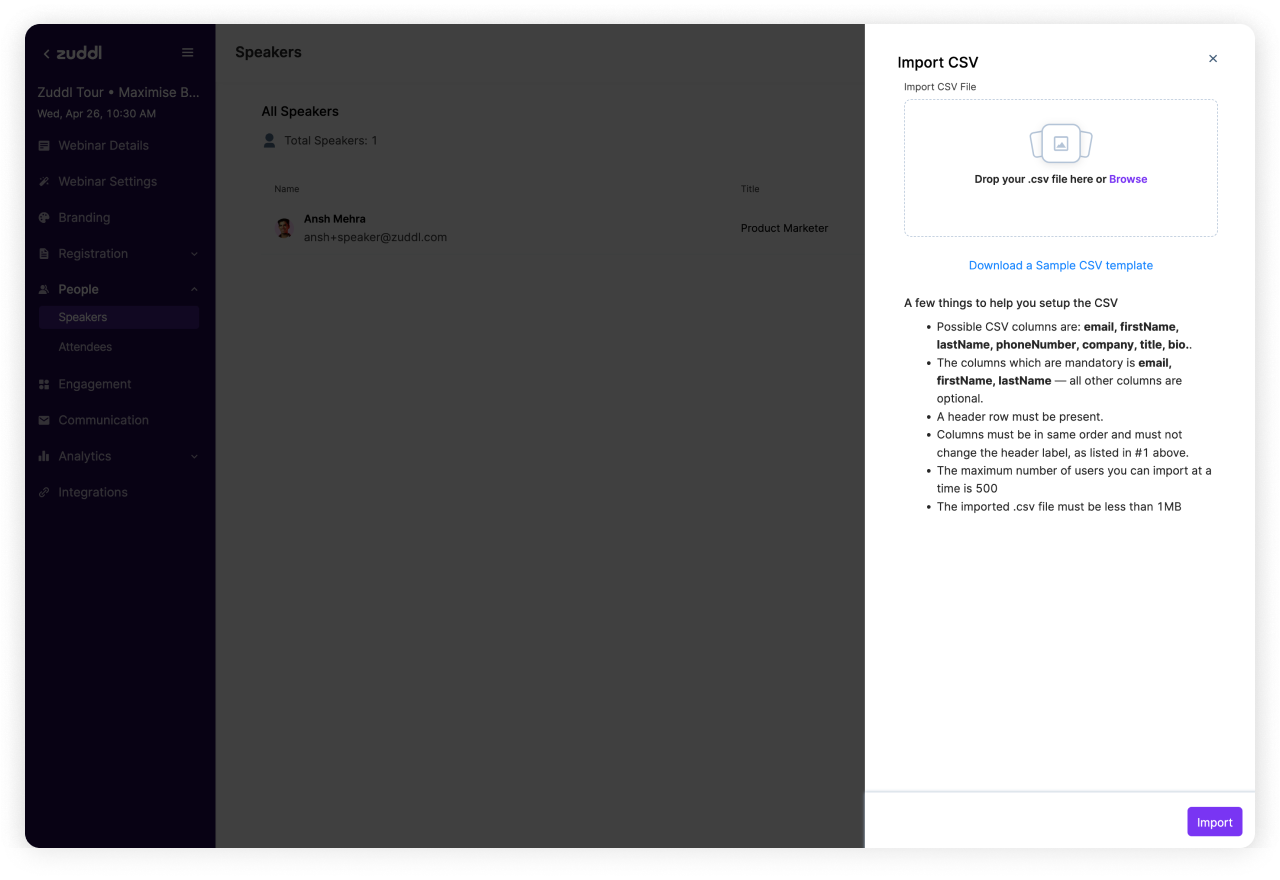
You'll see a side drawer open with an option to upload your CSV.
Make sure your CSV follows the exact format mentioned in the Uploader.
Download CSV of added speakers
Once you've added all speakers, you can also download the entire list from the same CSV Dropdown on top right corner.