How to Upload Intro Video to a Zuddl Webinar
Last updated: August 1, 2025
Under Branding > Theme
You can add a short video or trailer for your webinar. This video will play the first time your attendees enter the webinar. They will have an option to skip or mute this video.
To add an intro video, click on 'Upload Video' > Select your video file.
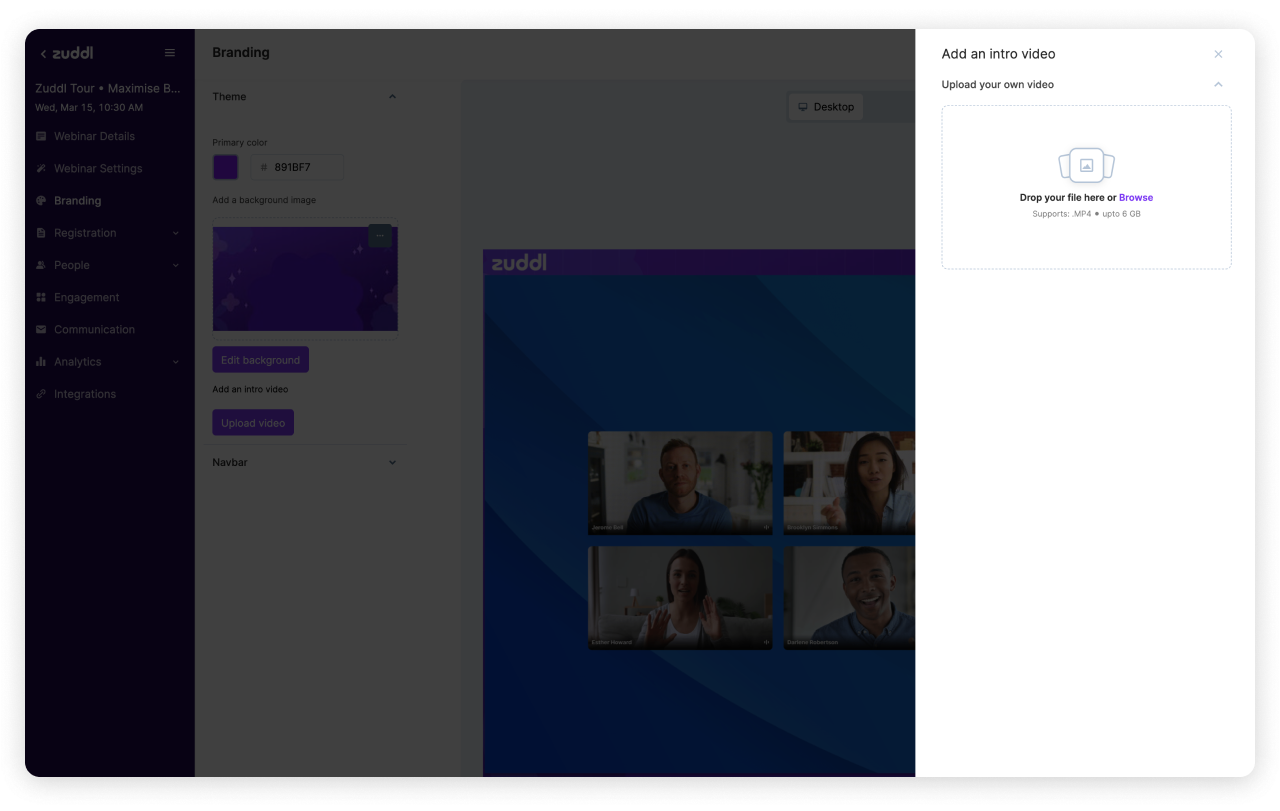
Make sure you upload a high-resolution 1920 x 1080px .MP4 video. We support sizes up to 6GB. However, it's best if you compress your video with a tool like Handbrake. The smaller the size, the faster it loads online.
Important tips for your intro video:
- Try adding subtitles to your intro video. It makes your content more accessible.
- Do not have long trailers; people appreciate short and crisp intro videos.
- You can use this intro video to build excitement and share what your attendees can expect from the webinar.