How to Add Attendees to a Series
Last updated: August 1, 2025
People who need to attend multiple events/webinars in the series can be added to the series directly instead of adding them to individual events/webinars.
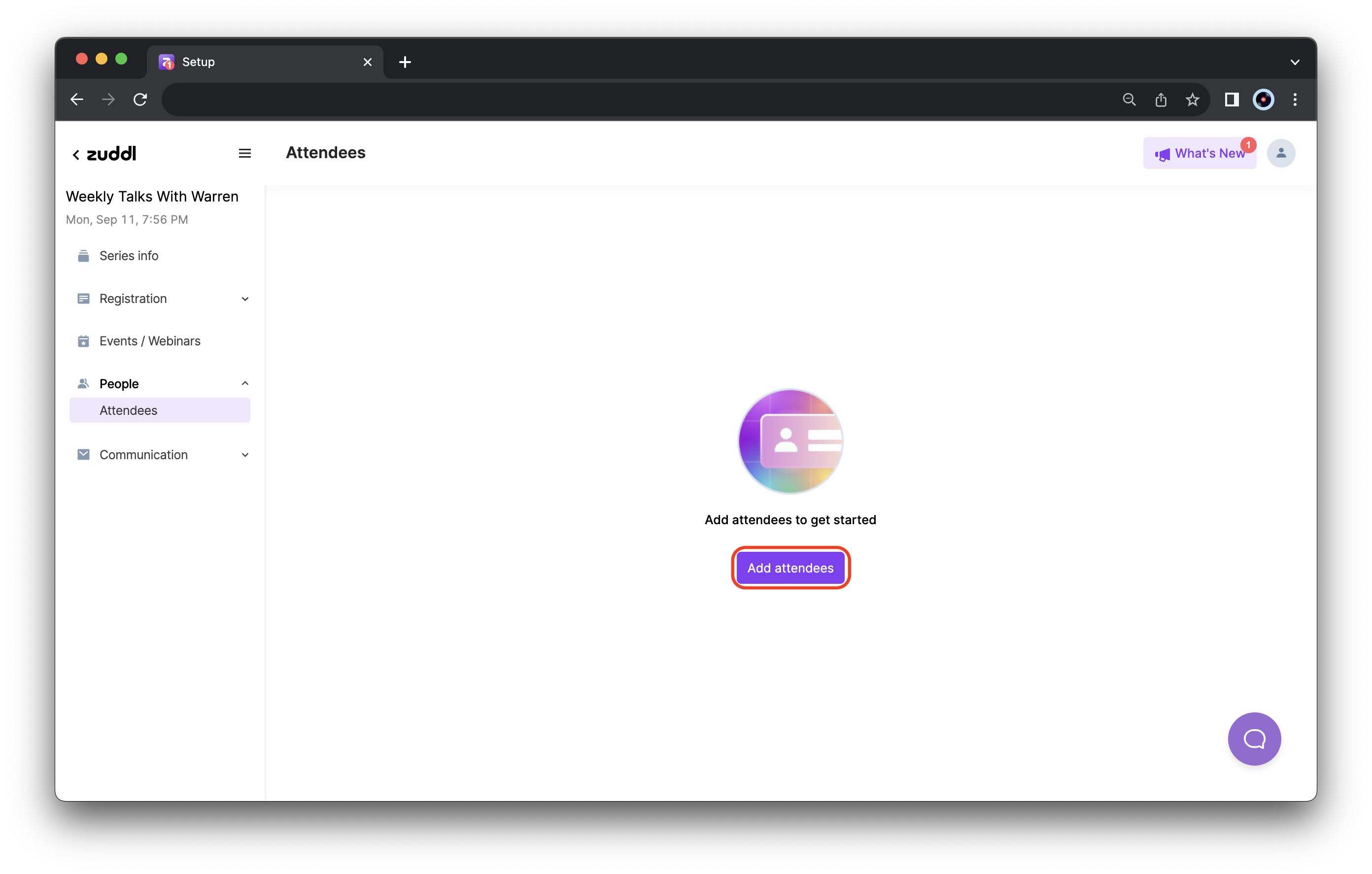
In the series setup, go to People > Attendees from the sidebar. This section displays any attendees registered for the series. Click Add attendees.
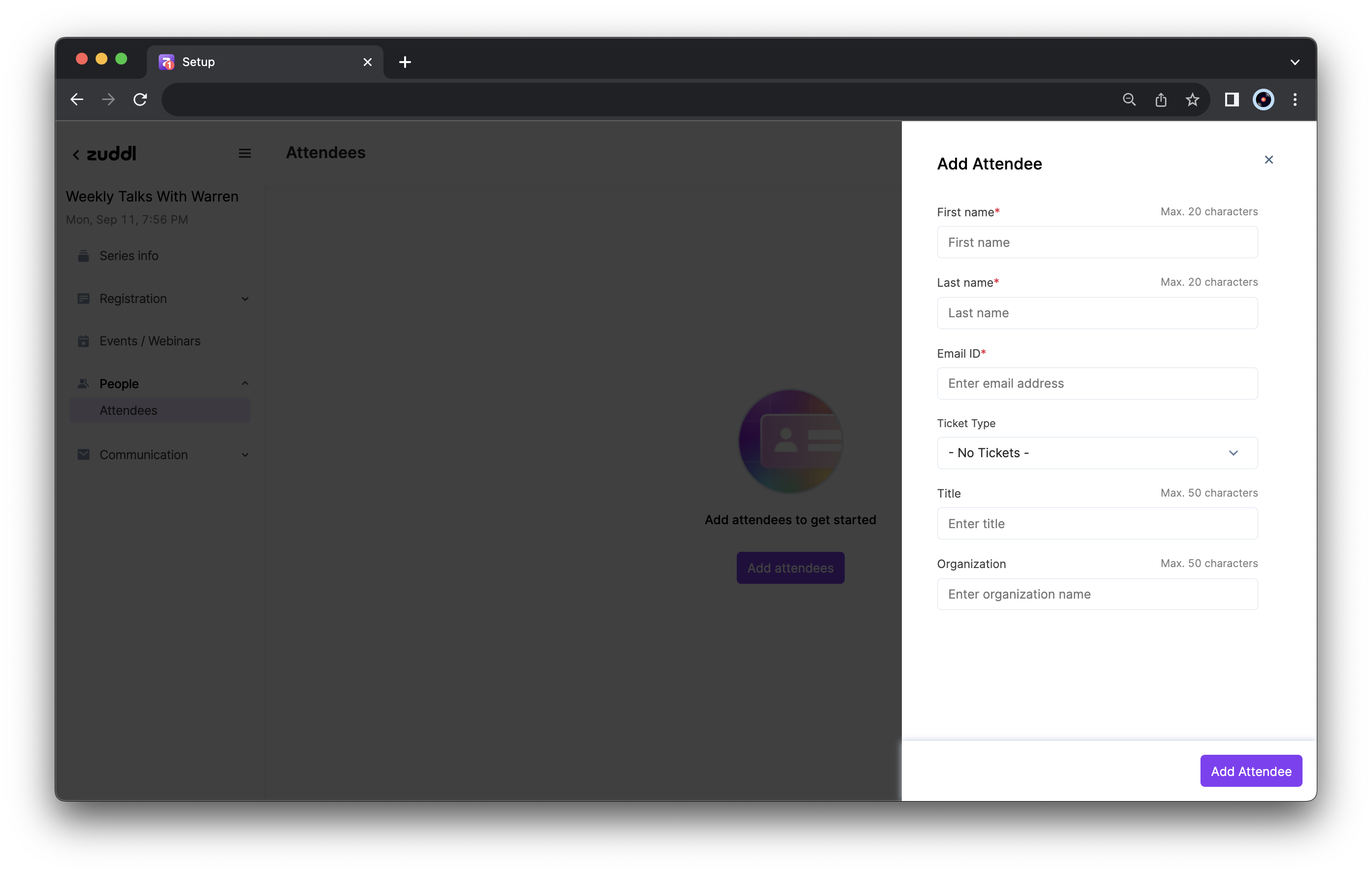
- In the Add attendee modal, enter the attendee’s details:
- Enter the First Name of the attendee (up to 20 characters).
- Enter the Last Name of the attendee (up to 20 characters).
- Enter the Email ID of the attendee.
- Enter the Title of the attendee.
Enter the name of the attendee’s Organization.
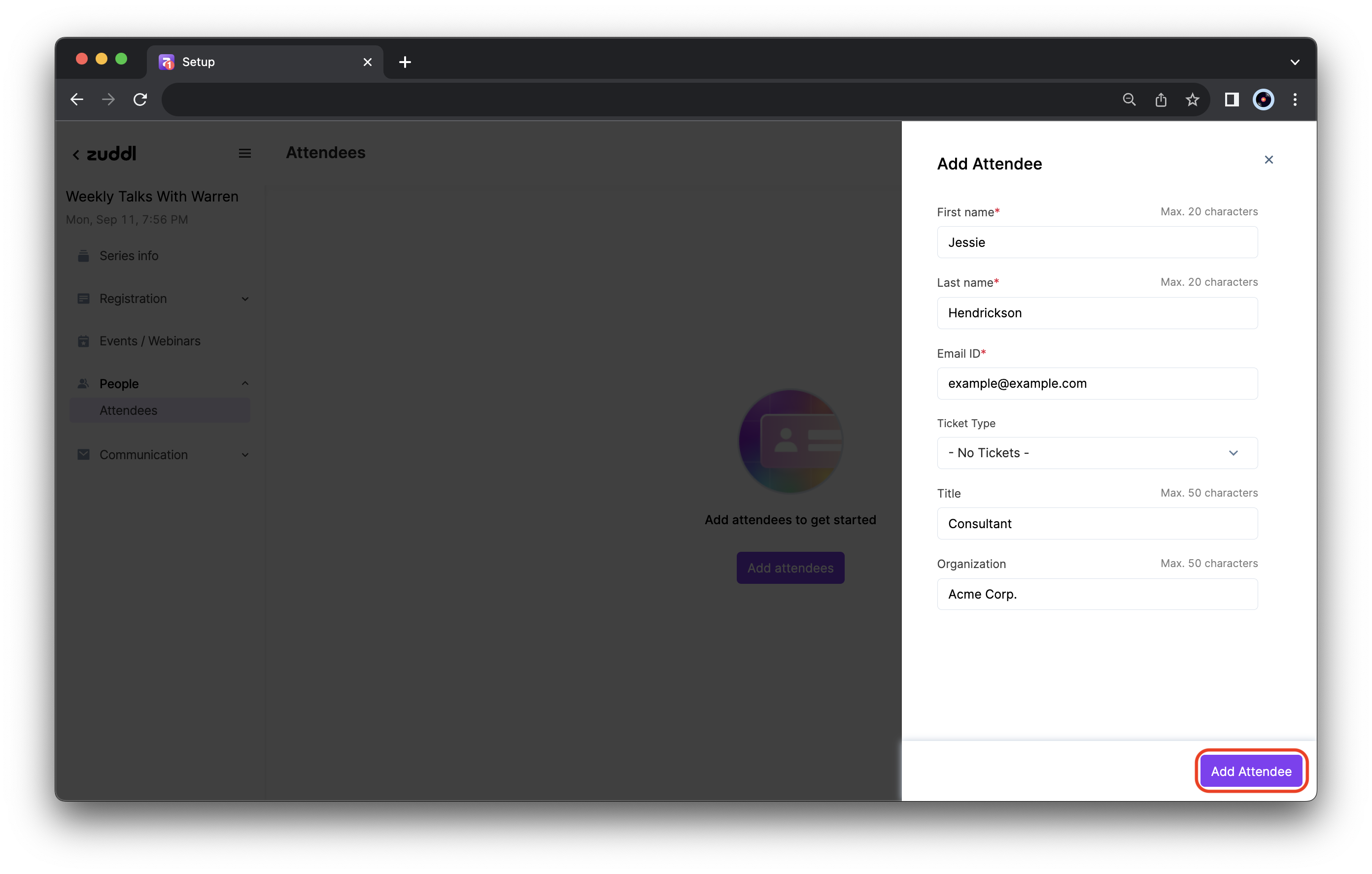
Click Add Attendee.
The attendee is now added to all upcoming events or webinars for this series.
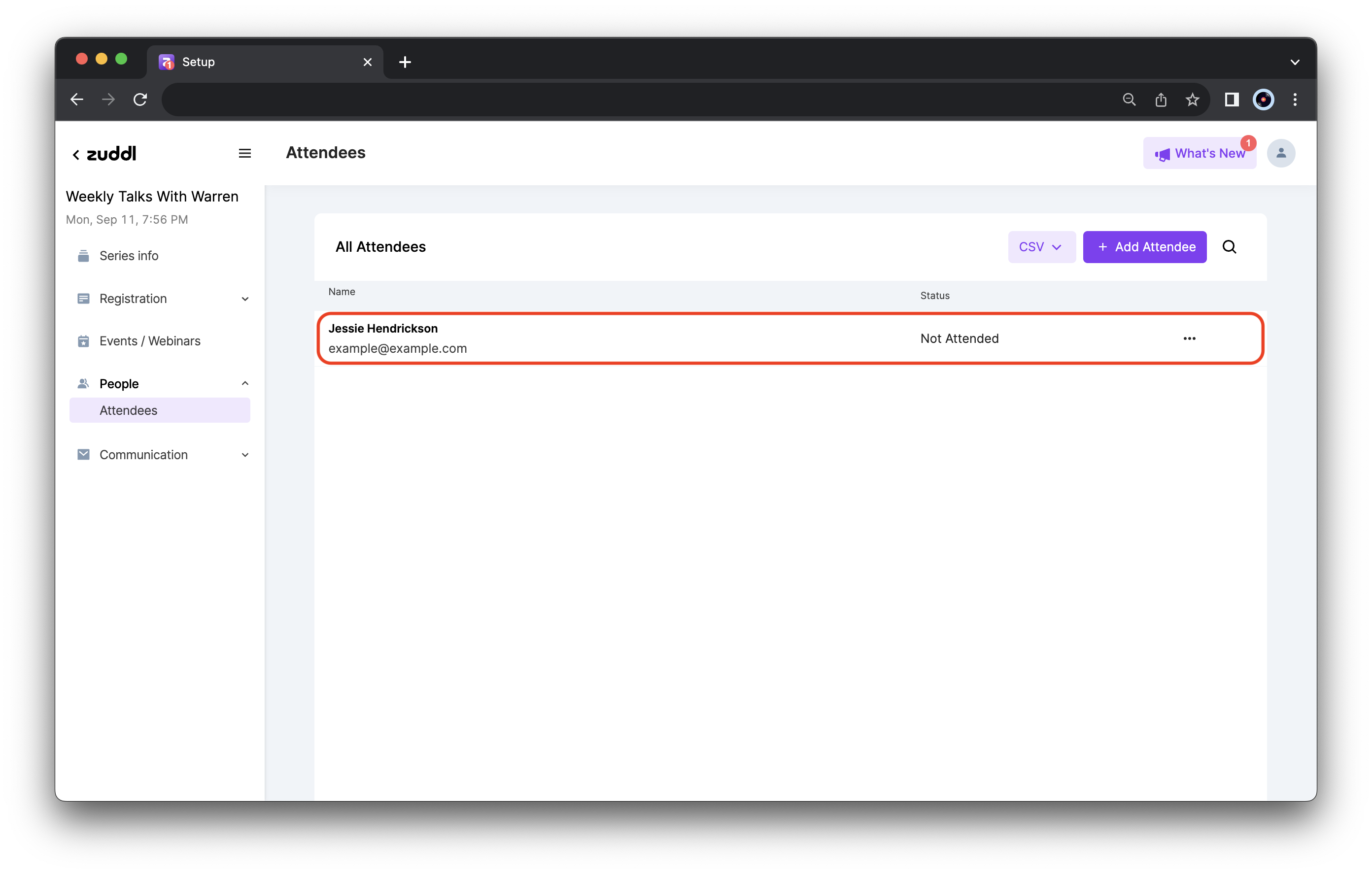
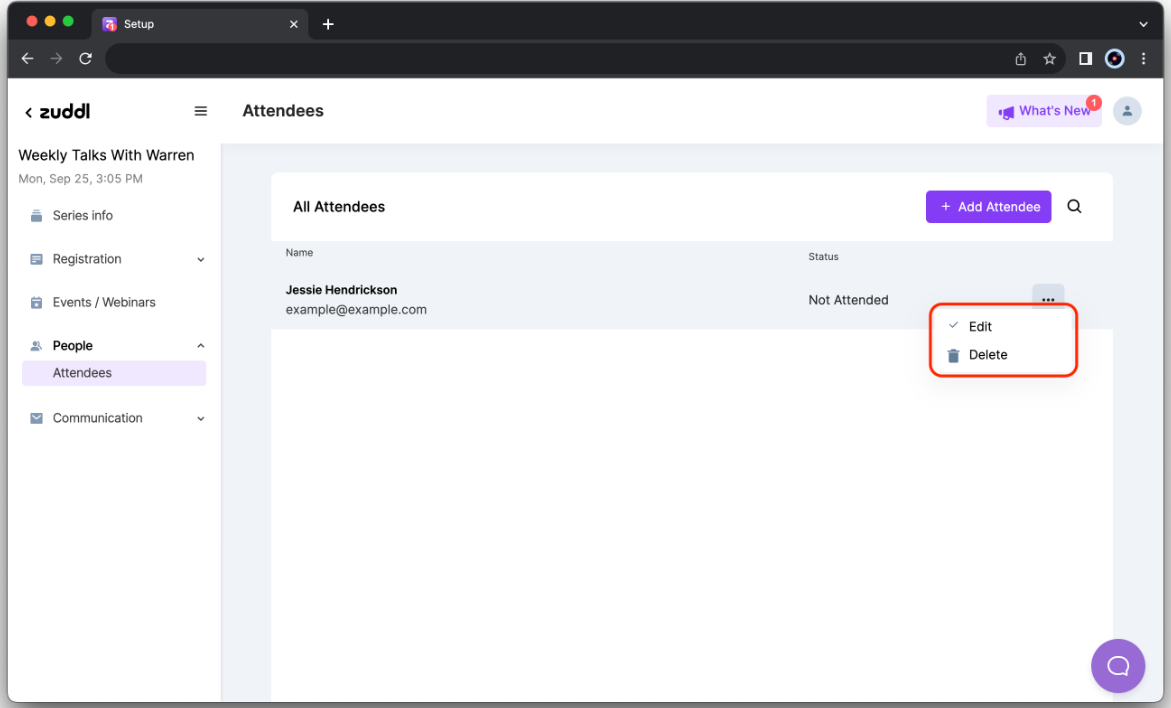
To edit details or delete the attendee from the list — click the more options button on the attendee’s card to access the options menu.