How to Set Up Streaming on Linkedin from Zuddl Studio
Last updated: August 1, 2025
To go live on LinkedIn, you need to be an approved LinkedIn Live Video Broadcaster. This lets you configure your RTMP server on Zuddl.
Learn more about LinkedIn Live.
To set up your RTMP server, you need the following:
- RTMP Server URL
- Stream Key
To obtain the above information, you need to create a recurring live stream event on LinkedIn:
- Go to the custom stream page.
- Under New stream, select Go live now.
Under the Stream settings tab, select your Region (or the nearest region) from the dropdown and click Get URL.
This generates a Stream URL and a Stream Key based on your region.
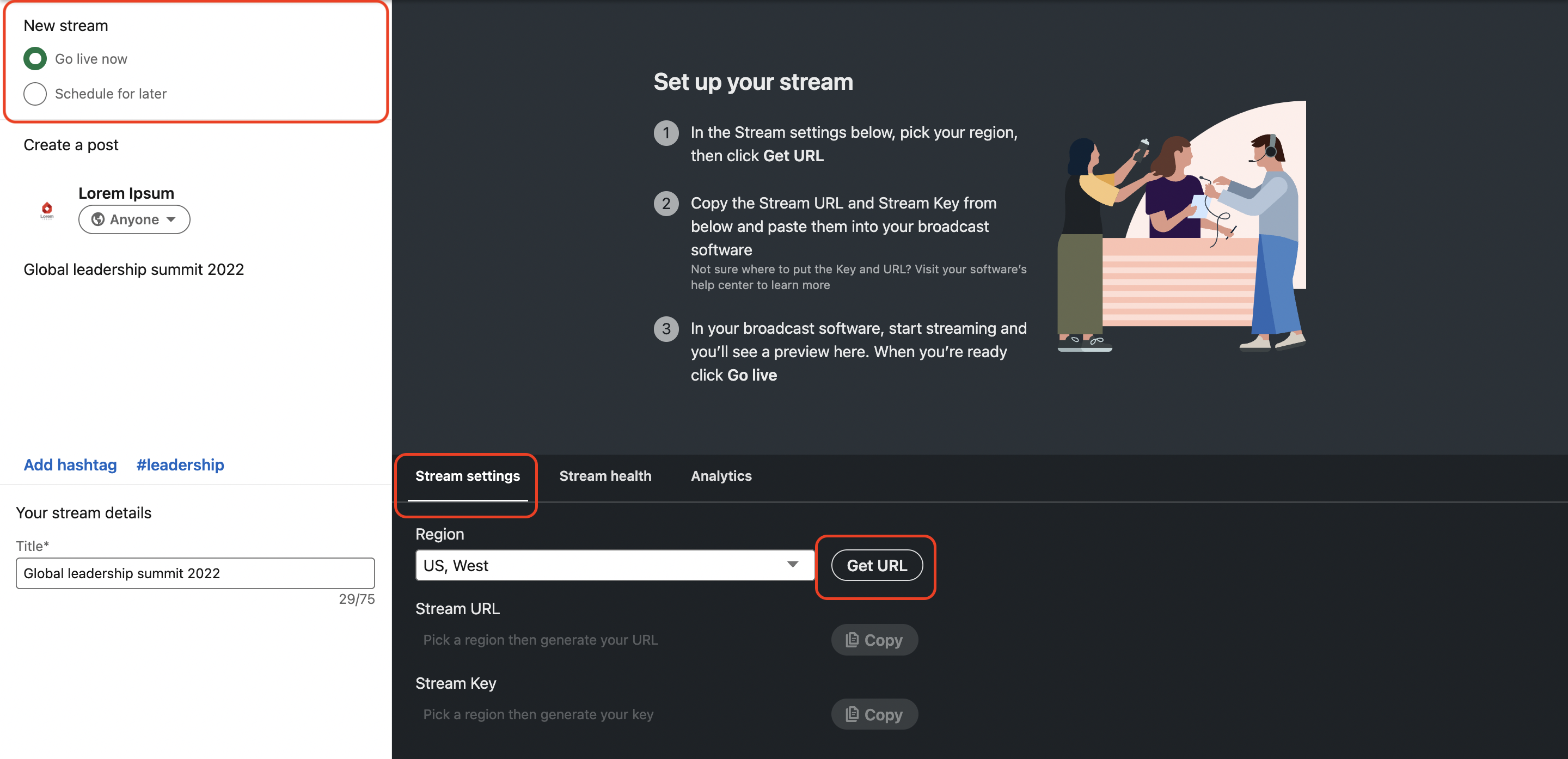
- Using the Copy button, copy the Stream URL.
On Zuddl, click on the + button to add a destination.
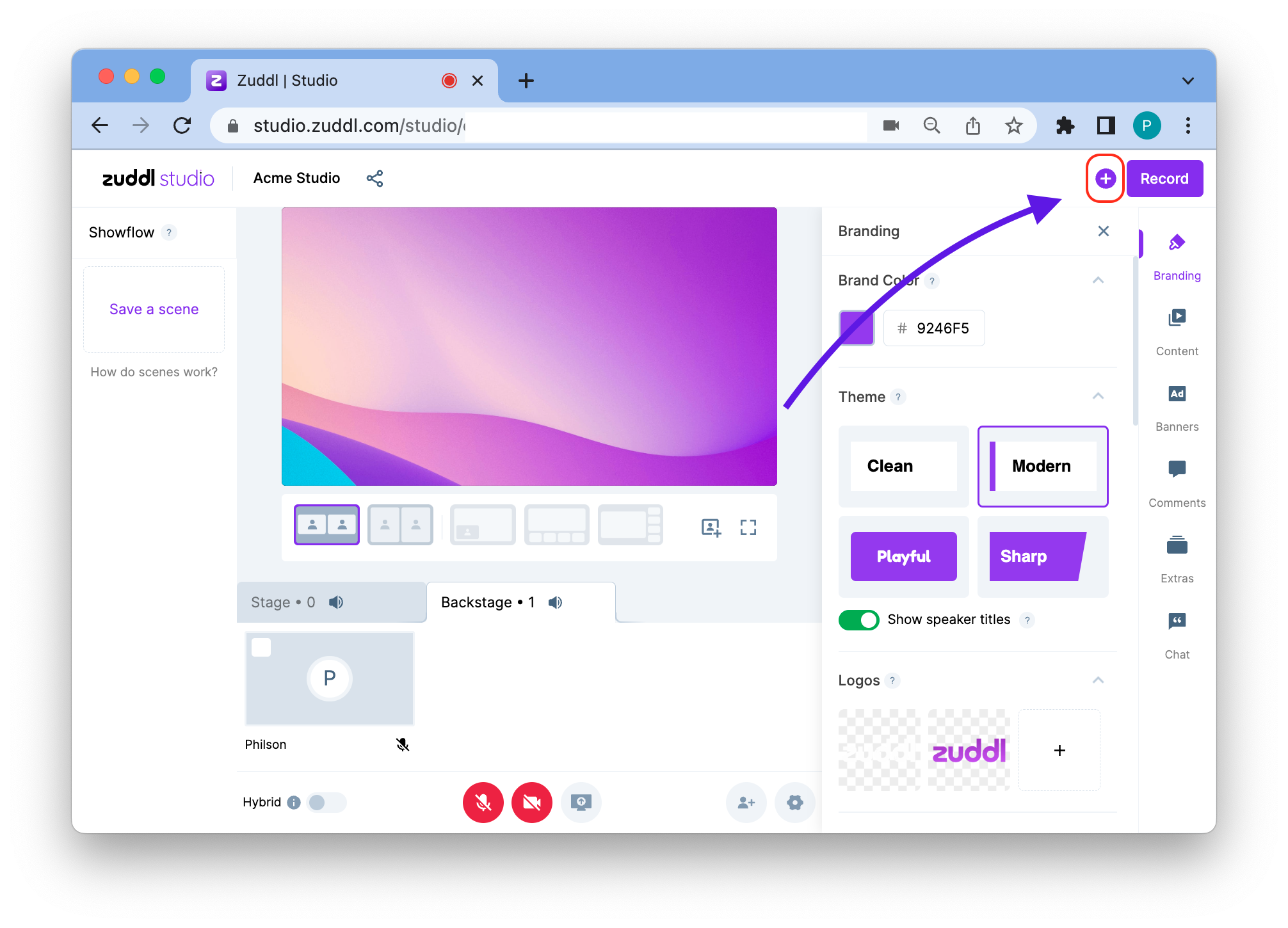
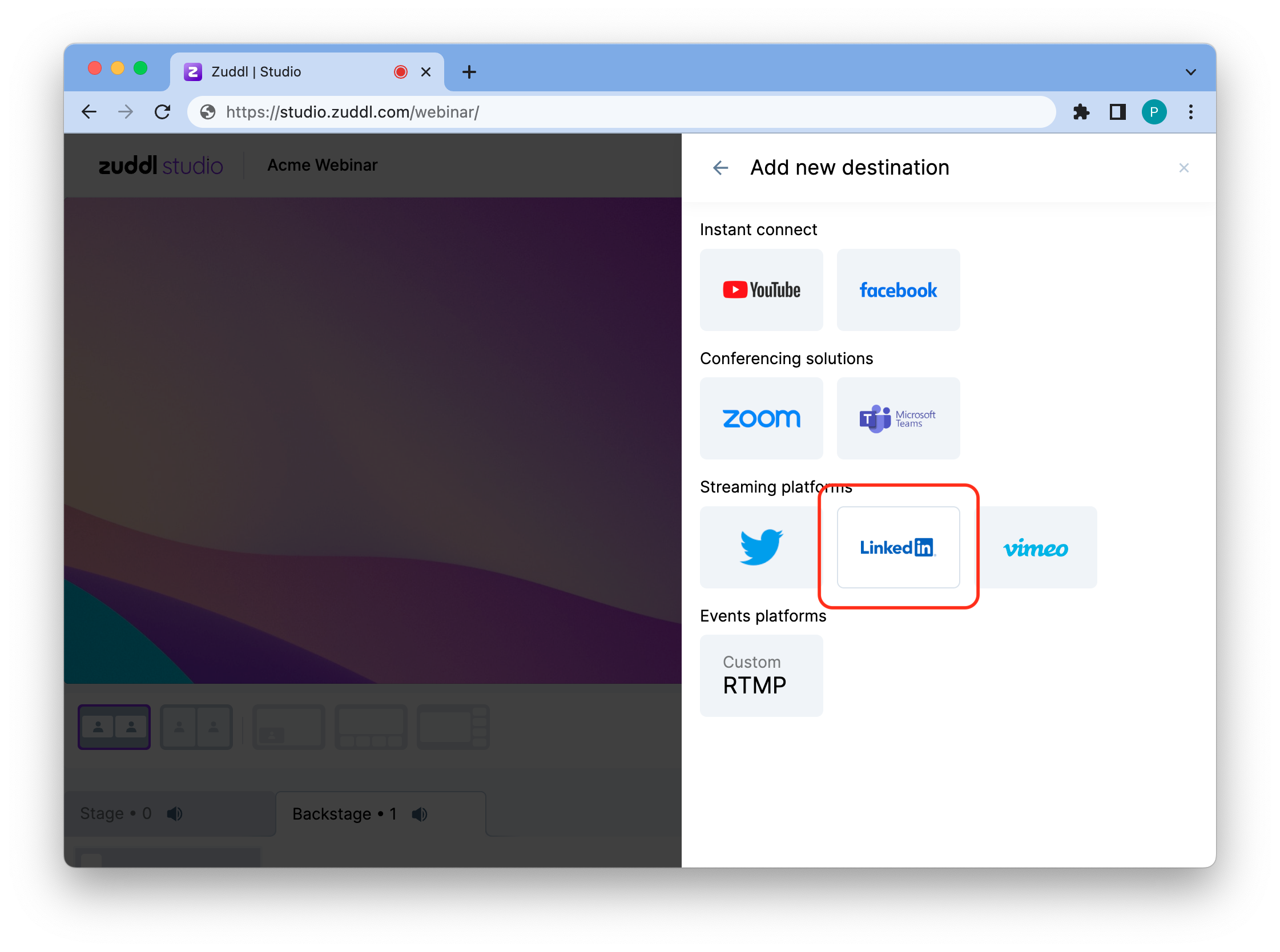
Add a Destination.png - Click the + Add destination button.
Select LinkedIn from the Streaming platforms section.
LinkedIn Option.png - Paste the Stream URL into RTMP Server URL
In the same manner, copy the Stream Key and paste them into Stream Key respectively in Zuddl Studio.
You can use the Stream key for recurring events.
Note: You can use the Stream key for recurring events.
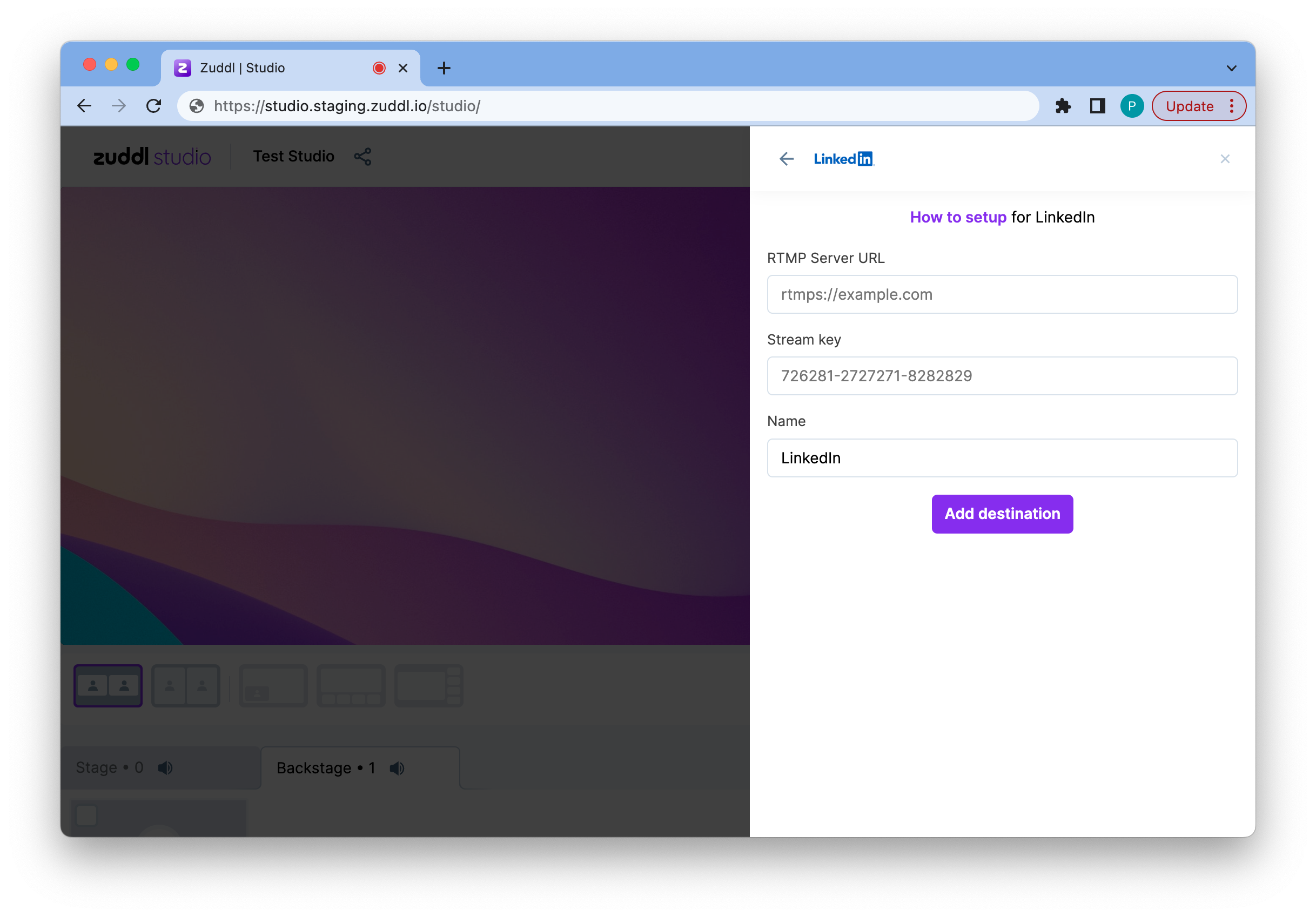
Zuddl RTMP Stream Settings.png - Click Add destination. This would add LinkedIn as a destination in Zuddl Studio.
- Go back to your LinkedIn account and complete the rest of the stream settings. Learn how to set up your stream.
- When you start your session on Zuddl, you will see a preview of your live session (with a 20-second delay) on the custom stream page, then click Go Live.
If you find trouble setting up your stream, try the recommended troubleshooting instructions.