How to Start a Session in Zuddl Studio
Last updated: August 1, 2025
Before you start your session, check your streaming destinations from the Add destinations panel.
Review Streaming Destinations
Click the + button beside the Go Live button on the studio backstage.
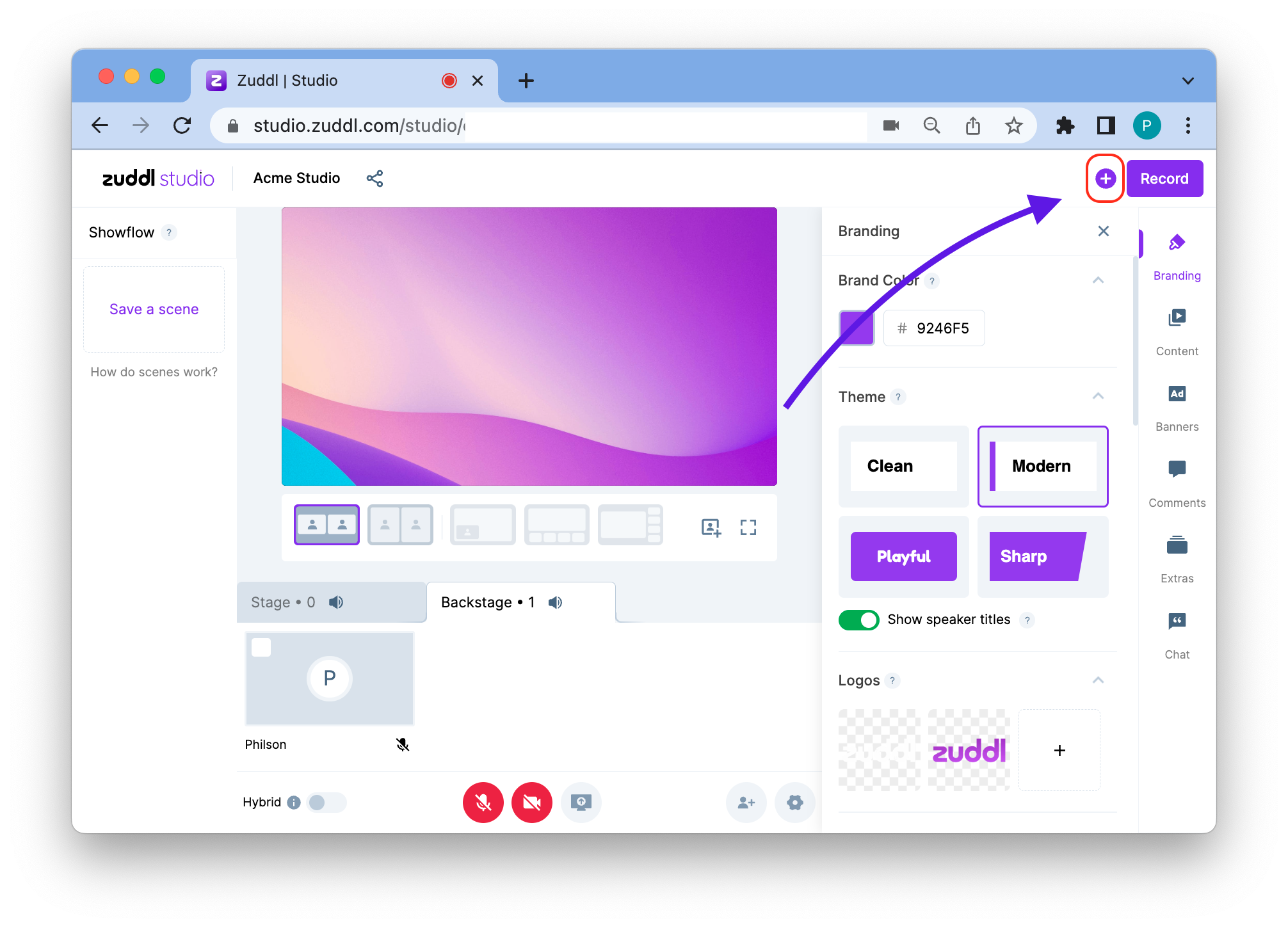
In the streaming destinations panel, click on the Add new destination button. You can also select Record only, if you wish to only record your event.
Start your Session
When you are ready to start your session, click Go Live. To end the session, click the Stop session button. Stopping the session will automatically stop the recording as well.
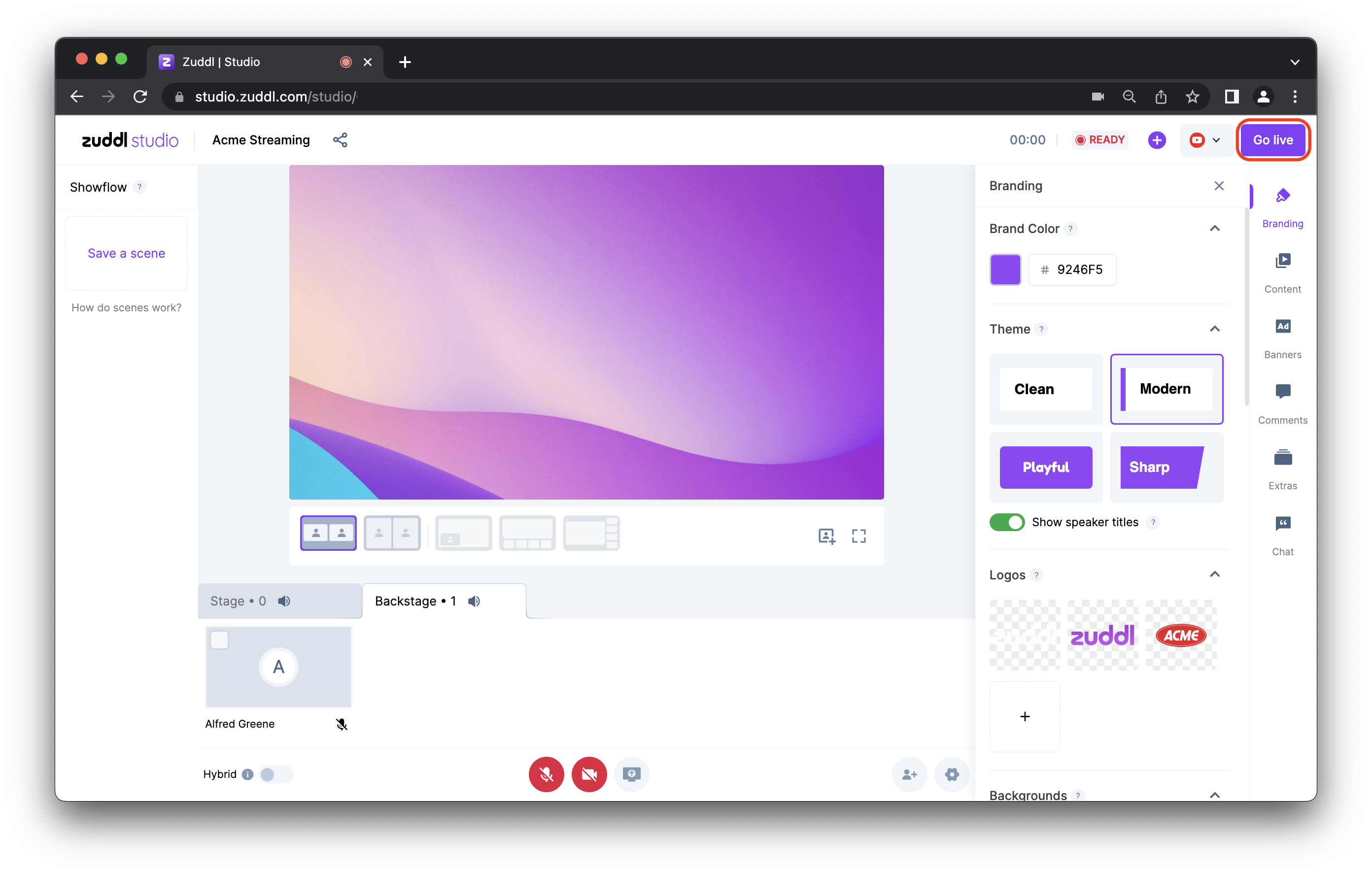
Do bear in mind that there will be a 15-20 second delay when live streaming from Zuddl to any destination.