How to Enable Leaderboard for a Virtual Event in Zuddl
Last updated: August 1, 2025
A leaderboard is one of the many features Zuddl offers that aims to increase engagement among the attendees of your event. A leaderboard allows attendees to earn points for completing specific actions in a particular venue in an event, such as joining a live expo in a booth or answering a poll on stage.
To add a leaderboard:
- Login to the Zuddl dashboard and create an event. Learn more about creating an event.
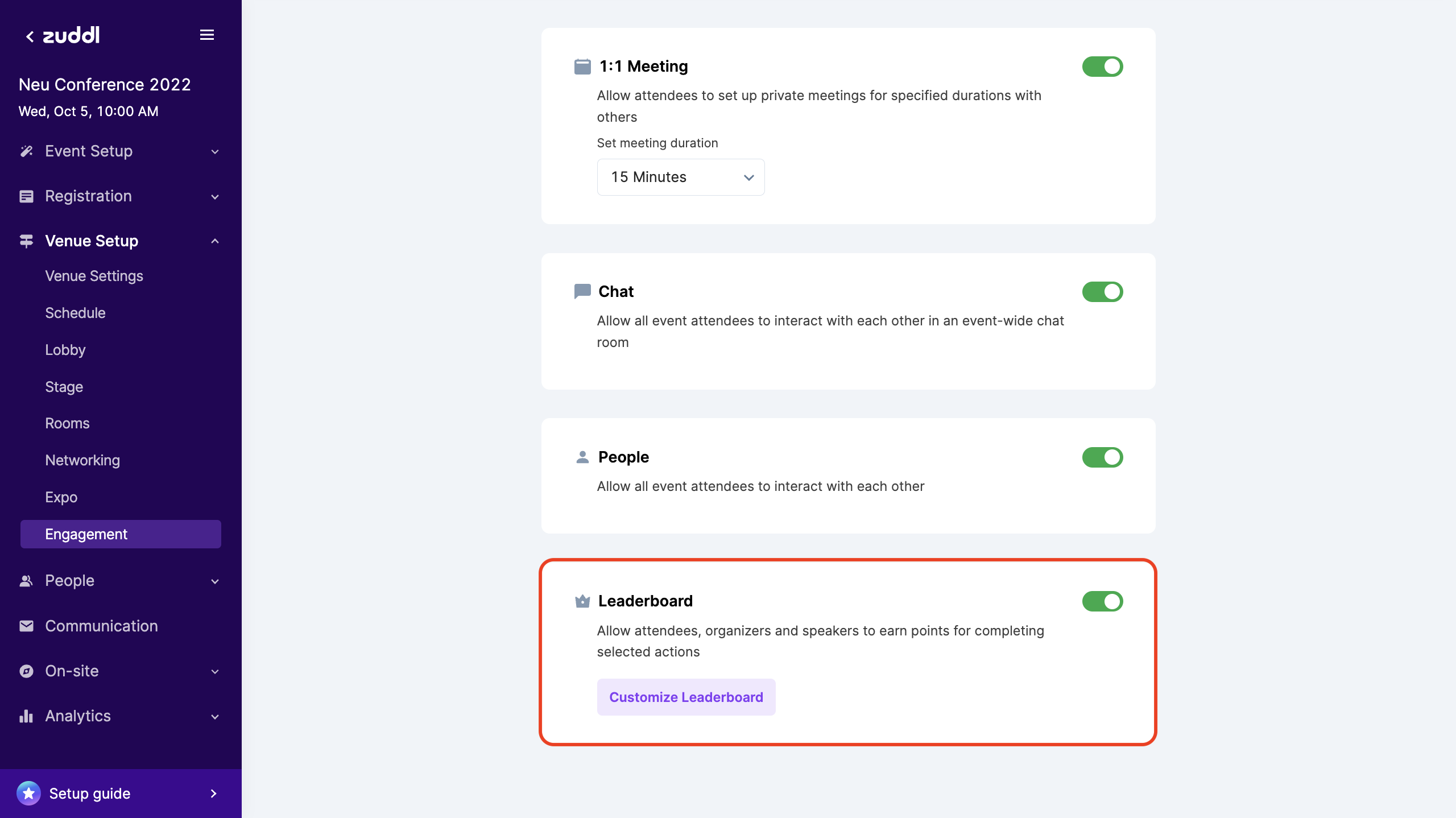
- Go to Venue Setup > Engagement. The leaderboard toggle is turned on by default.
Click Customize Leaderboard.
On the point distribution setup table, for each venue, select the tasks (under the Items column) for the attendees and allocate scores for the same (under the Points column).
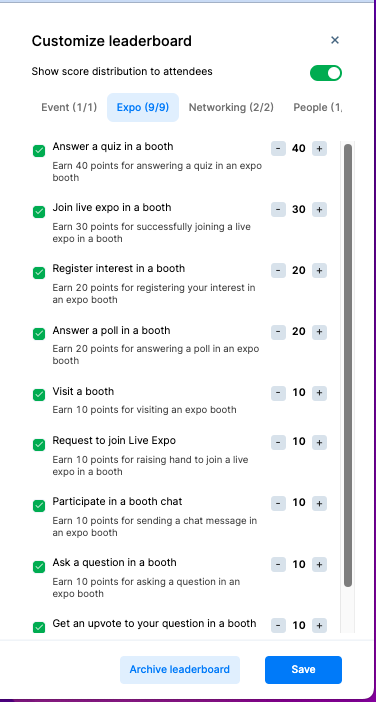 You can set a minimum of 10 and a maximum of 90 points for each task. For every participant, 10 points are added by default for the first time they log in to the event.
- Turn off/on Show score distribution to attendees toggle as required.
Click the Save button.
Click on the Archive leaderboard to reset the allocated points.
| First login to the event | The first time a user logs into an event, they are awarded points |
Send a private message | Every time an attendee initiates a new 1-1 conversation with another user, they are awarded points |
| Ask question | Every time a user ask a question, they are awarded points |
| Answer Quiz | Every time a user answers correctly, they are awarded points |
| Answer Poll | Every time a user votes on a poll, they are awarded points |
| Participate in stage chat |
|
| Get an upvote to your question | Every upvote a user gets, they are awarded points |
| Raise hand to join | Every time user sends a request to join stage, they are awarded points |
| Accept a meeting request | Every meeting user accepts they are awarded points |
| Join a room | Every time you join a new room, they are awarded points |
| Send meeting request | Every meeting request a user sends, they are awarded points |
| Exchange business card | Every new business card exchanges, they are awarded points |
| Join a meeting | Every time a new meeting is joined, they are awarded points |
The leaderboard displays the ranks of the attendees based on the points earned and motivates attendees to engage more.
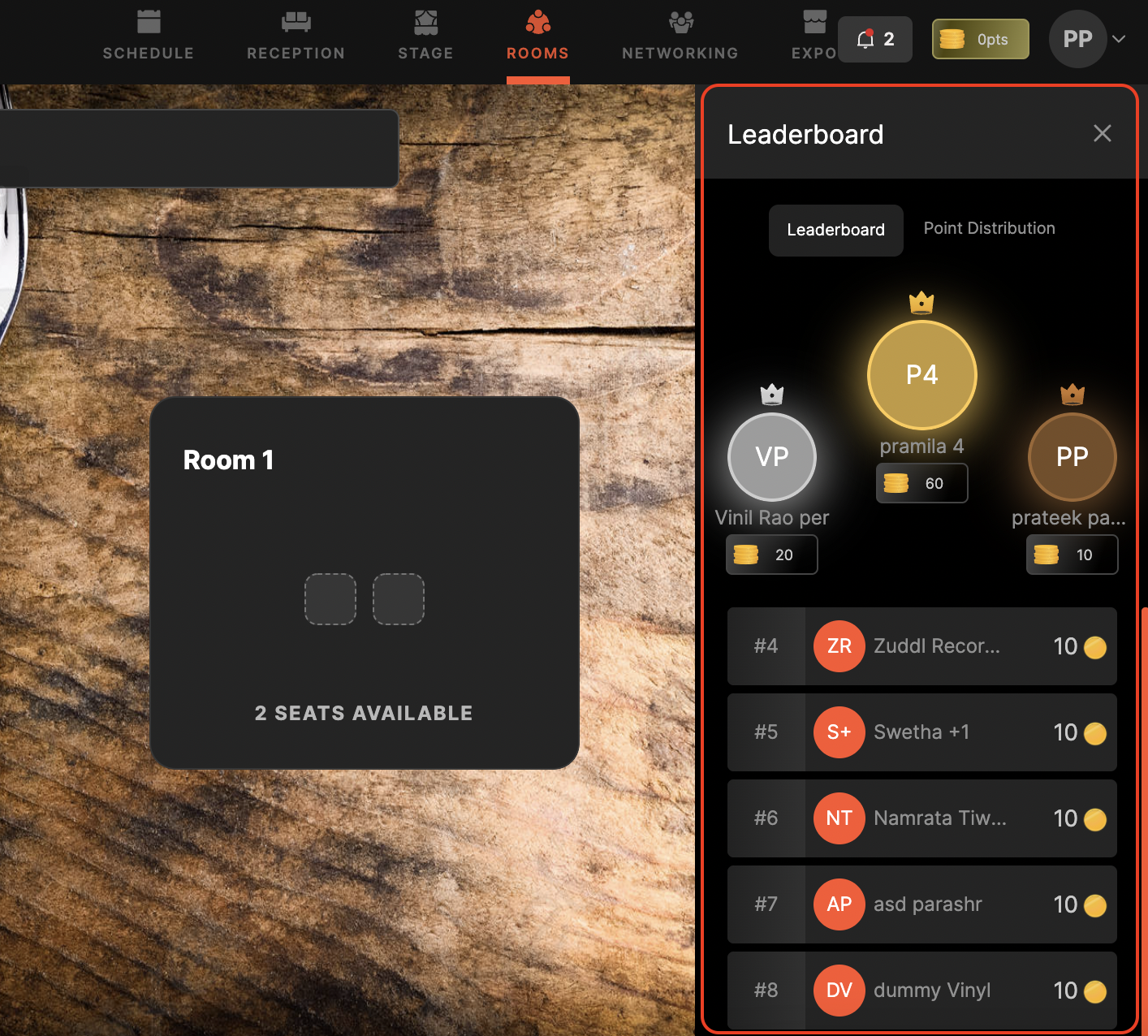
The point distribution table shows the points associated with each task to your attendees at the event.