How to Add a File to a Hybrid Session in Zuddl
Last updated: August 1, 2025
You can add files that your attendees can download during the event. To enable adding downloadable files:
- Toggle on Files from inside the card. Defaults to off.
- Enter a File name. This is displayed as hyperlink text.
Paste the File URL where the downloadable file is hosted. This add the files to the stage for your audience.
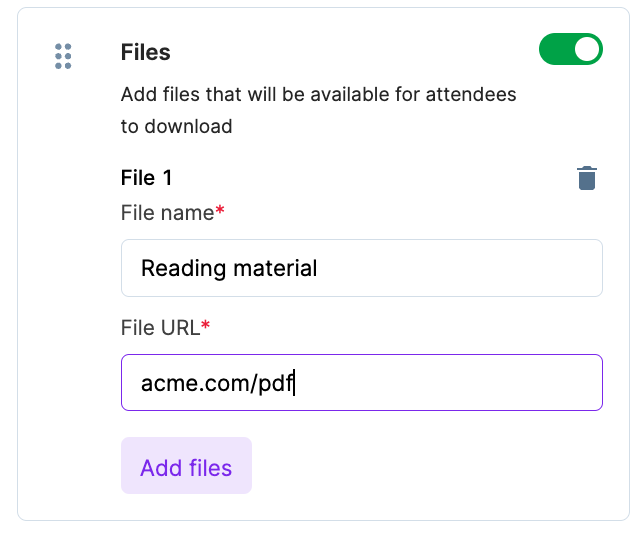
- .You can add another file by clicking Add files.