How to Manage Hotel Bookings for Registrations for a Hybrid Event in Zuddl
Last updated: September 2, 2025
All the hotel requests by registrants after they complete the registration process are shown in the Bookings tab.
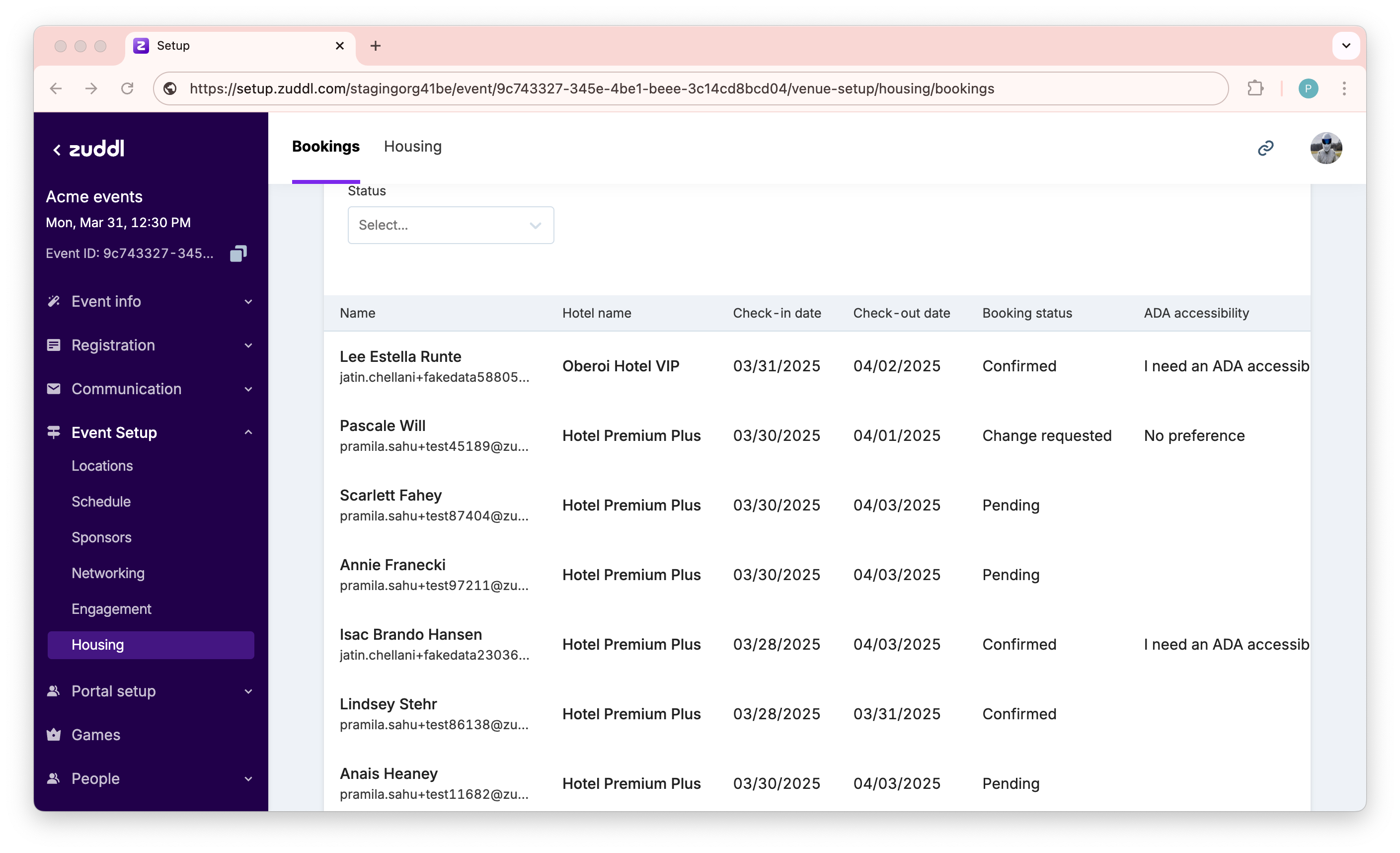
The table shows the list of bookings with registrant name and email, hotel name, check-in date, check-out date, booking status, and other custom fields.
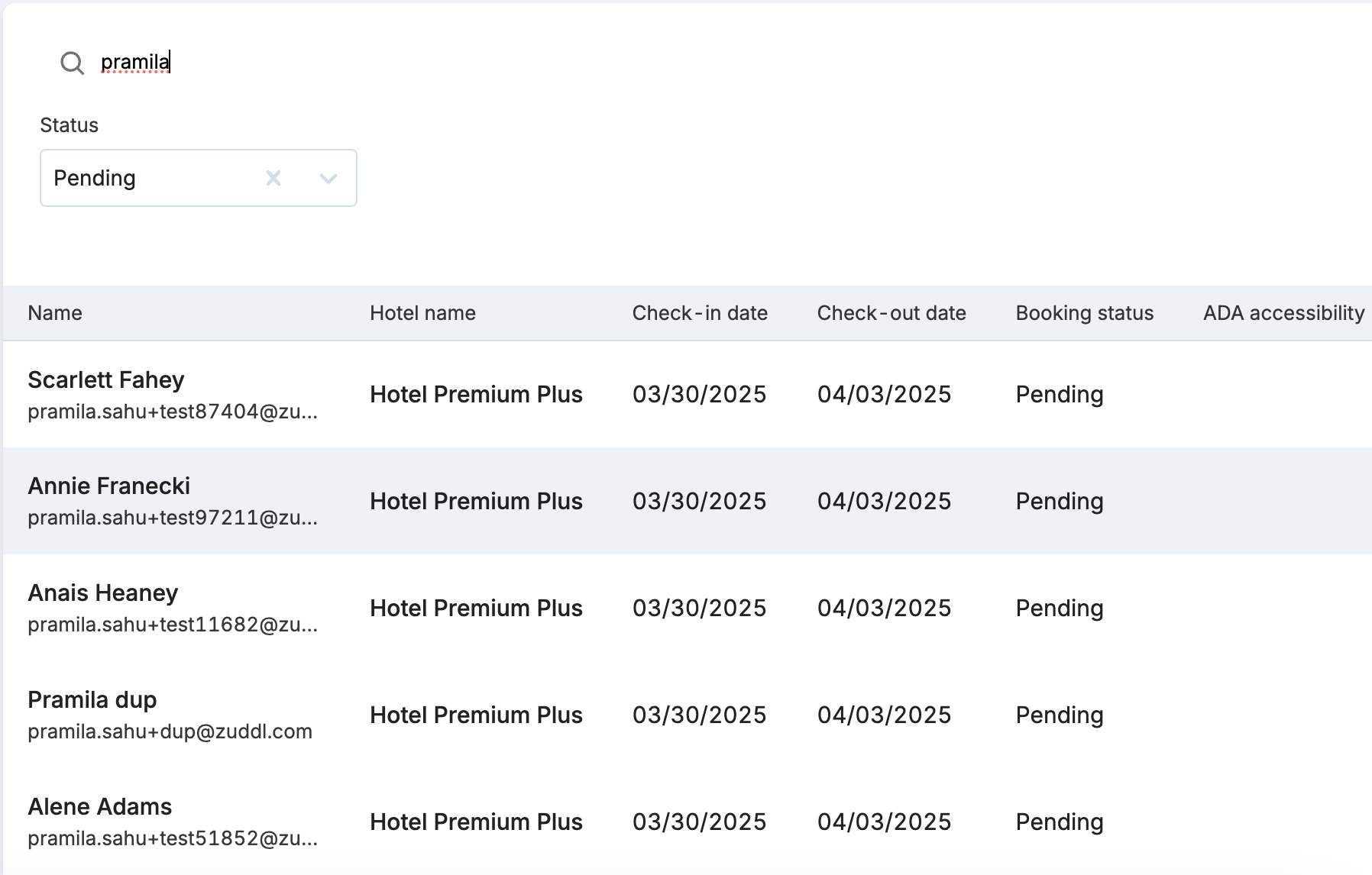
You can either search for a booking by email address or filter by status:
Pending: The first status of a hotel request when received in Zuddl.
Confirmed: The status of the hotel request when you confirm it by the modified CSV option on the attendee page. Without a confirmed booking status, the registrant wouldn’t have any hotel assigned.
Change requested: Status when the registrant requests to switch to a different hotel. Refer to the attendee flow switching hotels.
You can download the entire list in a CSV file by clicking the Download CSV button.
If you wish to update the booking status, use the Modify CSV option on the Attendee page under the People menu. Learn how to modify booking status in bulk using CSV or modify manually.
Attendee flow - switching hotels
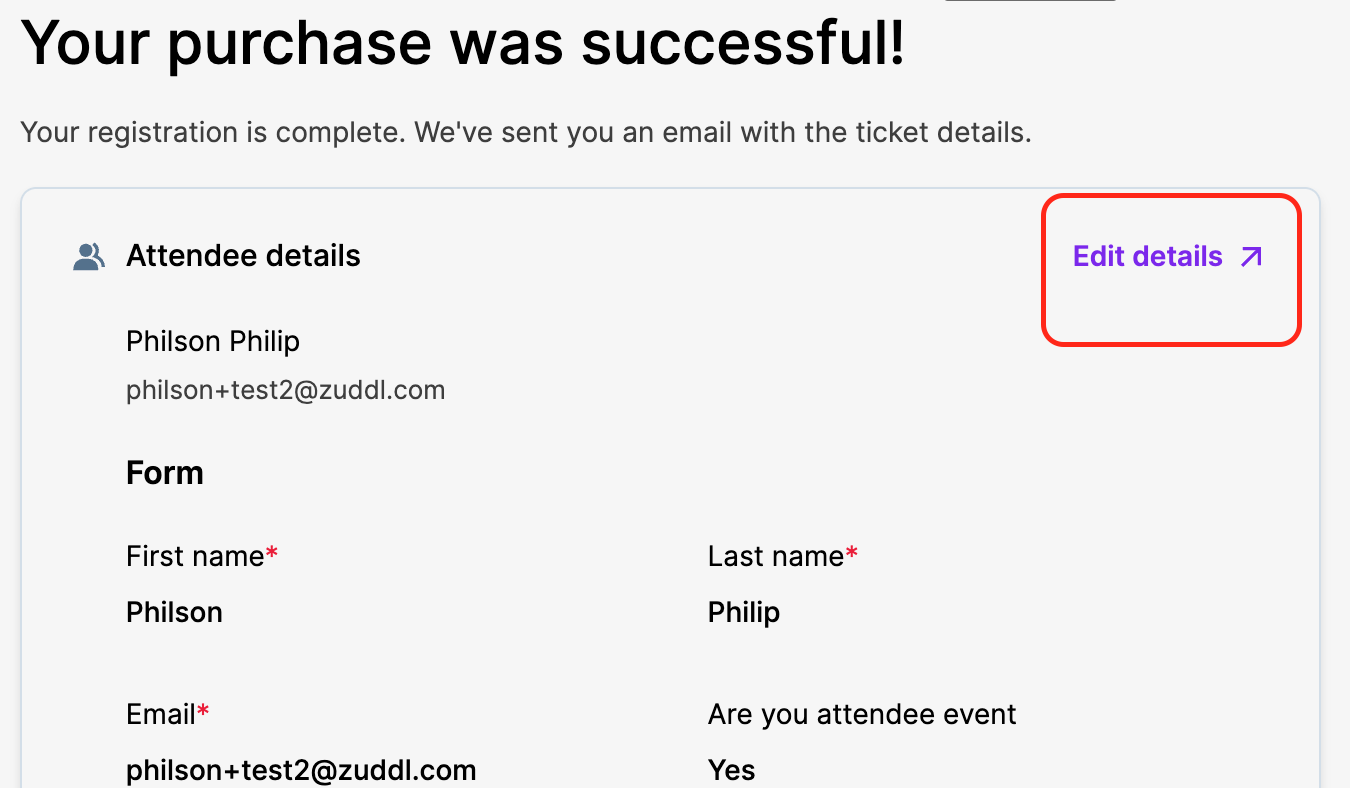
This is possible if multiple hotels are assigned to a single invite list or if an email address exists in multiple invite lists. Once the registration is completed, the registrant can click the Edit details link.
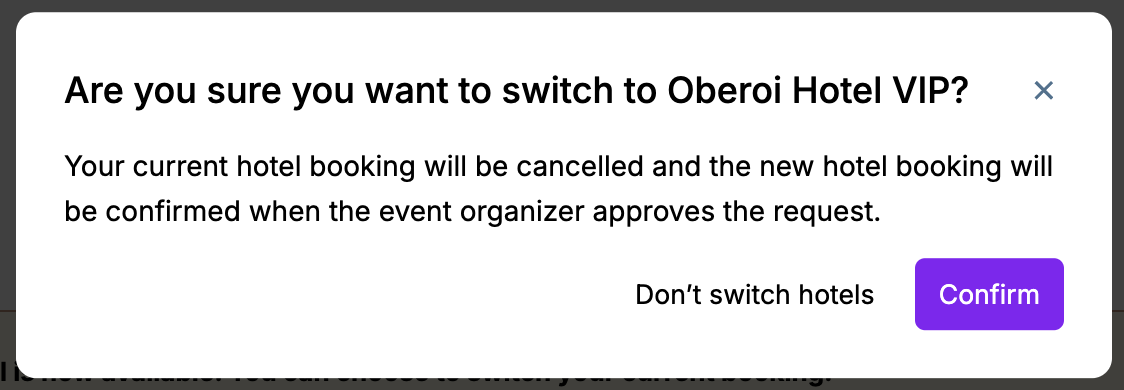
On the Hotel request form within the modify registration flow, the registrant can click the Switch hotel button.
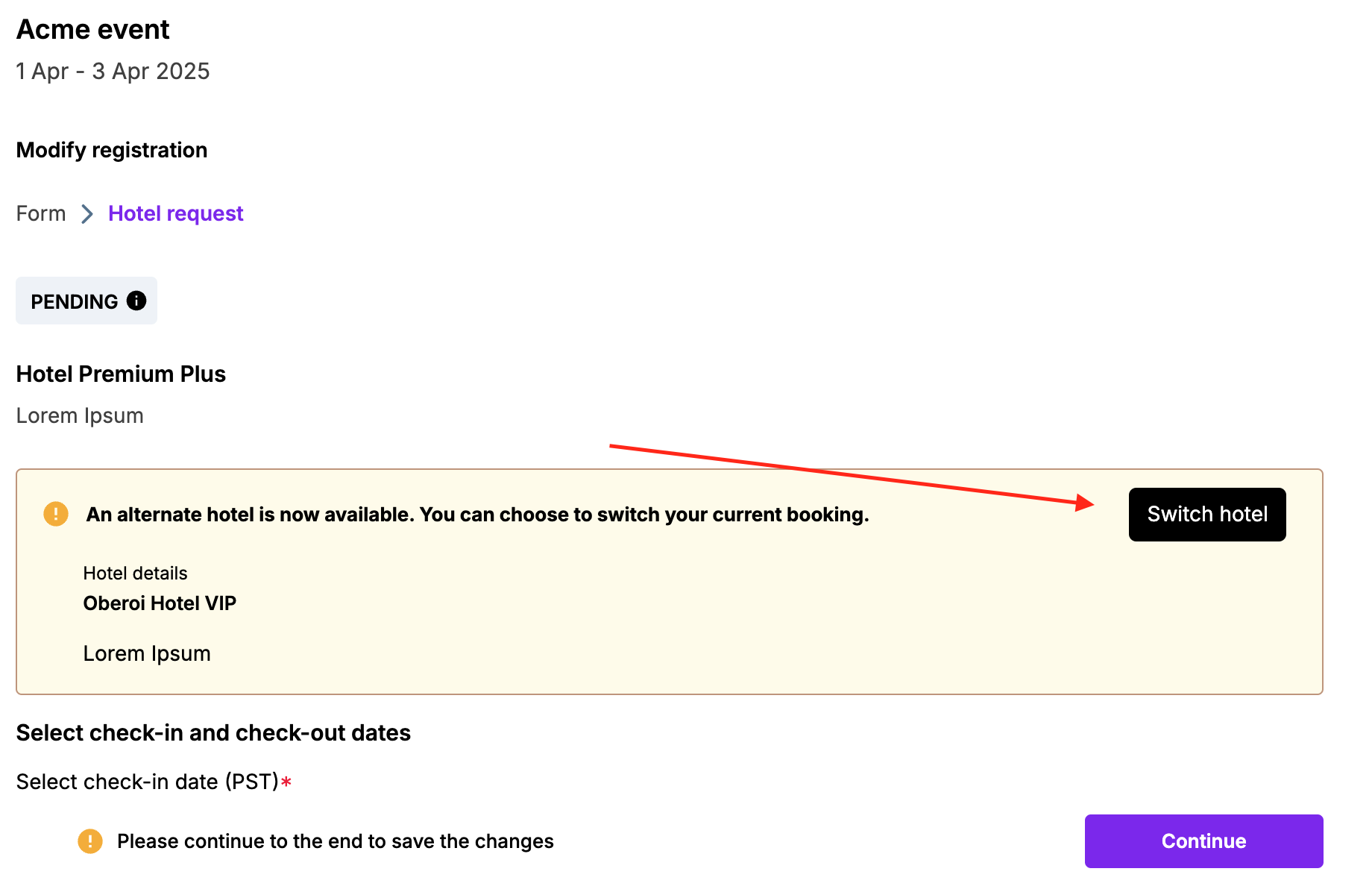
Once the registrant clicks the Confirm button, the previous booking gets canceled, and the new one appears in the booking tab as 'Pending'.