Zuddl Sidekick
Last updated: January 27, 2026
What is Zuddl Sidekick
Zuddl Sidekick helps you quickly style supported components - currently focused on speaker widgets - using prompts and previews, so your pages look on-brand with less manual iteration.
Where to find it
Zuddl Sidekick is available at the event level. Here’s how it can be accessed:
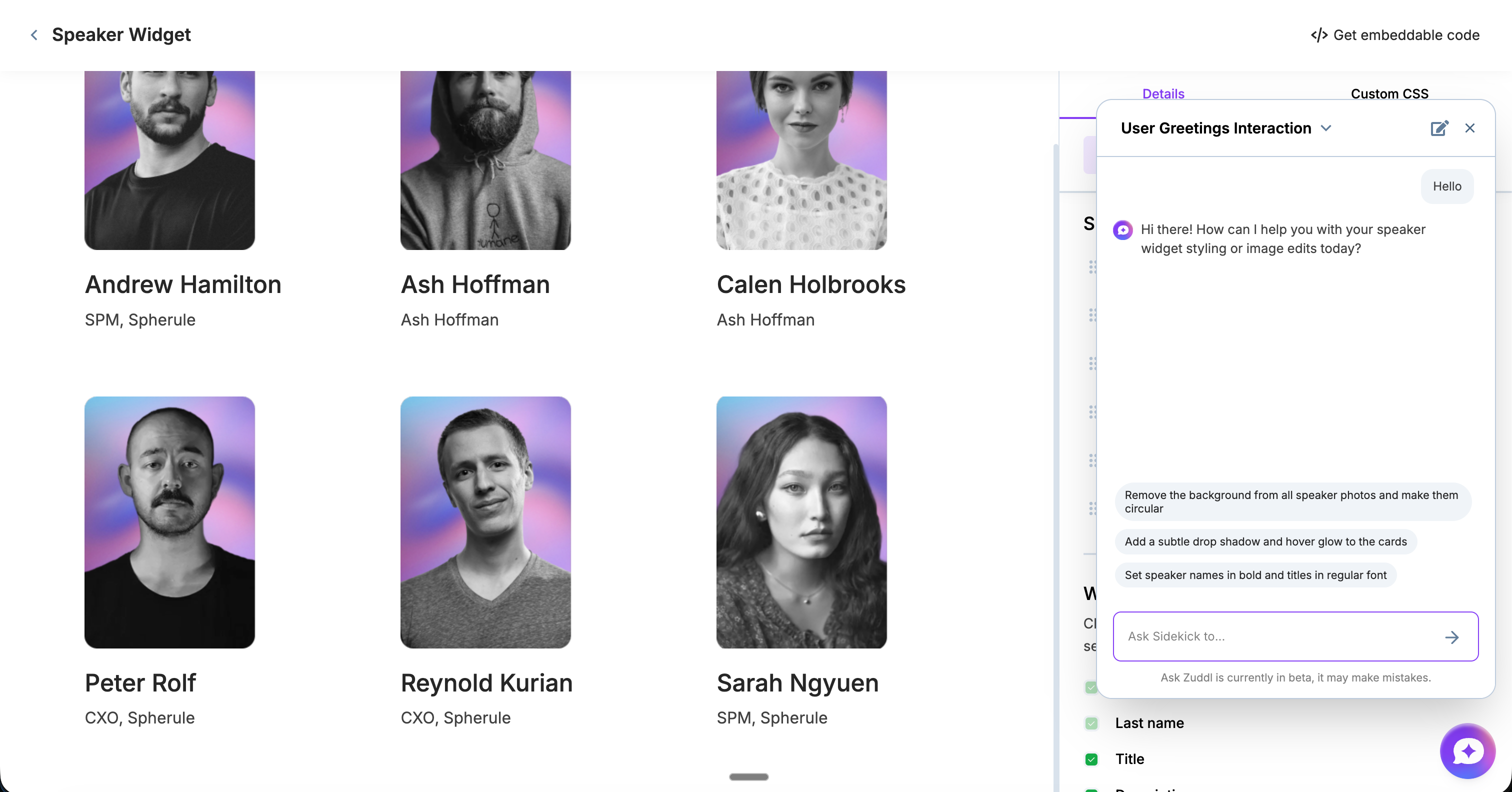
Event level settings → Widgets → Speaker widget → Sidekick (bottom-right in the speaker widget editor)
What you can do with Zuddl Sidekick
Generate brand-aligned styling suggestions for speaker widgets (typography, spacing, visual hierarchy, and polish).
Iterate quickly with preview-based refinements instead of repeated design and CSS cycles.
Improve asset consistency with lightweight image enhancements where applicable (for example, cleaner speaker imagery).
Starter prompts
Zuddl Sidekick includes starter prompts you can use to get going immediately. Use these to set a strong baseline style, then refine using follow-up prompts.
AI follow-up suggestions
With every response, Zuddl Sidekick suggests what to improve next (for example, “tighten spacing,” “increase readability,” “make hierarchy stronger,” “match brand tone more closely”). Use these suggestions to iterate in small, controlled steps.
Best practices
Use a starter prompt first to establish a baseline, then iterate in small increments.
Be explicit about the outcome you want: “more premium,” “more minimal,” “higher contrast,” “less dense,” “match our brand tone.”
Standardize across events: once you land on a style that works, reuse the same approach for repeatable event production.
Prioritize readability: optimize hierarchy and spacing before adding visual effects.
💡 Please ensure that you save any CSS edited by the agent for it to reflect live, the agent will also provide inline instructions to save it.
Access note
You’ll see an AI pop-up on your dashboard. To start using Zuddl Sidekick, accept the AI terms and complete the on-screen action in that pop-up.
If you don’t see the pop-up, it’s possible you closed it earlier. In that case, contact your CSM to get AI access turned on again.
Note: Zuddl Sidekick and Ask Zuddl are currently in beta, so they may make mistakes. Please verify any information before using it.