Ask Zuddl
Last updated: January 27, 2026
What is Ask Zuddl
Ask Zuddl is Zuddl’s AI analytics assistant. It helps you ask questions in plain language and get structured, decision-ready insights from your event data, without manual reporting workflows.
Where to find it
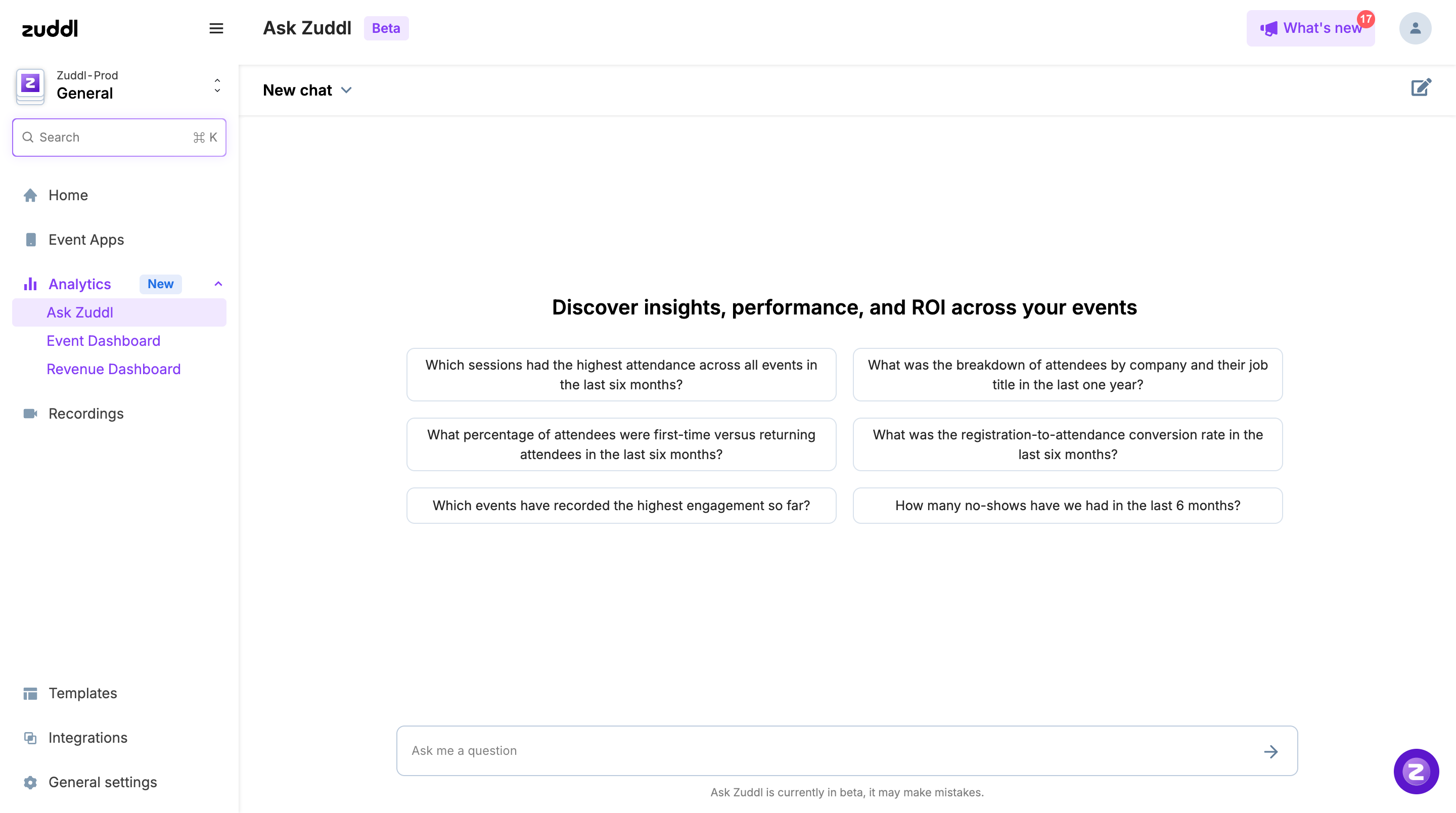
You can find Ask Zuddl on your main organization dashboard in the left navigation:
Analytics (left nav)
Ask Zuddl (under the Analytics section)
What you can do with Ask Zuddl
Answer performance questions across registrations, attendance, revenue, sessions, and engagement.
Compare results across events, formats, sessions, and timeframes to identify repeatable patterns.
Generate summary outputs you can reuse in internal updates and post-event reporting.
Get recommendations on what to improve next based on what the data is indicating.
Starter prompts
Ask Zuddl includes starter prompts you can use to get going quickly. Use them as-is to see what Ask Zuddl is best at, then refine your questions based on what you want to learn.
AI follow-up suggestions
With every response, Ask Zuddl also suggests relevant follow-up questions you can drill into next. Use these to go from a high-level answer to root-cause analysis (for example, narrowing by session, audience segment, channel, or timeframe).
Best practices
Start with a starter prompt, then narrow scope (event, date range, segment, format) in your follow-up.
Keep questions outcome-driven (for example, “What drove drop-off?” “What worked best?” “What should we repeat?”).
Ask one question at a time, then iterate with more specific follow-ups for deeper cuts.
Treat outputs as a fast first draft of insights, then sanity-check critical numbers before sharing externally.
Access note
You’ll see an AI pop-up on your dashboard. To start using Ask Zuddl, accept the AI terms and complete the on-screen action in that pop-up.
If you don’t see the pop-up, it’s possible you closed it earlier. In that case, contact your CSM to get AI access turned on again.
Note: Zuddl Sidekick and Ask Zuddl are currently in beta, so they may make mistakes. Please verify any information before using it.