How to Set Up Landing Page Redirection Under Page Settings
Last updated: April 22, 2026
What This Does
Landing page redirection lets you automatically send visitors from your event's registration page to any URL you choose — your main website, a "Thanks for attending" page, a post-event hub, or the next event. You can schedule the redirect to start on a fixed date or relative to when the event ends.
Note: Redirection is available for Standard Flex, Standard Field, and Series (parent) events. The event must have a published landing page before you can enable redirection.
Before You Begin
You must have an Organizer or Moderator role on the event.
Your event must have a published landing page. Redirection cannot be enabled without one.
Have the destination URL ready (the page you want visitors redirected to).
Steps
In your event, go to Registration → Registration page → Page settings.
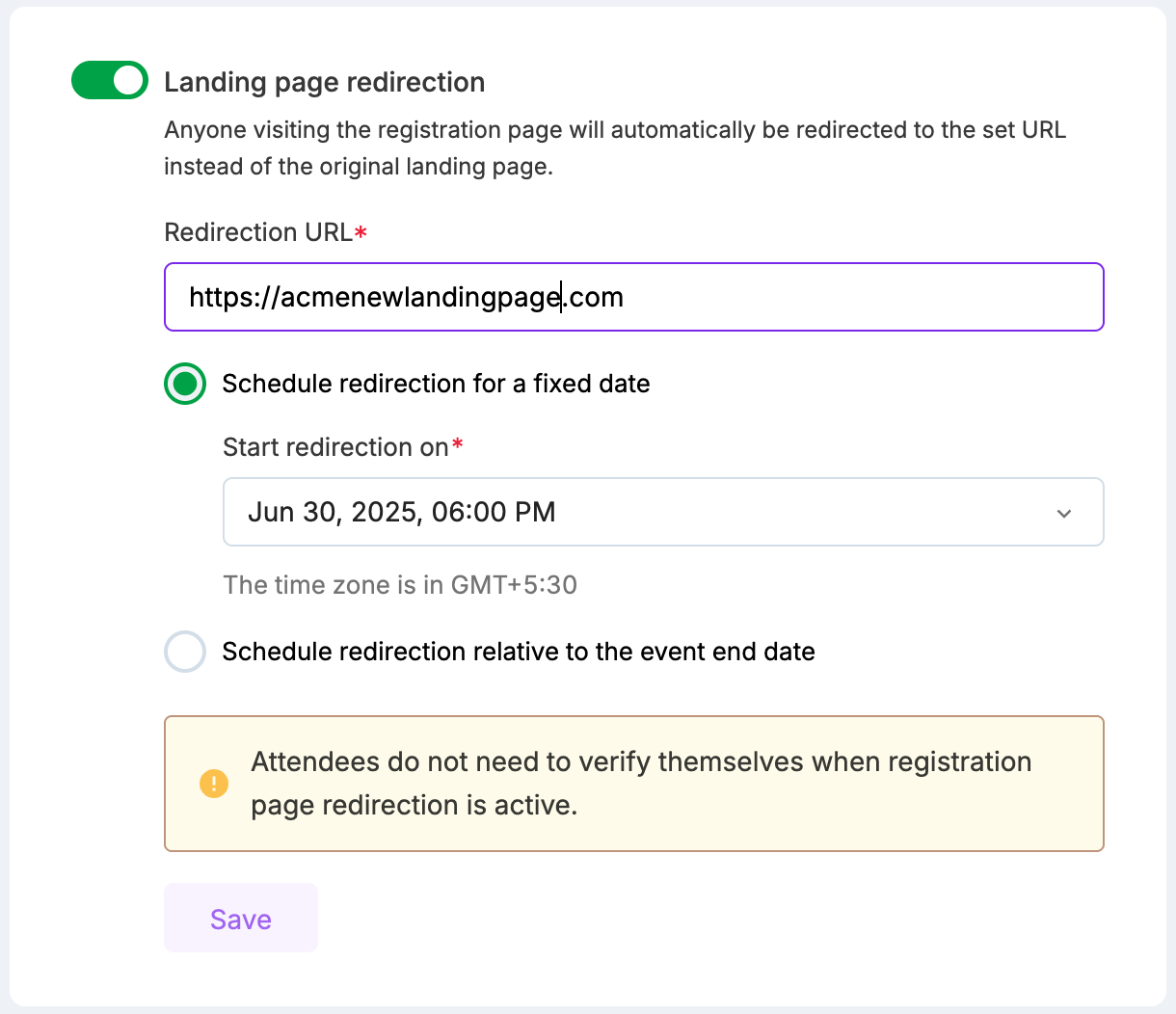
Turn on the Landing page redirection toggle.
In Redirect URL, paste the full URL of the destination page.
Choose when the redirect should start:
Option A — Fixed date: Select Schedule redirection for a fixed date, then pick a date and time in the Start redirection on field.
Option B — Relative to event end: Select Schedule redirection relative to the event end date, then set the number of Days, Weeks, or Months after the event ends.
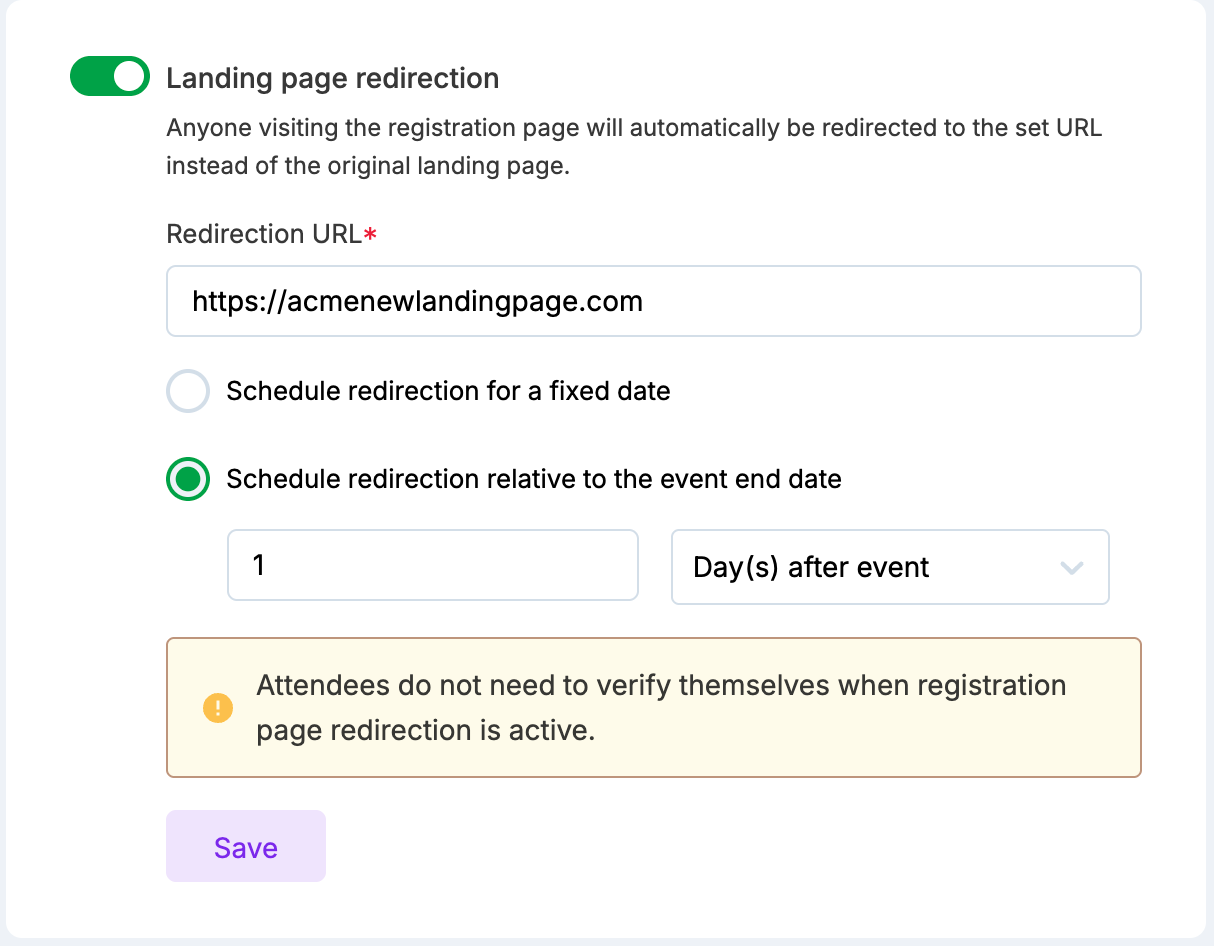
Click Save and confirm the redirect in the dialog box.
What Happens Next
Until the scheduled start date/time, your landing page remains accessible as usual. Once the scheduled time arrives, all visits to the landing page are automatically redirected to the URL you configured.
To update the destination URL, edit the Redirect URL field and save. To remove the redirect, turn off the toggle and confirm removal — the original landing page becomes accessible again.
Tip: Analytics are recorded on the destination page. If the destination is a Zuddl page, you'll see analytics there. If it's an external site, use that site's analytics.
Notes
While a redirect is active, the following settings are locked for that event: Event identifier, Domain settings, "Remove event as default", and assigning that domain as default on a new event. This prevents broken routes.
If Landing page masking is also enabled, masking stops working once the redirect activates.
Unpublishing or deleting the landing page after enabling a redirect will prompt you to choose whether to keep or remove the redirection.
When duplicating an event, landing page redirection settings are not copied to the new event.
Redirection applies to the main landing page only — subpages are not redirected.
Redirection works with custom-domain landing pages. Redirection from the landing page builder URL is not supported.