Using UTM Parameter for a Zuddl Event
Last updated: November 7, 2025
Using UTM (Urchin Tracking Module) parameters to make it easy to trace back registrants to where and how they accessed your Zuddl registration link, thereby enabling you to efficiently manage your customers.
How UTM parameters are captured
At Zuddl, UTM parameters are captured directly in the registration form link.
When a user clicks on a campaign URL that you’ve built, the UTM parameters (such as, utm_source, utm_medium, utm_campaign, etc.) are included in the Zuddl registration form link and is automatically captured upon the registrant submits the form.
Supported registration pages for UTM:
Capturing of UTM parameter is supported for:
- Embedded registration flow
- Registration pages built via registration page builder - Registrations via integration
- Registration page built on Zuddl Sponsor or Zuddl Basic template
This captured UTM data can be seamlessly passed through any of Zuddl's native integrations, ensuring smooth tracking within your existing setup.
What parameters we capture
The following are the UTM parameters we track and recognise:
UTM Source
UTM Medium
UTM Campaign
UTM Term
UTM Content
UTM Id
Parameter | Example | Description |
Campaign ID (UTM Id) | acme.123 | Unique identifier of a campaign. Required to identify a particular campaign. |
Campaign Source (UTM Source) | Used to identify a particular referrer source such as search engine, newsletter, article, or other sources. | |
Campaign Medium (UTM Medium) | Used to identify a medium such as email. | |
Campaign Name (UTM Campaign) | in_person | Campaign name is also a unique identifier of the campaign that differentiates it from others |
Campaign Term (UTM Term) | keynote | Used to note the keywords for this campaign |
Campaign Content (UTM Content) | logolink | Used to differentiate ads or links |
UTM parameters are tracked and the last source of an attendee is recognized once the attendee submits the registration form.
We can also capture custom UTM parameters, which you can add as a hidden field to the registration form. Learn how to create custom UTM parameters in the following sections.
How to build your Campaign URL
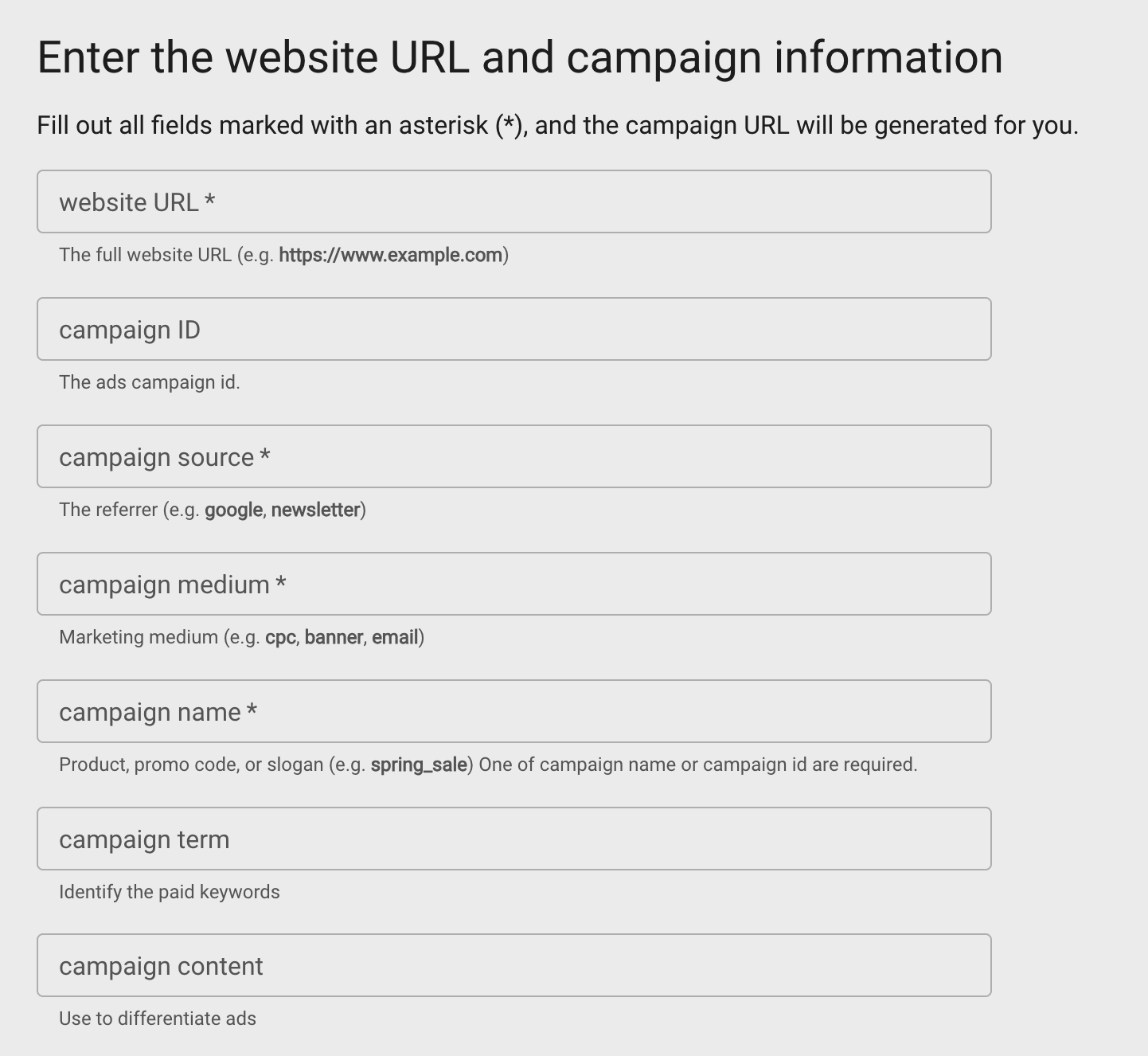
You can easily build your campaign URL using Google campaign URL builder. To build your campaign URL:
Go to Google campaign builder
Enter the following details:
website URL
campaign ID
campaign source
campaign medium
campaign name
campaign term
campaign content
How to create custom UTM parameters
You can easily add custom UTM parameters in registration form by inserting an equal to symbol ("=") as a prefix to the field name, for example, "=custm". This allows us to identify the UTM parameters from the URL.
These fields are also not visible to the registrants.
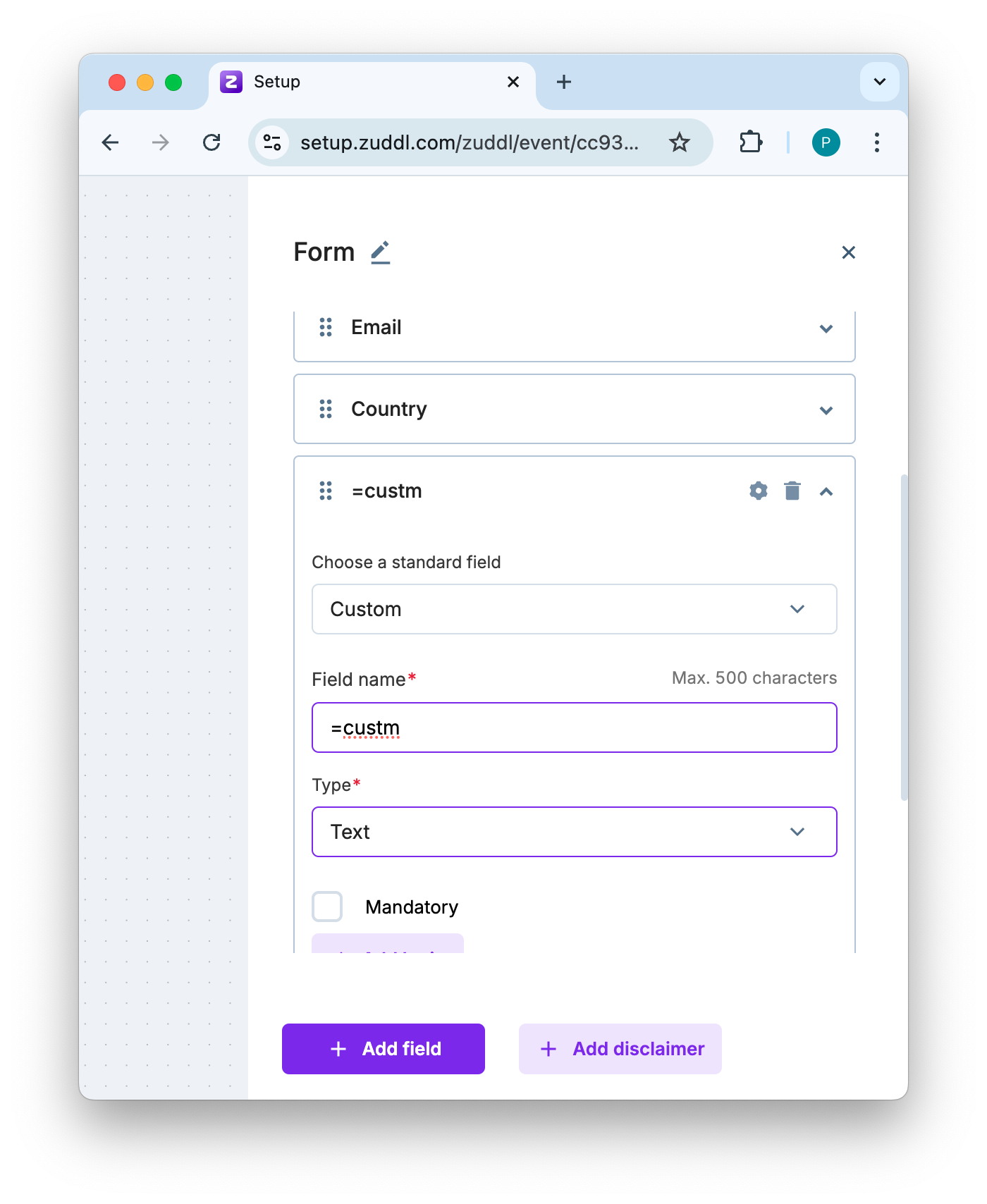
Then, you can append this field name to the registration URL and provide a unique value. For example, for two custom hidden fields '=custm' and 'guest,' the value can be added as shown below:
https://events.acme.com/zomaseguto?custm=facebook&guest=acmeguestCase sensitive
The custom UTM field is case-sensitive. The field name you append to the URL must be an exact match to the field name you configured from the dashboard.
Here is how it looks in the browser
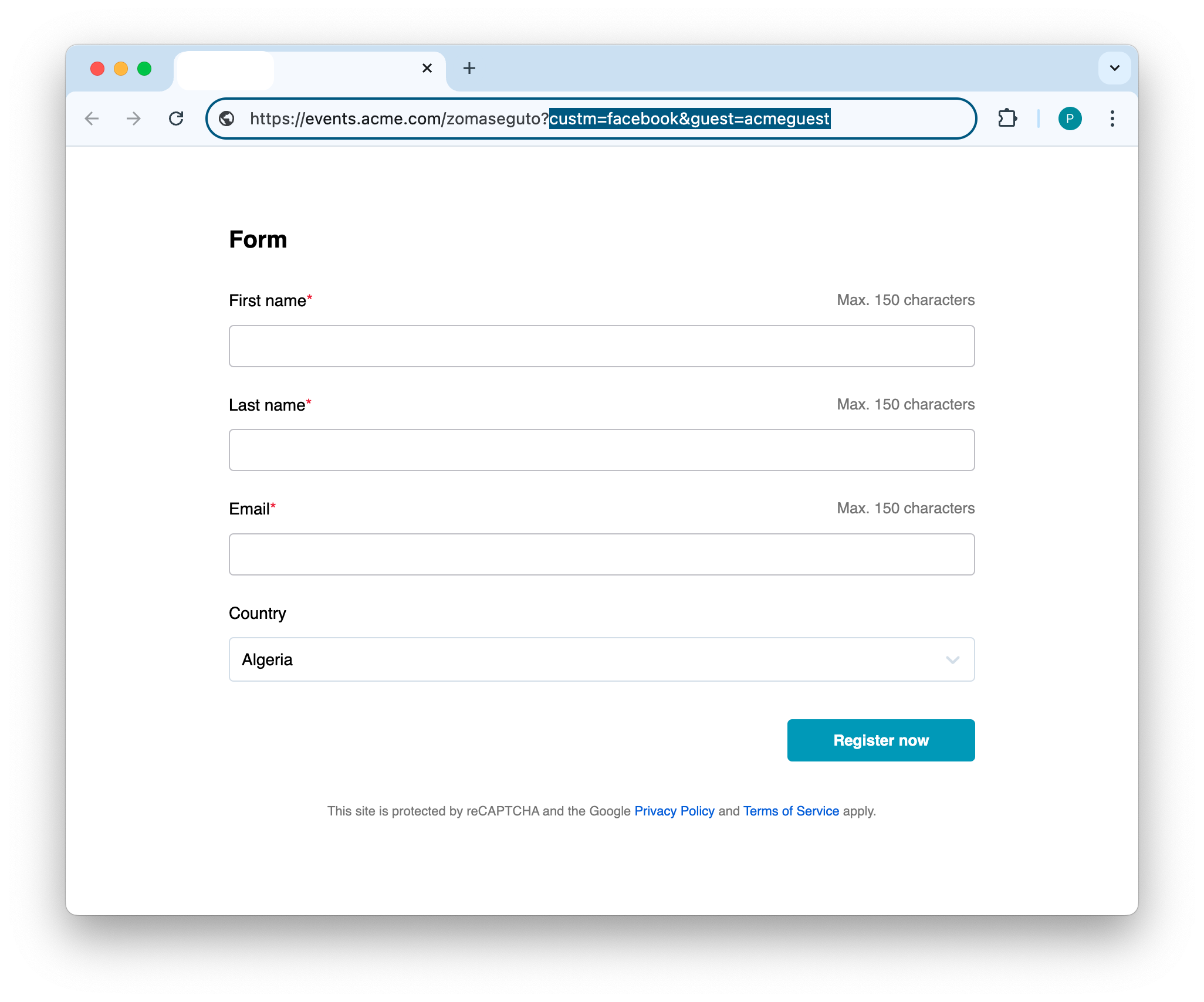
The hidden custom UTM fields appear on the attendee list table in the dashboard and display the value you provided. This helps in identifying the attendees with the custom UTM parameter
How UTM data is used in Zuddl
The captured UTM data can be passed to any of Zuddl’s native integrations along with the registration data.
Saving UTM data by creating a cookie is not directly supported by Zuddl forms. However, you can push the registration data to Zuddl in real-time via any of the supported integrations.