How to Configure Hybrid Engagement
Last updated: September 2, 2025
With hybrid engagement settings, you get more control on what the attendees see when attending session across devices.
The hybrid engagement will work for events with start date after 30 August.
How does hybrid engagement settings work?
After you've created a session with required engagement, you can enable/disable engagement settings for hybrid sessions.
When enabled, the interactions of both virtual and in-person attendees are shown on the engagement panel under the sessions.
Web | Mobile |
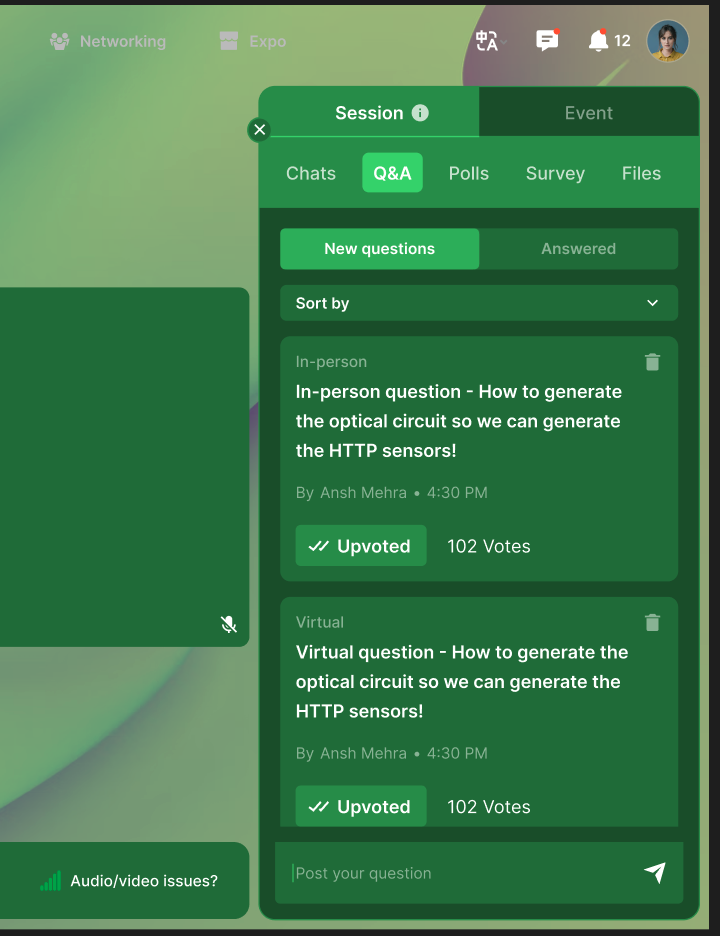 | 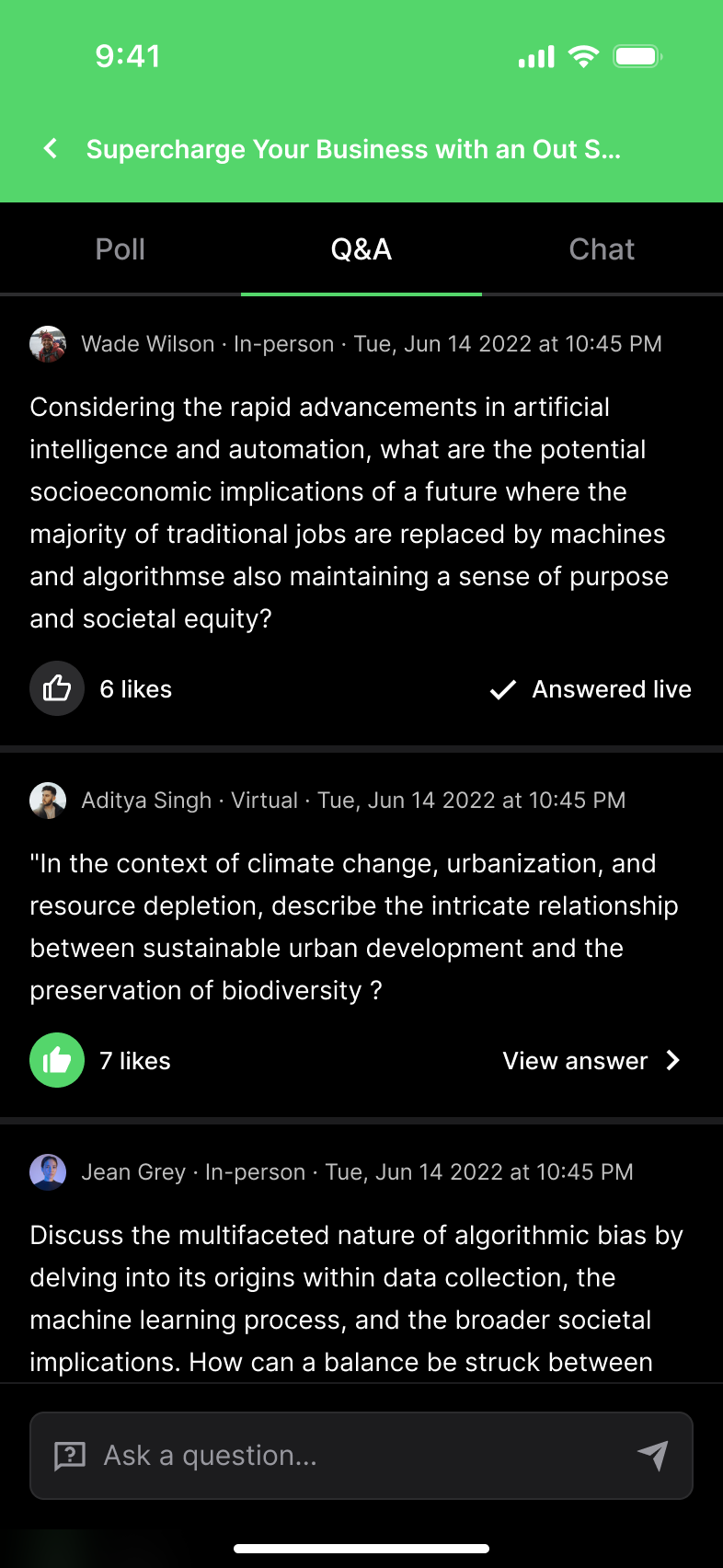 |
Notice that on web page, the attendee question tile shows the label 'In-person'/'Virtual'. Similarly, on the Zuddl mobile app, the same labels appear right beside the attendee name. This way you and the attendees can identify the event type on the engagement panel.
When the engagement settings are turned off, the attendees using the web page can only see interactions of attendees on the web page and attendees using app can only see interaction of other attendees on the app. For example, in-person event attendees can only see the chats, questions, polls of in-person attendees and similarly for the virtual attendees.
To enable engagement settings,
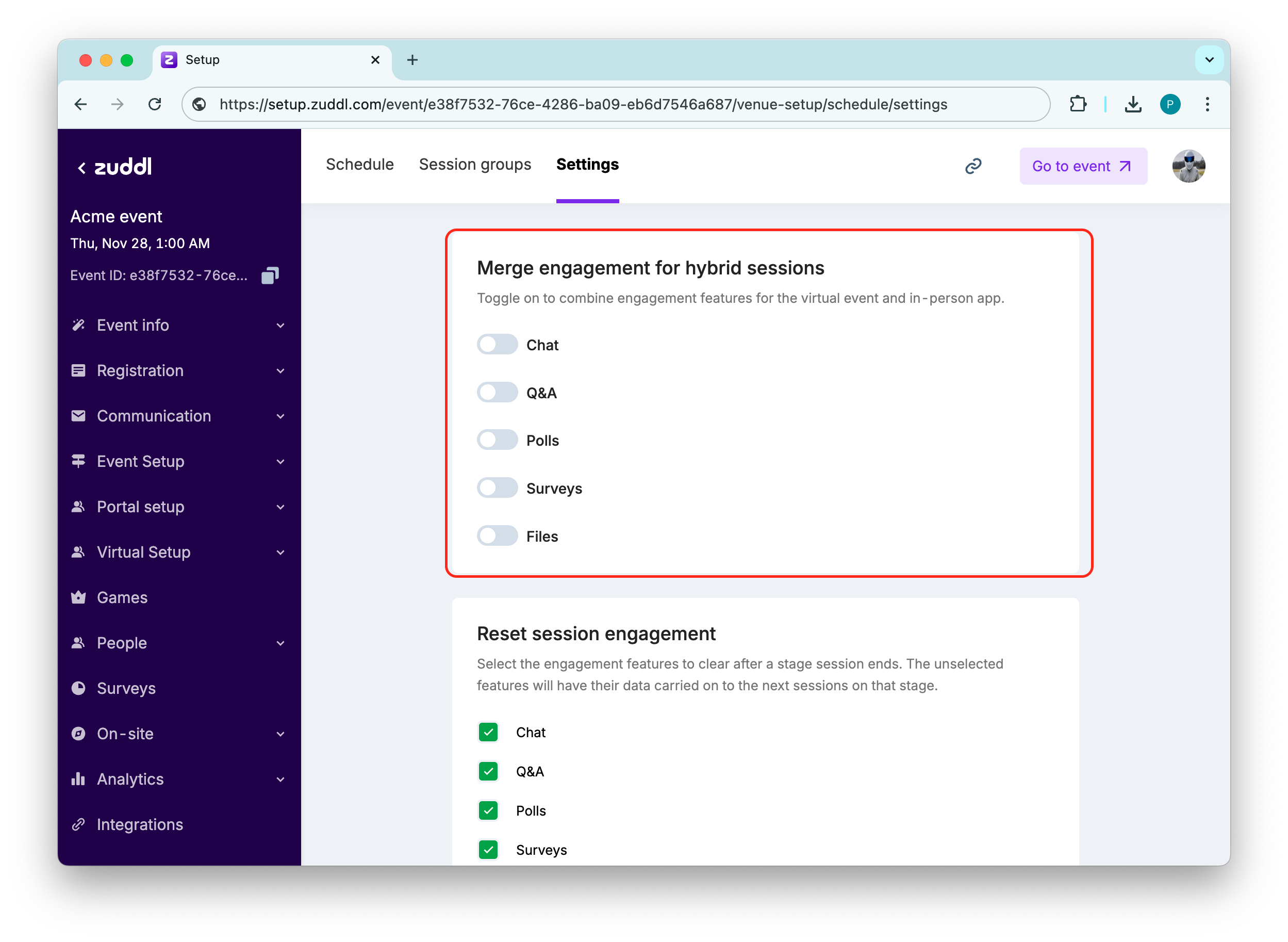
Go to Event setup > Schedule > Settings tab
Under the Merge engagement for hybrid sessions settings, toggle on the desired engagement option to merge engagement. By default, the reset settings are turned off.
Applies to organizers too
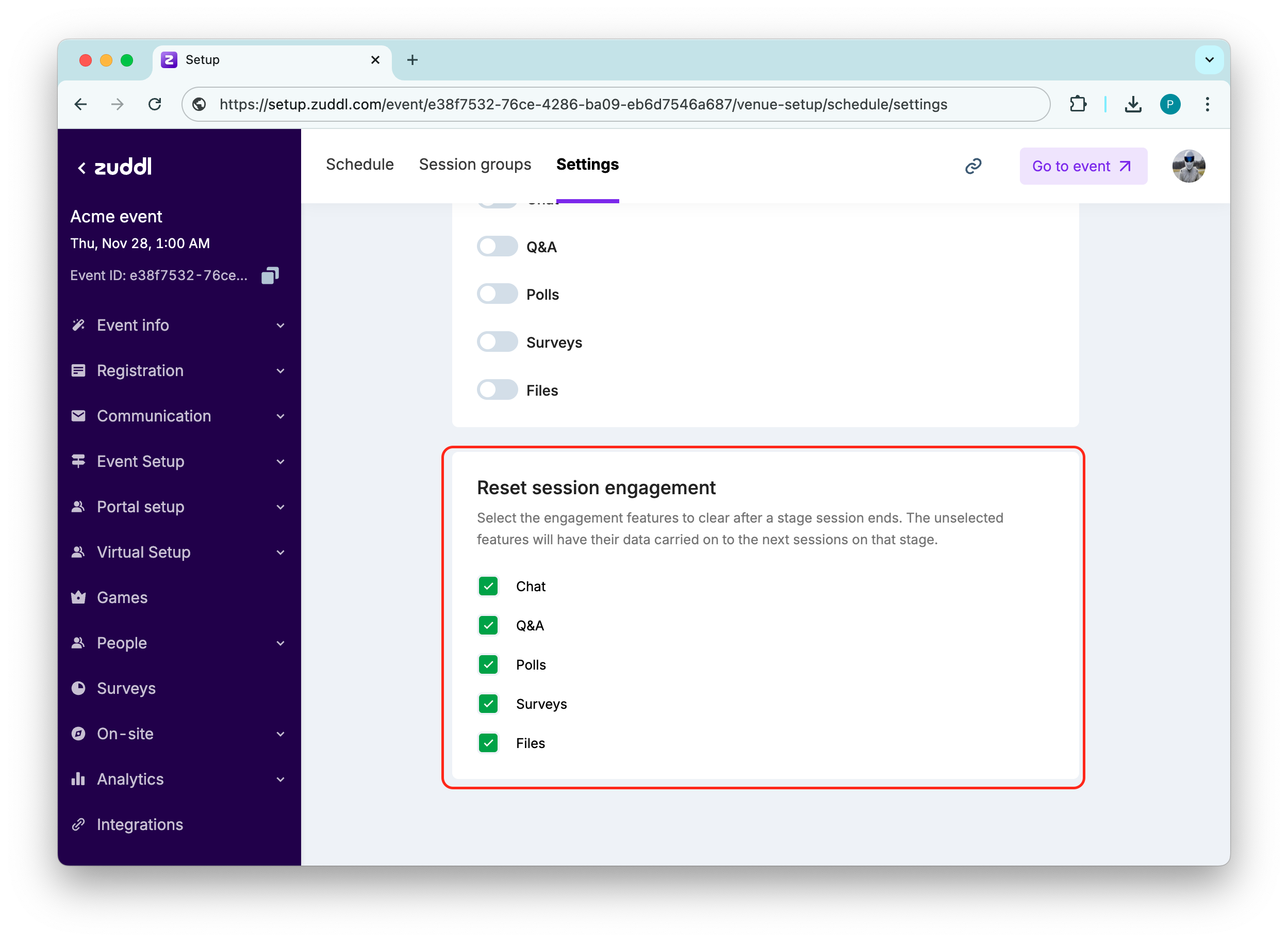
When the merge is turned off, if an organizer sends a message in the chat, say "Please find the updated app version here" from the app. It won't appear for attendees using webpage to attend the sessionBy default, attendees can view the engagement history of previous session on the same stage. However, you can reset the history so that every time a session ends, the interaction history is also erased, the next session attendees wouldn't be able to see the previous session's interaction. Under the Reset session engagement settings, toggle on the desired engagement option to rest session engagement. By default, the reset settings are turned on.
The chats recorded in-between sessions (i.e between the end of the previous session and start of upcoming session) will continue to show in the upcoming session.
Schedule sync
Schedule sync is not mandatory for chat messages to continue showing in subsequent sessions.
Organizer options
Even when the hybrid engagement is off, organizers have a the option to switch between in-person and virtual interactions.
Organizer can view the next session's draft or published flows.

If new sessions are added, you would need configure engagements again