How to Add Form Validations in Zuddl
Last updated: December 19, 2025
Registration form validations allow event organizers to run custom server-side validation logics before a registration form is submitted. This helps in validating inputs like email addresses using third-party providers or via custom rules.
What can you do with registration form validations?
Validate email addresses using external providers like ZeroBounce, Kickbox, Neverbounce, etc., and block disposable, invalid, or risky email domains from registrations.
Apply custom rules using API calls or business logic on submitting any form of a registration flow.
How it works (high-level flow)
At an organization level, organizers can create form validations.
Inside an event’s registration flow, the form validations can be selected on any form.
Attendee experience:
An attendee fills out a registration form and clicks “Submit” or the CTA of the form.
Zuddl runs the email domain checks (if toggled ON).
Zuddl invokes the configured validation script in a secure server-side sandbox.
If validation fails, attendees are shown the relevant error message(s).
Attendees can then correct the input and resubmit the form.
If validation passes, the form is submitted, and the attendee proceeds to the next step.
How to create a new form validation at an organization level
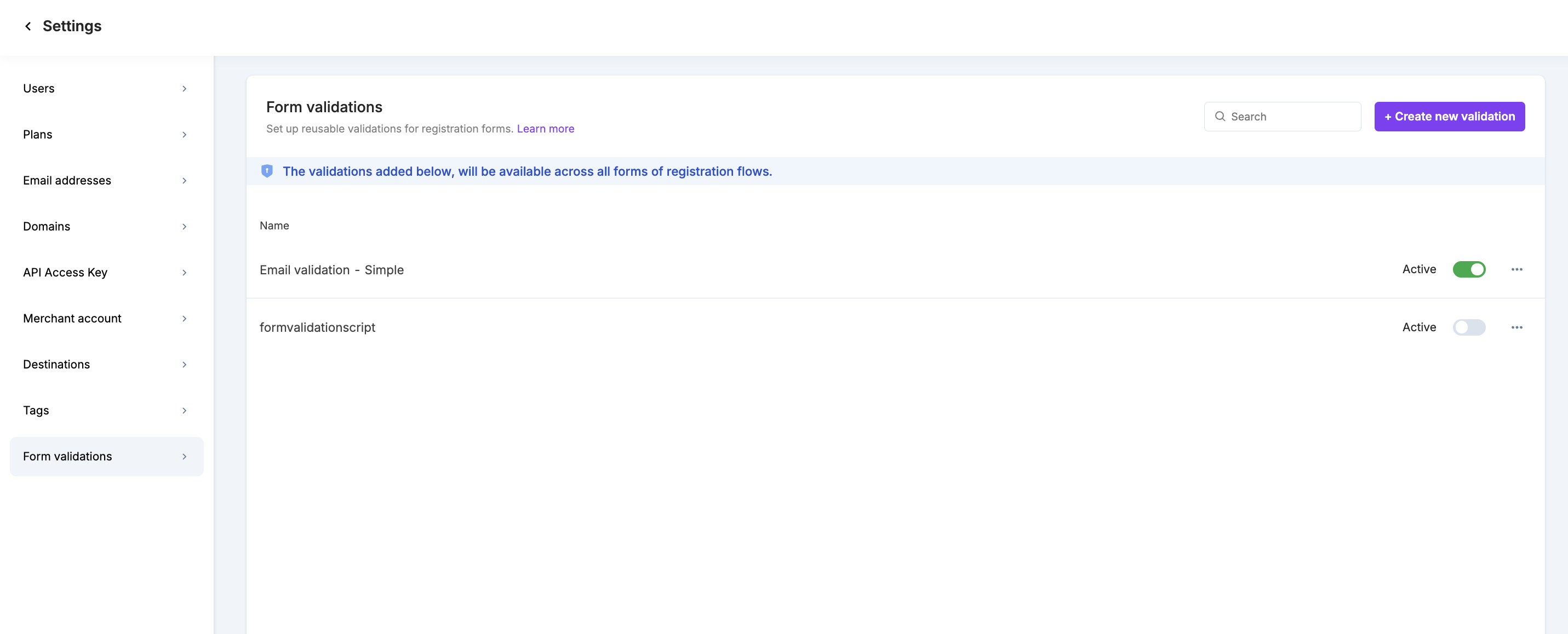
To create a new validation, go to General settings → Form validations → Click Add validation.
Enter a Validation name.
Add your Node.Js validation code in the Code editor.
Click on Create validation to save the validation.
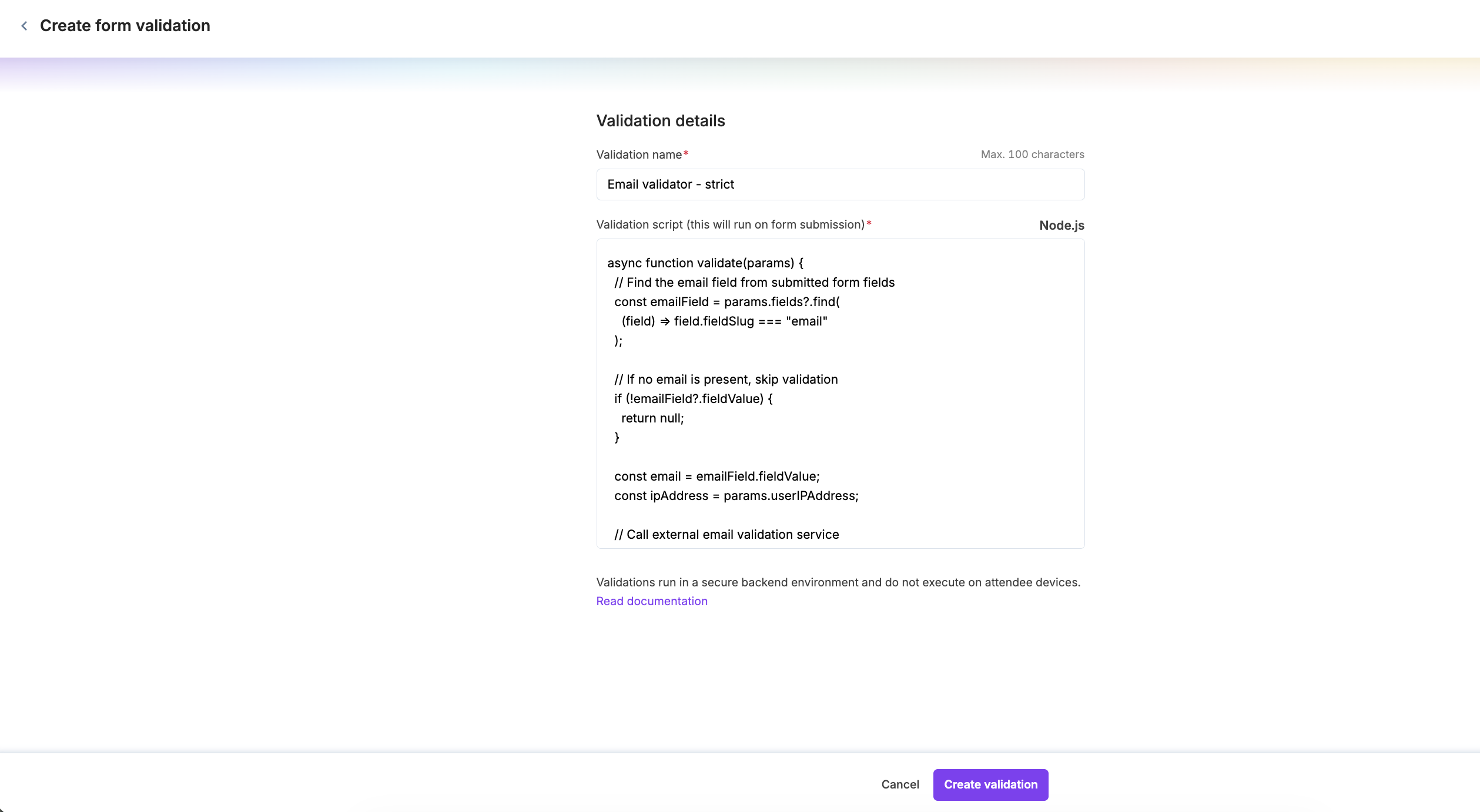
At any point, organizers can edit, delete, or activate/deactivate the form validations.
How to add validations to a form in an event
Once a validation is created at the organization level, it can be applied to forms of a registration flow within an event.
In any event, go to Registration → Registration flows → Any Form → Validations tab.
Select a validation from the organization-level validation list.
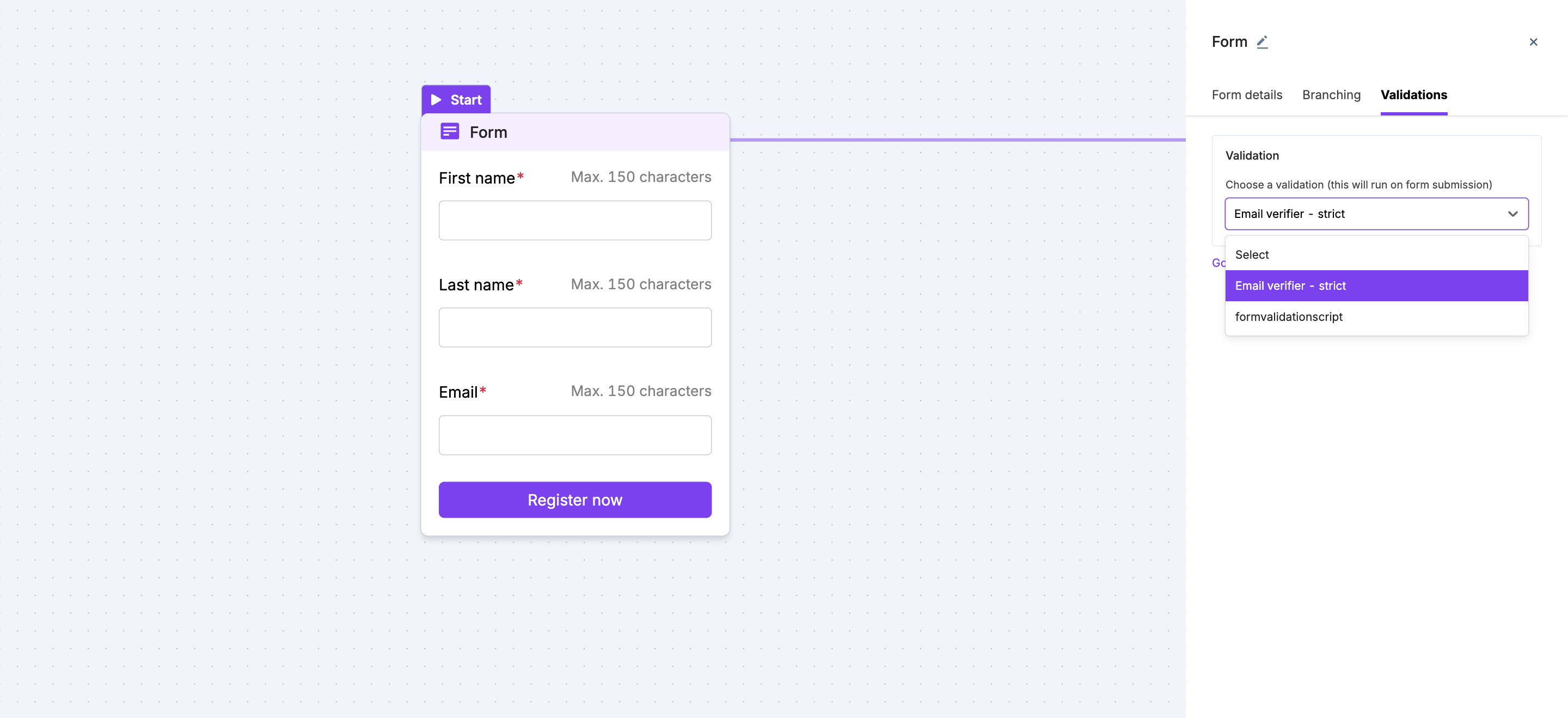
Once selected, publish the flow to save the changes.
Validation code
Your script must include an async function named
validatethat accepts input params and returns a list of errors. Details added below the sample validation code.The validation runs on the backend.
You can call any external API or service.
Credentials such as API keys or secrets can be securely used in the script.
The script must return a success or error response.
Sample validation code
Below is a sample validation code (Node.js) using an external email validation provider (illustrative example).
async function validate(params) {
  // Find the email field from submitted form fields
  const emailField = params.fields?.find(
    (field) => field.fieldSlug === "email"
  );

  // If no email is present, skip validation
  if (!emailField?.fieldValue) {
    return null;
  }

  const email = emailField.fieldValue;
  const ipAddress = params.userIPAddress;

  // Call external email validation service
  const response = await fetch(
    `https://api.sampleapi.net/validate?api_key=SAMPLE_API_KEY&email=${email}&ip_address=${ipAddress}`
  );

  const result = await response.json();

  // If validation fails, return an error in the expected format
  if (result.status !== "valid") {
    return [
      {
        fieldSlug: emailField.fieldSlug,
        errorMessage: "Enter a valid email address.",
      },
    ];
  }

  // Return null if validation passes
  return null;
}
Expected input and output for validation scripts
Every validation script follows a fixed input and output structure. Your script must conform to this structure for validations to run correctly.
Input
The validation script receives a single params object.
INPUT: {
  userIPAddress: string,
  fields: List<{
    fieldSlug: string,
    fieldValue: any
  }>
}
Input fields explained
userIPAddressThe IP address of the Attendee submitting the form.
Can be an empty string if not available.
fieldsA list of all fields submitted in the form.
Each item contains:
fieldSlug: Unique identifier of the field.fieldValue: Value entered by the attendee.
Output
The script must return either an error list or null.
OUTPUT:
List<{
  errorMessage: string,
  fieldSlug: string | null
}> | null
Output explained
The output must return
nullIf the validation is passed.The form submission will be successful and the attendee can proceed further.
The output must return a list of errors if validation failed.
The Error should contain
errorMessage: Message shown to the attendee. This is Mandatory.fieldSlug: Field associated with the error. (Mandatory if it’s a field-level error. Optional if it’s a form-level error)
Output examples
Field-level error
[
  {
    fieldSlug: "email",
    errorMessage: "Enter a valid email address."
  }
]
Form-level error
[
  {
    fieldSlug: null,
    errorMessage: "We could not verify your details. Try again."
  }
]
Successful validation
null
FAQs
Can I use providers other than ZeroBounce?
Yes. You can use any external provider or custom API as long as it is supported by your validation script.
Are API keys secure?
Yes. Validation scripts run on the backend, and credentials are not exposed to attendees.
Can I reuse the same validation across events?
Yes. Organization-level validations can be applied to multiple events and forms.