How to Allow Your Landing Pages to Be Embedded in an Iframe on Your Website
Last updated: November 17, 2026
What This Does
Allowed iframe sites lets you embed the landing pages on one of your custom domains inside an iframe on your own websites, such as your corporate site or a PathFactory content track. You add the sites once on the domain, and browsers then allow those sites to show your landing pages in an iframe.
One setting covers all your events. The list applies to every event landing page served on that custom domain, including events you create later. You don't need to set it per event.
Existing allowed domains are kept. Sites you add here are added on top of the domains a landing page already allows. Nothing that works today is removed.
Masked landing pages: a masked landing page works inside an iframe only when the parent page is on the same site. This is existing behavior and does not change with this setting. Masked pages need Zuddl cookies to travel with each request so that everything on the page works, and browsers block those cookies when the parent page is on a different site.
Before You Begin
You need access to Settings > Domains in your Zuddl organization.
The custom domain must have the status Ready. The option is not shown for domains with Verification pending.
The feature must be enabled for your organization. If you don't see Allowed iframe sites in the domain menu, contact Zuddl Support.
Have the exact address of each site that will host the iframe, for example
https://www.example.com.
Steps
Open Settings and select Domains.
In Manage domains, find the custom domain your landing pages use and click the ⋯ menu on its row.
Select Allowed iframe sites. If the domain already has sites saved, the option reads Edit allowed iframe sites.
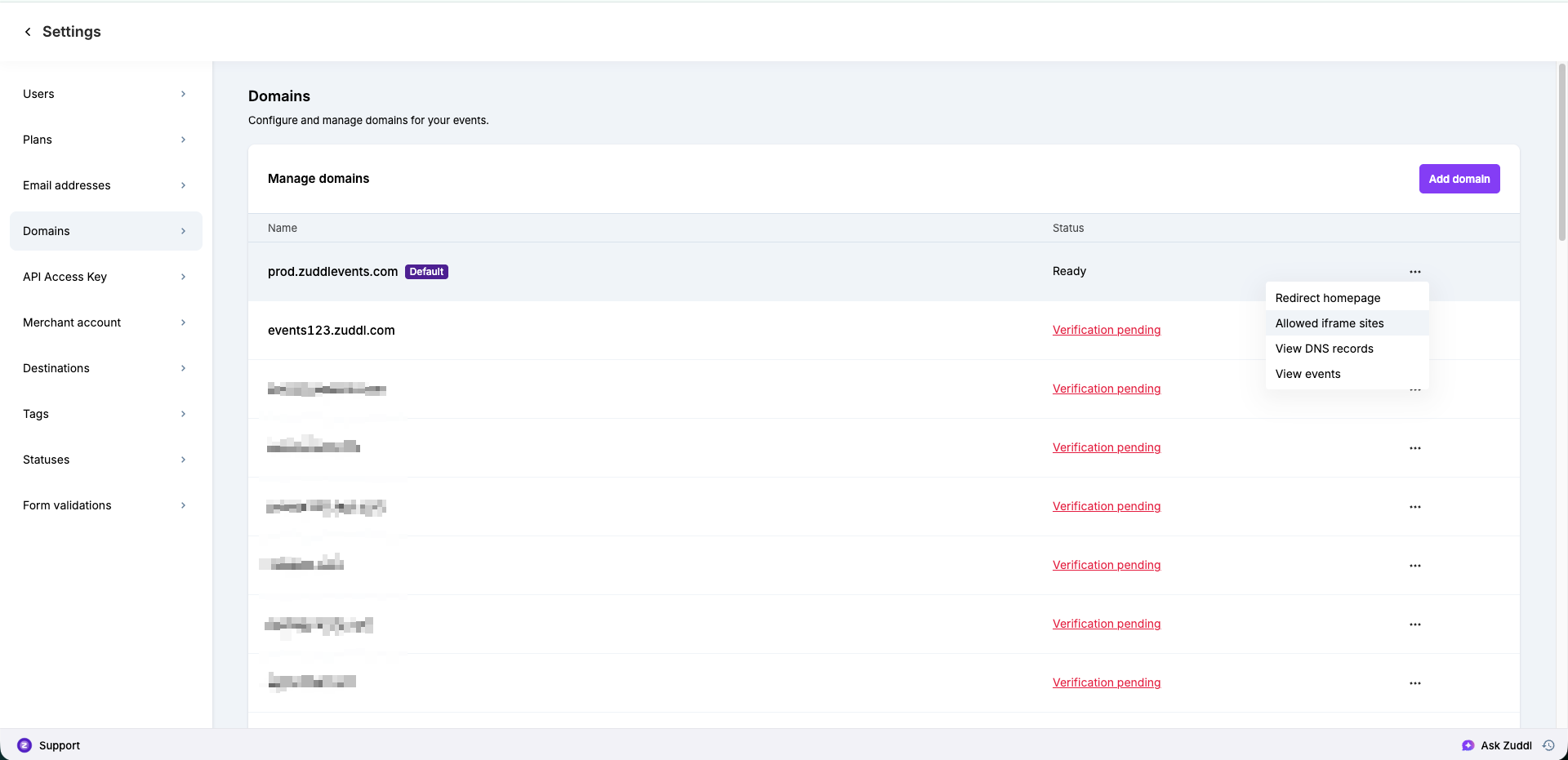
In the Allowed iframe sites panel, enter a site as
https://followed by its host, with no path. For example:https://www.example.com.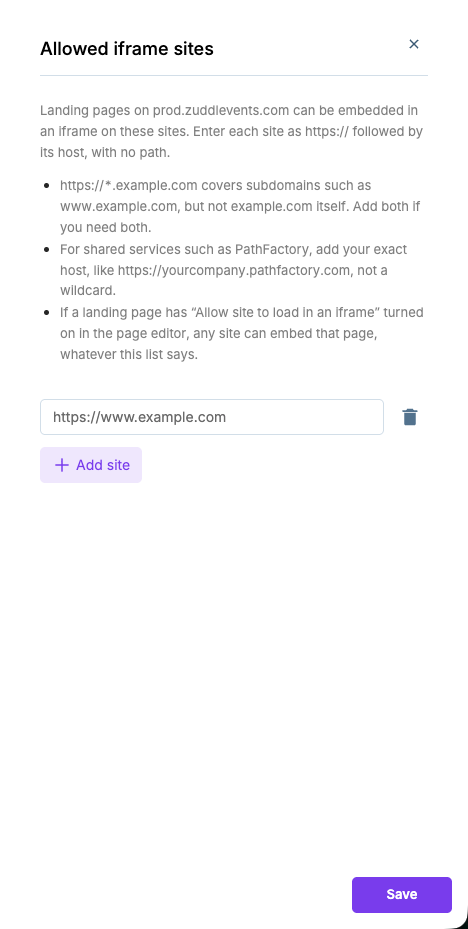
Click Add site to add another row, and repeat for each site. Use the trash icon to remove a site.
Click Save. You'll see the confirmation Allowed iframe sites saved.
What Happens Next
Landing pages on that custom domain can now be loaded in an iframe on the sites you listed, for all current and future events on the domain. Sites that are not on the list (and not already allowed by the landing page) are still blocked by the browser.
Notes
Format: each site must start with
https://and contain only the host (an optional port is allowed). Paths such ashttps://www.example.com/eventsandhttp://addresses are rejected.Wildcards:
https://*.example.comcovers subdomains such aswww.example.com, but notexample.comitself. Add both if you need both.Shared services: for services such as PathFactory, add your exact host, like
https://yourcompany.pathfactory.com, not a wildcard. Wildcards on public suffixes (for examplehttps://*.co.uk) are rejected as too broad.Limit: you can add up to 20 sites per custom domain. Blank rows are ignored and entries are saved in lowercase.
Per domain: the list belongs to one custom domain. If your events use more than one custom domain, set it on each.
Page editor toggle: if a landing page has Allow site to load in an iframe turned on in the page editor, any site can embed that page, whatever this list says.
Removing access: delete the site's row with the trash icon and click Save.