How to Unsubscribe from Zuddl Emails
Last updated: August 1, 2025
The process of unsubscription for events, webinars, and event series is the same, with slight differences. This article explains the process of unsubscription and the various email types for:
To unsubscribe to a Zuddl email, you need to click on the Unsubscribe link at the bottom of the email as shown below:
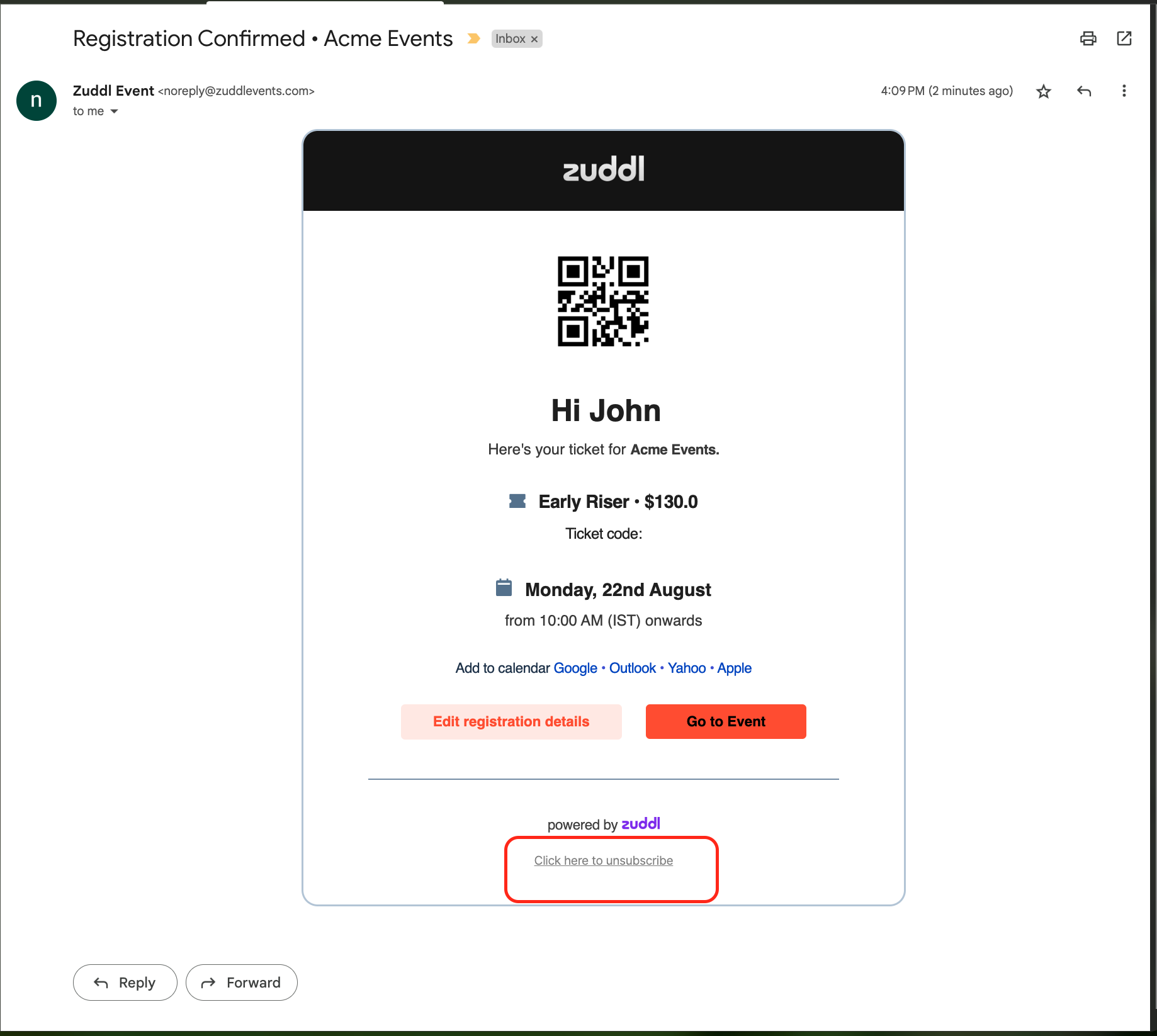
The next step is to select the types of emails you want to stop receiving. This varies for event, webinar, and event series.
How to unsubscribe from emails - Events
In the case of events - virtual, in-person, or hybrid, upon clicking the unsubscribe link from any email, you’d be shown the following options:
Select the email types you want to stop receiving from the following option
Important event updates
Pre-event emails
Live event email
Post-event emails.
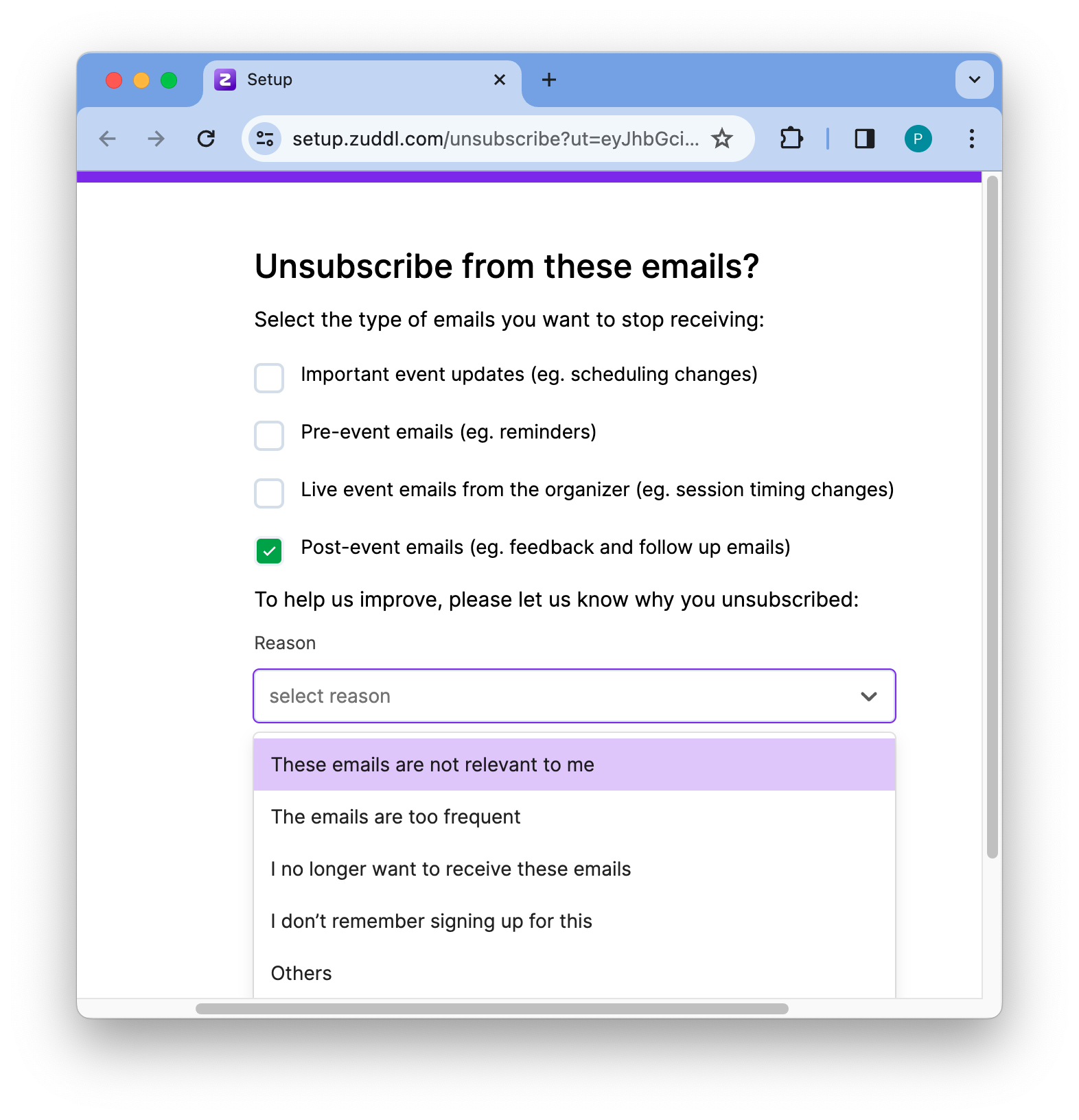
Zuddl does not block user action-based emails such as registration, ticketing, etc.
On the Reason dropdown, select a suitable option
These emails are not relevant to me
The emails are too frequent
I no longer want to receive these emails
I don’t remember signing up for this
Others
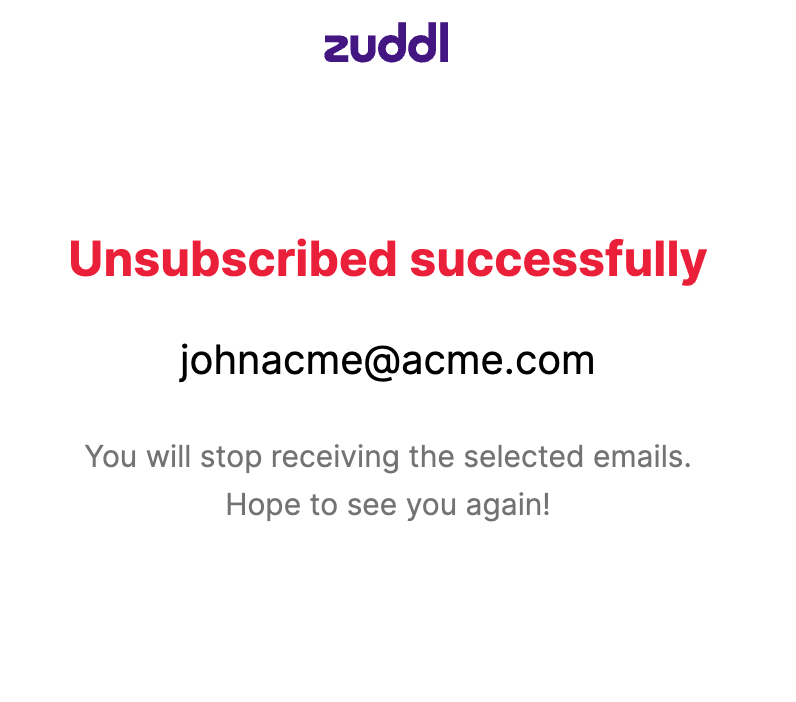
Now, click Unsubscribe. This unsubscribes you from the selected email types.
Here is the full list of emails under Pre, Live, and Post event communications that are blocked and those that are not blocked.
Pre-event Emails | Blocked/Not Blocked | Email type | Applicable for |
|---|---|---|---|
Reminder ~ 7 Days to Go | Blocked | Pre-event emails | Attendees |
Reminder ~ 1 Day to Go | Blocked | Pre-event emails | Both (Attendees & Speakers) |
Reminder ~ 1 Hour to Go | Blocked | Pre-event emails | Both (Attendees & Speakers) |
Reminder ~ 5 mins to Go | Blocked | Pre-event emails | Attendees |
Thank you for coming | Blocked | Post-event emails | Both (Attendees & Speakers) |
We missed you at the event | Blocked | Post-event emails | Attendees |
Event canceled | Blocked | Important event updates | Both (Attendees & Speakers) |
Resend calendar Invite | Blocked | Important event updates | Attendees |
Reminder: Add attendee details | Blocked | Important event update | Attendees |
Custom emails | Blocked | Pre-event, Live event, and Post-event | Attendees |
Registration confirmation | Not Blocked | N/A | Attendees |
Registration pending approval | Not Blocked | N/A | Attendees |
Registration rejected | Not Blocked | N/A | Attendees |
Event Invitation | Not Blocked | N/A | Both (Attendees & Speakers) |
Ticket confirmation | Not Blocked | N/A | Attendees |
Ticket cancelation | Not Blocked | N/A | Attendees |
Reminder: Add attendee details | Not Blocked | N/A | Attendees |
How to unsubscribe from emails - Webinars
In the case of webinars, upon clicking the unsubscribe link from any email, you’d be shown the following options:
Select the email types you want to stop receiving from the following options:
Important webinar updates
Pre-webinar emails
Live webinar email
Post-webinar emails
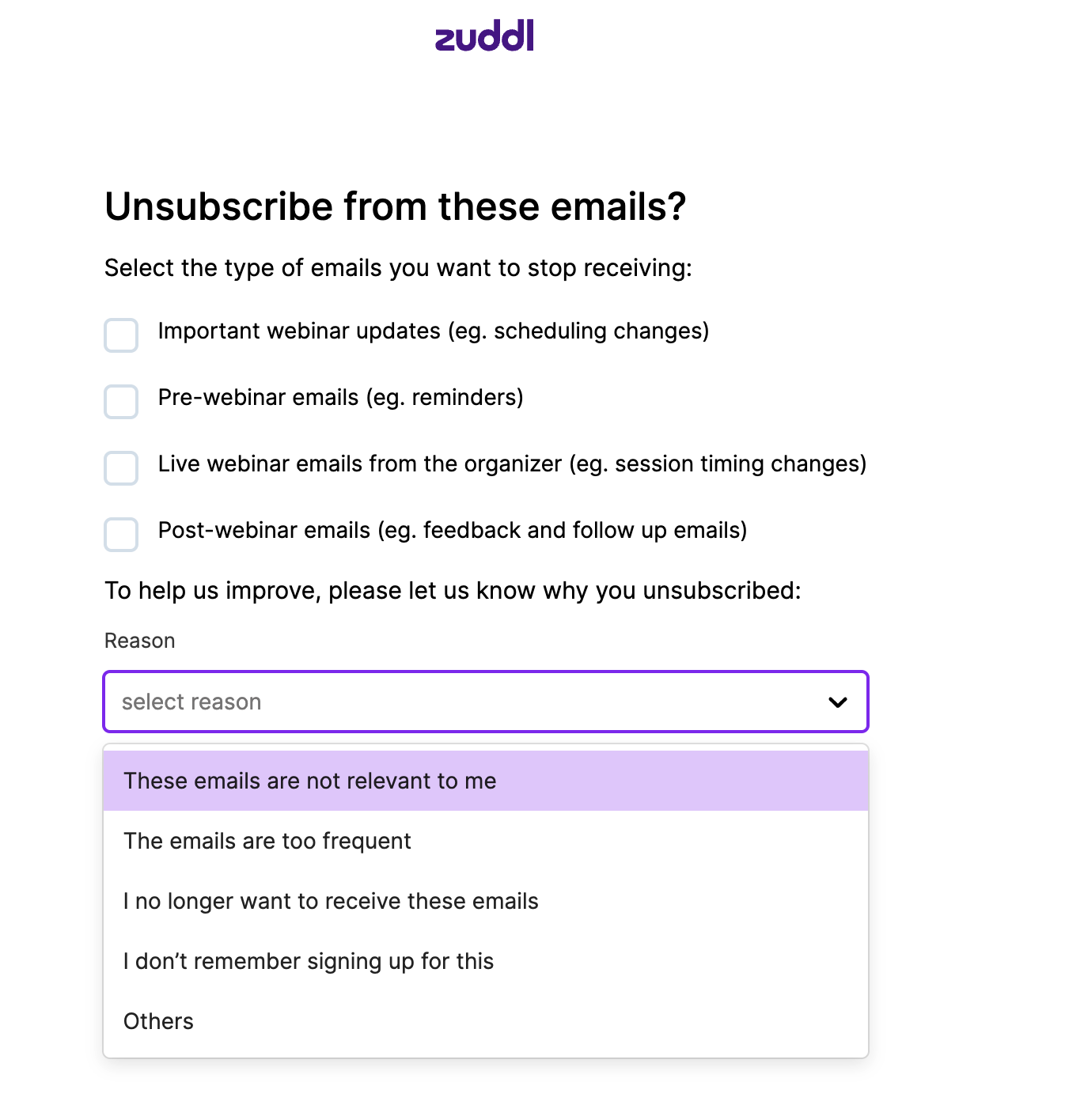
Zuddl does not block user action-based emails such as registration or ticketing.
On the Reason dropdown, select a suitable option
These emails are not relevant to me
The emails are too frequent
I no longer want to receive these emails
I don’t remember signing up for this
Others
Now, click Unsubscribe. This unsubscribes you from the selected email types.
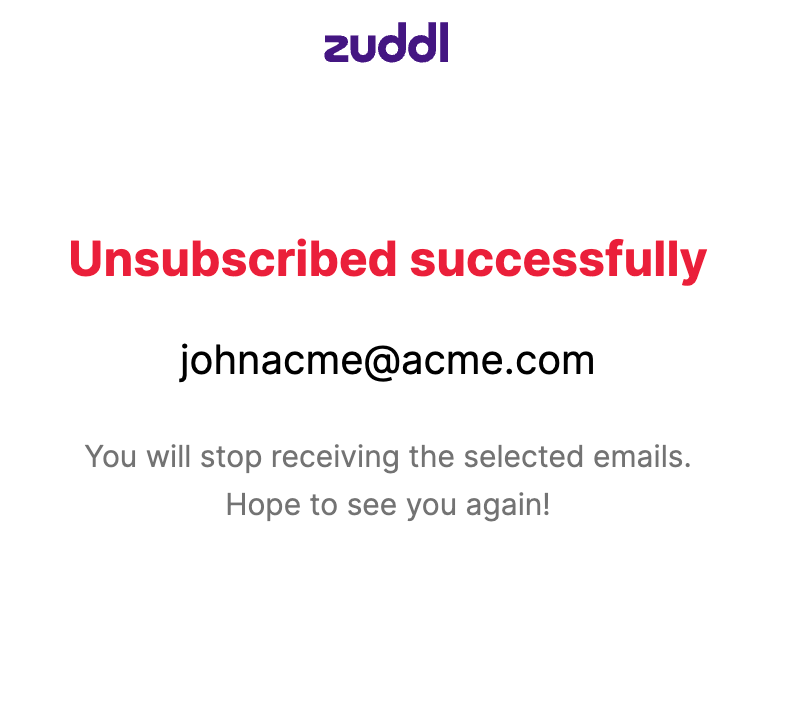
Here is the full list of emails under Pre, Live, and Post webinar email communication that are blocked and those that are not blocked.
Pre-webinar Emails | Blocked/Not Blocked | Email type | Applicable for |
|---|---|---|---|
Reminder ~ 7 Days to Go | Blocked | Pre-webinar emails | Attendees |
Reminder ~ 1 Day to Go | Blocked | Pre-webinar emails | Both (Attendees & Speakers) |
Reminder ~ 1 Hour to Go | Blocked | Pre-webinar emails | Both (Attendees & Speakers) |
Reminder ~ 5 mins to Go | Blocked | Pre-webinar emails | Attendees |
Thank you for coming | Blocked | Post-webinar emails | Both (Attendees & Speakers) |
We missed you at the event | Blocked | Post-webinar emails | Attendees |
Webinar canceled | Blocked | Important webinar updates | Both (Attendees & Speakers) |
Resend calendar Invite | Blocked | Important webinar updates | Attendees |
Reminder: Add attendee details | Blocked | Important webinar updates | Attendees |
Custom emails | Blocked | Pre-webinar, Live webinar, and Post-webinar | Attendees |
Registration confirmation | Not Blocked | N/A | Attendees |
Registration pending approval | Not Blocked | N/A | Attendees |
Registration rejected | Not Blocked | N/A | Attendees |
Webinar Invitation | Not Blocked | N/A | Both (Attendees & Speakers) |
How to unsubscribe from emails - Event series
In the case of event series, upon clicking the unsubscribe link from any email, you’d be shown the following options:
Select if you wish to unsubscribe from the particular event or all events/webinar in the series.
Select the email types you want to stop receiving from the following options:
Important event updates
Pre-event emails
Live event email
Post-event emails
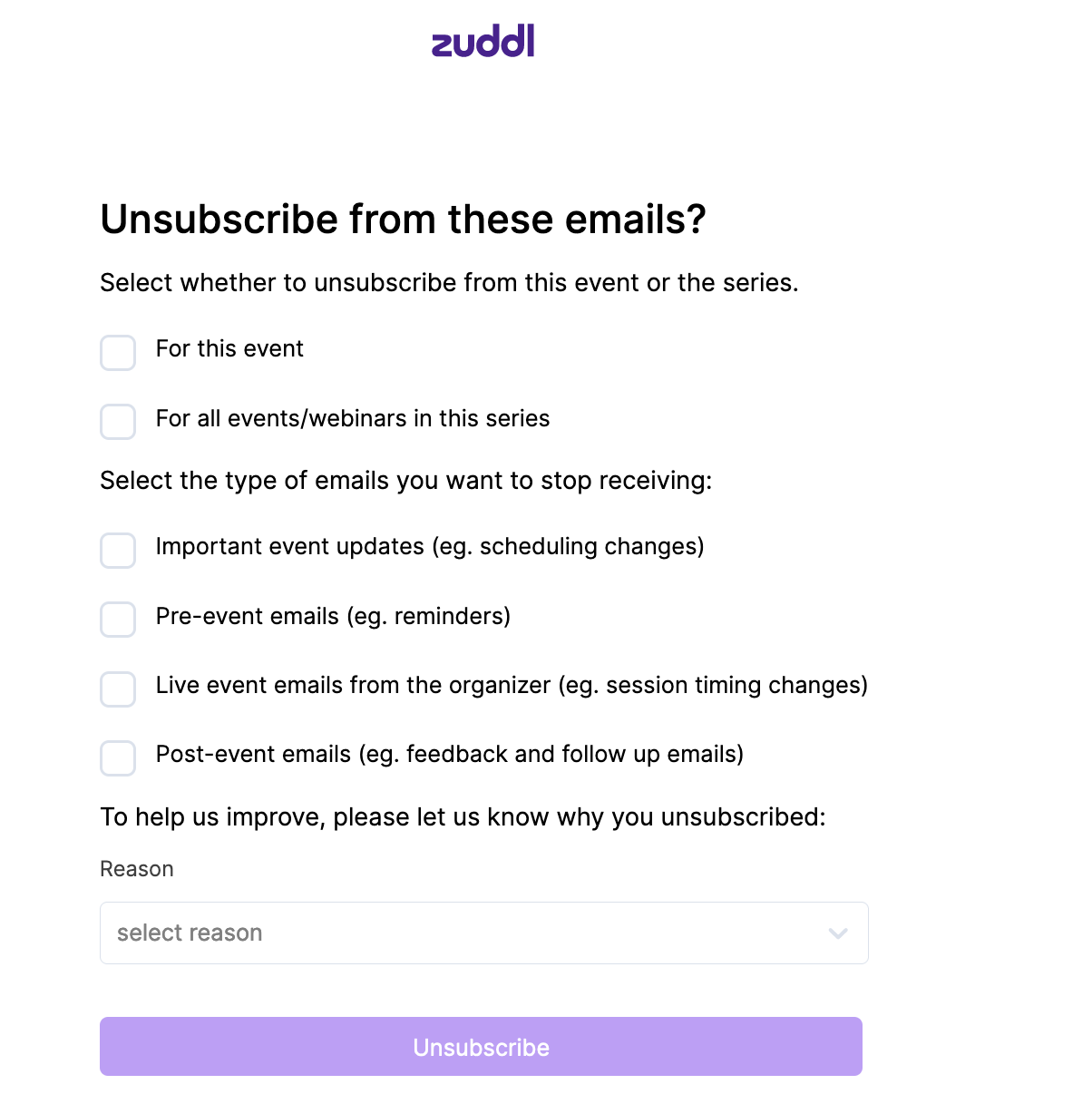
On the Reason dropdown, select a suitable option
These emails are not relevant to me
The emails are too frequent
I no longer want to receive these emails
I don’t remember signing up for this
Others
Now, click Unsubscribe. This unsubscribes you from the selected email types.
Here is the full list of emails under Pre, Live, and Post event email communication that are blocked and those that are not blocked.
Zuddl does not block user action-based emails such as registration or ticketing.
Pre-webinar Emails | Blocked/Not Blocked | Email type | Applicable for |
|---|---|---|---|
Reminder ~ 7 Days to Go | Blocked | Pre-event emails | Attendees |
Reminder ~ 1 Day to Go | Blocked | Pre-event emails | Both (Attendees & Speakers) |
Reminder ~ 1 Hour to Go | Blocked | Pre-event emails | Both (Attendees & Speakers) |
Reminder ~ 5 mins to Go | Blocked | Pre-event emails | Attendees |
Thank you for coming | Blocked | Post-event emails | Attendees |
We missed you at the event | Blocked | Post-event emails | Attendees |
Event/Webinar canceled | Blocked | Important event updates | Both (Attendees & Speakers) |
Resend calendar Invite | Blocked | Important event updates | Attendees |
Reminder: Add attendee details | Blocked | Important event updates | Attendees |
Custom emails | Blocked | Pre-event, Live event, and Post-event | Attendees |
Registration confirmation | Not Blocked | N/A | Attendees |
Series registration confirmation | Not blocked | N/A | Attendees |
Series invitation confirmation | Not blocked | N/A | Attendees |
Series new event added | Not blocked | N/A | Attendees |
Series new webinar added | Not blocked | N/A | Attendees |
Registration pending approval | Not Blocked | N/A | Attendees |
Registration rejected | Not Blocked | N/A | Attendees |
Ticket confirmation | Not Blocked | N/A | Attendees |
Ticket cancelation | Not Blocked | N/A | Attendees |
Event/Webinar invitation | Not Blocked | N/A | Both (Attendees & Speakers) |