How to Add a Cookie Consent Banner to Your Zuddl Registration page
Last updated: October 29, 2025
Step 1: Get the Cookie Consent Script
Obtain the cookie consent script from your consent management platform or tool.
(This could be from any provider that generates a cookie banner script. e.g., OneTrust, Osano, Ketch, etc)
Step 2: Add the Script to Zuddl
Log in to your Zuddl account.
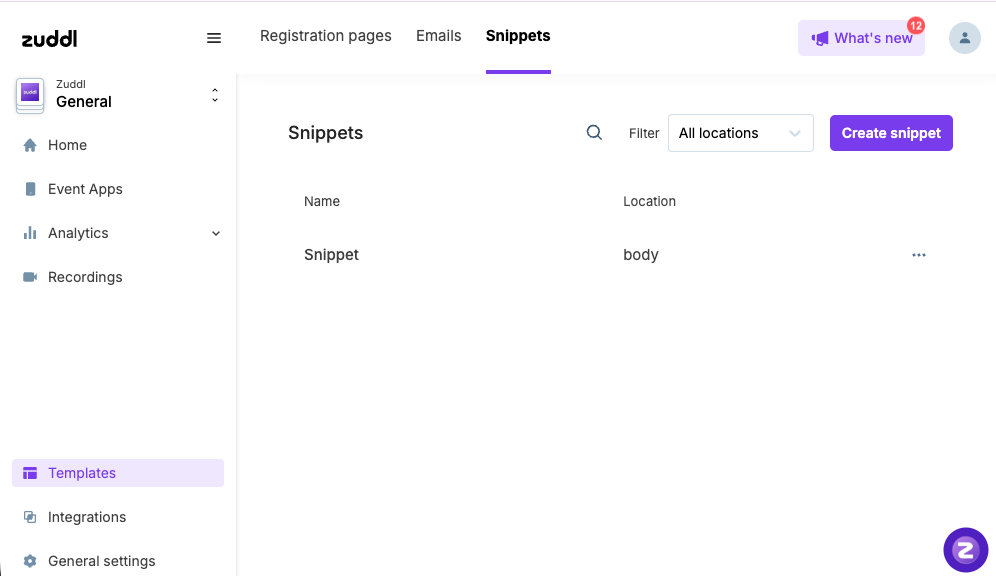
From the dashboard, navigate to Templates → Snippets.
Click on Create Snippet.
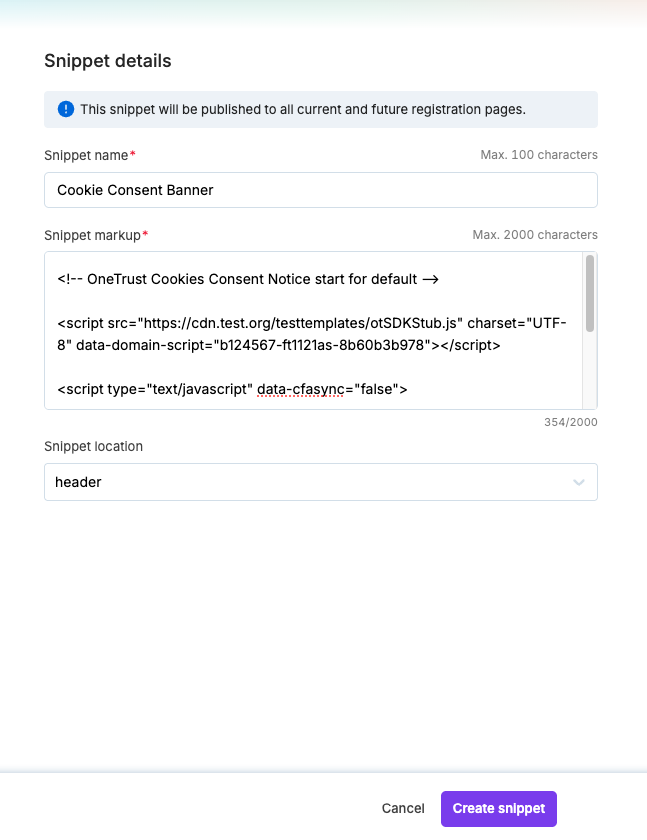
Enter a Snippet Name (for example, "Cookie Consent Banner”).
Paste the consent script into the Snippet Markup field.
Choose the snippet location:
Head → Recommended if the script should load before the page content.
Body → If the script should load after the page has rendered.
Click Create Snippet to save.
Step 3: Verify
Once created, the snippet will automatically be applied to all registration pages created on Zuddl.
Visit any registration page to confirm that the cookie consent banner appears and functions correctly.